Listen to this Post
Introduction:
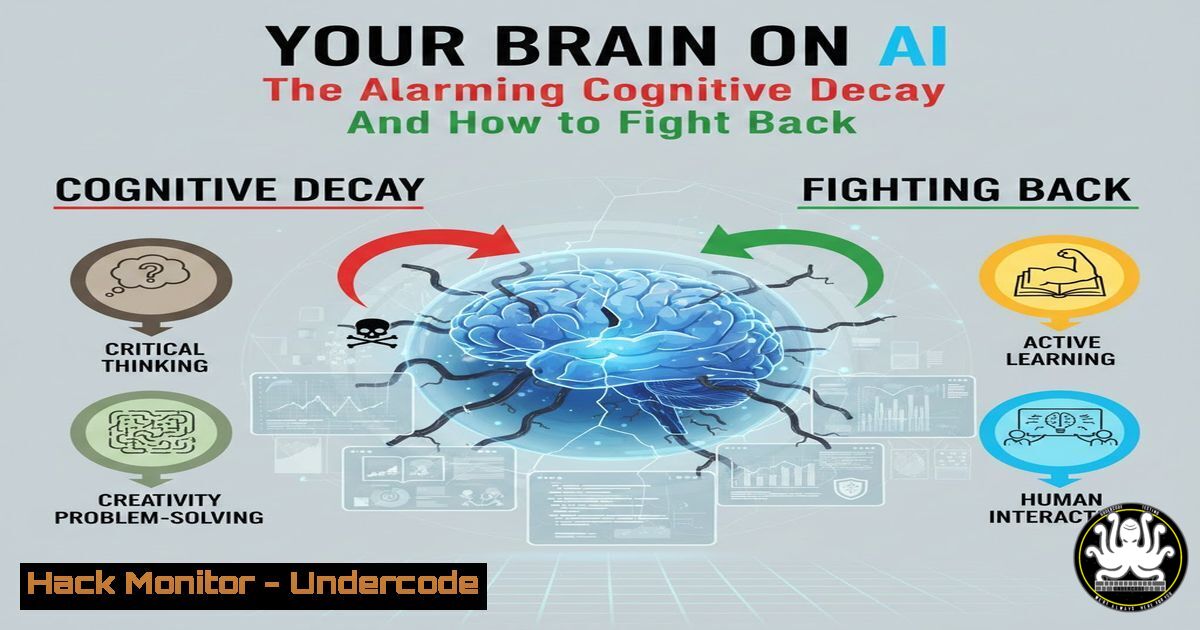
The integration of Artificial Intelligence into our daily workflows is creating a silent crisis in the tech industry: the erosion of fundamental problem-solving skills. As professionals increasingly offload cognitive tasks to AI, from code debugging to system analysis, we risk creating a generation of technicians who can prompt an AI but cannot comprehend the underlying systems they are tasked with securing. This dependency creates critical vulnerabilities in our cybersecurity posture, where a misplaced trust in AI output can lead to catastrophic system failures and security breaches.
Learning Objectives:
- Understand the specific cognitive risks associated with over-reliance on AI in technical roles.
- Develop a practical framework for verifying AI-generated code, configurations, and security advice.
- Implement daily mental exercises and technical drills to maintain and sharpen core troubleshooting skills.
You Should Know:
1. The Verification Protocol: Never Trust, Always Verify
The most dangerous assumption in modern IT is that AI-generated solutions are correct. A single unverified command or configuration change, suggested by an AI, can compromise an entire network. The verification protocol is a non-negotiable process for validating every piece of AI output.
Step‑by‑step guide explaining what this does and how to use it:
Step 1: Isolate and Analyze. Before executing any AI-suggested command, especially those with elevated privileges, isolate it in a safe environment. For example, if an AI suggests a complex `grep` and `awk` pipeline to parse logs, break it down command-by-command.
` AI Suggestion: grep “ERROR” /var/log/syslog | awk ‘{print $5}’ | sort | uniq -c | sort -nr`
Verification: Run `grep “ERROR” /var/log/syslog` first. Then pipe to `awk ‘{print $5}’` and check the output. Understand what each step does before combining them.
Step 2: Cross-Reference with Official Documentation. Use `man` pages and official vendor docs. For the `awk` command above, you would run `man awk` to confirm the field number ($5) is correct for your log format.
Step 3: Test in a Sandbox. Always test in a non-production environment. Use Docker containers, virtual machines, or dedicated staging servers.
`docker run -it –rm ubuntu:latest /bin/bash` (To test a package installation command)
On Windows, use a dedicated sandbox VM or the Windows Sandbox feature to test PowerShell scripts.
- Manual Log Analysis Drills: Reclaiming Your First Responder Skills
AI can quickly parse logs, but it cannot replace the human intuition developed from manually tracing an attack chain. Relying solely on AI for log analysis atrophies the ability to spot subtle anomalies that indicate a novel attack.
Step‑by‑step guide explaining what this does and how to use it:
Step 1: Gather Logs Manually. Instead of pasting everything into an AI, use core Linux commands to collect data.
`journalctl -u ssh –since “1 hour ago”` (To check SSH logs for brute-force attacks)
`sudo tail -f /var/log/apache2/access.log | grep -v “200”` (To monitor web server for non-successful requests in real-time)
Step 2: Pattern Recognition without AI. Look for patterns manually. For failed login attempts:
`grep “Failed password” /var/log/auth.log | cut -d’ ‘ -f11 | sort | uniq -c | sort -nr`
This command will show you the IP addresses with the most failed login attempts, allowing you to identify a brute-force source without AI interpretation.
Step 3: Correlate Events. Manually trace a user’s activity across different logs (auth, application, database) to build a timeline. This builds the foundational skill for effective Security Information and Event Management (SIEM) operation.
3. The “Code-from-Memory” Challenge: Reinforcing API Security Logic
AI can generate secure API endpoints, but without understanding the underlying security logic, you cannot audit them effectively. This challenge forces you to internalize secure coding principles.
Step‑by‑step guide explaining what this does and how to use it:
Step 1: Have AI Generate a Secure Endpoint. “Generate a Python Flask API endpoint with JWT authentication and input sanitization.”
Step 2: Study and Understand. Analyze the generated code. Identify the JWT verification function, the input validation checks, and the error handling.
Step 3: Recreate from Memory. Close the chat and attempt to write the same endpoint from scratch, focusing on replicating the security features.
Step 4: Compare and Critique. Open the AI’s code and compare it with your own. Did you miss any crucial security steps? This is how you move from copying code to understanding security architecture. For example, did you remember to validate the JWT signature and check its expiration?
4. CLI-Only Troubleshooting: Mastering the Fundamentals
Graphical tools and AI abstractions hide the raw mechanics of system operations. Periodically forcing yourself to troubleshoot using only the command line rebuilds deep system knowledge.
Step‑by‑step guide explaining what this does and how to use it:
Scenario: A web server is down.
Step 1: Process Check. `ps aux | grep nginx` (or apache2). Is the process running?
Step 2: Port Listening. `sudo netstat -tulpn | grep :80` or sudo ss -tulpn | grep :80. Is the service bound to the correct port?
Step 3: Configuration Check. `sudo nginx -t` (This tests the Nginx configuration for syntax errors).
Step 4: File Permissions. `ls -l /var/www/html/` (Check if the web root files have the correct ownership and permissions).
Step 5: firewall and Routing. `sudo iptables -L` (Check if the firewall is blocking port 80). On Windows, use netsh advfirewall firewall show rule name=all.
- AI as a Perspective Tool, Not an Oracle
The correct use of AI in security is to augment your knowledge, not replace it. Use it to brainstorm potential attack vectors or explore mitigation strategies you hadn’t considered, but always lead with your own hypothesis.
Step‑by‑step guide explaining what this does and how to use it:
Step 1: Form Your Own Hypothesis. Before consulting AI, ask yourself: “What is the most likely cause of this network latency? What are the potential attack vectors on this new service?”
Step 2: Prompt for Alternatives. Ask the AI: “What are three lesser-known causes for Kubernetes pod crash loops besides memory limits?” or “List five alternative methods for mitigating SQL injection if a Web Application Firewall (WAF) fails.”
Step 3: Synthesize and Decide. The AI provides a list; your job is to critically evaluate each item based on your environment’s context and apply the most appropriate one. This keeps you in the decision-making driver’s seat.
What Undercode Say:
- Critical systems are built on understood foundations. Blindly implementing AI-generated code or configurations is like building a fortress on sand; it may look impressive until the first stress test, which will reveal the fatal flaws you are no longer equipped to see.
- The human element is the final, un-bypassable security control. AI can detect known patterns, but it is the curious, well-trained human mind that intuits the novel threat, questions the anomalous log entry that doesn’t fit a pattern, and understands the business context that makes one vulnerability more critical than another.
The core analysis is that the over-reliance on AI creates a single point of failure: the user’s own degrading expertise. In a field like cybersecurity, where adversaries are constantly innovating, static knowledge is a liability. The “muscle memory” for troubleshooting, built through repeated manual practice, is what enables professionals to respond effectively under pressure during an active incident. AI is a powerful tool in the arsenal, but it must be wielded by a skilled artisan, not a novice who only knows how to press the button. The goal is to use AI to elevate your thinking, not outsource it.
Prediction:
If the current trend of cognitive offloading continues unchecked, we will see a marked increase in “AI-assisted breaches,” where subtle errors in AI-generated code or misconfigurations create attack surfaces that neither the AI nor the dependent operator can recognize. The industry will inevitably bifurcate, creating a premium for “full-stack thinkers”—professionals who can seamlessly integrate AI tools while retaining deep, autonomous system expertise—while those who fail to maintain their foundational skills will become operational risks, unable to secure the very systems they are tasked with managing. The future of robust IT and cybersecurity lies not in replacing the human, but in forging a more capable hybrid analyst, augmented by AI but fundamentally driven by human critical thought.
🎯Let’s Practice For Free:
IT/Security Reporter URL:
Reported By: Sanchit Shangari – Hackers Feeds
Extra Hub: Undercode MoN
Basic Verification: Pass ✅


