Listen to this Post
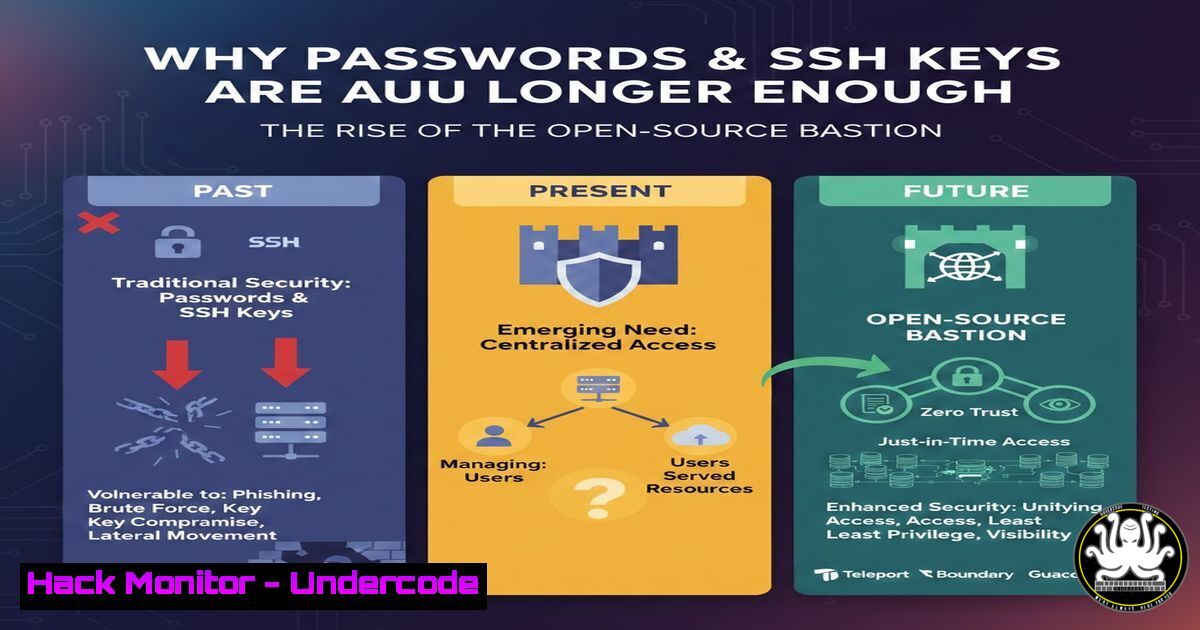
Introduction:
For decades, Secure Shell (SSH) has been the backbone of remote server administration, traditionally relying on passwords or asymmetric keys for access. However, as cyber threats evolve, these methods are proving dangerously insufficient. Password-based authentication is vulnerable to brute-force attacks and credential theft, while private keys can be stolen from endpoints, granting attackers unfettered access to critical infrastructure. This article explores these vulnerabilities and introduces OpenBastion, a powerful open-source solution that integrates with LemonLDAP::NG to enforce Single Sign-On (SSO), token-based authentication, and centralized access control for SSH.
Learning Objectives:
- Understand the inherent security flaws in standard SSH authentication methods.
- Learn how OpenBastion provides a hardened, centralized SSH bastion host with SSO integration.
- Gain practical knowledge on implementing multi-factor authentication (MFA) and fine-grained access controls for SSH.
You Should Know:
- The Cracks in the Armor: Why Standard SSH Fails
The default SSH setup offers two paths: password or key-based authentication, both of which have critical weaknesses.
The Peril of Passwords: Relying on usernames and passwords is a primary security risk. Attackers can launch brute-force or dictionary attacks against exposed SSH services. Even with strong passwords, credential theft via phishing or keyloggers remains a major threat. While integrating with PAM modules like `pam_sss` to connect to LDAP centralizes user management, it does not solve the fundamental problem of a single, static factor being compromised.
The False Security of SSH Keys: SSH keys are considered more secure than passwords, but they introduce their own risks. A user’s private key resides on their workstation. If that machine is compromised, the key can be stolen. Furthermore, without a passphrase, a stolen key provides immediate access. Even with a passphrase, it adds a layer of friction without true multi-factor security. The reliance on local accounts on the target server, combined with a stolen key, creates a “jackpot” scenario for an attacker.
2. Introducing OpenBastion: The SSO-Powered Gatekeeper
OpenBastion, developed by Linagora, is a suite of tools designed to transform how organizations manage SSH access. It moves beyond simple key management by acting as a secure bastion host and integrating directly with LemonLDAP::NG, a Web SSO system. This allows for authentication via time-based one-time passwords (TOTP), U2F keys, and more, all managed through a centralized identity provider.
The core components include:
- PAM (Pluggable Authentication Modules) Module: This intercepts the SSH login process on the bastion and delegates authentication to LemonLDAP::NG, requiring a valid SSO session or MFA token.
- NSS (Name Service Switch) Module: This allows the system to fetch user and group information directly from the LDAP directory managed by LemonLDAP::NG, eliminating the need for local Unix accounts on the bastion itself.
3. Step-by-Step: Hardening SSH with OpenBastion and MFA
This guide provides a conceptual overview of setting up a secure bastion host. (Note: Actual commands may vary based on your Linux distribution and specific setup).
Prerequisites:
- A dedicated Linux server (e.g., Ubuntu 20.04/22.04) to act as the bastion host.
- A functional LemonLDAP::NG and LDAP directory server.
- Root or sudo access on the bastion host.
Step 1: Install OpenBastion Packages
First, add the Linagora repository and install the necessary packages.
 Example for Debian/Ubuntu
wget -qO - https://packages.linagora.com/debian/linagora-keyring.gpg | sudo apt-key add -
echo "deb https://packages.linagora.com/debian stable main" | sudo tee /etc/apt/sources.list.d/linagora.list
sudo apt-get update
sudo apt-get install open-bastion-pam open-bastion-nss
Step 2: Configure NSS Module
Edit the `/etc/nsswitch.conf` file to allow the system to query the OpenBastion NSS module for user and group information. This ensures that only users authenticated via LemonLDAP::NG are recognized.
 /etc/nsswitch.conf
passwd: compat openbastion
group: compat openbastion
shadow: compat openbastion
Step 3: Configure PAM Module for SSH
Edit the PAM configuration for SSH, typically /etc/pam.d/sshd. You need to add the OpenBastion PAM module to the authentication stack. This is usually placed after common authentication but before the `pam_unix.so` module.
 /etc/pam.d/sshd
 Standard Unix authentication may be commented out or kept as a fallback
@include common-auth

Require OpenBastion authentication (which checks with LemonLDAP::NG)
auth required pam_openbastion.so

... other PAM configurations ...
Step 4: Configure SSH Daemon
Edit the main SSH configuration file `/etc/ssh/sshd_config` to enforce the use of the bastion and disable direct root login.
 /etc/ssh/sshd_config
 Disable root login over SSH
PermitRootLogin no

Use PAM for authentication
UsePAM yes

Optionally, disable password and key authentication if you want to force SSO/MFA only
 PasswordAuthentication no
 PubkeyAuthentication no

Restrict which users can log in via this bastion
AllowUsers user1 user2
After making changes, restart the SSH service: sudo systemctl restart sshd.
4. Centralized Sudo Control with OpenBastion
OpenBastion doesn’t just control who can log in; it also governs what they can do once logged in. By integrating with LemonLDAP::NG, you can manage `sudo` rules centrally. When a user connects via the bastion and attempts to use sudo, the OpenBastion PAM module can enforce an additional MFA challenge or verify their permissions against the LDAP directory.
Configuration for this is managed within the LemonLDAP::NG manager interface, where you can define rules for user `sudo` access based on groups, time of day, or specific commands.
- Extending Security to the Desktop: Desktop SSO Integration
A remarkable feature mentioned is the ability to extend this security model to Linux workstations. OpenBastion can be integrated with the LightDM display manager, allowing users to log into their local machines using their corporate SSO credentials and MFA tokens. This unifies the authentication experience for both local and remote access, ensuring that endpoint access is just as secure as server access.
6. Practical Verification: Testing the Bastion
Once configured, you can test the setup from a client machine.
 Attempt to SSH to the bastion host
ssh [email protected]
Instead of being prompted for a password or a local key, the PAM module will redirect the authentication. Depending on your LemonLDAP::NG configuration, you might receive a prompt for a TOTP code or need to have a valid SSO cookie from a previous web login.
Check the bastion’s logs to see the authentication process:
sudo tail -f /var/log/auth.log
You should see entries from `pam_openbastion` confirming successful (or failed) authentication against the SSO provider.
What Undercode Say:
- Key Takeaway 1: The era of trusting solely passwords or static SSH keys is over. OpenBastion demonstrates that SSH access must evolve to include dynamic, multi-factor authentication tied to a centralized identity provider.
- Key Takeaway 2: Centralizing SSH and `sudo` policies through an SSO framework like LemonLDAP::NG drastically reduces administrative overhead and improves security posture. It eliminates the need to manage thousands of `authorized_keys` files and local sudoers entries, replacing them with a single source of truth.
- Analysis: This approach represents a significant paradigm shift from device-centric to identity-centric security. By treating the bastion as a hardened enforcement point, organizations can implement “just-in-time” access, temporary credentials, and detailed audit trails for every privileged command. While the initial setup requires expertise in LDAP and Linux authentication (PAM/NSS), the long-term benefits in compliance and resilience against credential-based attacks are immense. Tools like OpenBastion are paving the way for a truly “zero-trust” model for infrastructure access, where trust is never implicit and must be continuously verified.
Prediction:
As cloud-native architectures and remote work become the norm, the adoption of identity-centric bastion solutions like OpenBastion will accelerate. We can expect to see deeper integration with hardware security keys (like YubiKeys) and biometrics directly within the SSH protocol. The future may see the decline of the traditional `~/.ssh/authorized_keys` file in enterprise settings, replaced by ephemeral certificates and real-time authorization checks against identity providers. This shift will not only make breaches harder to execute but also make them exponentially easier to detect and contain by closing the gap between identity and infrastructure.
▶️ Related Video (78% Match):
🎯Let’s Practice For Free:
IT/Security Reporter URL:
Reported By: Ines Wallon – Hackers Feeds
Extra Hub: Undercode MoN
Basic Verification: Pass ✅


