
Listen to this Post
Introduction:
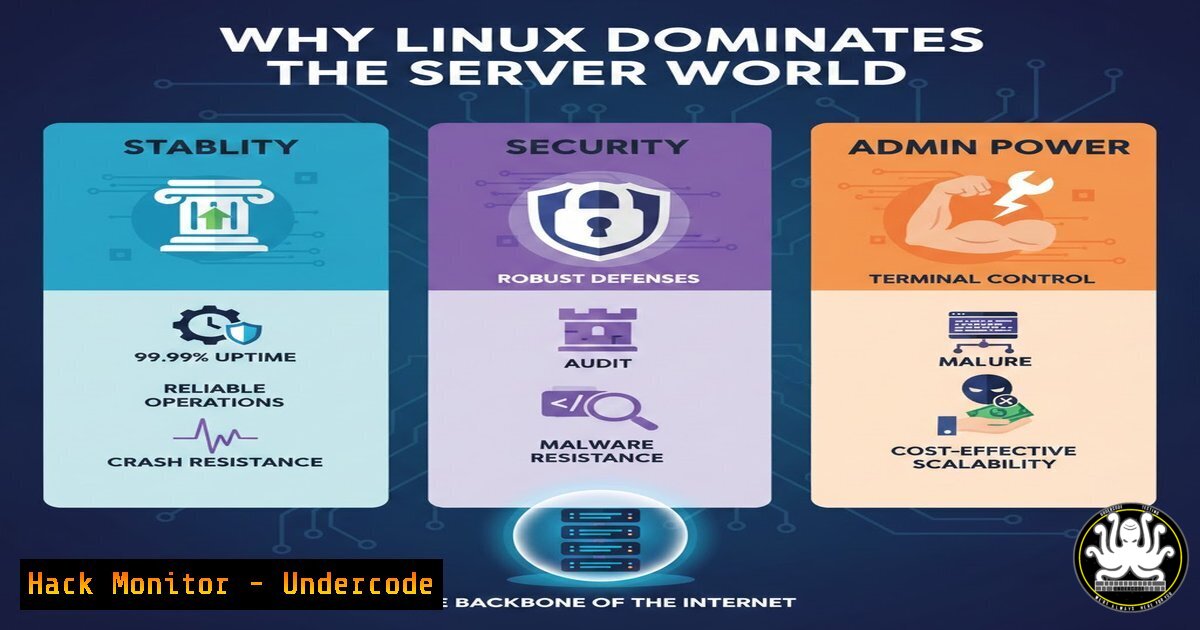
In the engine room of the digital world, where websites, applications, and cloud services demand relentless uptime and ironclad security, one operating system reigns supreme: Linux. Its dominance isn’t accidental; it’s the result of architectural decisions that prioritize stability, security, and efficient resource management over graphical flair. This article deconstructs the technical pillars that make Linux the undisputed champion for server environments, moving beyond buzzwords to the commands and configurations that deliver these enterprise-grade benefits.
Learning Objectives:
- Understand the kernel-level and philosophical reasons behind Linux’s legendary stability and performance.
- Implement core Linux security hardening techniques for SSH, user permissions, and firewall management.
- Master essential command-line tools for remote administration and automated server management.
- Compare the operational and financial implications of Linux versus Windows Server in real-world scenarios.
- Leverage the open-source ecosystem for troubleshooting and scaling server infrastructure.
You Should Know:
1. Architectural Stability & Performance: The Kernel Advantage
Linux’s stability stems from its monolithic kernel design, where core services run in a protected, highly optimized space. Unlike systems where the GUI is integral, the Linux server is a lean, headless operation. This reduces attack surfaces and resource overhead. The `systemd` initialization system further enhances robustness through efficient service management and dependency handling.
Step-by-Step Guide:
Monitor Uptime & Resources: The first proof is in the pudding. Use these commands to verify stability and performance.
 Check system uptime and load averages (1, 5, 15 minutes)
uptime

Monitor real-time system resource usage (CPU, Memory)
top
 or the more user-friendly
htop  (requires installation: sudo apt install htop)

View detailed memory information
free -h

Check the kernel version and OS details
uname -a
cat /etc/os-release
This lightweight footprint allows more system resources (CPU, RAM) to be dedicated to your actual workloads like databases (MySQL, PostgreSQL) or web servers (Nginx, Apache).
2. The Security Fortress: Permissions, SSH, and Firewalls
Linux security is inherent, not an add-on. Its foundation is a discretionary access control (DAC) model where every file and process has an owner, group, and strict permissions (read, write, execute). Remote access is gatekept by SSH (Secure Shell), which must be hardened.
Step-by-Step Guide:
Manage File Permissions: Use `chmod` and `chown` to enforce least-privilege access.
 Change file ownership
sudo chown www-data:www-data /var/www/html/index.html

Set permissions: owner=read/write, group=read, others=no access
sudo chmod 640 /etc/myapp/config.conf

Recursively change permissions for a directory
sudo chmod -R 755 /var/www/myapp/
Harden SSH Access: Never use password-based root login.
 Edit the SSH server configuration file
sudo nano /etc/ssh/sshd_config

Set the following critical parameters:
PermitRootLogin no
PasswordAuthentication no
PubkeyAuthentication yes
Port 2222  Change from default port 22

Restart SSH service to apply changes
sudo systemctl restart sshd
Configure the Firewall (UFW/iptables): Use Uncomplicated Firewall (UFW) for simplicity.
sudo ufw default deny incoming
sudo ufw default allow outgoing
sudo ufw allow 2222/tcp  Allow your custom SSH port
sudo ufw allow 80,443/tcp  Allow HTTP/HTTPS
sudo ufw enable
sudo ufw status verbose
3. Cost-Effectiveness & Licensing Freedom
The open-source nature of Linux eliminates per-server, per-core, or per-user client access licensing (CAL) costs associated with Windows Server. This translates to direct, significant savings, especially at scale. The financial resources can be redirected towards hardware, development, or expert staffing.
Step-by-Step Guide:
Audit Software Packages: Manage and audit software without license compliance worries.
 List all installed packages (Debian/Ubuntu)
dpkg --list

Check for updates freely available from repositories
sudo apt update
sudo apt list --upgradable

Install enterprise-grade software at zero license cost
sudo apt install nginx postgresql-15 docker-ce
- Remote Management & Automation: The CLI as Your Superpower
Linux servers are administered primarily through the command line via SSH, making them ideal for scripting and automation. This is the bedrock of DevOps practices like Infrastructure as Code (IaC).
Step-by-Step Guide:
Automate Tasks with Cron: Schedule scripts for backups, updates, or reports.
 Open the crontab file for the current user
crontab -e

Add a line to run a backup script every day at 2 AM
0 2    /usr/local/bin/backup.sh

Restart a service every Sunday at 3:15 AM
15 3   0 sudo systemctl restart my-service
Use SSH Keys for Passwordless, Secure Login: Essential for automation tools like Ansible.
 On your local machine, generate a key pair
ssh-keygen -t ed25519 -C "[email protected]"

Copy the public key to the remote server
ssh-copy-id -p 2222 user@your_server_ip

Now you can SSH or SCP without a password
scp -P 2222 myfile.txt user@server:/tmp/
5. The Power of Community & Documentation
The global open-source community provides an unparalleled knowledge base. Solutions to almost any problem are documented in forums, wikis, and man pages. This collective intelligence accelerates troubleshooting and innovation.
Step-by-Step Guide:
Leverage Built-in Help: Before searching online, consult the built-in manuals.
 View the manual for any command
man ssh
man apt

Get a quick help flag summary
ls --help
When you do need to search, using precise error messages from logs (found in /var/log/) will lead you to community-driven solutions on platforms like Stack Overflow, Server Fault, and official distribution forums.
What Undercode Say:
- Control is Paramount: Linux provides administrators with granular, unfiltered control over the entire stack. This transparency allows for precise optimization and security hardening that is often abstracted or restricted in other systems.
- Economics Drive Adoption: The TCO (Total Cost of Ownership) argument for Linux is decisive at scale. The savings on licensing are reinvested into creating more resilient and capable infrastructure, creating a powerful positive feedback loop for business infrastructure.
The analysis isn’t that Windows Server lacks merit; it excels in integrated environments like Active Directory. However, for the core tasks of serving web content, running containerized applications, hosting databases, and forming the cloud’s backbone, Linux’s philosophy of modularity, transparency, and community-driven development creates an inherently more efficient and adaptable platform. Its “do one thing and do it well” ethos, combined with the composability of its tools, makes it not just a tool, but a foundational philosophy for modern infrastructure.
Prediction:
The trajectory of computing solidifies Linux’s future dominance. The rise of containerization (Docker, Kubernetes), which is fundamentally Linux-native, and the expansion of cloud infrastructure (AWS EC2, Google Cloud VMs) where Linux instances are the default, will further entrench its position. As edge computing and IoT grow, lightweight, secure Linux variants will power billions of new devices. Furthermore, the integration of AI/ML tooling into Linux platforms will make it the default OS for next-generation intelligent applications. While Windows Server will maintain its niche, Linux’s role as the universal, agile, and cost-effective platform for innovation is only set to expand.
▶️ Related Video (78% Match):
🎯Let’s Practice For Free:
IT/Security Reporter URL:
Reported By: Sana Ullah – Hackers Feeds
Extra Hub: Undercode MoN
Basic Verification: Pass ✅


