Listen to this Post
Introduction:
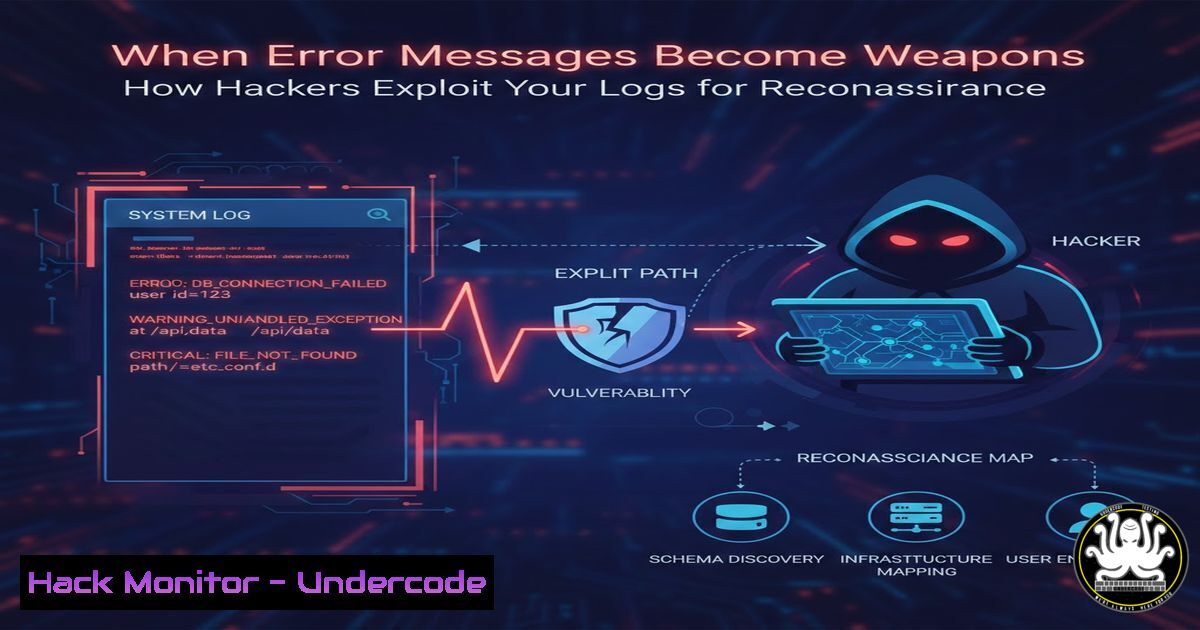
In the world of cybersecurity, logs are traditionally viewed as the defender’s diary—a record of events used for troubleshooting and incident response. However, in the hands of an attacker, verbose logs and poorly configured error handling become a blueprint of your internal infrastructure. This article explores the often-overlooked art of log-based reconnaissance, where seemingly innocuous server responses and stack traces provide attackers with the critical intelligence needed to map an application and plan a targeted assault. We will dissect how hackers weaponize these digital breadcrumbs and provide you with the defensive configurations to silence them.
Learning Objectives:
- Understand how attackers perform username enumeration and application mapping using HTTP status codes and error messages.
- Learn to identify and exploit common information disclosure vectors in web applications from an offensive perspective.
- Implement server-side and application-level hardening techniques to prevent sensitive data leakage through logs and responses.
You Should Know:
1. Username Enumeration via Login Error Messages
The first step in many attacks is identifying valid users. A login page that differentiates between an incorrect username and an incorrect password is a goldmine for an attacker. By automating requests and analyzing the response, an attacker can compile a list of valid accounts without ever needing a password.
Step‑by‑step guide (Linux – Offensive Simulation):
This demonstrates how an attacker would use a simple Bash script with `curl` to enumerate usernames.
1. Create a wordlist: Save a list of potential usernames in a file, e.g., usernames.txt.
nano usernames.txt
 Add names like admin, root, john.doe, etc.
2. Craft the enumeration script: Use a `while` loop to send POST requests to the login endpoint and filter for the specific error message.
!/bin/bash
url="https://target.com/login"
while read user; do
response=$(curl -s -X POST -d "username=$user&password=wrongpass" $url)
if echo "$response" | grep -q "Invalid username"; then
echo "[+] Potential invalid user: $user (Username does not exist)"
elif echo "$response" | grep -q "Invalid password"; then
echo "[!] VALID USER FOUND: $user (Password incorrect)"
fi
done < usernames.txt
3. Analyze the output: The script distinguishes between users that exist (triggering an “Invalid password” message) and those that don’t. This precise feedback loop allows the attacker to build a targeted list for a brute-force attack.
2. Application Mapping with HTTP Status Codes
HTTP status codes are not just for browsers; they are a primary source of intelligence for attackers. A `403 Forbidden` suggests a resource exists but is protected, while a `404 Not Found` confirms it does not. A `303 Redirect` to a login page often confirms the existence of an admin panel.
Step‑by‑step guide (Linux – Directory Brute-forcing):
Using a tool like `ffuf` (Fuzz Faster U Fool) automates this process.
1. Install ffuf (if not already installed):
sudo apt update && sudo apt install ffuf -y
2. Run a directory brute-force: This command will test a wordlist against the target and filter out common size responses to find hidden directories.
ffuf -u https://target.com/FUZZ -w /usr/share/wordlists/dirb/common.txt -mc all -fc 404
-u: The target URL with `FUZZ` as the placeholder.
`-w`: Path to your wordlist.
`-mc all`: Match all HTTP status codes.
`-fc 404`: Filter out (ignore) 404 responses.
3. Interpret the results:
admin [Status: 303, Size: 0]: The `/admin` path exists. The 303 redirect likely points to a login page. The attacker now knows where the admin panel is.
backup [Status: 403, Size: 300]: A `403 Forbidden` on `/backup` strongly suggests a sensitive directory exists but access is restricted. The attacker might try to bypass this restriction.
images [Status: 200, Size: 5000]: A publicly accessible directory, potentially containing files that leak metadata or paths.
3. Extracting Secrets from Verbose Stack Traces
When an application crashes, it sometimes displays a full stack trace to the user. These traces can reveal internal file paths, database query structures, framework versions, and even snippets of source code.
Step‑by‑step guide (Manual Exploitation):
- Trigger an error: An attacker might input a single quote (
') into a search field or a numeric ID parameter (https://target.com/page?id=1') to cause a SQL or syntax error. - Analyze the response: Look for output that begins with
Warning:,Fatal error:, orStack trace:. A verbose error might look like this:Fatal error: Uncaught PDOException: SQLSTATE[bash]: Syntax error or access violation: ... in /var/www/html/includes/db_connect.php on line 23</li> </ol> Stack trace: 0 /var/www/html/includes/db_connect.php(23): PDO->query() 1 /var/www/html/search.php(45): getDatabaseConnection() 2 {main}3. Information Gathered:
File Paths: `/var/www/html/` reveals the server’s internal directory structure.
Technology Stack: Confirms the use of PHP and PDO.
Code Flow: The stack trace shows the execution path, helping the attacker understand the application’s logic.4. Defensive Logging: Sanitization and Generic Responses
Defenders must shift from a mindset of “logging everything” to “logging securely.” This involves sanitizing data before it reaches the user and ensuring logs themselves are protected.
Step‑by‑step guide (Server/Application Hardening):
Generic Error Messages (PHP Example): In your `php.ini` file, ensure `display_errors` is `Off` and `log_errors` is `On` for the production environment.
; In php.ini
display_errors = Off
log_errors = On
error_log = /var/log/php_errors.log
Custom Error Pages (Apache – .htaccess): Redirect users to a friendly, generic error page instead of showing the server’s default error.
 In .htaccess or Apache config
ErrorDocument 400 /error_pages/general_error.html
ErrorDocument 403 /error_pages/general_error.html
ErrorDocument 404 /error_pages/general_error.html
ErrorDocument 500 /error_pages/general_error.html
Sanitizing Login Responses (Node.js/Express): Ensure your authentication logic returns the exact same message for all failure states.
app.post('/login', (req, res) => {
const { username, password } = req.body;
const user = findUser(username);

// Generic failure message regardless of the specific reason
if (!user || !verifyPassword(password, user.passwordHash)) {
return res.status(401).json({ message: 'Invalid credentials' });
}
// ... proceed with login
});
5. Monitoring for Enumeration Attempts
Detecting reconnaissance is the first line of defense. By analyzing logs for patterns, you can identify and block an attacker before they find a vulnerability.
Step‑by‑step guide (Linux – Log Analysis with `grep` and
awk):
1. Analyze Web Server Access Logs: Look for a high volume of `404` errors from a single IP address, which indicates directory brute-forcing.sudo grep " 404 " /var/log/nginx/access.log | awk '{print $1}' | sort | uniq -c | sort -nr | head -10This command finds all 404 entries, extracts the IP addresses, and lists the top 10 IPs with the most 404s.
2. Detect Username Enumeration: Monitor for a high rate of login attempts to non-existent accounts.sudo grep "Failed login for unknown user" /var/log/auth.log | awk '{print $1}' | sort | uniq -c(Adjust the log path and error string to match your application’s logging format.)
3. Implement Rate Limiting (Nginx): Once you identify an attacking IP, you can block it, or better yet, use rate limiting to slow them down automatically.In nginx.conf within a server or location block limit_req_zone $binary_remote_addr zone=login:10m rate=5r/m; location /login { limit_req zone=login burst=3 nodelay; proxy_pass http://your_app; }This configuration limits the `/login` endpoint to 5 requests per minute per IP address.
What Undercode Say:
- Information Disclosure is a Critical Vulnerability: Treat verbose error messages and stack traces with the same severity as a SQL injection. They provide the map an attacker needs to find the treasure. The difference between “Invalid username” and “Invalid credentials” is the difference between a locked door and a door with a transparent window.
- Defense in Depth for Logs: Security is not just about preventing breaches; it’s about denying information. By implementing generic user-facing messages, disabling debug modes, and actively monitoring for enumeration patterns, you create a “needle in a haystack” for the attacker. Your application should be a black box to the outside world, revealing only what is strictly necessary for functionality. Remember, a silent system is a secure system; every byte of information you leak is a byte the attacker doesn’t have to guess.
Prediction:
As AI-driven penetration testing tools become more sophisticated, the automated analysis of log-based disclosures will become a standard, lightning-fast phase of any attack. We will see a rise in “reconnaissance worms” that can crawl the web, identify applications leaking sensitive path or version information via logs, and automatically match those findings with exploit databases. Consequently, regulatory frameworks like GDPR and PCI-DSS will likely evolve to explicitly mandate “error message sanitization” and “reconnaissance detection” as auditable controls, moving information leakage from a “best practice” to a strict compliance requirement.
▶️ Related Video (84% Match):
🎯Let’s Practice For Free:
IT/Security Reporter URL:
Reported By: Olalekan Musa – Hackers Feeds
Extra Hub: Undercode MoN
Basic Verification: Pass ✅🔐JOIN OUR CYBER WORLD [ CVE News • HackMonitor • UndercodeNews ]
📢 Follow UndercodeTesting & Stay Tuned:


