Listen to this Post
Introduction
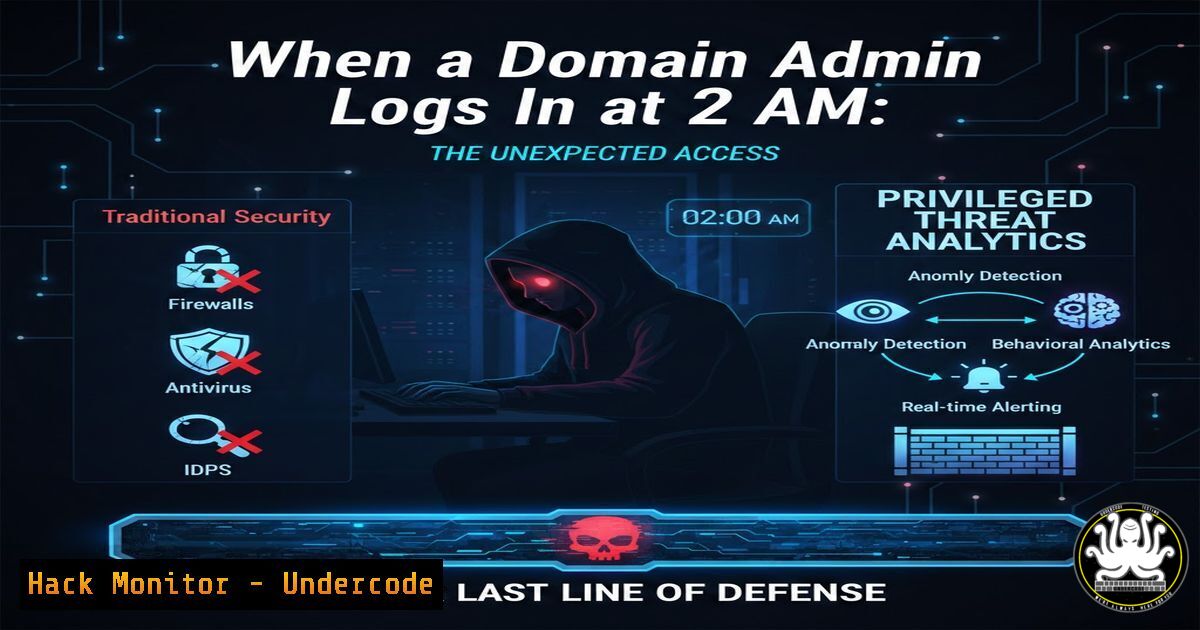
In the modern threat landscape, attackers no longer waste time exploiting complex vulnerabilities or brute-forcing passwords—they simply log in using stolen credentials. Privileged Threat Analytics (PTA) addresses this critical blind spot by shifting the focus from access control to behavioral monitoring. Unlike traditional security tools that stop at authentication, PTA establishes baselines of normal privileged user activity and flags deviations in real time, detecting threats that have already bypassed perimeter defenses.
Learning Objectives
- Understand how Privileged Threat Analytics detects anomalous behavior using machine learning and risk scoring
- Learn to differentiate between PTA and traditional SIEM solutions for privileged account monitoring
- Master practical techniques for configuring behavioral baselines and responding to PTA alerts
You Should Know
1. Understanding Privileged Threat Analytics Architecture
Privileged Threat Analytics operates as a behavioral monitoring layer that sits alongside your Privileged Access Management (PAM) solution. While PAM controls who can access what, PTA analyzes how they access it. The architecture consists of three core components: data collectors that ingest logs and session activity, a behavioral analytics engine that establishes baselines, and a risk-scoring mechanism that prioritizes anomalies.
From a technical perspective, PTA collects data from multiple sources including Windows Event Logs, Linux syslog, and CyberArk Vault audit records. For example, to forward Windows security logs to PTA, you would configure Windows Event Forwarding:
 Configure Windows Event Collector on the PTA server
wecutil qc /q

On domain-joined systems, configure event subscription
wecutil cs Configuration.xml
For Linux systems, rsyslog configuration ensures comprehensive audit data:
 Edit rsyslog configuration
sudo nano /etc/rsyslog.conf

Add forwarding rule for auth logs
. @192.168.1.100:514  PTA collector IP
sudo systemctl restart rsyslog
2. Establishing Behavioral Baselines
The foundation of effective PTA implementation lies in accurate baseline creation. During the learning period (typically 30-60 days), PTA observes and records normal patterns for each privileged user. This includes login times, geographical locations, accessed systems, command usage, and session duration.
To manually validate baseline accuracy, security teams can query the PTA database using its REST API:
 Query user baseline data using curl
curl -X GET "https://pta-server:8443/api/baselines/users/domainadmin" \
-H "Authorization: Bearer ${API_TOKEN}" \
-H "Content-Type: application/json" | jq '.baseline_patterns'
The API returns JSON data showing normal login windows, typical source IPs, and common access patterns. Any deviation from these patterns triggers a risk score calculation.
3. Risk Scoring and Anomaly Detection
PTA employs a multi-factor risk scoring algorithm that considers context, velocity, and deviation severity. When a privileged user authenticates, the system evaluates numerous parameters: time of day (2 AM logins score higher), geographical improbability (impossible travel), access velocity (number of systems accessed per minute), and sensitivity of targeted resources.
For organizations wanting to customize risk thresholds, the PTA configuration file allows granular control:
<!-- /opt/cyberark/PTA/config/risk_thresholds.xml -->
<RiskThresholds>
<TimeAnomaly weight="0.3">
<BusinessHours>08:00-18:00</BusinessHours>
<OffHoursMultiplier>2.5</OffHoursMultiplier>
</TimeAnomaly>
<Geovelocity weight="0.25">
<MaxSpeed>800</MaxSpeed> <!-- km/h between logins -->
<ImpossibleTravelScore>90</ImpossibleTravelScore>
</Geovelocity>
<AccessBurst weight="0.2">
<SystemsPerMinute threshold="5">70</SystemsPerMinute>
</AccessBurst>
</RiskThresholds>
4. Investigating Suspicious Sessions
When PTA flags an anomaly, security teams need rapid investigation capabilities. The platform provides session recording and keystroke logging for privileged sessions. To extract and analyze suspicious commands from a recorded session:
 Use PTA CLI tool to extract session commands
/opt/cyberark/PTA/bin/pta-cli session extract --id SESSION_12345 --output commands.txt

Analyze for suspicious patterns
cat commands.txt | grep -E "(wget|curl|chmod|useradd|passwd|nc|netcat)" | while read cmd; do
echo "Suspicious command detected: $cmd"
 Check against known malicious patterns
echo "$cmd" | grep -q "chmod 777 /etc" && alert "Critical: Permission change on /etc"
done
On Windows systems, PowerShell script block logging provides similar visibility:
 Enable PowerShell logging for thorough investigation
New-ItemProperty -Path "HKLM:\SOFTWARE\ Policies\Microsoft\Windows\PowerShell\ScriptBlockLogging" -Name "EnableScriptBlockLogging" -Value 1 -PropertyType DWord

Query suspicious PowerShell activity
Get-WinEvent -FilterHashtable @{LogName='Microsoft-Windows-PowerShell/Operational'; ID=4104} |
Where-Object {$_.Message -match "Invoke-Expression|DownloadString|Bypass"} |
Select-Object TimeCreated, Message
5. Integrating PTA with SIEM and SOAR
While PTA excels at behavioral detection, integration with your security operations center (SOC) tools ensures comprehensive coverage. PTA can forward alerts via syslog or API to SIEM platforms. Configure syslog forwarding:
 On PTA server, configure syslog-ng for forwarding
cat >> /etc/syslog-ng/conf.d/siem-forwarding.conf << EOF
destination d_siem {
syslog("192.168.1.50" port(514) transport("udp"));
};
log {
source(s_pta_alerts);
destination(d_siem);
};
EOF

systemctl restart syslog-ng
For SOAR integration, use the PTA webhook capability to trigger automated responses:
 Python script to receive PTA webhooks and initiate response
from flask import Flask, request
import subprocess

app = Flask(<strong>name</strong>)

@app.route('/pta-webhook', methods=['POST'])
def handle_pta_alert():
alert = request.json
if alert['risk_score'] > 85:
 Automatically isolate the compromised account
subprocess.run(['python', 'isolate_account.py', alert['username']])
 Terminate active sessions
subprocess.run(['/opt/cyberark/PTA/bin/terminate_session', alert['session_id']])
return 'OK', 200

if <strong>name</strong> == '<strong>main</strong>':
app.run(host='0.0.0.0', port=5000)
6. Real-World Attack Scenarios and PTA Response
Consider the scenario from the original post: a Domain Admin logs in at 2:18 AM with correct credentials and MFA. Traditional security tools see this as a successful login—no alerts. PTA, however, recognizes multiple anomalies:
- Temporal deviation: User never logs in between 12 AM and 5 AM
- Geographic anomaly: Source IP geolocates to a country where the organization has no presence
- Velocity spike: Account accesses 12 high-value safes within 3 minutes
- Behavioral mismatch: Commands executed deviate from established patterns
PTA assigns a risk score of 94/100 and generates an alert with forensic data. Security analysts can immediately access the session recording and see the attacker’s actions:
 View real-time session metadata
pta-cli session list --user DOMAIN\Admin --time "2024-01-15 02:15:00 to 02:30:00"

Extract network connections from the session for IOC hunting
pta-cli session network --id SESSION_12345 | grep "External IP" | cut -d: -f2 | sort -u > external_ips.txt

Check these IPs against threat intelligence feeds
while read ip; do
curl -s "https://api.threatintel.com/check?ip=$ip" | jq '.malicious'
done < external_ips.txt
7. Deployment Best Practices and Performance Tuning
Successful PTA deployment requires careful planning and ongoing optimization. Start with a pilot group of 10-20 privileged accounts to establish baselines without overwhelming your team with alerts. Configure data retention based on compliance requirements—typically 90 days for active investigation, 1 year for compliance archives.
Performance tuning involves adjusting the anomaly sensitivity to reduce false positives. Use the PTA dashboard to review “near misses”—events that scored just below the alert threshold. Adjust weights accordingly:
-- Connect to PTA PostgreSQL database to analyze false positives
SELECT username, anomaly_type, risk_score, count() as occurrence
FROM pta_events
WHERE timestamp > now() - interval '7 days'
AND risk_score BETWEEN 60 AND 75
GROUP BY username, anomaly_type, risk_score
ORDER BY occurrence DESC
LIMIT 20;
For high-performance environments, ensure your PTA collectors have adequate resources. Monitor system metrics:
 Check PTA service health
systemctl status cyberark-pta-

Monitor resource usage
top -b -n 1 | grep pta
df -h /var/lib/pta/data  Check storage for session recordings

Verify log ingestion rates
tail -f /var/log/pta/collector.log | grep "Processed events per second"
What Undercode Say
- Behavioral monitoring is non-negotiable: In an era where credentials are commoditized, detecting misuse through behavioral analysis provides the only reliable defense against authenticated attacks. Organizations must move beyond “access granted/denied” to continuous trust verification.
- Integration multiplies effectiveness: PTA’s true power emerges when combined with automated response workflows and threat intelligence. The ability to terminate suspicious sessions in real time transforms detection into active defense.
The privileged access layer represents the crown jewels of any organization—once compromised, attackers can move laterally, establish persistence, and exfiltrate data undetected. Privileged Threat Analytics addresses this existential risk by assuming that credentials will eventually be stolen and focusing instead on detecting the behavioral signatures of malicious intent. As identity-based attacks continue to dominate the threat landscape, the organizations that survive breaches will be those that asked not just “who is logging in?” but “how are they behaving?”
Prediction
Within the next 24 months, Privileged Threat Analytics capabilities will become mandatory compliance requirements for regulated industries. As AI-powered attacks evolve to mimic normal user behavior more convincingly, PTA systems will incorporate advanced machine learning models that detect subtle anomalies even in highly dynamic environments. The future belongs to platforms that can distinguish between a legitimate admin working late and a threat actor who has mastered their credentials—and can make that distinction in milliseconds, not minutes.
▶️ Related Video (70% Match):
🎯Let’s Practice For Free:
IT/Security Reporter URL:
Reported By: Karthik P – Hackers Feeds
Extra Hub: Undercode MoN
Basic Verification: Pass ✅


