Listen to this Post
Introduction:
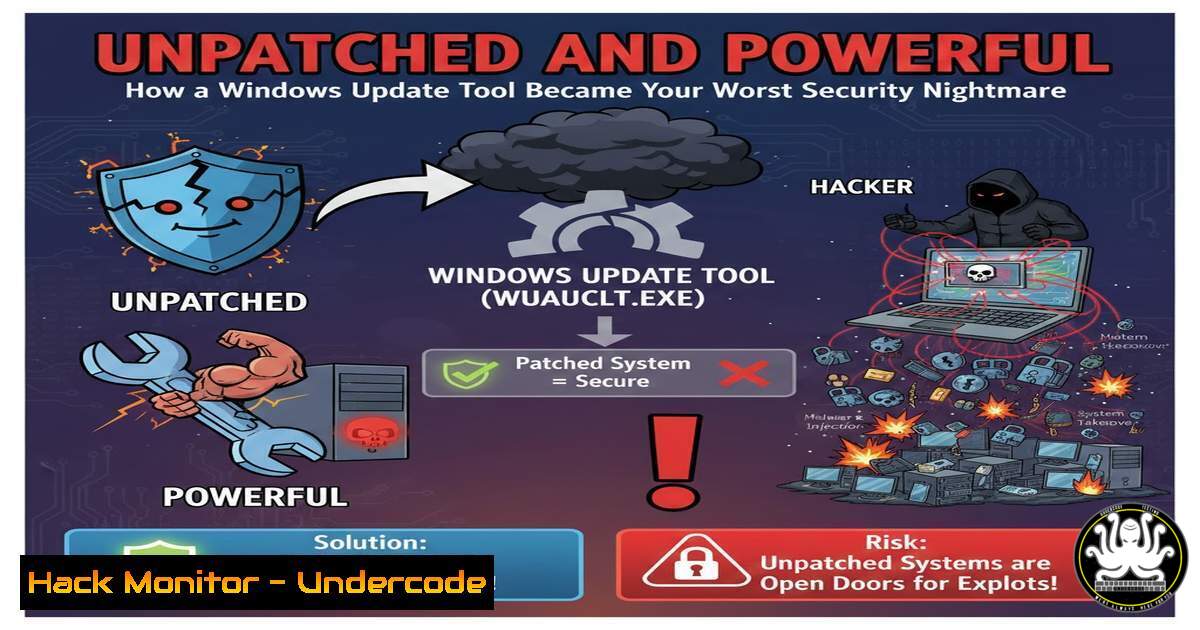
A critical Remote Code Execution (RCE) vulnerability was discovered within the Windows Update Health Tools, a trusted component managed by Microsoft. This flaw, designated as CVE-2023-38166, exposes a fundamental weakness in a mechanism designed to ensure system integrity, allowing attackers to execute arbitrary code with SYSTEM privileges. This article deconstructs the vulnerability, providing a technical deep dive into its exploitation and, crucially, the steps required for mitigation.
Learning Objectives:
- Understand the mechanics of the DLL Search Order Hijacking vulnerability (CVE-2023-38166) in the Windows Update Health Tools.
- Learn to identify the presence of the vulnerable software on Windows systems.
- Implement effective mitigation and remediation strategies to protect your enterprise environment.
You Should Know:
1. Deconstructing the Vulnerability: CVE-2023-38166
The core of this vulnerability lies in a classic yet potent attack vector: DLL Search Order Hijacking. The Windows Update Health Tools executable, Microsoft.Win32.UpdateHealthTools.exe, runs with SYSTEM-level privileges. However, when it attempts to load certain Dynamic Link Libraries (DLLs), it does not specify a fully qualified path.
Windows, by default, searches for these DLLs in a specific sequence. It first checks the directory from which the application loaded. If the DLL is not found there, it proceeds to search the system directories, the Windows directory, and finally the current working directory. An attacker with the ability to create a file in a directory with higher search precedence than the actual system directory can place a malicious DLL there. When the privileged application runs, it will load the attacker’s DLL instead of the legitimate one, thereby executing the malicious code with the same high privileges (SYSTEM).
2. Step-by-Step Guide: Identifying the Vulnerable Component
Before an attacker can exploit a system, you must first know if you are vulnerable. The Windows Update Health Tools are not present on all systems by default; they are typically deployed via Microsoft Endpoint Configuration Manager or Microsoft Intune.
Verification Command:
Open an elevated Windows Command Prompt or PowerShell and run:
Get-WmiObject -Class Win32_Product | Where-Object {$_.Name -like "Update Health"}
Or, to check via the file system, look for the existence of:
C:\Program Files\Windows Update Health Tools\Microsoft.Win32.UpdateHealthTools.exe
If this executable is present, the system is potentially vulnerable until patched.
3. Step-by-Step Guide: Crafting a Proof-of-Concept Exploit
To understand the attack, security professionals often create a non-destructive proof-of-concept (PoC). This demonstrates the vulnerability without causing harm.
- Identify a Target DLL: Researchers found that the tool insecurely loads
dbgcore.dll. We will use this for our PoC. - Create a Malicious DLL: Using a tool like Visual Studio, create a new “Dynamic-Link Library (DLL)” project in C++. Replace the `DllMain` function with code that writes a simple file to the C:\ drive, proving code execution.
include <windows.h>
include <fstream></li>
</ol>

BOOL APIENTRY DllMain(HMODULE hModule, DWORD ul_reason_for_call, LPVOID lpReserved) {
switch (ul_reason_for_call) {
case DLL_PROCESS_ATTACH:
std::ofstream file("C:\poc_success.txt");
file << "DLL Hijack Successful!";
file.close();
break;
}
return TRUE;
}
3. Compile the DLL and name it `dbgcore.dll`.
- Place the DLL: Copy the malicious `dbgcore.dll` into the `C:\Program Files\Windows Update Health Tools\` directory alongside the legitimate executable.
- Trigger Execution: The vulnerability is triggered when the Windows Update Health Tools run, which happens automatically during system update checks. Alternatively, waiting for the tool to execute naturally will also trigger the PoC. The file `C:\poc_success.txt` will appear, confirming the RCE.
4. Step-by-Step Guide: Mitigation via Official Patching
The primary and most effective mitigation is to apply the official patch from Microsoft. This patch modifies the tool’s behavior to load DLLs from secure paths only.
Procedure:
- Identify the Patch: This vulnerability was addressed in the September 2023 Patch Tuesday updates. The specific Knowledge Base (KB) article is KB5030217 for Windows 11.
- Deploy the Update: Ensure your systems are receiving updates from Windows Server Update Services (WSUS), Microsoft Update, or your centralized patch management system.
- Verify Patch Installation: Check your update history in Settings > Update & Security > Windows Update > View update history. Look for the relevant KB number. In PowerShell, you can run:
Get-HotFix | Where-Object {$_.HotFixID -like "KB5030217"}
5. Step-by-Step Guide: Interim Mitigation for Legacy Systems
In environments where immediate patching is not feasible, such as critical servers with strict change control, an interim mitigation is to restrict permissions on the application directory.
Procedure:
1. Navigate to `C:\Program Files\`.
- Right-click the `Windows Update Health Tools` folder and select Properties.
- Go to the Security tab and click Advanced.
- Click Disable Inheritance and then choose Remove all inherited permissions.
5. Now, add only the necessary permissions:
- SYSTEM: Full Control
- Administrators: Full Control
- TrustedInstaller: Full Control
- Apply these changes. This prevents a low-privileged user from planting a malicious DLL in this directory, thereby breaking the attack chain.
-
The Bigger Picture: API Security and Cloud Hardening
This incident is a stark reminder that security must extend to all components, including trusted update mechanisms. In modern IT landscapes, this principle applies directly to APIs and cloud workloads.
API Security: An insecure API is analogous to the insecure DLL load. Just as the application trusted the wrong DLL, an API might trust a malicious input. Always validate, sanitize, and rate-limit all API inputs.
Cloud Hardening: Cloud instances often run management agents with high privileges (e.g., AWS SSM Agent, Azure Guest Agent). The principle of least privilege must be applied to these agents and their associated identities (IAM Roles/Managed Identities). Regularly audit these permissions and ensure the underlying VM filesystems are locked down, mimicking the file permission mitigation described above.What Undercode Say:
- Trust, but Verify. No software component, regardless of its source, should be inherently trusted. Security protocols like code signing, privilege minimization, and robust path specifications are non-negotiable, even for tools from major vendors like Microsoft.
- Classic Vulnerabilities Persist in Modern Systems. The recurrence of DLL Side-Loading and Search Order Hijacking flaws, years after they were first identified, highlights a critical failure in secure coding practices and code review processes across the industry. Continuous security training for developers is paramount.
This vulnerability serves as a powerful case study. It demonstrates that an attacker’s path of least resistance often lies not in a complex, zero-day exploit, but in the exploitation of oversights in common operational processes. The fact that a tool designed to maintain health could become a vector for complete system compromise underscores the need for defense-in-depth. Patching is the cure, but proactive hardening, continuous monitoring, and a skeptical security posture are the necessary vaccines.
Prediction:
The successful exploitation of a Microsoft-signed update tool will embolden threat actors to intensify their scrutiny of other trusted system and management processes. We predict a rise in vulnerabilities discovered within legitimate vendor-supplied utilities, management consoles, and cloud orchestration agents. Supply chain attacks will evolve beyond compromising software during development to include the post-deployment manipulation of the management and update frameworks themselves, making robust integrity monitoring and zero-trust architecture for all system processes, not just user applications, an absolute necessity for enterprise defense.
🎯Let’s Practice For Free:
IT/Security Reporter URL:
Reported By: Abhirup Konwar – Hackers Feeds
Extra Hub: Undercode MoN
Basic Verification: Pass ✅🔐JOIN OUR CYBER WORLD [ CVE News • HackMonitor • UndercodeNews ]
📢 Follow UndercodeTesting & Stay Tuned:


