
Listen to this Post
Introduction:
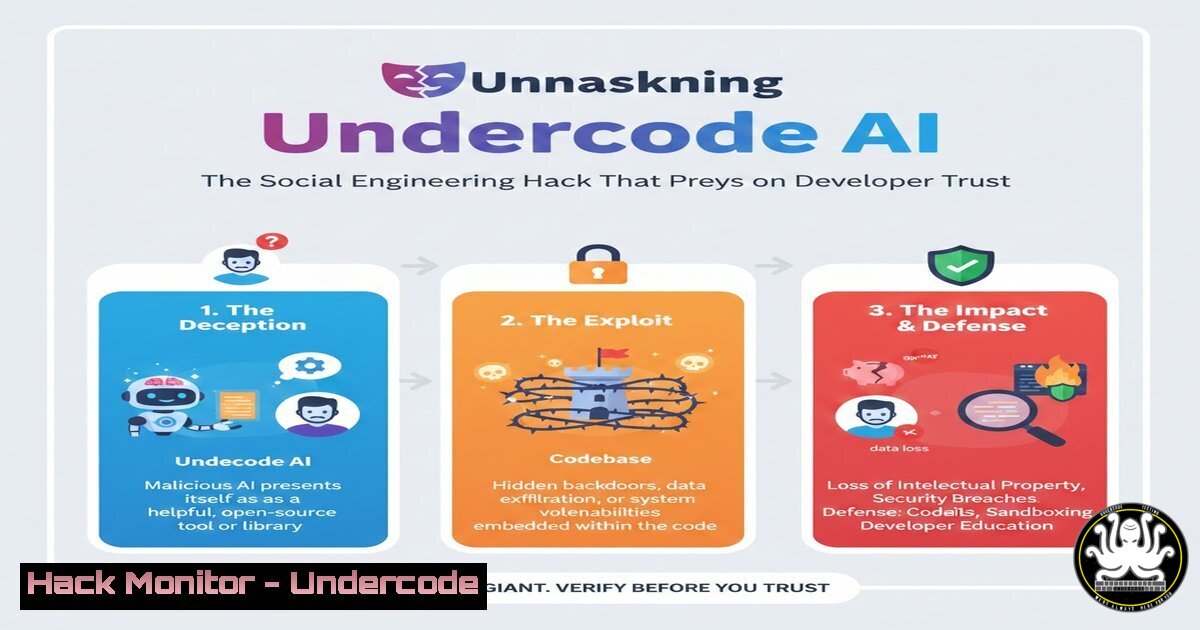
The allure of artificial intelligence is being weaponized by threat actors in sophisticated social engineering campaigns. A new wave of attacks, exemplified by the fake “Undercode AI” tool, targets developers by mimicking legitimate AI coding assistants, tricking them into executing malicious scripts that compromise their systems and data. This incident underscores the critical need for heightened vigilance and robust verification processes when integrating new tools into a development environment.
Learning Objectives:
- Understand the social engineering tactics used to distribute the malicious Undercode AI tool.
- Learn to identify red flags in unofficial software distribution channels and fake websites.
- Acquire practical skills to analyze, detect, and mitigate such threats using command-line and security tools.
You Should Know:
- The Anatomy of a Fake AI Tool Website
The initial infection vector is a professionally designed but fraudulent website promoting a non-existent AI tool. These sites are often clones of legitimate open-source project pages or are newly registered domains with names similar to real tools. They use persuasive marketing copy, fake testimonials, and stolen graphics to build credibility. The sole purpose is to convince a developer to download and execute a malicious payload.
Step‑by‑step guide explaining what this does and how to use it.
Step 1: Domain and SSL Analysis. Before downloading anything, inspect the website. Use tools like `whois` or browser extensions to check the domain’s registration date. A very new domain is a major red flag.
Linux/macOS Command: `whois undercode-ai[.]com | grep -i “creation date”`
Expected Output: `Creation Date: 2024-07-01T00:00:00Z` (A recent date indicates a high-risk, newly created site).
Step 2: Code Repository Verification. Legitimate open-source tools are hosted on platforms like GitHub, GitLab, or official project websites. Be wary of direct download links from a standalone site. Navigate to the project’s purported GitHub page. Check for stars, forks, recent commits, and genuine-looking issues. A sparse GitHub with few activities is a warning sign.
2. Deconstructing the Malicious Installation Script
The downloaded artifact is often a shell script (.sh) or a batch file (.bat) rather than a properly signed application. This script is obfuscated to evade basic detection and contains commands designed to download and execute a second-stage payload from a remote server under the attacker’s control.
Step‑by‑step guide explaining what this does and how to use it.
Step 1: Static Analysis. Never run a script from an unverified source. First, inspect its contents.
Linux/macOS Command: `cat install_undercode.sh` or `head -n 50 install_undercode.sh`
Look for: Obfuscated code (e.g., `eval $(echo “c2xlZXAgMTA=” | base64 -d)` which decodes to sleep 10), calls to `curl` or `wget` to unknown domains, and attempts to write to sensitive locations.
Step 2: Safe Analysis with strings. The `strings` command can extract human-readable text from a binary or script, revealing hidden URLs or commands without executing the file.
Linux/macOS Command: `strings install_undercode.sh | grep -E “(curl|wget|http|/tmp|/etc)”`
3. Network Traffic Monitoring for C2 Detection
Once executed, the script will call out to its Command and Control (C2) server. Monitoring outbound connections can reveal the infrastructure of the attacker and help block malicious domains at the firewall level.
Step‑by‑step guide explaining what this does and how to use it.
Step 1: Use `tcpdump` for Traffic Capture. In an isolated sandbox environment, you can capture network packets to see where the script is trying to connect.
Linux Command: `sudo tcpdump -i any -w undercode_traffic.pcap host example-malicious-domain[.]com`
Step 2: Analyze with Wireshark. Open the generated `.pcap` file in Wireshark. Use the filter `dns.qry.name` or `http.host` to quickly find DNS queries and HTTP requests to the malicious domain.
4. Windows PowerShell for Artifact Hunting
On a Windows system, the malware may create persistence mechanisms, run processes, or modify registry keys. PowerShell is an indispensable tool for hunting these artifacts.
Step‑by‑step guide explaining what this does and how to use it.
Step 1: Check for Suspicious Processes. Identify unknown processes that appeared after the incident.
Windows PowerShell Command: `Get-Process | Where-Object {$_.ProcessName -like “undercode” -or $_.Description -eq “”}`
Step 2: Investigate Auto-Start Extensibility Points (ASEPs). Look for new run keys or scheduled tasks.
Windows PowerShell Command: `Get-CimInstance Win32_StartupCommand | Select-Object Name, command, Location` and `Get-ScheduledTask | Where-Object {$_.TaskName -like “undercode”}`
5. Incident Response and Mitigation
If you suspect a compromise, immediate action is required to contain the threat, eradicate the malware, and recover the system.
Step‑by‑step guide explaining what this does and how to use it.
Step 1: Isolate the System. Disconnect the machine from the network (both wired and Wi-Fi) to prevent data exfiltration and lateral movement.
Step 2: Identify and Kill Malicious Processes. Use the process discovery commands from the previous section and terminate the PID.
Linux Command: `sudo kill -9 `
Windows Command: `Stop-Process -Name “malicious_process” -Force`
Step 3: Remove Malicious Files and Registry Entries. Delete the downloaded installer script and any associated payloads. Remove any persistence mechanisms you discovered.
Linux Command: `sudo rm -f /path/to/malicious/install_script.sh /tmp/malicious_payload`
Windows PowerShell Command: `Remove-ItemProperty -Path “HKLM:\Software\Microsoft\Windows\CurrentVersion\Run” -Name “UndercodePersistence”`
6. Strengthening API Security Posture
This attack vector highlights the risk of compromised systems leaking API keys and secrets. Hardening your API security is a critical mitigation step.
Step‑by‑step guide explaining what this does and how to use it.
Step 1: Immediate Key Rotation. Assume all API keys and credentials on the compromised machine are exposed. Log into your cloud provider (AWS, Azure, GCP) or service (GitHub, Docker Hub) and rotate every key and token.
AWS CLI Example (for key rotation): `aws iam create-access-key –user-name MyUser` (create new key), then `aws iam delete-access-key –user-name MyUser –access-key-id AKIA1234567890` (delete old key).
Step 2: Implement Principle of Least Privilege. Review and restrict the permissions of your API keys. Do not use administrator-level keys for development work.
What Undercode Say:
- Trust, but verify. The most dangerous threats are those that exploit our trust in communities and the allure of innovation.
- Your development machine is a high-value target; its security should be prioritized accordingly, with the same rigor as a production server.
Analysis:
The “Undercode AI” scam is not a complex technical exploit but a highly effective psychological one. It preys on the developer’s desire for efficiency and fear of missing out (FOMO) on the next big AI tool. The attack’s success hinges on the gap between developer expertise and security awareness. This incident is a stark reminder that the human element remains the most vulnerable link in the cybersecurity chain. As AI tools become more pervasive, we can expect a massive proliferation of such copycat schemes, making digital literacy and a proactive, skeptical mindset non-negotiable skills for all technologists. Defending against these threats requires a shift from purely technical controls to a culture of continuous security training and verification.
Prediction:
The success of social engineering campaigns like the Undercode AI hack will catalyze a new wave of AI-themed threats. We predict a rise in “AI-as-a-Service” phishing kits, where low-skill attackers can easily generate convincing fake tool websites. Furthermore, attackers will begin leveraging generative AI to create more persuasive fake documentation, chat support, and even deepfake video demos, making deception increasingly difficult to spot. The cybersecurity industry will respond with AI-powered threat detection that focuses on behavioral analysis of scripts and provenance verification of software, moving beyond simple signature-based detection.
🎯Let’s Practice For Free:
IT/Security Reporter URL:
Reported By: Jurriaan Schreuder – Hackers Feeds
Extra Hub: Undercode MoN
Basic Verification: Pass ✅


