Listen to this Post
Introduction:
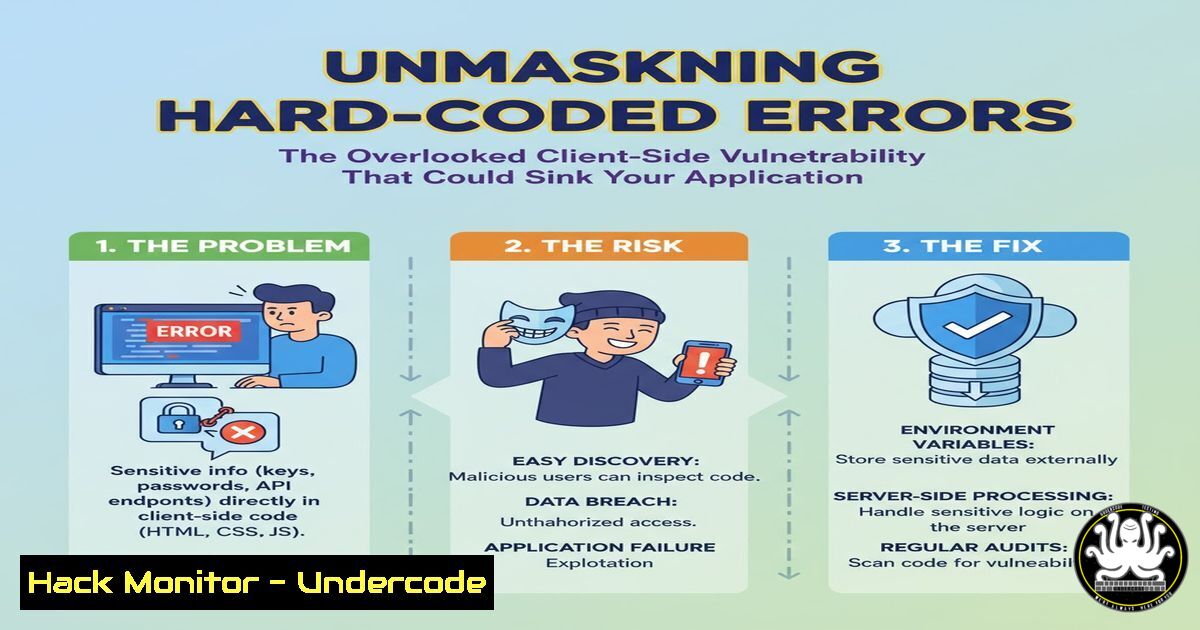
A recent bug bounty discovery involving a major airline highlights a critical, yet often underestimated, client-side security flaw. The vulnerability was not a typical Cross-Site Scripting (XSS) or SQL Injection, but a hard-coded error-handling mechanism that allowed an attacker to manipulate on-screen messages. While initially dismissed as low-impact, this flaw exposes a significant trust issue and a potential vector for sophisticated social engineering attacks, underscoring the importance of rigorous server-side validation and secure error-handling practices.
Learning Objectives:
- Understand the mechanics and risks associated with client-side control vulnerabilities and hard-coded values.
- Learn to identify and exploit error-handling mechanisms for security testing.
- Implement secure coding practices to prevent client-side data manipulation and trust exploitation.
You Should Know:
1. Identifying Client-Side Parameter Manipulation
The core of this vulnerability lies in the improper handling of URL parameters. Attackers can manipulate these parameters to force the application to display unintended content.
Verified Command / Code Snippet:
 Using curl to test parameter manipulation
curl -s "https://vulnerable-site.com/error?error_type=user_input&error_description=<Your_Custom_Message>" | grep -i "error_description"

Using a browser's Developer Console (F12) to monitor network traffic and observe parameter behavior after submission.
Step-by-step guide:
This technique involves intercepting or crafting HTTP requests to test how an application processes input. The `curl` command sends a direct HTTP GET request to the target URL, specifying both the `error_type` and `error_description` parameters. By changing the value of `error_type` to an unexpected value like user_input, we bypass any hard-coded logic. The server, lacking proper validation, then uses our supplied `error_description` string. The `grep` command filters the HTML response to confirm if our custom message was reflected. In the browser, you can use the Network tab to see the raw requests and responses, allowing for real-time manipulation and observation.
2. Bypassing Client-Side Sanitization with Encoding
While the target application had client-side sanitization that blocked straightforward XSS, encoding techniques can sometimes bypass these filters.
Verified Command / Code Snippet:
// Common XSS payloads with encoding for testing
// URL Encoding
payload1 = "%3Cscript%3Ealert('XSS')%3C%2Fscript%3E";
// HTML Entity Encoding
payload2 = "<script>alert('XSS')</script>";
// Double URL Encoding
payload3 = "%253Cscript%253Ealert('XSS')%253C%252Fscript%253E";
Step-by-step guide:
Client-side sanitization often looks for specific character patterns like `<` and >. Encoding transforms these characters into a different format that might be decoded by the browser but missed by the sanitization logic. To test this, you would replace the `error_description` value in your request with one of these encoded payloads. First, try a simple URL-encoded payload. If that fails, attempt double URL encoding or mixed encoding schemes. The goal is to see if the server decodes the input before applying checks, allowing the malicious script to execute in the user’s browser.
3. Automated Parameter Fuzzing with FFUF
Manually testing parameters is time-consuming. Tools like `ffuf` can quickly fuzz endpoints to discover valid parameter values and unexpected behaviors.
Verified Command / Code Snippet:
 Fuzzing for valid error_type values
ffuf -w /usr/share/wordlists/seclists/Discovery/Web-Content/burp-parameter-names.txt -u "https://vulnerable-site.com/error?FUZZ=test" -fs 0

Fuzzing with a custom wordlist for error_type values
echo -e "invalid\nerror\nuser\nadmin\ndebug" > wordlist.txt
ffuf -w wordlist.txt -u "https://vulnerable-site.com/error?error_type=FUZZ&error_description=FUZZtest" -fr "invalid"
Step-by-step guide:
Ffuf is a fast web fuzzer. The first command fuzzes the parameter name itself. It takes a list of common parameter names (-w) and substitutes `FUZZ` in the URL. The `-fs 0` filter hides responses of size 0, which are typically “not found” errors. The second command assumes you know the parameter name (error_type) and want to find which values it accepts. You create a custom wordlist (wordlist.txt) with likely values. Ffuf will try each value, and the `-fr “invalid”` flag filters out responses containing the word “invalid,” helping you identify values that produce a different, potentially exploitable, response.
4. Server-Side Input Validation in Node.js/Express
The root cause was a lack of server-side validation. Here’s how to implement a robust allow-list in a Node.js/Express application.
Verified Command / Code Snippet:
// Secure server-side validation for error types
const allowedErrorTypes = ['invalid', 'error']; // Allow-list

app.get('/error', (req, res) => {
let { error_type, error_description } = req.query;

// Validate error_type against the allow-list
if (!allowedErrorTypes.includes(error_type)) {
error_type = 'invalid'; // Default to a safe value
}

// Sanitize and limit error_description
const sanitizedDescription = DOMPurify.sanitize(error_description.toString().substring(0, 100));

// Pass the sanitized values to the view
res.render('error-page', { errorType: error_type, errorDesc: sanitizedDescription });
});
Step-by-step guide:
This code snippet demonstrates a secure pattern. First, it defines an allow-list (allowedErrorTypes) of acceptable values. When a request is received, it checks if the user-provided `error_type` is in this list. If not, it is overwritten with a default, safe value. For the error_description, it performs two critical actions: it truncates the string to a maximum length (preventing buffer issues or overly long attacks) and then passes it through a robust sanitization library like `DOMPurify` to remove any potentially malicious HTML/JavaScript. This ensures that even if the description is reflected in the HTML, it cannot execute code.
5. Exploiting Trust for Social Engineering
The ability to control on-screen messages can be weaponized for social engineering, even without code execution.
Verified Command / Code Snippet:
<!-- Example of a crafted phishing message that could be injected -->

<div class="error-message">
<strong>System Security Alert:</strong> Your account has been flagged for suspicious activity.

To avoid suspension, please verify your identity immediately: <a href="http://evil-phishing-site.com/verify">http://evil-phishing-site.com/verify</a>

If you believe this is an error, please contact: <em>[email protected]</em>
</div>
Step-by-step guide:
This is not a command but a payload. An attacker would set the `error_description` parameter to contain this HTML-like structure. While the sanitization may strip the `` tag, the text content remains. A user seeing a convincing “System Security Alert” within the legitimate application’s context is highly likely to panic and follow the instructions, including visiting the phishing link or contacting the attacker-controlled email address. This step involves social engineering, where the attacker leverages the trust a user has in the application to trick them into compromising their own security.
6. Windows Command Line for HTTP Request Manipulation
PowerShell can be used as an alternative to `curl` for testing parameter manipulation on Windows systems.
Verified Command / Code Snippet:
 PowerShell equivalent for testing parameter reflection
$Response = Invoke-WebRequest -Uri "https://vulnerable-site.com/error?error_type=test&error_description=SecurityTestMessage" -UseBasicParsing
$Response.Content | Select-String "SecurityTestMessage"

Using Invoke-RestMethod for API endpoints
$Params = @{
error_type = 'debug'
error_description = 'Sensitive debug information leak test'
}
$ApiResponse = Invoke-RestMethod -Uri "https://vulnerable-site.com/api/error" -Body $Params -Method Get
Step-by-step guide:
PowerShell’s `Invoke-WebRequest` cmdlet is a powerful tool for web interaction. The first command sends a GET request with the manipulated parameters. The response content is then piped to `Select-String` to search for our test message, confirming reflection. The second example uses Invoke-RestMethod, which is better suited for JSON APIs. It creates a hashtable of parameters ($Params) and sends them. This is useful for testing if the vulnerability exists in an API endpoint that returns JSON instead of HTML.
- Linux Command Line for Log and Traffic Analysis
After identifying a potential vulnerability, analyzing server logs can help understand the attack footprint.
Verified Command / Code Snippet:
 Searching Apache/Nginx logs for exploitation attempts
sudo grep -E "error_type.script" /var/log/nginx/access.log
sudo tail -f /var/log/nginx/access.log | grep --line-buffered "error_description"

Using tcpdump to monitor live traffic for specific parameters
sudo tcpdump -i any -A 'host target-ip and port 80' | grep "error_description"
Step-by-step guide:
These commands are for defenders to detect exploitation. The `grep` command scans existing web server logs for requests containing both “error_type” and “script,” which is a strong indicator of an XSS probe. The `tail -f` command monitors the log in real-time, filtering for our target parameter. For more advanced analysis, `tcpdump` captures live network traffic. The command shown listens on all interfaces (-i any), prints payload data in ASCII (-A), filters for traffic to the target IP on port 80, and then greps for the “error_description” parameter, allowing a security analyst to see attempted attacks as they happen.
What Undercode Say:
- Perception of Impact is Critical: A vulnerability’s true risk is not always its technical severity but how it can be weaponized to erode user trust. A broken message can be more damaging than a broken component.
- The Client-Side Illusion: Relying on client-side controls for security is a fundamental architectural flaw. All input validation and business logic must be enforced server-side without exception.
This case is a classic example of a “low-impact” finding being a symptom of a high-risk development practice. The airline’s triage team focused on the immediate technical outcome—no code execution—and missed the broader implication: their application’s UI was not a trusted source of information. In an era of sophisticated phishing, the ability to co-opt a multi-billion dollar brand’s official error messages is a powerful tool for attackers. The developer’s mistake was treating the error message as a static, internal string rather than user-influenced, untrusted data. This mindset, if applied across an entire application, creates a fragile security posture where the next parameter manipulation could lead to data exposure or access control bypass.
Prediction:
This specific vulnerability class—client-side logic and trust violations—will become a primary attack vector in the next two years, moving beyond traditional OWASP Top 10 categories. As applications become more complex and rely heavily on client-side frameworks, the distinction between data and executable context will blur. We will see a rise in “Desync-Phishing” attacks, where vulnerabilities like this are chained with others to create highly convincing, in-context fraud campaigns directly within legitimate applications, forcing a industry-wide re-evaluation of what constitutes “impact” in bug bounty programs.
🎯Let’s Practice For Free:
IT/Security Reporter URL:
Reported By: Ahmed Elsaadany – Hackers Feeds
Extra Hub: Undercode MoN
Basic Verification: Pass ✅


