
Listen to this Post
Introduction:
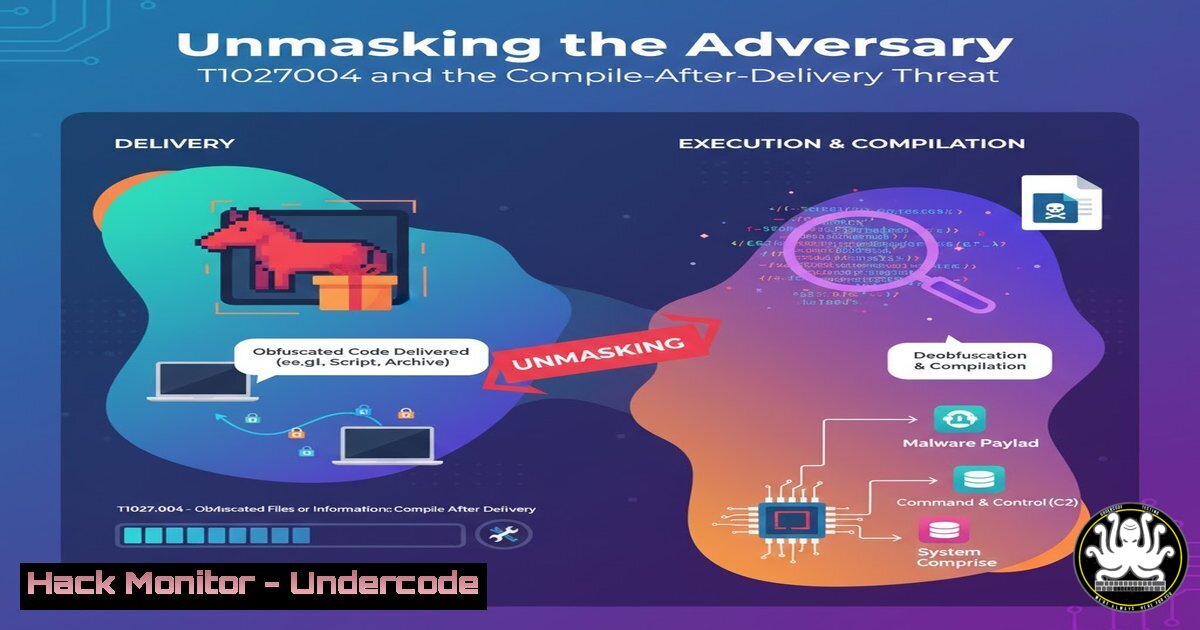
Advanced Persistent Threat (APT) groups are increasingly evading traditional detection mechanisms by delivering their payloads as unobfuscated, uncompiled source code. This technique, formally categorized as MITRE ATT&CK technique T1027.004 – Obfuscated Files or Information: Compile After Delivery, allows attackers to bypass static antivirus scans. By leveraging legitimate system compilers present on the target machine, adversaries can assemble their malicious tools on-the-fly, making the initial delivery stage appear benign.
Learning Objectives:
- Understand the mechanics and tradecraft of the Compile-After-Delivery technique as used by real-world threat actors like APT-Q-37.
- Acquire practical skills to detect and analyze malicious source code deliveries and subsequent compilation events within your environment.
- Implement proactive hunting and mitigation strategies to disrupt this attack chain, from endpoint configuration to network monitoring.
You Should Know:
1. Identifying a Malicious C Source File Delivery
Attackers often deliver C source files (.cs) that contain the entire malicious program. Recognizing the hallmarks of such a file is the first step in defense.
using System;
using System.Diagnostics;
using System.Net;
using System.Text;
using System.Runtime.InteropServices;

class Program
{
[DllImport("kernel32.dll", SetLastError = true, ExactSpelling = true)]
static extern IntPtr VirtualAlloc(IntPtr lpAddress, uint dwSize, uint flAllocationType, uint flProtect);

[DllImport("kernel32.dll")]
static extern IntPtr CreateThread(IntPtr lpThreadAttributes, uint dwStackSize, IntPtr lpStartAddress, IntPtr lpParameter, uint dwCreationFlags, IntPtr lpThreadId);

[DllImport("kernel32.dll")]
static extern UInt32 WaitForSingleObject(IntPtr hHandle, UInt32 dwMilliseconds);

public static void Main()
{
byte[] shellcode = new byte[..] { / ...shellcode bytes... / };

IntPtr addr = VirtualAlloc(IntPtr.Zero, (uint)shellcode.Length, 0x3000, 0x40);
Marshal.Copy(shellcode, 0, addr, shellcode.Length);
IntPtr hThread = CreateThread(IntPtr.Zero, 0, addr, IntPtr.Zero, 0, IntPtr.Zero);
WaitForSingleObject(hThread, 0xFFFFFFFF);
}
}
Step-by-step guide explaining what this does and how to use it:
This C code is a classic shellcode runner. It uses Platform Invocation Services (P/Invoke) to call native Windows API functions. The `VirtualAlloc` function allocates a region of memory with read, write, and execute (0x40) permissions. The `Marshal.Copy` method writes the embedded shellcode bytes into this memory region. Finally, `CreateThread` executes the shellcode in the newly allocated memory, and `WaitForSingleObject` ensures the main program thread waits for the shellcode thread to finish. To analyze such a file, look for the `DllImport` attributes and suspicious API calls like `VirtualAlloc` with the `PAGE_EXECUTE_READWRITE` (0x40) protection constant.
2. Compiling the Malicious C Source with csc.exe
The adversary uses the legitimate C compiler (csc.exe) bundled with the .NET framework to build the malicious source into an executable.
C:\Windows\Microsoft.NET\Framework64\v4.0.30319\csc.exe /target:exe /out:legitimate-looking-name.exe delivered-file.cs
Step-by-step guide explaining what this does and how to use it:
This command invokes the C command-line compiler. The `/target:exe` flag tells the compiler to produce a console application executable. The `/out` flag specifies the name of the output file, which the attacker will often choose to mimic a legitimate system or application binary. The final argument is the input source file. Security teams should monitor process creation events for `csc.exe` launched from unusual parent processes (e.g., a script interpreter or an office macro) or writing executables to user writable directories like `%TEMP%` or %APPDATA%.
- Hunting for Compilation with Windows Command Line Logging
Detecting the compilation event requires deep visibility into command-line arguments. Windows Command Line Logging is essential.
Audit Policy (GPO): `Computer Configuration -> Policies -> Windows Settings -> Security Settings -> Advanced Audit Policy Configuration -> Audit Policies -> Detailed Tracking -> “Audit Process Creation”`
PowerShell to enable Script Block Logging:
Register-PSSessionConfiguration -Name Microsoft.PowerShell -Force
Set-ItemProperty -Path "HKLM:\SOFTWARE\Policies\Microsoft\Windows\PowerShell\ScriptBlockLogging" -Name "EnableScriptBlockLogging" -Value 1
SYSMON Configuration (Example):
<Image condition="end with">csc.exe</Image>
<CommandLine condition="contains">/target:exe</CommandLine>
Step-by-step guide explaining what this does and how to use it:
Enabling these logging features ensures that the full command line used to spawn `csc.exe` is captured in the Windows Event Log (Event ID 4688) or via a SIEM. The Sysmon configuration example specifically generates an event whenever `csc.exe` is executed with a command line argument indicating it’s building an executable. Hunters can then query for these events, filtering out noise from known software development paths to find malicious compilation.
4. Analyzing the Compiler’s Network Behavior
After compilation and execution, the payload will typically call out to a Command and Control (C2) server. Catching this traffic is a secondary detection opportunity.
Wireshark Display Filter for Initial Beacon:
http.request && !(ssdp) && (frame.time_delta > 5)
Zeek/Bro Script (http_beacon_detection.zeek):
event http_request(c: connection, method: string, original_URI: string, unescaped_URI: string, version: string)
{
if (method == "GET" || method == "POST")
{
local resp_delta = network_time() - c$start_time;
if (resp_delta > 5 secs)
{
NOTICE([$note=Beaconing::HTTP_Beacon,
$conn=c,
$msg=fmt("Potential HTTP beacon to %s with delta %s", c$http$host, resp_delta)]);
}
}
}
Step-by-step guide explaining what this does and how to use it:
The Wireshark filter looks for HTTP requests that are not Simple Service Discovery Protocol (SSDP) multicast traffic and where the time between frames is greater than 5 seconds, a potential indicator of a slow beacon. The Zeek script performs a similar function, generating a notice for any HTTP request where the time between the connection start and the request is suspiciously long. This can help identify callbacks from the compiled malware that use timing to evade detection.
- Application Control via Windows Defender Application Control (WDAC)
A proactive mitigation is to restrict which compilers can run, breaking the attack chain.
Create a WDAC base policy XML:
New-CIPolicy -FilePath BasePolicy.xml -Level PcaCertificate -UserPEs -MultiplePolicyFormat
Deploy the WDAC policy:
ConvertFrom-CIPolicy -XmlFilePath BasePolicy.xml -BinaryFilePath BasePolicy.bin
cp BasePolicy.bin C:\Windows\System32\CodeIntegrity\SIPolicy.pfn
Step-by-step guide explaining what this does and how to use it:
WDAC allows you to create a code integrity policy that dictates which executables, scripts, and drivers are allowed to run. The `New-CIPolicy` cmdlet creates a base policy. Deploying this policy in enforced mode can prevent `csc.exe` from running unless it is explicitly allowed by the policy. This is a “default-deny” approach that is highly effective but requires careful testing and management in enterprise environments to avoid breaking legitimate software.
6. Investigating with PowerShell for Artifacts
Post-incident, PowerShell is invaluable for quickly triaging a system for evidence of this technique.
Find recently created .cs files:
Get-ChildItem -Path C:\ -Include .cs -File -Recurse -ErrorAction SilentlyContinue | Where-Object CreationTime -gt (Get-Date).AddHours(-24)
Find recently compiled .exe files from unusual locations:
Get-CimInstance -ClassName CIM_DataFile -Filter 'Drive="C:" AND Extension="exe"' | Where-Object { $<em>.CreationDate -gt (Get-Date).AddHours(-24) -and $</em>.Path -notmatch "Windows|Program Files" }
Step-by-step guide explaining what this does and how to use it:
The first command recursively searches all drives (starting from C:) for any C source files created in the last 24 hours. The second command uses WMI to query for executable files created in the same timeframe but located outside of standard OS and program directories. These one-liners can quickly identify the artifacts left by a Compile-After-Delivery attack, guiding further forensic analysis.
7. Implementing Constrained Language Mode in PowerShell
Since attackers often use PowerShell to orchestrate the download and compilation, restricting its capabilities can be a powerful control.
View the current AppLocker or WDAC enforcement:
$ExecutionContext.SessionState.LanguageMode
Enable Constrained Language Mode via WDAC:
A code integrity policy that is in enforced mode will automatically trigger Constrained Language Mode for any PowerShell script that is not signed by a trusted publisher or is located on an untrusted path.
Step-by-step guide explaining what this does and how to use it:
Constrained Language Mode restricts access to sensitive .NET classes and APIs, critically hampering an attacker’s ability to use PowerShell to compile code or perform many other post-exploitation tasks. When a WDAC policy is active, any script that does not meet the code integrity rules will run in this restricted mode. Checking the `$ExecutionContext.SessionState.LanguageMode` will confirm if the session is in “ConstrainedLanguage,” indicating the policy is effective.
What Undercode Say:
- The Compile-After-Delivery technique is a powerful evolution that turns a target’s own development toolchain into a weapon, rendering signature-based detection of the initial payload nearly useless.
- Defense-in-depth is non-negotiable. Relying on a single control like antivirus is insufficient; a combination of application control, enhanced logging, and behavioral analytics is required to detect and prevent these attacks.
The analysis of T1027.004 reveals a fundamental shift towards “living off the land.” APT-Q-37’s use of this technique is not an anomaly but a standard practice among sophisticated adversaries. The initial attack vector is often a simple phishing email with a seemingly harmless text file or archive containing the source code. The true payload is only materialized on the target system, making perimeter defenses blind to the ultimate threat. This forces a defensive pivot from inspecting what is being delivered to monitoring how system resources, especially development tools, are being used. The future of endpoint security lies not in detecting known-bad files, but in enforcing known-good behavior through policies like application control and in meticulously auditing process lineage and command-line execution.
Prediction:
The use of Compile-After-Delivery will become more granular and targeted. We predict a rise in “Just-In-Time (JIT) compilation” attacks, where adversaries will deliver minimal, non-suspicious “stub” compilers or abuse in-memory compilation APIs (e.g., System.CodeDom.Compiler) to assemble malicious payloads directly in RAM without ever touching the disk with a traditional compiler executable. This will further blur the lines between legitimate software development practices and malicious tradecraft, pushing defensive strategies deeper into the realm of runtime behavior analysis and memory forensics.
🎯Let’s Practice For Free:
IT/Security Reporter URL:
Reported By: Oleg Skulkin – Hackers Feeds
Extra Hub: Undercode MoN
Basic Verification: Pass ✅


