Listen to this Post
Introduction:
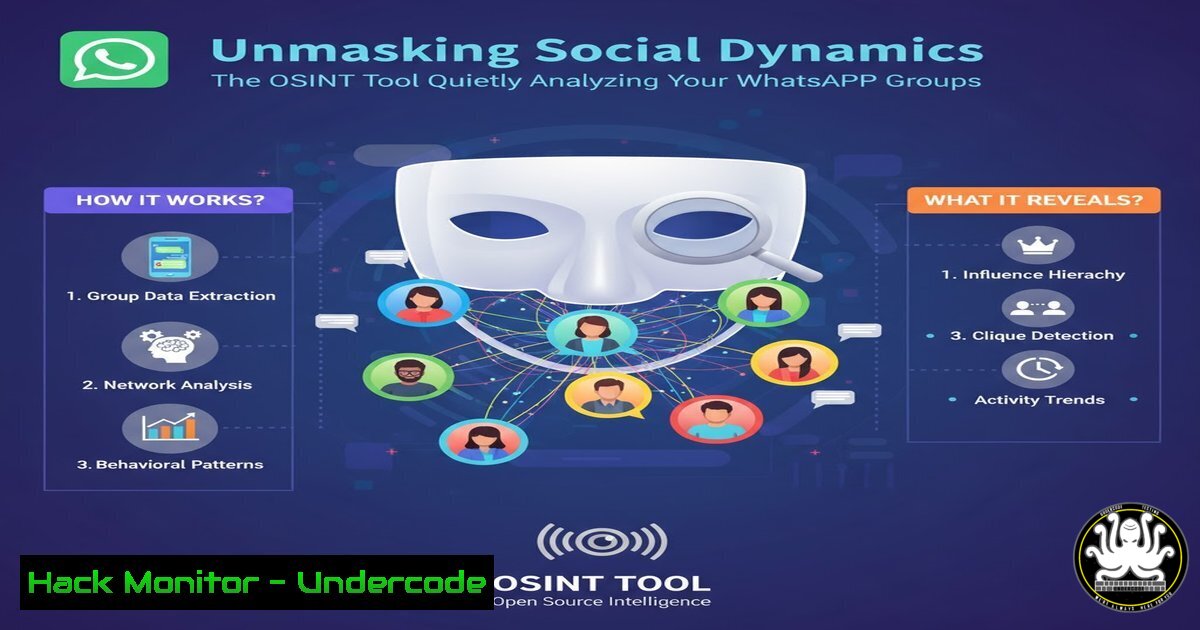
A new Chrome extension is pushing the boundaries of Open-Source Intelligence (OSINT) and Social Media Intelligence (SOCMINT) by providing deep, automated analysis of private WhatsApp Web interactions. This tool, which monitors group chat dynamics to map social influence and marginalization, represents a significant leap in accessible social network analysis, raising critical questions about privacy and the weaponization of everyday communication platforms for intelligence gathering.
Learning Objectives:
- Understand the core functionalities and potential applications of advanced SOCMINT tools.
- Learn the fundamental OSINT commands and techniques for digital investigation and self-auditing.
- Identify the privacy implications and ethical boundaries of automated social interaction analysis.
You Should Know:
1. OSINT Framework and Data Aggregation
The foundation of any digital investigation, including analyzing public-facing data from messaging apps, lies in the OSINT framework. Before diving into specialized tools, professionals use a suite of commands to gather initial data.
 Using whois for domain registration information
whois lnkd.in

Using curl to inspect HTTP headers and redirects
curl -I "https://lnkd.in/dH53xixe"

Using dig for DNS record analysis
dig lnkd.in ANY
Step-by-step guide: The `whois` command queries databases to reveal the registrar, registration date, and contact information for a domain, which is crucial for verifying the legitimacy of a linked service. `curl -I` fetches only the HTTP headers of a URL, allowing you to see the final destination after any redirects, ensuring you aren’t being led to a malicious site. The `dig` command retrieves DNS records (A, MX, TXT, etc.), which can reveal information about a domain’s infrastructure and security posture, such as SPF records for email.
2. Browser Extension Security & Permissions Audit
Chrome extensions can request powerful permissions. Understanding how to audit them is a critical cybersecurity skill.
 On Linux, navigating to the local extension storage to inspect files
find ~/.config/google-chrome/ -name "Extensions" -type d

Using jq to parse the extension's manifest.json file
cat manifest.json | jq '.permissions'
Step-by-step guide: Extensions are stored in a user’s profile directory. Locating this folder allows for manual inspection of the extension’s source code. The most critical file is manifest.json, which declares all permissions the extension requires. Using a tool like `jq` to neatly parse this JSON file allows you to quickly see if the extension requests access to “tabs”, “webRequest”, “storage”, or specific sites, which would be necessary for a tool that analyzes WhatsApp Web.
3. Network Traffic Interception for Behavioral Analysis
To understand what data a tool like this exfiltrates, you can monitor your own network traffic.
 Using tcpdump to capture network packets on a specific interface
sudo tcpdump -i any -w whatsapp_analysis.pcap host web.whatsapp.com

Using tshark (command-line Wireshark) to analyze the capture
tshark -r whatsapp_analysis.pcap -Y "http.request" -T fields -e http.host -e http.request.uri
Step-by-step guide: `tcpdump` is a powerful packet capture tool. This command captures all traffic to and from the WhatsApp Web domain and saves it to a file (whatsapp_analysis.pcap). Later, you can use `tshark` to read this file (-r) and apply a filter (-Y) to show only HTTP requests, extracting the host and the specific URI requested. This reveals exactly which endpoints the extension is communicating with.
4. Windows PowerShell for Process and Network Monitoring
On Windows, PowerShell provides deep insight into application behavior.
 Get network connections associated with a process name (e.g., chrome)
Get-NetTCPConnection | Where-Object OwningProcess -eq (Get-Process chrome).Id

Monitor for new files created in the Chrome User Data directory
Get-FileHash "C:\Users\$env:USERNAME\AppData\Local\Google\Chrome\User Data\Default\Local Extension Settings\<Extension-ID>\" -Algorithm SHA256
Step-by-step guide: The first command retrieves all active TCP connections and filters them to show only those owned by the Chrome browser process, identifying potential external communications. The second command calculates the SHA-256 hashes of files within a specific extension’s local storage. Monitoring these hashes over time can detect when new data (like analyzed chat logs) is stored, and the hashes can be used to check files against virus total or other databases.
5. Python Scripting for Custom Log Analysis
Automating the analysis of exported chat logs or tool outputs is a key SOC skill.
import json
import re

Example: Parsing a hypothetical exported chat log for message frequency
with open('chat_export.txt', 'r') as f:
lines = f.readlines()

user_message_count = {}
for line in lines:
 Simple regex to match a timestamp and username pattern
match = re.search(r'[\d+:\d+] (\w+):', line)
if match:
user = match.group(1)
user_message_count[bash] = user_message_count.get(user, 0) + 1

print("Message count per user:", user_message_count)
Step-by-step guide: This basic Python script demonstrates how a security analyst could build their own analysis tool. It reads a text file, uses a regular expression to identify lines containing messages from specific users, and counts the frequency. In a professional context, this would be scaled to analyze sentiment, response times, and interaction networks, mimicking the core concept of the featured extension.
6. Cloud Hardening for OSINT Infrastructure
When conducting OSINT, operatives often use cloud VPS to maintain anonymity and operational security.
 Using UFW (Uncomplicated Firewall) to harden a cloud server
sudo ufw default deny incoming
sudo ufw default allow outgoing
sudo ufw allow from <your_ip> to any port 22
sudo ufw enable

Installing and configuring a VPN client for encrypted egress traffic
sudo apt-get install openvpn
sudo openvpn --config client.ovpn --auth-user-pass auth.txt --daemon
Step-by-step guide: The `ufw` commands set a default policy to deny all incoming connections while allowing all outgoing traffic, then creates a single exception for SSH access only from the analyst’s specific IP address. This drastically reduces the attack surface. The OpenVPN commands establish a secure, encrypted tunnel from the cloud server to a VPN provider, obscuring the server’s origin traffic and adding a layer of anonymity.
7. API Security Testing with curl
Many tools, including browser extensions, communicate with backend APIs. Testing these endpoints is crucial.
 Testing for insecure direct object reference (IDOR)
curl -H "Authorization: Bearer <token>" https://api.tool.com/v1/user/12345/data

Changing the user ID to access another user's data
curl -H "Authorization: Bearer <token>" https://api.tool.com/v1/user/12346/data

Testing for rate limiting
for i in {1..100}; do curl -s "https://api.tool.com/v1/data" -o /dev/null; done
Step-by-step guide: The first two `curl` commands test for a common API vulnerability (IDOR) by accessing data endpoints for different user IDs. If both requests succeed with the same authentication token, the API is vulnerable. The `for` loop sends 100 rapid requests to an endpoint to see if it has rate limiting in place to prevent denial-of-service or brute-force attacks, a key indicator of robust API security.
What Undercode Say:
- The democratization of advanced SOCMINT tools poses a direct threat to organizational and personal privacy, blurring the lines between legitimate analysis and espionage.
- Proactive defense and user education are no longer optional; understanding the techniques used by these tools is the first step in mitigating their covert intelligence-gathering capabilities.
The emergence of a tool that automates the mapping of social dynamics within a “private” messaging platform like WhatsApp is a paradigm shift. It signifies a move from broad, public data collection to targeted, interpersonal analysis that can be conducted with minimal technical expertise. For security professionals, the core takeaway is the immediate need for enhanced user awareness regarding the permissions granted to browser extensions. For threat actors, this represents a low-cost, high-yield method for profiling targets within closed groups, identifying key influencers for social engineering, or detecting marginalized individuals who may be more susceptible to insider threat recruitment. The technical barrier to such deep analysis has effectively been demolished.
Prediction:
The capabilities demonstrated by this WhatsApp analyzer will rapidly be integrated into more sophisticated social engineering toolkits and commercial spyware. We predict a rise in hyper-targeted phishing campaigns (spear-phishing) that leverage the detailed social graphs and influence data extracted by such tools. Furthermore, as AI and Large Language Models (LLMs) converge with these analysis platforms, we will see the automated generation of highly persuasive, context-aware malicious messages, making traditional threat detection based on content alone nearly obsolete. The future battlefield of cybersecurity will be the nuanced landscape of human social relationships, quantified and exploited at scale.
🎯Let’s Practice For Free:
IT/Security Reporter URL:
Reported By: Mariosantella Osint – Hackers Feeds
Extra Hub: Undercode MoN
Basic Verification: Pass ✅


