Listen to this Post
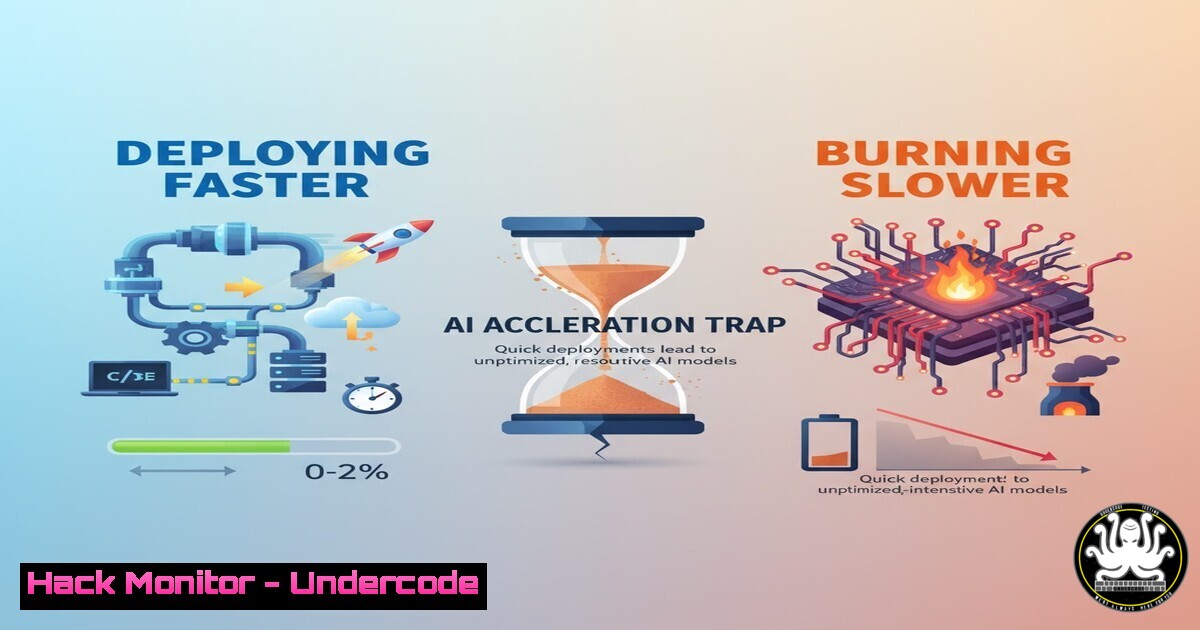
Introduction:
The relentless integration of Artificial Intelligence into software development is creating a stark dichotomy: unprecedented deployment velocity coupled with dangerously lagging security. As AI-powered tools churn out code at an accelerating pace, traditional application security testing (AST) methodologies are buckling under the pressure, creating a widening gap that attackers are eager to exploit. This article dissects the core of this modern AppSec crisis and provides the technical command-line arsenal needed to bridge the divide.
Learning Objectives:
- Understand the critical security vulnerabilities introduced by AI-generated code and automated pipelines.
- Master essential command-line tools for securing the software supply chain from development to deployment.
- Implement practical, automated security checks to shift-left without sacrificing development speed.
You Should Know:
1. SBOM Generation is Non-Negotiable
A Software Bill of Materials (SBOM) is the foundational inventory for all your software components, crucial for identifying vulnerabilities in your supply chain.
Verified Command (Syft – Linux):
`syft packages alpine:latest -o spdx-json > sbom.json`
Step-by-step guide:
This command uses Syft, a powerful CLI tool, to generate an SPDX-formatted SBOM for an Alpine Linux container image. It catalogs all installed packages and their versions, outputting the result to a `sbom.json` file. First, install Syft via its installation script: curl -sSfL https://raw.githubusercontent.com/anchore/syft/main/install.sh | sh -s -- -b /usr/local/bin. Then, run the command against any container image or directory to create a comprehensive component list. This SBOM can then be ingested by security tools like Grype for vulnerability scanning.
2. Vulnerability Scanning Your Dependencies
Knowing what’s in your software (SBOM) is step one; step two is identifying known vulnerabilities within those components.
Verified Command (Grype – Linux):
`grype alpine:latest –fail-on high`
Step-by-step guide:
Grype takes the SBOM concept further by cross-referencing the components against vulnerability databases. This command scans the `alpine:latest` image and will exit with a non-zero status (failing a CI/CD pipeline) if any vulnerabilities with a ‘high’ severity are found. Install Grype similarly: curl -sSfL https://raw.githubusercontent.com/anchore/grype/main/install.sh | sh -s -- -b /usr/local/bin. Integrate this into your build pipeline to automatically block deployments with critical vulnerabilities.
3. Hardening Your Container Images
Minimizing the attack surface of your deployment artifacts is a core tenet of DevSecOps.
Verified Command (Dockerfile Multi-Stage Build):
 Build stage
FROM golang:1.21 as builder
WORKDIR /app
COPY . .
RUN CGO_ENABLED=0 GOOS=linux go build -a -installsuffix cgo -o main .

Final stage
FROM alpine:latest
RUN apk --no-cache add ca-certificates
WORKDIR /root/
COPY --from=builder /app/main .
CMD ["./main"]
Step-by-step guide:
This Dockerfile uses a multi-stage build. The first stage uses a full-featured `golang` image to compile the application. The second, final stage uses a minimal `alpine:latest` base and only copies in the compiled binary. This results in a production image that lacks build tools, compilers, and other packages that could be exploited, drastically reducing its attack surface. Build it with `docker build -t my-secure-app .`
4. Secret Detection in Your Git History
AI tools and developers can accidentally commit API keys, passwords, and tokens to git repositories.
Verified Command (TruffleHog – Linux):
`trufflehog git https://github.com/user/repo.git –only-verified –fail`
Step-by-step guide:
TruffleHog scans git repositories for high-entropy strings and verifies them against the respective API (e.g., AWS, GitHub, Slack) to confirm they are active secrets. The `–only-verified` flag ensures it only reports valid, live secrets. The `–fail` flag causes a non-zero exit code if secrets are found, making it ideal for CI/CD. Install it with pip: pip install trufflehog. Run it against your repo URL or a local `.git` directory to prevent credential leakage.
5. Static Analysis with Semgrep
Integrate fast, customizable static application security testing (SAST) directly into your development workflow.
Verified Command (Semgrep – Linux):
`semgrep –config=auto .`
Step-by-step guide:
This command runs Semgrep’s extensive rule set (the `auto` config) against the current directory (.). It detects a wide range of security issues, from cross-site scripting (XSS) to insecure deserialization. Install Semgrep via its installation script: python3 -m pip install semgrep. By running this in your pre-commit hooks or CI pipeline, you can catch bugs and vulnerabilities before they are merged, providing fast feedback to developers that doesn’t slow them down.
6. API Security Testing with OWASP ZAP
APIs are the backbone of modern applications and a primary target for attackers.
Verified Command (Docker & OWASP ZAP Baseline – Linux):
`docker run -v $(pwd):/zap/wrk/:rw -t owasp/zap2docker-stable zap-baseline.py -t https://your-test-api.com -g gen.conf -J zap_report.json`
Step-by-step guide:
This command runs the OWASP ZAP baseline scan against a target API URL. It starts a Docker container, mounts the current working directory, and executes a passive scan. The `-J` flag outputs the results to a JSON file. Review the report for issues like missing security headers, insecure cookies, or information disclosure. This provides an automated way to perform basic API security checks as part of your deployment process.
7. Infrastructure as Code Security
Misconfigured cloud infrastructure, defined by code like Terraform, is a major risk.
Verified Command (Checkov – Linux):
`checkov -d /path/to/your/terraform/code`
Step-by-step guide:
Checkov scans Terraform, CloudFormation, and other IaC frameworks for misconfigurations before they are ever deployed. It checks for compliance with best practices (e.g., ensuring S3 buckets are not public). Install it with pip: pip install checkov. Running this command in your infrastructure code directory will output a list of potential security issues, allowing you to “shift-left” cloud security and prevent flawed infrastructure from being provisioned.
What Undercode Say:
- Velocity is the New Vulnerability. The primary risk is no longer a single bug, but the systemic inability of slow, manual security processes to keep up with AI-accelerated development cycles. Automation is not optional.
- Context is King. Tools that generate noise without context (e.g., reporting unverified secrets or all low-severity CVEs) will be disabled by developers under pressure to deliver. Security tools must be intelligent, integrated, and actionable.
The industry is at an inflection point. The Black Duck report’s finding that 81% of professionals see security slowing development is a damning indictment of the current state. The solution isn’t to abandon security; it’s to reinvent it. Security must be embedded as automated, policy-driven gates within the CI/CD pipeline itself. The commands and tools outlined here represent the new baseline—the essential, non-negotiable checks that must run with every commit and build. Relying on slow, post-development security reviews is a recipe for obsolescence and breach.
Prediction:
The immediate future will see a rise in supply chain attacks originating from AI-generated code and hastily approved dependencies. This will force a paradigm shift towards fully automated, policy-as-code security enforcement. Security teams will evolve from manual reviewers to architects of secure-by-default development platforms, where safety is inherent in the tools and pipelines used by every developer. The organizations that successfully integrate the technical controls detailed above will surge ahead; those that don’t will face constant, debilitating security incidents.
🎯Let’s Practice For Free:
IT/Security Reporter URL:
Reported By: Ivan Majdan – Hackers Feeds
Extra Hub: Undercode MoN
Basic Verification: Pass ✅


