
Listen to this Post
Introduction:
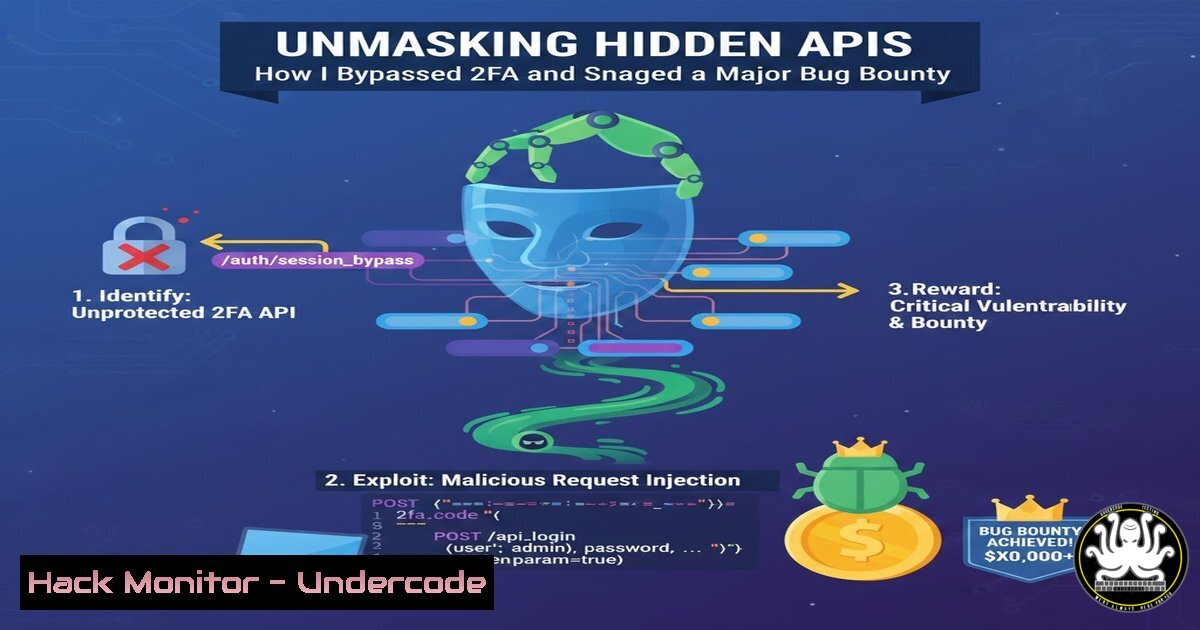
In the opaque world of modern web applications, hidden API endpoints represent a critical attack surface often overlooked by developers but eagerly hunted by security researchers. A recent bug bounty triumph, as shared by a penetration tester, underscores a prevalent vulnerability: sensitive data, including Two-Factor Authentication (2FA) secrets, exposed through undocumented APIs discovered using advanced reconnaissance tools. This article deconstructs the methodology, providing a technical blueprint for identifying and ethically testing such endpoints to harden defenses against credential leakage and authentication bypass.
Learning Objectives:
- Master the use of BurpJSLinkFinder and alternative tools to discover hidden JavaScript files and API endpoints.
- Understand the process of analyzing and interacting with discovered endpoints to identify sensitive data leaks.
- Learn the exploitation and remediation of leaked 2FA secrets (TOTP seeds) to bypass multi-factor authentication.
You Should Know:
1. The Hunter’s Arsenal: Discovering Hidden Endpoints
The first step in this attack chain is reconnaissance. Modern web applications heavily rely on JavaScript, which often contains hardcoded API endpoints, internal paths, and developer comments. Manual review is impractical; automation is key.
Step‑by‑step guide explaining what this does and how to use it.
Primary Tool: BurpJSLinkFinder Extension
This Burp Suite extension passively and actively scans HTTP responses, especially JS files, to extract all URLs and endpoints. After installation via the BApp Store:
1. Configure your browser to proxy traffic through Burp Suite.
2. Browse the target application thoroughly to capture all requests in the Proxy History.
3. In the `Target` tab, right-click on the site’s domain and select Passively scan this host. BurpJSLinkFinder will automatically analyze all JS files.
4. For active analysis, navigate to the `Extender` tab > Extensions, select BurpJSLinkFinder, and go to the `Output` tab. You can paste the content of a specific JS file here for immediate analysis.
5. Review the extracted list of endpoints, paying special attention to paths containing keywords like api, internal, admin, secret, backend, v1, auth, totp, verify, user, profile, config.
Alternative Command-Line Recon:
For a quick external scan or when not using Burp, tools like `linkfinder` and `gau` (GetAllURLs) are invaluable.
 Install linkfinder
git clone https://github.com/GerbenJavado/LinkFinder.git
cd LinkFinder
pip3 install -r requirements.txt

Run against a specific JS URL
python3 linkfinder.py -i https://target.com/app.js -o cli

Combine with gau to find JS files and then analyze them
gau target.com --subs | grep -iE ".js$" | sort -u > jsfiles.txt
cat jsfiles.txt | xargs -I {} python3 linkfinder.py -i {} -o cli
2. From Endpoint Enumeration to Sensitive Data Exposure
Discovering an endpoint is only the beginning. The next phase involves cataloging and probing these endpoints to understand their function and identify misconfigurations like improper access controls or excessive data exposure.
Step‑by‑step guide explaining what this does and how to use it.
1. Categorize & Prioritize: Sort discovered endpoints. Authentication-related endpoints (/api/v1/verify_otp, /internal/auth/secret) are top-priority.
2. Manual Testing with Browser DevTools: Open the Network tab, filter by Fetch/XHR, and attempt actions in the web app. Observe API calls, their methods (GET, POST), parameters, and responses.
3. Automated Parameter Probing with curl: Test for IDOR (Insecure Direct Object Reference) and information disclosure.
 Test a potentially sensitive user info endpoint
curl -H "Authorization: Bearer <legit_token>" https://target.com/api/internal/user/12345
 Test with another user's ID
curl -H "Authorization: Bearer <legit_token>" https://target.com/api/internal/user/67890
 Test a POST endpoint that might reveal data
curl -X POST https://target.com/api/getProfile --data '{"user_id":"admin"}'
4. Analyze Responses: Look for JSON responses containing fields like secret, totp_key, backup_codes, email, phone, is_admin. The bounty hunter’s success came from an endpoint like `/api/v1/user/me/settings` that returned a "totp_secret": "JBSWY3DPEHPK3PXP".
- Exploiting the Leaked 2FA Secret: Bypassing Multi-Factor Authentication
A leaked Time-based One-Time Password (TOTP) seed is a catastrophic failure. This 32-bit base32-encoded secret is used by apps like Google Authenticator to generate 6-digit codes. If exposed, an attacker can regenerate the valid codes.
Step‑by‑step guide explaining what this does and how to use it.
1. Extract the Secret: Assume the API response provided: {"backup_codes":[], "totp_enabled":true, "totp_secret":"JBSWY3DPEHPK3PXP"}.
2. Generate Valid OTP Codes: Use Python with the `pyotp` library.
import pyotp
 The leaked secret (base32 format)
secret_key = "JBSWY3DPEHPK3PXP"
 Create a TOTP object
totp = pyotp.TOTP(secret_key)
 Print the current valid code (refreshes every 30 seconds)
print("Current OTP:", totp.now())
 You can also get a code for a specific time
 import time
 print("OTP for timestamp 12345678:", totp.at(12345678))
3. Bypass 2FA During login, after providing valid credentials, the application will prompt for a 6-digit 2FA code. Run the script above to get the current valid code and enter it. Authentication is now complete without possessing the victim’s physical device.
4. Hardening API Security: Developer Mitigations
Understanding the attack path is crucial for building defenses. Here are essential remediation steps for development and security teams.
Step‑by‑step guide explaining what this does and how to use it.
1. API Documentation & Inventory: Maintain a strict inventory of all endpoints. Use OpenAPI/Swagger specs and ensure they are comprehensive. Any deviation should be flagged.
2. Implement Proper Access Controls: Apply the principle of least privilege. Even if an internal API is discovered, it should require appropriate role-based validation. Use middleware to verify JWT claims or session permissions for every request.
3. Sanitize API Responses: Never expose sensitive values like totp_secret, private keys, or passwords in API responses, even to authenticated users. Use response models that explicitly exclude these fields.
4. Audit JavaScript Files: Integrate secret scanning into CI/CD pipelines. Use tools like `gitleaks` or `truffleHog` to scan for hardcoded secrets in source code, and minify/obfuscate production JS without leaving debug paths.
 Example gitleaks scan in a CI step
docker run -v $(pwd):/src zricethezav/gitleaks:latest detect --source="/src" --report-path="/src/leaks.json"
- Beyond Burp: Expanding the Toolchain for Continuous Testing
A professional tester’s toolkit is diverse. Integrate these tools for comprehensive coverage.
Step‑by‑step guide explaining what this does and how to use it.
1. OWASP ZAP with Custom Scripts: The OWASP ZAP proxy can be automated with Python scripts to perform similar discovery.
 Example pseudo-script for ZAP API
import zapv2
zap = zapv2.ZapAp(apikey='your_key', proxies={'http': 'http://localhost:8080'})
 Start a spider scan
scan_id = zap.spider.scan('https://target.com')
 Later, search all messages for patterns
api_endpoints = zap.search.messages(regex='\b/api/\w+\b')
2. Static Application Security Testing (SAST): For source code access (white-box testing), use SAST tools like Semgrep to find patterns where secrets are passed to responses.
 Semgrep rule pattern example to find potential secret exposure in Node.js/Express
rules:
- id: express-secret-response
patterns:
- pattern: res.json({ ...$X })
- metavariable-regex:
metavariable: $X
regex: "(secret|key|token|password)"
message: "Potential secret key in API JSON response"
languages: [bash]
severity: ERROR
What Undercode Say:
- The Vulnerability Chain is King: Singular vulnerabilities rarely lead to critical impact. The real prize is found by chaining reconnaissance flaws (info disclosure via hidden APIs) with authentication logic flaws (2FA seed exposure). This mindset separates routine testers from successful bounty hunters.
- Defense Requires Shift-Left Visibility: The core failure occurred in development. Secrets were sent to the client because no process was in place to audit API responses against data classification policies. Integrating dynamic and static analysis into the SDLC is non-negotiable.
Analysis: This case study is a textbook example of modern API insecurity. It highlights the disconnect between front-end functionality and back-end security assumptions. Developers might assume an endpoint is “hidden” and therefore safe, neglecting proper access controls and data filtering. For attackers, automated enumeration turns this assumption into a goldmine. The future impact of such hacks extends beyond bounty payouts; as APIs become the universal connector for microservices and cloud functions, similar flaws could lead to mass data exfiltration or system compromise. The mitigation is architectural: adopt a zero-trust mindset for all endpoints, enforce strict schema validation on responses, and treat client-side code as inherently hostile and untrusted.
Prediction:
The automation of hidden endpoint discovery and subsequent sensitive data leakage will rapidly evolve with the integration of AI. We will see the rise of intelligent fuzzing agents that not only find endpoints but also understand API context, infer relationships between them, and automatically craft exploits for logic flaws—like automating the 2FA bypass demonstrated. This will force a paradigm shift towards standardized, well-documented APIs with mandatory, machine-readable security policies (like OpenAPI Security Schemes). Simultaneously, client-side security validation tools will become as essential as server-side WAFs, focusing on detecting excessive data exposure in real-time. The “hidden API” attack surface will largely disappear, not because it’s hidden, but because all APIs will require explicit, authenticated, and audited access contracts.
▶️ Related Video (82% Match):
🎯Let’s Practice For Free:
IT/Security Reporter URL:
Reported By: Sahil Kumar – Hackers Feeds
Extra Hub: Undercode MoN
Basic Verification: Pass ✅


