
Listen to this Post
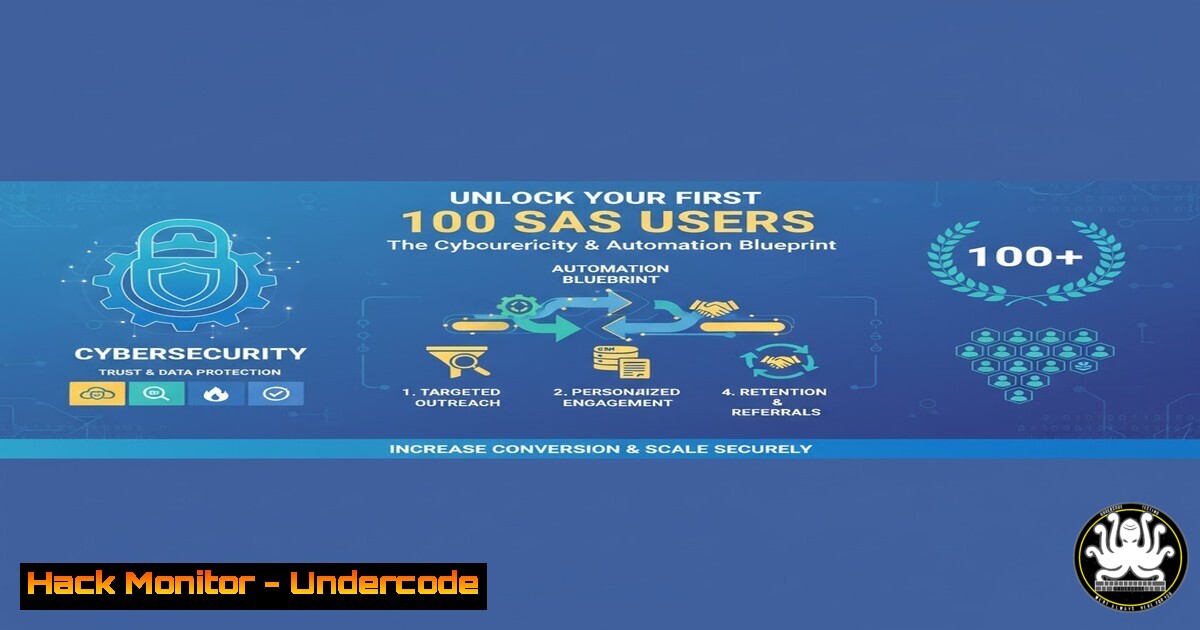
Introduction:
In the competitive SaaS landscape, acquiring your initial users is a critical hurdle that often determines long-term viability. By leveraging cybersecurity principles and automation, founders can build trust, demonstrate value, and systematically scale their user base without a marketing budget. This approach transforms technical execution into a powerful growth engine.
Learning Objectives:
- Implement automated, secure outreach scripts to identify and engage potential users.
- Harden your public-facing SaaS demo to build immediate trust with technical users.
- Utilize OSINT and analytics commands to track engagement and refine your approach.
You Should Know:
1. Automated LinkedIn Prospecting with Python & Selenium
Securely automating initial contact allows for scalable, personalized outreach to potential users.
from selenium import webdriver
from selenium.webdriver.common.by import By
from selenium.webdriver.chrome.options import Options
import time

chrome_options = Options()
chrome_options.add_argument("--user-agent=Your-SaaS-Bot-Research/1.0")
driver = webdriver.Chrome(options=chrome_options)

try:
driver.get("https://linkedin.com/login")
 MANUALLY LOGIN TO AVOID DETECTION
input("Press Enter after manual login...")

search_url = "https://www.linkedin.com/search/results/people/?keywords=devops%20engineer"
driver.get(search_url)
time.sleep(3)

connect_buttons = driver.find_elements(By.XPATH, "//button[contains(.,'Connect')]")
for btn in connect_buttons[:5]:  Limit to first 5
driver.execute_script("arguments[bash].click();", btn)
time.sleep(2)
 Add personalized note here
send_button = driver.find_element(By.XPATH, "//button[contains(.,'Send')]")
driver.execute_script("arguments[bash].click();", send_button)
time.sleep(10)  Be respectful with delays
finally:
driver.quit()
Step-by-step guide: This script automates connection requests on LinkedIn after a manual login. The user-agent string identifies your bot appropriately. Always add a 10+ second delay between actions to avoid triggering anti-automation controls. Personalize connection messages to increase acceptance rates.
2. Securing Your Demo Instance with SSH Hardening
A secure demo environment builds immediate credibility with technical users who often assess security posture.
 Edit SSH configuration for security
sudo nano /etc/ssh/sshd_config

CRITICAL HARDENING DIRECTIVES:
Port 2222  Change from default port 22
PermitRootLogin no  Disable root login
PasswordAuthentication no  Enforce key-based auth only
MaxAuthTries 3  Limit login attempts
ClientAliveInterval 300  Disconnect idle sessions
ClientAliveCountMax 2
AllowUsers demo_user  Restrict to specific user

After editing, validate config and restart
sudo sshd -t
sudo systemctl restart ssh
Step-by-step guide: Changing the default SSH port reduces automated brute-force attacks. Disabling password authentication eliminates credential stuffing risks. Always test the configuration with `sshd -t` before restarting the service to avoid locking yourself out. Maintain a separate active session while testing changes.
3. Web Server Security Headers for Immediate Trust
Security headers demonstrate your commitment to protecting user data during initial product evaluation.
 Nginx configuration snippet for security headers
sudo nano /etc/nginx/sites-available/your-saas-demo

Add to server block:
add_header X-Frame-Options "SAMEORIGIN" always;
add_header X-XSS-Protection "1; mode=block" always;
add_header X-Content-Type-Options "nosniff" always;
add_header Referrer-Policy "strict-origin-when-cross-origin" always;
add_header Content-Security-Policy "default-src 'self'; script-src 'self' 'unsafe-inline';" always;

Test and reload configuration
sudo nginx -t
sudo systemctl reload nginx
Step-by-step guide: These HTTP headers prevent clickjacking (X-Frame-Options), cross-site scripting attacks (X-XSS-Protection), and MIME sniffing (X-Content-Type-Options). Always test with `nginx -t` before reloading. Use browser developer tools to verify headers are present.
4. API Endpoint Monitoring for User Engagement Tracking
Monitor which demo API endpoints potential users are accessing to understand their interests.
 Real-time API monitoring with journalctl and grep
sudo journalctl -u your-saas-service -f | grep -E "GET|POST|PUT|DELETE"

Advanced filtering with jq for JSON logs
tail -f /var/log/your-saas/app.log | jq 'select(.status_code >= 400)'

Create a monitoring script
!/bin/bash
while true; do
unique_ips=$(awk '{print $1}' /var/log/nginx/access.log | sort | uniq | wc -l)
echo "$(date) - Unique IPs: $unique_ips - Total requests: $(wc -l < /var/log/nginx/access.log)"
sleep 300
done
Step-by-step guide: These commands help track engagement with your demo instance. The first command follows systemd service logs in real-time. The jq command filters for error responses. The monitoring script provides regular snapshots of traffic, helping identify interested companies by their IP patterns.
5. OSINT for Targeted Outreach
Use open-source intelligence to find and understand your ideal first users.
 Discover company technologies using whatweb
whatweb -v https://target-company.com

Subdomain enumeration for attack surface analysis
subfinder -d target-company.com -silent | sort -u

Email pattern discovery with theharvester
theharvester -d company.com -b google,linkedin -l 100

GitHub reconnaissance for technical decision-makers
gh api search/users -q "company:target-company language:python" --jq '.items[] | .login'
Step-by-step guide: These OSINT tools help build targeted outreach lists. Whatweb identifies technologies, revealing potential integration points. Subfinder maps external attack surfaces. TheHarvester finds email patterns. GitHub search locates engineers using relevant technologies at target companies.
6. Automated Demo Environment Sanitization
Keep demo instances clean and secure between user trials using automated sanitization.
!/bin/bash
 Demo environment reset script
CONTAINER_NAME="saas-demo"
BACKUP_DIR="/backups/$(date +%Y%m%d)"

Backup current data
docker exec $CONTAINER_NAME pg_dump -U postgres app_db > $BACKUP_DIR/db.sql

Reset to clean state
docker stop $CONTAINER_NAME
docker rm $CONTAINER_NAME
docker run -d --name $CONTAINER_NAME -p 8080:80 saas-demo:clean

Restore only base datasets
docker exec -i $CONTAINER_NAME psql -U postgres app_db < /base_datasets.sql

Security check with lynis
lynis audit system --quick
Step-by-step guide: This script ensures each prospect experiences a fresh demo instance. Regular backups preserve any valuable test data. The security audit with Lynis maintains hardening standards. Schedule this script nightly via cron to maintain consistency.
7. Competitor Security Analysis for Positioning
Understand competitor security postures to position your solution effectively.
 SSL/TLS configuration analysis
testssl.sh --parallel https://competitor.com

Security header assessment
nmap --script http-security-headers competitor.com -p 443

Framework and technology detection
wappalyzer competitor.com

Performance comparison (security impacts performance)
curl -w "@curl-format.txt" -o /dev/null -s "https://competitor.com/api/v1/data"

Create competitive analysis matrix
echo "Security Feature,Us,CompetitorA,CompetitorB" > security_matrix.csv
echo "2FA Enabled,Yes,No,Yes" >> security_matrix.csv
echo "Encryption at Rest,Yes,Yes,No" >> security_matrix.csv
Step-by-step guide: These commands provide objective data for competitive positioning. TestSSL.sh reveals TLS weaknesses that may concern security-conscious users. Nmap scripts check for security headers. Maintain an updated security feature matrix to highlight your advantages during conversations.
What Undercode Say:
- Technical trust established through visible security measures often outweighs initial feature gaps when acquiring technical users.
- Automation must balance efficiency with authenticity—over-automation damages credibility while strategic automation scales outreach.
- The first 100 users are typically the most security-conscious, acting as de facto penetration testers who will expose vulnerabilities.
The convergence of growth hacking and cybersecurity represents a fundamental shift in early-stage user acquisition. Founders can no longer treat security as an afterthought—it must be a core component of their initial outreach and demo strategy. The technical validation provided by a secure, well-hardened demo environment frequently serves as the primary conversion factor for your first 100 users, who are often the most technically sophisticated segment of your eventual market. This approach transforms security from a cost center into a powerful growth lever.
Prediction:
Within two years, automated security posture validation will become a standard component of SaaS trial and demo experiences, with prospects expecting real-time security scoring alongside feature demonstrations. This transparency will create a new competitive dimension where security becomes a primary differentiator rather than a compliance requirement, forcing startups to prioritize security much earlier in their lifecycle. The most successful acquisition strategies will integrate continuous security validation directly into their onboarding flows.
🎯Let’s Practice For Free:
IT/Security Reporter URL:
Reported By: Saasmp4 How – Hackers Feeds
Extra Hub: Undercode MoN
Basic Verification: Pass ✅


