
Listen to this Post
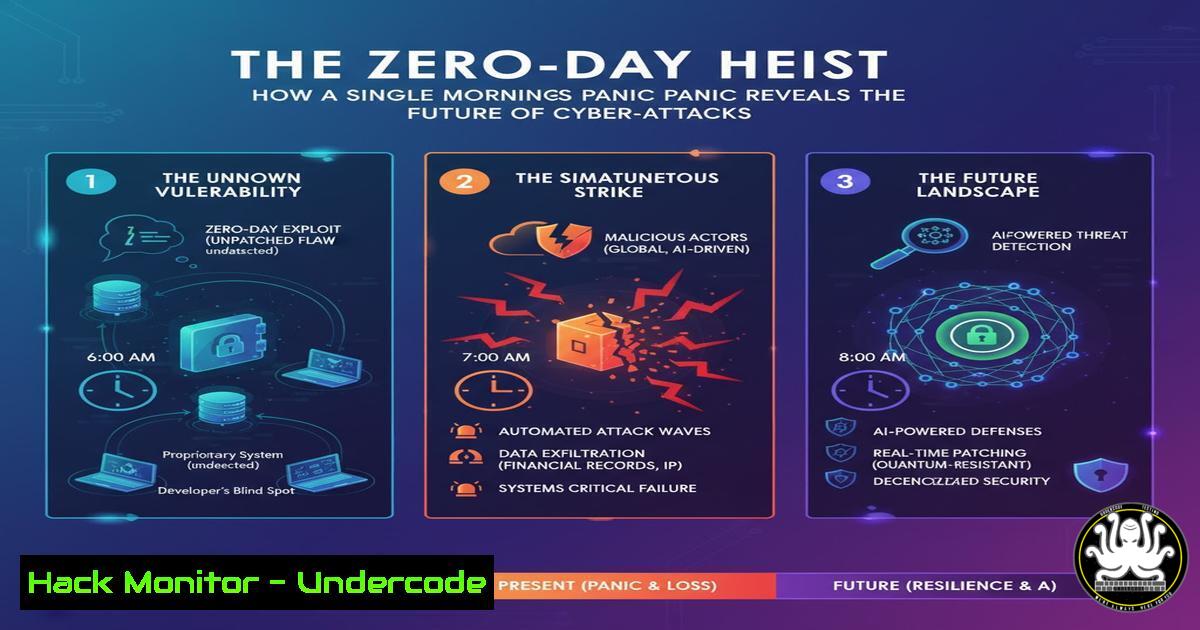
Introduction:
A single, unassuming Monday morning became a case study in modern cyber warfare when a routine system check revealed an active, multi-vector intrusion. This incident, moving from initial compromise to data exfiltration in hours, underscores the critical need for robust endpoint detection, network segmentation, and proactive threat hunting. The tactics used—a blend of fileless execution and credential abuse—are now the standard playbook for advanced persistent threats.
Learning Objectives:
- Decipher the multi-stage attack chain used in modern breaches, from initial access to lateral movement.
- Master the essential commands for detecting and mitigating such threats on both Linux and Windows endpoints.
- Implement proactive hardening measures for cloud assets, APIs, and critical network infrastructure.
You Should Know:
1. Initial Compromise: Detecting Fileless PowerShell Execution
Attackers are increasingly avoiding disk-based malware, opting to run malicious scripts directly in memory. Detecting this requires looking at process command lines and script block logging.
Verified Commands/Code:
Windows (PowerShell):
 Enable Script Block Logging
Set-ItemProperty -Path "HKLM:\SOFTWARE\Policies\Microsoft\Windows\PowerShell\ScriptBlockLogging" -Name "EnableScriptBlockLogging" -Value 1

Hunt for suspicious PowerShell activity
Get-WinEvent -LogName "Microsoft-Windows-PowerShell/Operational" | Where-Object { $<em>.Message -like "Invoke-Expression" -or $</em>.Message -like "DownloadString" }
Linux (Auditd for equivalent process execution):
 Search for base64 encoded commands often used in obfuscation
sudo grep -r "base64" /var/log/ | grep -i "decode"
Step-by-step guide:
- Enable PowerShell Script Block Logging via Group Policy or the command above. This forces Windows to log the full contents of scripts being executed.
- Use the `Get-WinEvent` command to periodically search the operational log for high-risk indicators like `Invoke-Expression` (IEX) or web requests (
DownloadString,WebClient). - On Linux, audit logs and shell history can reveal attempts to execute encoded payloads. The `grep` command scans logs for the tell-tale “base64” string, often paired with `| base64 -d` to decode and run a payload.
2. Lateral Movement: Uncovering PsExec & WMI Abuse
Once inside, attackers use built-in Windows administrative tools to move laterally. PsExec and Windows Management Instrumentation (WMI) are common favorites because they are “living off the land” and may not trigger antivirus alerts.
Verified Commands/Code:
Windows (Command Prompt & PowerShell):
 Check for network connections from known admin tools
netstat -ano | findstr ":445"
 Detect WMI event subscriptions used for persistence
Get-WmiObject -Namespace root\Subscription -Class __EventFilter
 Detect PsExec execution via Service Creation
Get-WinEvent -LogName "Security" -FilterXPath "[System[EventID=7045]]" | Where-Object { $_.Message -like "PsExec" }
Step-by-step guide:
- The `netstat -ano` command lists all active network connections. Port 445 (SMB) is used by PsExec for communication. Look for unexpected connections to this port from administrative workstations.
- Use the PowerShell command to query WMI for event filters, a common technique for persistence. Legitimate systems should have very few of these.
- Audit the Security event log for Event ID 7045 (A service was installed). Filter the results for “PsExec” or other non-standard service names.
3. Cloud Credential Compromise: Securing IAM & S3
The attack pivoted to the cloud, targeting weakly configured AWS Identity and Access Management (IAM) roles and S3 buckets. Misconfigurations here can lead to massive data exfiltration.
Verified Commands/Code:
AWS CLI:
 Identify overly permissive IAM policies
aws iam list-policies --scope Local --only-attached
 Check for public S3 buckets
aws s3api list-buckets --query "Buckets[].Name"
aws s3api get-bucket-acl --bucket YOUR_BUCKET_NAME
Step-by-step guide:
- The `aws iam list-policies` command lists all customer-managed IAM policies. Manually review these for dangerous permissions like `”Action”: “”` or overly broad resource definitions (
"Resource": ""). - Use `aws s3api list-buckets` to get a list of all S3 buckets, then check each one’s ACL with
get-bucket-acl. Look for grants to"http://acs.amazonaws.com/groups/global/AllUsers", which indicates public read access.
4. API Security: Throttling and Input Sanitization
The attackers probed internal APIs, looking for injection flaws and unthrottled endpoints that could be abused for data scraping or denial-of-service.
Verified Commands/Code:
Node.js (Express API Snippet):
const rateLimit = require("express-rate-limit");
const limiter = rateLimit({
windowMs: 15  60  1000, // 15 minutes
max: 100 // limit each IP to 100 requests per windowMs
});
app.use("/api/", limiter);

// Input sanitization with express-validator
const { body, validationResult } = require('express-validator');
app.post('/user', [
body('email').isEmail(),
body('password').isLength({ min: 5 })
], (req, res) => {
const errors = validationResult(req);
if (!errors.isEmpty()) {
return res.status(400).json({ errors: errors.array() });
}
// Process the request...
});
Step-by-step guide:
- Implement the `express-rate-limit` middleware on all API routes to prevent brute-force and DDoS attacks.
- Use the `express-validator` library to define validation chains for incoming request data (like body, query, and params). The `validationResult` function checks if the request meets the criteria, rejecting malformed inputs before they reach your business logic.
5. Vulnerability Exploitation: From Scanner to Shell
A known vulnerability in an internet-facing application (like a web server) was the initial entry point. Understanding how scanners find and exploit these is key to defense.
Verified Commands/Code:
Nmap & Metasploit (Offensive Security):
 Nmap scan for service discovery and vulnerability checking
nmap -sV --script vuln <target_ip>
 Metasploit console command to search for and use an exploit
msfconsole
msf6 > search <CVE_number>
msf6 > use exploit/path/to/exploit
msf6 > set RHOSTS <target_ip>
msf6 > exploit
Step-by-step guide:
- An attacker uses `nmap` with the `-sV` flag for version detection and the `–script vuln` flag to run a suite of scripts that check for known vulnerabilities.
- If a vulnerability is identified (e.g., by a CVE number), the attacker can load the Metasploit Framework, search for the corresponding exploit module, configure the target IP (
RHOSTS), and launch the attack to gain a remote shell.
6. Logging & Threat Hunting: Building Your Defense
Without centralized, immutable logs, the attack would have gone unnoticed. Aggregating and analyzing logs is the cornerstone of a proactive security posture.
Verified Commands/Code:
Linux (Journalctl & Grep):
 Search systemd logs for SSH login attempts
journalctl _SYSTEMD_UNIT=ssh.service | grep "Failed password"
 Centralize logs with rsyslog (client config)
. @<your_log_server_ip>:514
ELK Stack Query (KQL):
{
"query": {
"bool": {
"must": [
{ "match": { "event.code": "4625" } }, // Failed Logon
{ "range": { "@timestamp": { "gte": "now-1h" } } }
]
}
}
}
Step-by-step guide:
- On Linux systems, use `journalctl` to filter logs for specific services like SSH, looking for patterns of failed logins that indicate brute-force attacks.
- Configure `rsyslog` to forward all logs (
.) to a central SIEM or log server. - In your SIEM (e.g., Elasticsearch), use a KQL query like the one above to automatically find all failed Windows logon events (Event ID 4625) from the last hour.
7. The Human Firewall: Phishing Simulation & Training
The initial vector was likely a sophisticated phishing email. Regular, simulated phishing tests are critical for training employees to recognize and report attacks.
Verified Commands/Code:
GoPhish API Call (Example):
 Use the GoPhish API to launch a simulated phishing campaign
curl -X POST -H "Content-Type: application/json" -d '{"name":"Q3 Security Test", "template_id": 1, "url": "https://your-phishing-server.com", "groups": [bash]}' http://your-gophish-server:3333/api/campaigns/?api_key=YOUR_API_KEY
Step-by-step guide:
- Using a tool like GoPhish, you can design a realistic phishing email template.
- The `curl` command uses the GoPhish REST API to programmatically launch a campaign, targeting a specific group of users with your template.
- The platform then tracks who clicks the link and/or enters credentials, providing metrics to target further security awareness training.
What Undercode Say:
- Automation is Non-Negotiable: Manual detection is too slow. The entire kill chain—from log analysis to threat hunting queries—must be automated to achieve a meaningful response time.
- Assume Breach, Verify Access: The “zero-trust” model is no longer theoretical. Every access request, even from inside the network, must be authenticated, authorized, and encrypted.
The incident analysis reveals a fundamental shift from noisy, destructive attacks to stealthy, data-focused operations. The attackers’ proficiency with living-off-the-land techniques (LOLBins) demonstrates that traditional antivirus is a porous defense. The future of security lies in behavioral analytics, where a PowerShell instance making a network connection is treated with more suspicion than a downloaded executable. The convergence of IT and OT networks means the next target of such an attack could be physical infrastructure, not just data.
Prediction:
The techniques showcased in this breach will be commoditized into automated attack platforms available on the dark web within 18-24 months, lowering the barrier to entry for less-skilled threat actors. This will lead to a surge in targeted ransomware attacks against mid-market companies, who often lack the mature security operations centers needed to detect these subtle intrusions. The focus will shift from data theft to operational disruption, as attackers learn that holding critical infrastructure for ransom is more profitable than selling databases on the black market.
🎯Let’s Practice For Free:
IT/Security Reporter URL:
Reported By: Nelly Kempf – Hackers Feeds
Extra Hub: Undercode MoN
Basic Verification: Pass ✅


