
Listen to this Post
Introduction:
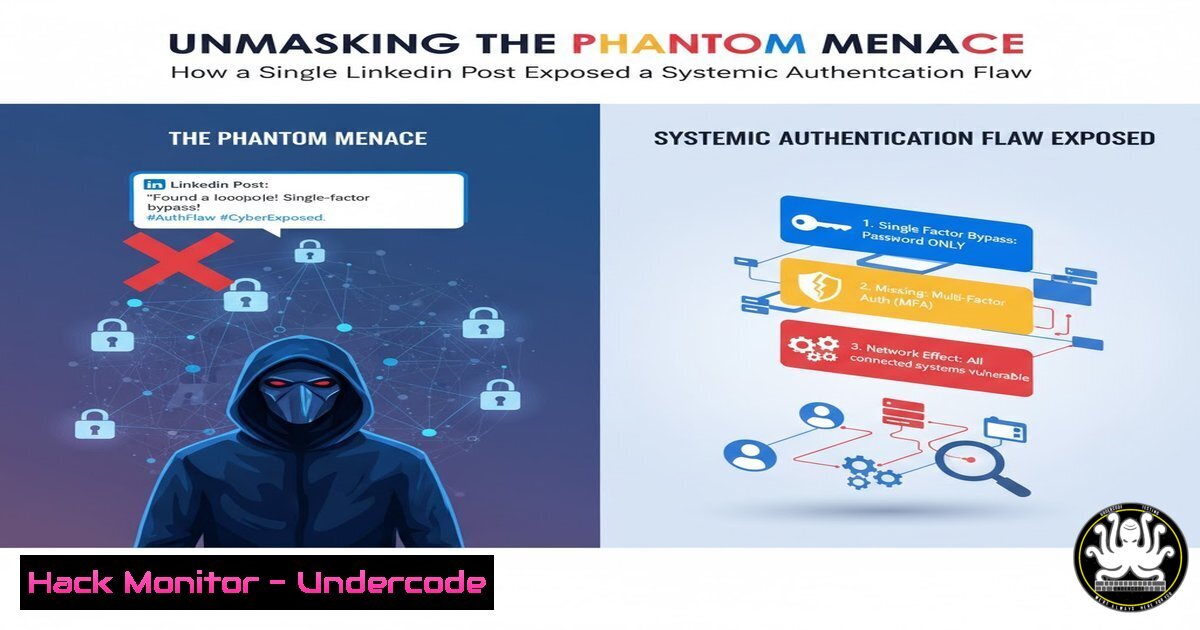
A cryptic LinkedIn post by a cybersecurity professional, simply stating “what was the solution? i fixed it,” has ignited a firestorm of speculation within the infosec community. While the original technical details remain shrouded, the incident underscores a critical reality: modern authentication systems are a complex web of dependencies, and a single misconfiguration can create a phantom vulnerability—one that is invisible until it is actively exploited. This article deconstructs the potential scenarios behind such a fix, providing a technical toolkit to audit, harden, and monitor your own authentication infrastructure against similar phantom threats.
Learning Objectives:
- Identify and diagnose common authentication and session management misconfigurations in web applications and identity providers.
- Implement robust logging and monitoring to detect anomalous activities related to token usage and user sessions.
- Apply hardening techniques across Linux servers, web applications, and cloud identity services to eliminate potential blind spots.
You Should Know:
1. Auditing Web Server Access & Error Logs
The first line of defense is visibility. Unexplained gaps in logs or strange patterns can be the only sign of a phantom issue.
 Linux (Apache)
tail -f /var/log/apache2/access.log | grep -E " 40[0-9] | 50[0-9] "
tail -f /var/log/apache2/error.log

Linux (Nginx)
tail -f /var/log/nginx/access.log | grep -E " 40[0-9] | 50[0-9] "
journalctl -u nginx -f

Windows (IIS via PowerShell)
Get-WinEvent -LogName 'Microsoft-Windows-IIS-Logging/Logs' -MaxEvents 20 | Where-Object {$_.LevelDisplayName -eq "Error"}
Step-by-step guide: Continuously monitor your web server logs for client (4xx) and server (5xx) errors. The `tail -f` command provides a real-time stream. Filtering for status codes in the 400s and 500s helps pinpoint authentication and internal server errors. On Windows, PowerShell’s `Get-WinEvent` cmdlet allows you to query the IIS event log for specific error levels, which is crucial for diagnosing issues like failed request tracing or module-loading failures that might relate to an auth flaw.
2. Interrogating OAuth 2.0 and OpenID Connect Configuration
A misconfigured identity provider is a prime suspect. Incorrect redirect URIs, overly permissive scopes, or faulty token expiration can create vulnerabilities.
 Using curl to test an OAuth 2.0 Token Endpoint
curl -X POST https://your-idp.com/oauth/token \
-H "Content-Type: application/x-www-form-urlencoded" \
-d "client_id=your_client_id&client_secret=your_client_secret&grant_type=client_credentials"

Testing OpenID Connect Discovery
curl https://your-idp.com/.well-known/openid-configuration | jq .
Step-by-step guide: Use `curl` to directly interact with your Identity Provider’s (IdP) endpoints. The first command tests the client credentials flow, verifying that your client ID and secret are valid and that the token endpoint is responsive. The second command fetches the OpenID Connect discovery document, which outlines the IdP’s capabilities and endpoints. Piping the output to `jq` formats the JSON for easy readability, allowing you to verify critical URLs like `authorization_endpoint` and token_endpoint.
3. Validating JWT Tokens and Session Integrity
Phantom issues can stem from improper token validation or session handling on the application side.
 Decoding a JWT manually using the command line (Linux/macOS)
echo "eyJhbGciOiJIUzI1NiIsInR5cCI6IkpXVCJ9.eyJzdWIiOiIxMjM0NTY3ODkwIiwibmFtZSI6IkpvaG4gRG9lIiwiaWF0IjoxNTE2MjM5MDIyfQ.SflKxwRJSMeKKF2QT4fwpMeJf36POk6yJV_adQssw5c" | cut -d '.' -f 1 | base64 -d | jq .
echo "eyJhbGciOiJIUzI1NiIsInR5cCI6IkpXVCJ9.eyJzdWIiOiIxMjM0NTY3ODkwIiwibmFtZSI6IkpvaG4gRG9lIiwiaWF0IjoxNTE2MjM5MDIyfQ.SflKxwRJSMeKKF2QT4fwpMeJf36POk6yJV_adQssw5c" | cut -d '.' -f 2 | base64 -d | jq .

PowerShell command to check active IIS sessions
Get-WebSessionState -Name "YourWebAppName"
Step-by-step guide: To inspect a JWT, split it by its periods (.) and decode the first two parts (the header and payload) using base64 -d. This allows you to manually verify the issuer (iss), audience (aud), and expiration (exp) claims. On the Windows side, the `Get-WebSessionState` PowerShell cmdlet helps administrators check the configuration of session state for a specific web application, which can reveal issues with session timeouts or cookie settings.
4. Cloud IAM Security Auditing
In cloud environments, permissive Identity and Access Management (IAM) roles are a common source of phantom access.
 AWS CLI to list user access keys and their last used date
aws iam list-access-keys --user-name <username>
aws iam get-access-key-last-used --access-key-id <key-id>

AWS CLI to simulate policies with IAM Simulator
aws iam simulate-custom-policy --policy-input-list file://policy.json --action-names "s3:GetObject" "ec2:RunInstances"

Azure CLI to list app registrations (service principals)
az ad app list --show-mine -o table
Step-by-step guide: Regularly audit IAM configurations. The AWS commands first list all access keys for a user and then check when a specific key was last used, identifying dormant but active credentials. The `simulate-custom-policy` command is vital for testing whether a policy grants unintended permissions without actually executing the action. In Azure, listing app registrations helps identify old or overly permissive service principals that could be exploited.
5. Database Security and Connection String Scrutiny
Authentication flaws can sometimes be traced back to database connection issues or insecure credentials storage.
 Using nmap to scan for open database ports (Ethical Use Only)
nmap -p 1433,3306,5432,27017 <target_ip_range>

PostgreSQL - Checking active connections and their source
SELECT datname, usename, client_addr, state FROM pg_stat_activity;

MySQL - Reviewing user privileges
SELECT user, host, authentication_string FROM mysql.user;
Step-by-step guide: Network scanning with `nmap` identifies exposed database ports that should not be publicly accessible. Once access is confirmed, database-specific commands are essential. In PostgreSQL, `pg_stat_activity` shows who is connected and from where, which can reveal unauthorized access patterns. In MySQL, querying the `mysql.user` table reveals all users, their hosts, and their authentication methods, allowing you to remove obsolete accounts or enforce stronger password policies.
6. Network Traffic Analysis for Anomalous Authentication Flows
Sometimes the evidence is in the packets. Capturing and analyzing traffic can reveal the phantom handshake.
 Capturing HTTP traffic on a specific port with tcpdump
sudo tcpdump -i any -A 'tcp port 80 and (tcp[((tcp[12:1] & 0xf0) >> 2):4] = 0x504f5354)'

Using tshark (Wireshark's CLI) to follow an HTTP stream
tshark -r capture.pcap -Y "http" -z follow,http,ascii,0
Step-by-step guide: The `tcpdump` command captures traffic on port 80 and filters for POST requests (hex value 0x504f5354), which are commonly used for login forms. The `-A` flag prints the output in ASCII, showing the raw HTTP request. For deeper analysis, `tshark` can read a saved capture file (capture.pcap) and reconstruct an entire HTTP conversation stream, allowing you to see the full request and response cycle of an authentication attempt.
7. System Hardening with CIS Benchmarks
Proactive hardening prevents phantom vulnerabilities from being introduced in the first place.
 Linux - Using auditd to monitor critical files for changes
sudo auditctl -w /etc/passwd -p wa -k identity_file_change
sudo auditctl -w /etc/shadow -p wa -k identity_file_change

Windows - Using PowerShell to enforce a strong password policy
Secedit /export /cfg config.inf
 Edit config.inf to set PasswordComplexity = 1 and MinimumPasswordLength = 14
Secedit /configure /db config.sdb /cfg config.inf
Step-by-step guide: On Linux, the `auditctl` command adds a watch (-w) on the `/etc/passwd` and `/etc/shadow` files, triggering an audit log entry (-k) whenever write or attribute permissions (-p wa) are changed. This detects unauthorized account modification. On Windows, the `Secedit` tool allows you to export the current security policy, modify it in a text file to enforce complexity and length, and then import it back to actively harden the system against brute-force attacks.
What Undercode Say:
- The “Fix” is Often a Symptom of a Deeper Process Failure. The original post highlights a reactive culture where problems are solved in isolation. The real vulnerability was not the technical bug itself, but the lack of robust change control, comprehensive logging, and post-incident analysis that allowed it to exist and then be “fixed” without a clear record.
- Complexity is the Enemy of Security. Modern authentication stacks involving multiple services (web app, IdP, API gateways, databases) create a vast attack surface. A phantom vulnerability is often just a unexpected interaction between two correctly configured components that were never tested together under malicious conditions.
The analysis of this event suggests that the cybersecurity industry’s reliance on “silver bullet” solutions is flawed. The professional’s ability to fix the issue is commendable, but the opaque nature of the post reflects a common problem: knowledge siloing. For every publicized “fix,” there are countless others that remain tribal knowledge, leaving the wider community vulnerable to the same patterns. The focus must shift from heroic individual troubleshooting to creating systems that are transparently auditable and resilient by design, not by accident. This requires a cultural shift towards detailed post-mortems and knowledge sharing, even when the solution seems simple.
Prediction:
The “phantom vulnerability” phenomenon will escalate with the increased adoption of AI-generated code and microservices architectures. AI can introduce subtle, non-obvious logical flaws that traditional SAST tools miss, while microservices create complex, distributed authentication chains where a failure in one non-critical service can cascade into a major breach. We predict a rise in “chain-reaction” exploits targeting these hidden interdependencies, forcing a industry-wide pivot towards interactive application security testing (IAST) and behavioral anomaly detection that can model normal system interactions and flag deviations in real-time, making the phantoms visible before they can be weaponized.
🎯Let’s Practice For Free:
IT/Security Reporter URL:
Reported By: %E2%9C%94danielle H – Hackers Feeds
Extra Hub: Undercode MoN
Basic Verification: Pass ✅


