
Listen to this Post
Introduction:
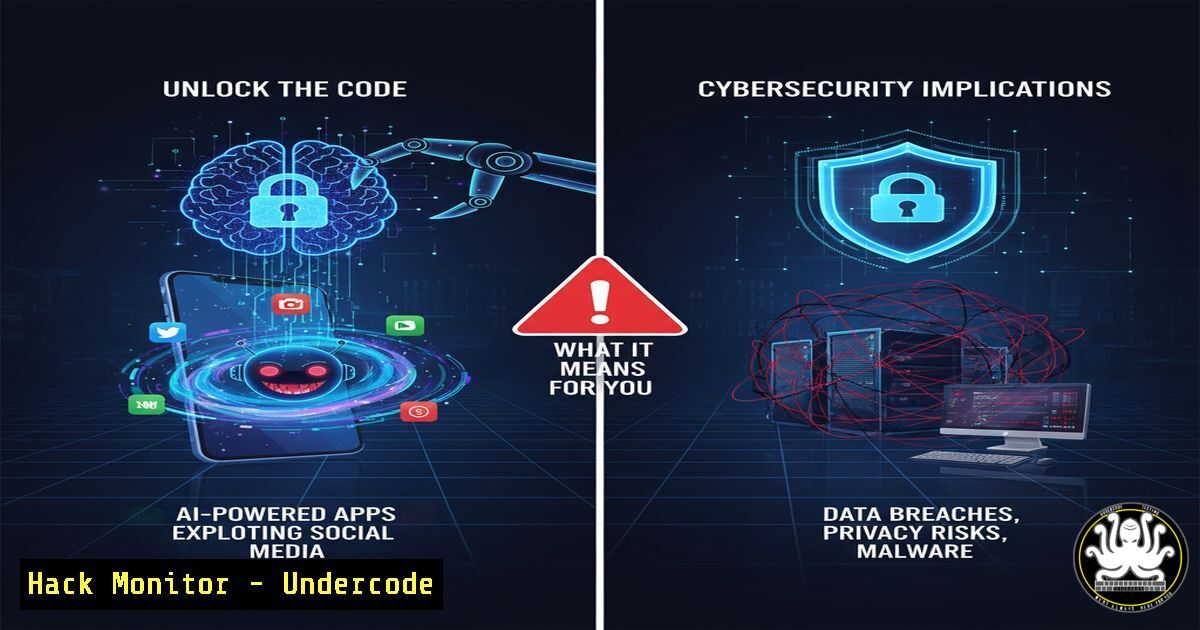
The rise of AI-powered applications, built rapidly using APIs like OpenAI’s ChatGPT, represents a new frontier in both digital innovation and cyber risk. These apps, often paired with sophisticated social media manipulation campaigns, can amass significant revenue and user data, creating attractive targets for threat actors and raising serious questions about data privacy, platform integrity, and the weaponization of AI for social engineering.
Learning Objectives:
- Understand the technical pipeline for creating and distributing a minimal-viable-product (MVP) using the ChatGPT API.
- Identify the cybersecurity and IT infrastructure risks associated with rapidly deployed AI applications.
- Learn defensive commands and configurations to harden cloud environments, secure APIs, and detect malicious social media activity.
You Should Know:
1. Securing Your ChatGPT API Integration
The core of many new AI MVPs is the OpenAI API. An unsecured integration is a primary attack vector.
 Example curl command to the ChatGPT API
curl https://api.openai.com/v1/chat/completions \
-H "Content-Type: application/json" \
-H "Authorization: Bearer $OPENAI_API_KEY" \
-d '{
"model": "gpt-4",
"messages": [{"role": "user", "content": "Hello, world!"}]
}'
Step-by-step guide:
This command sends a request to the OpenAI API. The `-H` flag sets headers, including the critical `Authorization` header containing your API key.
1. Secure Your Key: Never hardcode the `$OPENAI_API_KEY` in your scripts. Use environment variables or a cloud-based secrets manager (e.g., AWS Secrets Manager, Azure Key Vault).
2. Implement Rate Limiting: On your backend server, implement rate limiting to prevent abuse that could lead to excessive charges.
3. Sanitize Inputs: All user data passed to the `”content”` field must be rigorously sanitized to prevent prompt injection attacks that could compromise your application’s logic.
- Infrastructure as Code (IaC) for a Secure MVP Backend
Deploying a backend in “under 10 days” requires automation, but security cannot be an afterthought.
 AWS CloudFormation snippet for a basic EC2 instance with security group
Resources:
MyMVPWebServer:
Type: AWS::EC2::Instance
Properties:
ImageId: ami-0abcdef1234567890
InstanceType: t3.micro
SecurityGroups:
- !Ref MyServerSecurityGroup
MyServerSecurityGroup:
Type: AWS::EC2::SecurityGroup
Properties:
GroupDescription: Enable HTTPS and SSH access
SecurityGroupIngress:
- IpProtocol: tcp
FromPort: 443
ToPort: 443
CidrIp: 0.0.0.0/0
- IpProtocol: tcp
FromPort: 22
ToPort: 22
CidrIp: 192.0.2.0/24  Your IP range only
Step-by-step guide:
This YAML code defines a simple server and its firewall rules using AWS CloudFormation.
1. Principle of Least Privilege: The Security Group only allows SSH from a specific IP range (192.0.2.0/24) and HTTPS from the world. This prevents unauthorized administrative access.
2. Automated & Auditable: Using IaC ensures your infrastructure is created consistently every time and can be version-controlled for audit trails.
3. Extend Security: Always add logging (AWS CloudTrail) and consider placing web servers behind a load balancer and Web Application Firewall (WAF).
3. Database Hardening for Sensitive User Data
An app tracking sobriety or mental health contains highly sensitive Personal Health Information (PHI).
-- Connect to your PostgreSQL database and create a restricted user
psql -h your-db-host.rds.amazonaws.com -U masteruser -d myappdb

CREATE USER app_user WITH PASSWORD 'very_strong_password_here';
GRANT CONNECT ON DATABASE myappdb TO app_user;
GRANT USAGE ON SCHEMA public TO app_user;
GRANT SELECT, INSERT, UPDATE ON TABLE user_milestones TO app_user;
-- Explicitly DENY DELETE permission
REVOKE DELETE ON TABLE user_milestones FROM app_user;
Step-by-step guide:
These SQL commands create a dedicated database user with minimal required permissions.
1. Avoid Default Accounts: Do not use the default master/root user for application connections.
2. Least Privilege in Action: The `app_user` can only `SELECT, INSERT, UPDATE` on the `user_milestones` table but cannot `DELETE` records, mitigating the impact of a SQL injection vulnerability.
3. Encryption at Rest: Ensure your database instance (e.g., AWS RDS, Azure SQL) has encryption at rest enabled by default.
4. Monitoring for Fake Account Activity
The strategy of using multiple “warmed” social accounts is a hallmark of botnets and influence operations.
 Python pseudo-code using Tweepy for Twitter API to detect bot-like behavior
import tweepy

client = tweepy.Client(bearer_token='YOUR_BEARER_TOKEN')

Get a user's tweets
tweets = client.get_users_tweets(id=user_id, max_results=20)

bot_indicators = {
'high_frequency': 0,  Tweets per day > 50
'low_engagement': 0,  Likes/Retweets consistently near zero
'repetitive_content': 0,  Similar text across multiple tweets (check with similarity analysis)
'source': ''  Check if tweet source is a known automation tool
}

for tweet in tweets.data:
 Analyze tweet text, timestamp, and public metrics
 Increment bot_indicators based on thresholds
pass

If bot_indicators exceed a threshold, flag the account.
Step-by-step guide:
This conceptual code outlines logic to identify inauthentic accounts.
1. Data Collection: Use the platform’s API (Twitter/X, Instagram Basic Display API) to gather account behavior data.
2. Define Heuristics: Establish key metrics that distinguish bots from humans: post frequency, content originality, engagement patterns, and time-of-day activity.
3. Automate Detection: Build a scoring system. Accounts scoring above a certain threshold can be automatically flagged for review or blocking within your app’s moderation system.
- Web Application Firewall (WAF) Rule to Block Scrapers
Aggressive social media marketing often involves competitors or bad actors scraping your app’s public data.
 Example AWS WAFv2 CLI command to create a rate-based rule
aws wafv2 create-rule-group \
--name BlockScrapers \
--scope REGIONAL \
--capacity 1000 \
--rules Name=RateLimitRule,Priority=1,Statement={RateBasedStatement={Limit=2000,AggregateKeyType=IP}},Action={Block={}},VisibilityConfig={SampledRequestsEnabled=true,CloudWatchMetricsEnabled=true,MetricName=RateLimitRule} \
--visibility-config SampledRequestsEnabled=true,CloudWatchMetricsEnabled=true,MetricName=BlockScrapers
Step-by-step guide:
This AWS CLI command creates a WAF rule that blocks IPs making over 2000 requests in any 5-minute period.
1. Identify Normal Traffic: Use analytics to determine a realistic maximum number of requests a legitimate user would make.
2. Deploy the Rule: Associate this rule group with your application’s CloudFront distribution or Application Load Balancer.
3. Monitor and Tune: Check CloudWatch metrics for the rule to ensure it’s not blocking legitimate traffic and adjust the `Limit` as necessary.
6. Linux Command Line: Detecting Data Exfiltration
If an attacker compromises your server, their goal is often to steal user data. Early detection is key.
 Monitor for large outbound network transfers
sudo netstat -tunap | grep ESTABLISHED

List open files and network connections for a specific process (e.g., your database)
sudo lsof -i -P -n | grep :5432  Replace 5432 with your DB port

Use iptables to log outbound traffic over a certain size
sudo iptables -A OUTPUT -p tcp -m length --length 1000000 -j LOG --log-prefix "LARGE OUTBOUND: "
Step-by-step guide:
These Linux commands help you monitor for data theft.
1. netstat: Shows all active network connections. Look for unknown IPs or large, sustained connections.
2. lsof: Lists all files and network connections opened by processes. Crucial for auditing your database’s external connections.
3. `iptables` Logging: This rule logs any outbound TCP packet larger than ~1MB to `/var/log/syslog` or /var/log/messages, alerting you to potential bulk data exfiltration.
7. Windows Command Line: Auditing User Access
For apps with a Windows-based backend, tracking who accessed what and when is critical for compliance and security.
 Enable audit policy for object access
auditpol /set /subcategory:"File System" /success:enable /failure:enable

Use PowerShell to check event logs for specific file access
Get-EventLog -LogName Security -InstanceId 4663 -Newest 10 | Format-List

InstanceId 4663: An attempt was made to access an object.
 This will show you details about which user accessed which file.
Step-by-step guide:
These commands configure and check auditing on a Windows server.
1. Set Policy: The `auditpol` command enables detailed logging for file system access, both successful and failed attempts.
2. Query Logs: The PowerShell command `Get-EventLog` filters the Security log for Event ID 4663, which indicates file access.
3. Investigate: In a breach scenario, you can use these logs to determine if a compromised user account accessed sensitive database files or configuration documents.
What Undercode Say:
- The Moat is a Attack Surface: The very distribution strategy—armies of automated or inauthentic social media accounts—is indistinguishable from botnet activity and creates a large, complex attack surface that can be repurposed for disinformation or fraud.
- Data is the Real Treasure: A $200k/month app handling sensitive health data is a goldmine for attackers. The focus on rapid deployment often sidelines security, making such apps prime for data breach exploits, ransomware, and privacy scandals.
The analysis reveals a dangerous convergence: low-code AI tools lower the barrier for entry for entrepreneurs and cybercriminals alike. The technical instructions for creating the app are virtually identical to those for building a malicious data-harvesting service. The emphasis on “warmed” accounts highlights a systemic vulnerability in social platforms that cybersecurity professionals must now account for in their threat models. Defending against this requires a shift from traditional perimeter security to proactive monitoring of app logic, API usage, and user-generated content campaigns.
Prediction:
The “10-day AI app” model will lead to a significant rise in supply-chain-style attacks targeting the API integrations themselves, such as compromised OpenAI API keys and poisoned training data fed through these apps. Furthermore, regulatory bodies will intensify scrutiny on apps handling sensitive data, leading to major fines for those built without a “security-by-design” foundation. The techniques for organic distribution will be fully weaponized, creating hyper-personalized, AI-driven social engineering campaigns that are exponentially more difficult to detect and mitigate.
🎯Let’s Practice For Free:
IT/Security Reporter URL:
Reported By: Aashams1992 Distribution – Hackers Feeds
Extra Hub: Undercode MoN
Basic Verification: Pass ✅


