
Listen to this Post
Introduction:
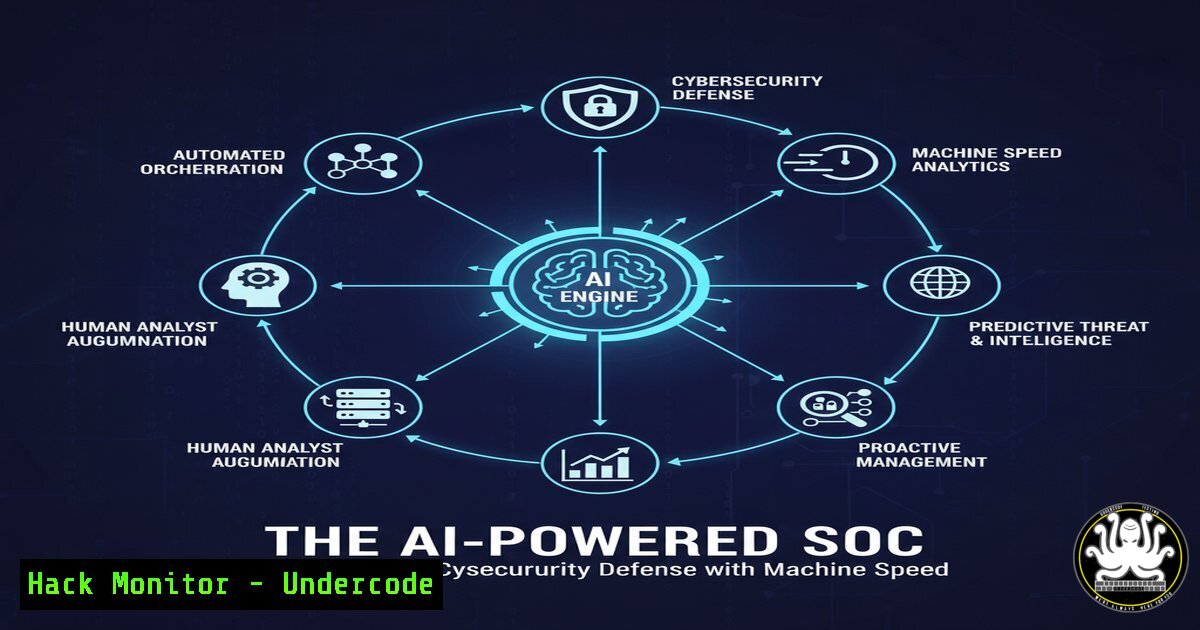
The integration of Artificial Intelligence into cybersecurity operations is fundamentally reshaping how organizations defend against threats. AI-powered Security Operations Centers (SOCs) are moving beyond traditional, manual alert investigation to proactive, automated threat hunting and response, creating a decisive advantage against sophisticated adversaries.
Learning Objectives:
- Understand the core AI and Machine Learning models deployed in modern SOCs.
- Learn to implement and verify key AI-driven security tools and logging configurations.
- Develop strategies for integrating AI analytics into existing incident response workflows.
You Should Know:
1. SIEM Log Ingestion for AI Analysis
Security Information and Event Management (SIEM) systems are the data backbone for AI analytics. Proper log configuration is critical.
Verified Commands & Configurations:
Linux (rsyslog to SIEM): `. @@:514`
Windows (PowerShell – Event Forwarding): `Set-WsManQuickConfig -Force; WinRM set winrm/config/client ‘@{TrustedHosts=”
AWS CloudTrail to S3 (for AI processing): `aws cloudtrail create-trail –name My-AI-Trail –s3-bucket-name my-ai-bucket –is-multi-region-trail`
Azure Diagnostic Settings (via ARM): `”resources”: [ { “type”: “Microsoft.Insights/diagnosticSettings”, “apiVersion”: “2021-05-01-preview”, “properties”: { “workspaceId”: “/subscriptions/
Step-by-step guide:
To feed data into an AI-driven SOC, you must first centralize logs. On Linux, configure rsyslog to forward all logs (.) to your SIEM’s IP address on the standard Syslog port (514). On Windows, enable and configure WinRM to allow event forwarding to a central collector or directly to the SIEM. In the cloud, ensure services like AWS CloudTrail or Azure Activity Logs are routed to a storage service (S3, Log Analytics) where AI models can process them for anomalous patterns.
2. YARA for AI-Generated Malware Detection
AI can be used to generate YARA rules that detect novel malware families and their variants.
Verified Commands & Code Snippets:
Basic YARA Rule Structure:
rule AI_Detected_Phishing_Doc {
meta:
description = "AI-generated rule for suspicious document"
author = "SOC-AI-Model-v2.1"
strings:
$s1 = "powershell -exec bypass -WindowStyle Hidden"
$s2 = /Invoke-(Expression|WebRequest|RestMethod)/
$f1 = "http://" nocase wide ascii
condition:
filesize < 2MB and 2 of them
}
Scan Command: `yara -r AI_Detected_Phishing_Doc.yar /mnt/email_attachments/`
Step-by-step guide:
AI models can analyze thousands of malware samples to identify common code snippets, strings, and behavioral patterns. The output can be a YARA rule like the one above. This rule looks for a combination of a hidden PowerShell window and potentially malicious cmdlets (Invoke-Expression). Use the `yara` command with the `-r` flag to recursively scan a directory, such as an email attachments folder, to identify files matching this AI-generated signature.
3. Elastic Stack Query for Anomalous Login Detection
Machine learning jobs in the Elastic Stack can baseline normal user behavior and flag outliers.
Verified Query & Configuration:
Elasticsearch ML Job Config (JSON snippet):
{
"analysis_config": {
"bucket_span": "15m",
"detectors": [
{ "function": "high_info_content", "field_name": "source.ip" },
{ "function": "rare", "by_field_name": "user.name" }
]
},
"data_description": { "time_field": "@timestamp" }
}
Kibana Discover Query (for investigation): `user.name: “jdoe” AND event.outcome: “failure” AND source.ip: (192.168.1.100 OR 10.0.5.22)`
Step-by-step guide:
After ingesting authentication logs, create an ML job in Elasticsearch. The configuration above creates two detectors: one for unusual source IPs (high_info_content) and one for rarely-seen users (rare). The ML model will learn what is normal and generate alerts for anomalies. Security analysts can then use Kibana to query for specific users like `jdoe` and cross-reference failed login attempts from unexpected IP addresses.
4. Splunk Query for Data Exfiltration Patterns
AI can identify data exfiltration by spotting deviations from baseline network traffic volumes.
Verified Splunk SPL Query:
index=netflow (src_ip=192.168.0.0/16) (dest_ip!=192.168.0.0/16)
| stats sum(bytes) as total_bytes by src_ip, dest_ip
| where total_bytes > 100000000
| eval MB = round(total_bytes/1024/1024, 2)
| table src_ip, dest_ip, MB
Step-by-step guide:
This Splunk Search Processing Language (SPL) query looks for large outbound data transfers. It filters netflow data for internal IPs (src_ip) communicating with external IPs (dest_ip). It then sums the total bytes transferred per connection and filters for any session exceeding 100MB—a potential sign of data exfiltration. The results are presented in a clear table. AI models can automate the tuning of the threshold (100MB) based on historical data for that specific host.
5. Wazuh Active Response for Automated Blocking
Combine endpoint detection with automated response to contain threats at machine speed.
Verified Wazuh Manager Configuration (`/var/ossec/etc/ossec.conf`):
<ossec_config>
<active-response>
<command>host-deny</command>
<location>local</location>
<level>7</level>
<timeout>600</timeout>
</active-response>
<active-response>
<command>firewall-drop</command>
<location>all</location>
<level>10</level>
<timeout>3600</timeout>
</active-response>
</ossec_config>
Step-by-step guide:
When the Wazuh agent on an endpoint detects a high-severity alert (level 7 or 10), it triggers an active response. The `host-deny` command adds the offending IP to a local deny file (e.g., /etc/hosts.deny), while the more severe `firewall-drop` command instructs all agents to add a firewall rule blocking the IP for one hour. This automated containment happens in seconds, far faster than human intervention.
6. Python Script for Threat Intelligence Feeds Integration
Automate the ingestion and processing of threat intelligence feeds to enrich AI models.
Verified Python Code Snippet:
import requests
import json
from abuseipdb import AbuseIPDB

def check_ip_reputation(ip_address):
abuseipdb = AbuseIPDB(api_key='YOUR_API_KEY')
try:
response = abuseipdb.check(ip_address=ip_address)
if response['data']['abuseConfidenceScore'] > 80:
print(f"[!] {ip_address} is malicious (Score: {response['data']['abuseConfidenceScore']}).")
 Trigger automated firewall block via API
block_ip_via_firewall(ip_address)
except Exception as e:
print(f"Error checking IP: {e}")

Example usage
check_ip_reputation("192.0.2.100")
Step-by-step guide:
This Python script uses the AbuseIPDB API to check the reputation of a given IP address. If the abuse confidence score exceeds 80%, it can trigger a separate function (block_ip_via_firewall) to automatically block the IP via your firewall’s API. This script can be integrated into a SOC workflow to automatically investigate and respond to suspicious IPs found in logs.
7. Sigma Rule for Lateral Movement Detection
Sigma is a generic signature format for log events that can be converted into queries for various SIEMs. AI can help generate and correlate these rules.
Verified Sigma Rule:
title: WMI Remote Process Creation
id: 93af4a84-2f32-4c76-9ad9-4e60c5e6f589
status: experimental
description: Detects WMI remote process creation
author: Sigma Project (AI-Augmented)
logsource:
product: windows
service: sysmon
detection:
selection:
EventID: 1
ParentImage: 'C:\Windows\System32\wbem\WmiPrvSE.exe'
condition: selection
falsepositives:
- Legitimate administrative activity
level: high
Step-by-step guide:
This Sigma rule detects the creation of a process with WMI (WmiPrvSE.exe) as the parent, a common technique for lateral movement. Security teams can convert this rule into the native query language of their SIEM (e.g., Splunk, Elasticsearch, QRadar). AI systems can monitor for the triggering of this rule and correlate it with other suspicious events from the same source IP, automatically raising the incident severity.
What Undercode Say:
- The Defense Becomes Proactive: The core shift is from a reactive “alert-triage” model to a proactive “hunt-and-preempt” model. AI handles the high-volume, low-fidelity alerts, freeing human analysts for complex threat hunting.
- Skill Gap Transformation, Not Elimination: AI does not replace SOC analysts; it transforms their role. The demand is shifting from log jockeys to data scientists and AI wranglers who can interpret model outputs, manage false positives, and guide the AI’s learning process.
The integration of AI into the SOC is creating a two-tiered defense system. The first tier is a high-speed, automated layer of ML models that perform initial triage, correlation, and containment. The second tier is the human analyst, now empowered with curated intelligence, predictive analytics, and automated playbooks. This synergy allows organizations to defend against the scale and speed of modern cyber attacks, turning the SOC from a cost center into a strategic, intelligence-driven asset. The organizations that master this integration will build a significant and lasting defensive moat.
Prediction:
Within the next 3-5 years, AI-powered SOCs will evolve into fully autonomous defense networks for routine threats. We will see the rise of “SOC-as-a-Service” platforms powered by generative AI that can not only detect but also verbally explain the attack chain and recommended remediation steps to human overseers. Adversaries will respond with AI-driven attacks, leading to an automated “battle of the bots” on corporate networks, making continuous AI model retraining and adversarial machine learning the new frontline of cybersecurity.
🎯Let’s Practice For Free:
IT/Security Reporter URL:
Reported By: Michaelk2017 Deep – Hackers Feeds
Extra Hub: Undercode MoN
Basic Verification: Pass ✅


