Listen to this Post
Introduction:
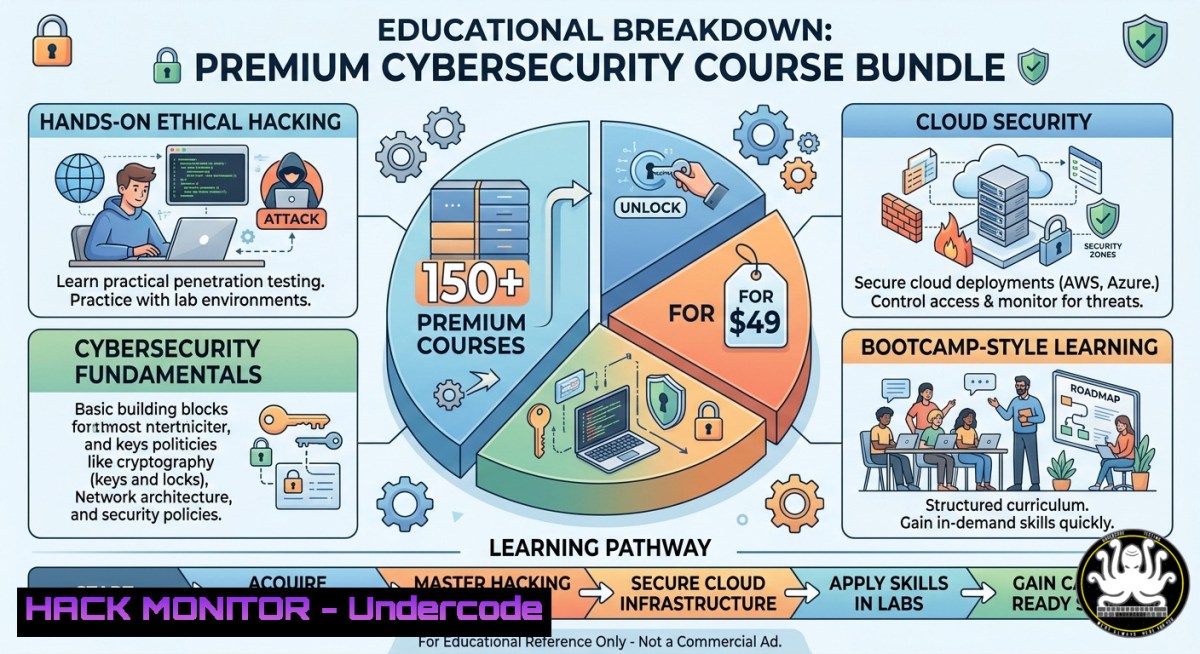
The cybersecurity skills gap continues to widen, with over 3.5 million unfilled positions globally. To bridge this chasm, platforms like Ethical Hackers Academy are offering unprecedented access to 150+ premium courses covering ethical hacking, penetration testing, cloud security, SOC analysis, and malware reverse engineering—all for a one-time payment of $49 using coupon code CYBERMONTH. This article extracts the technical depth of the offer and provides actionable lab guides, command-line tutorials, and configuration walkthroughs aligned with the course topics.
Learning Objectives:
- Set up a complete penetration testing lab using Kali Linux, Docker, and Windows virtual machines to practice ethical hacking techniques.
- Execute real-world vulnerability assessments, including Nmap scanning, Metasploit exploitation, and post-exploitation privilege escalation.
- Harden cloud environments (AWS, Kubernetes) against common attacks and implement API security controls with OWASP Top 10 mitigations.
You Should Know:
- Building Your Ethical Hacking Lab from Scratch (Linux & Windows)
Extended from the post’s “Practical Labs & Hands-on Learning” promise, this step‑by‑step guide creates a safe, isolated environment to practice penetration testing, malware analysis, and SOC monitoring.
Step‑by‑step guide:
- Install VirtualBox or VMware Workstation on your host machine (Windows/Linux/macOS).
- Download Kali Linux (official ISO) and create a VM with 4GB RAM, 50GB disk, bridged networking.
- Add a vulnerable target: Deploy Metasploitable 2 (Ubuntu 8.04) or OWASP Broken Web Applications (BWA) VM.
- Set up a Windows 10/11 evaluation VM for testing Active Directory and privilege escalation attacks.
- Optional – Docker for lightweight labs:
`docker run -it –rm -p 8080:80 vulnerables/web-dvwa` (runs Damn Vulnerable Web Application on port 8080). - Connect all VMs to a host‑only or internal network to avoid leaking traffic.
- Verify connectivity: From Kali, run `nmap -sn 192.168.56.0/24` (adjust subnet to your VM network).
- Take snapshots before any exploit to quickly revert to a clean state.
2. Mastering Nmap & Masscan for Network Reconnaissance
The course includes “Network Hacking” – here’s how professionals scan and fingerprint networks using command‑line tools.
Step‑by‑step guide (Linux/Kali):
- Basic ping sweep: `nmap -sn 192.168.1.0/24` – discovers live hosts.
- Aggressive TCP port scan: `nmap -sS -sV -O -p- 192.168.1.10 -oA target_scan` – SYN stealth scan, version detection, OS fingerprinting, output to all formats.
- Using masscan for speed (rate = 10,000 packets/sec):
`sudo masscan 192.168.1.0/24 -p1-65535 –rate=10000 -oL masscan_output.txt`
- Parse results with grep and awk:
`grep “open” masscan_output.txt | awk ‘{print $4 “:” $3}’ > open_ports.txt`
– Windows alternative – PowerSploit’s Invoke-PortScan (PowerShell):
`Invoke-PortScan -Hosts 192.168.1.10 -Ports 1-1024 -Threads 100`
- Why this matters: Enumeration is 80% of a successful penetration test; the courses teach you to automate and evade IDS.
- Exploiting Web Vulnerabilities with Burp Suite & SQLMap
Web hacking is a core module. The following mimics real bug bounty techniques taught in the “Bug Bounty & Exploit Development” track.
Step‑by‑step guide:
- Configure Burp Suite Community Edition: Set proxy listener to 127.0.0.1:8080. Install FoxyProxy (Firefox/Chrome) to route traffic.
- Intercept a login request to a test lab (e.g., DVWA). Send it to Repeater.
- SQL injection manual test: Inject `’ OR ‘1’=’1′ –` in the username field. If login bypassed, the site is vulnerable.
- Automate with SQLMap (Linux/Windows via Python):
`sqlmap -u “http://192.168.56.101/dvwa/vulnerabilities/sqli/?id=1&Submit=Submit” –cookie=”security=low; PHPSESSID=abc123″ –dbs`
– Extract tables:
`sqlmap -u “” –cookie=”…” -D dvwa –tables –dump`
- Mitigation (for defenders): Use parameterized queries (prepared statements) and WAF rules (e.g., ModSecurity with Core Rule Set).
- Practice command: `sqlmap –level=5 –risk=3 –batch` to increase detection depth.
4. Cloud Hardening & Kubernetes Security (AWS/EKS)
The offer includes “Cloud Security (AWS, Kubernetes, Docker)”. Here’s a practical hardening checklist.
Step‑by‑step guide for Linux/Cloud CLI:
- Install AWS CLI and configure IAM user with read‑only permissions:
`aws configure` (then enter Access Key, Secret Key, region). - Audit S3 bucket permissions for public exposure:
`aws s3api get-bucket-acl –bucket your-bucket-name`
- Enable CloudTrail for all regions:
`aws cloudtrail create-trail –name SecurityTrail –s3-bucket-name your-log-bucket –is-multi-region-trail`
- Kubernetes RBAC hardening – list all cluster roles with wildcard permissions:
`kubectl get clusterroles -o json | jq ‘.items[] | select(.rules[].resources[]? | contains(“”)) | .metadata.name’`
– Use kube-bench (CIS benchmark) to scan a cluster:
`docker run –pid=host -v /etc:/etc:ro -v /var:/var:ro aquasec/kube-bench:latest`
- Prevent privilege escalation in pods: add `allowPrivilegeEscalation: false` to securityContext.
- Windows container note: Use `docker run –security-opt=”credentialspec=file://my.gmsa”` for gMSA.
5. Malware Analysis Sandbox (Remnux & Cuckoo)
The “Malware Analysis” track requires safe dynamic analysis. Follow this isolated environment.
Step‑by‑step guide (Linux):
- Download REMnux (Ubuntu‑based distro for reverse engineering malware). Install in a VM with no network or a simulated INetSim.
- Install Cuckoo Sandbox for automated behavioral analysis:
`sudo apt install cuckoo` (or usepip install cuckoo). Then configure `cuckoo.conf` andvirtualbox.conf. - Analyze a suspicious PE file (e.g., from a safe malware zoo like theZoo):
`cuckoo submit /path/to/sample.exe –timeout 60`
- Check reports: Generated JSON and HTML in
~/.cuckoo/storage/analyses/. - Manual static analysis with `strings` and
radare2:
`strings suspicious.exe | grep -i “http\|cmd\|powershell”`
`r2 -A suspicious.exe` then `pdf@main` to disassemble.
- Network indicators – use `tcpdump` inside REMnux:
`sudo tcpdump -i eth0 -w malware.pcap` and later analyze with Wireshark. - Windows dynamic analysis – use ProcMon and RegShot to compare before/after execution.
- SOC Analyst Playbook: Detecting Lateral Movement with Sysmon & ELK
The “SOC Analyst Training” module emphasizes log analysis. Build a mini SIEM with Elastic Stack on Ubuntu.
Step‑by‑step guide:
- Install Elasticsearch, Logstash, Kibana (ELK) on a Linux VM:
`wget -qO – https://artifacts.elastic.co/GPG-KEY-elasticsearch | sudo apt-key add -` thensudo apt install elasticsearch logstash kibana. - Configure Winlogbeat on a Windows target to forward Windows Event Logs.
- Sysmon configuration – download Sysmon from Microsoft, use SwiftOnSecurity’s config:
`sysmon64.exe -accepteula -i sysmonconfig.xml`
- Detect Pass‑the‑Hash attack (event ID 4624 with logon type 3 and certain privilege attributes).
Create a Logstash filter:
filter { if [bash] == 4624 and [bash] == 3 { mutate { add_tag => ["lateral_movement"] } } }
– Visualize in Kibana – build dashboard for failed logons, service creations, and scheduled tasks.
– Command to test detection: On Kali, use crackmapexec smb 192.168.56.10 -u admin -p hash_ntlm -x "whoami".
– Response: Block source IP via `netsh advfirewall firewall add rule name=”BLOCK_IP” dir=in remoteip=192.168.56.100 action=block` (Windows) or `iptables -A INPUT -s 192.168.56.100 -j DROP` (Linux).
What Undercode Say:
- Key Takeaway 1: The $49 Diamond Membership democratizes advanced cybersecurity training, but real skill acquisition requires building a home lab and consistently practicing the command-line techniques shown above. The 150+ courses provide structured pathways from beginner to expert—especially valuable for SOC analysts and penetration testers.
- Key Takeaway 2: Hands‑on resources like the step‑by‑step guides for Nmap, SQLMap, and ELK are not just theoretical; they mirror actual exam objectives for certifications like CEH, OSCP, and CISSP. Leveraging the included CPE credits and practical labs can accelerate career transitions into cloud security or red teaming.
The post’s emphasis on “lifetime access” and “no renewals” addresses a major pain point in continuous education. For under $0.33 per course, the value is exceptional, provided students engage with the material rather than hoarding courses. The coupon code CYBERMONTH locks in the discount, making this a strategic move for anyone preparing for roles like Security Engineer or Malware Analyst.
Expected Output:
Prediction:
By 2026, subscription fatigue will drive more cybersecurity professionals toward one‑time payment, lifetime‑access training models like the Ethical Hackers Academy Diamond Membership. As AI‑powered security tools (e.g., automated pentesting) become mainstream, the demand will shift from tool‑specific knowledge to fundamental exploitation and mitigation skills—exactly what a 150+ course library covering everything from Python for cybersecurity to IoT security provides. However, the market may see a saturation of entry‑level certifications, making hands‑on portfolio projects (e.g., published vulnerability write‑ups, CTF wins) the true differentiator. This Mega Cyber Month Deal could be the last wave of ultra‑low‑cost premium training before consolidation drives prices back up.
▶️ Related Video (76% Match):
🎯Let’s Practice For Free:
IT/Security Reporter URL:
Reported By: %F0%9D%97%A0%F0%9D%97%B2%F0%9D%97%B4%F0%9D%97%AE %F0%9D%97%96%F0%9D%98%86%F0%9D%97%AF%F0%9D%97%B2%F0%9D%97%BF – Hackers Feeds
Extra Hub: Undercode MoN
Basic Verification: Pass ✅


