Listen to this Post
Introduction:
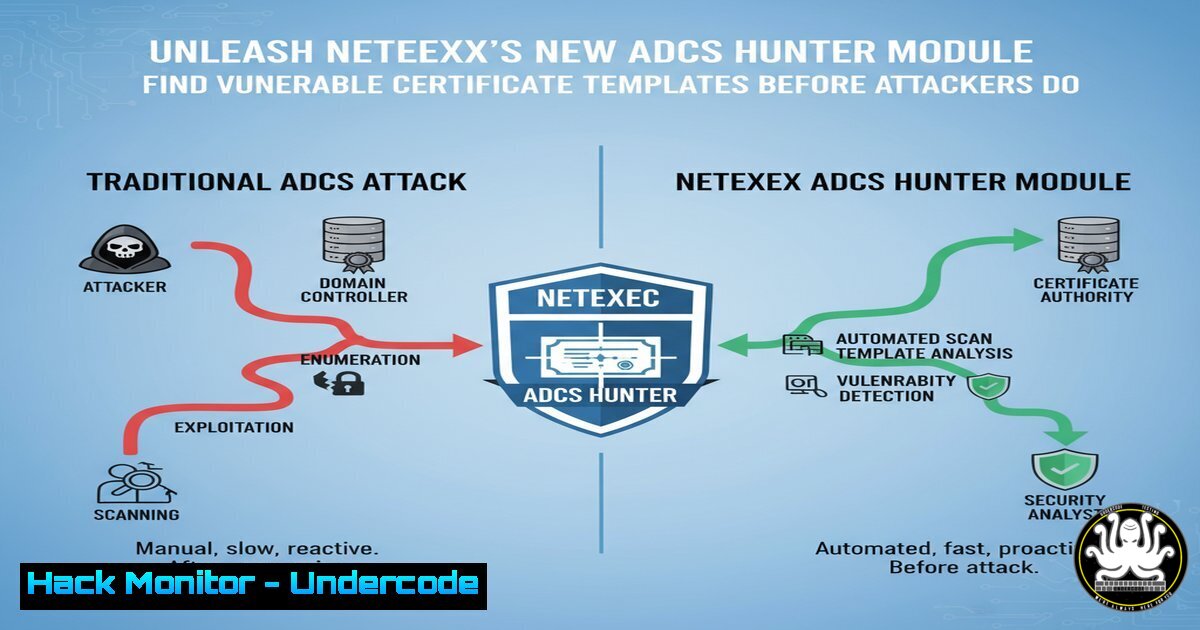
Active Directory Certificate Services (ADCS) remains a prevalent and critically misconfigured service in enterprise environments, often serving as a golden ticket for privilege escalation and domain persistence. The integration of Certipy’s powerful enumeration capabilities directly into NetExec creates a formidable one-stop-shop for offensive security professionals and vigilant blue teams to rapidly identify these security gaps. This new module automates the discovery of vulnerable certificate templates, streamlining the initial phases of an attack chain or security assessment.
Learning Objectives:
- Understand the critical risks associated with insecurely configured ADCS and certificate templates.
- Learn how to operate the new NetExec `certipy-find` module to enumerate and export findings.
- Develop mitigation strategies to harden your ADCS infrastructure against common exploitation techniques.
You Should Know:
1. Enumerating Vulnerable ADCS Templates with NetExec
The core command for this new module is straightforward, leveraging NetExec’s robust authentication handling.
nxc smb <TARGET_IP> -u <USERNAME> -p <PASSWORD> -M certipy-find
Step-by-step guide:
This command instructs NetExec to authenticate to the target SMB service (often the gateway for ADCS-related enumeration) and execute the embedded Certipy-find logic. By default, the module is configured to only display templates identified as vulnerable, such as those that allow low-privileged users to enroll, permit client authentication, or do not require manager approval. The `-M` flag is used to specify a module, in this case, certipy-find.
2. Exporting Findings for Further Analysis
To export the results for reporting or deeper analysis, use the `–output` flag.
nxc smb <TARGET_IP> -u <USERNAME> -p <PASSWORD> -M certipy-find --output <FORMAT> --output-filename results
Step-by-step guide:
After execution, this command will generate a file (results.txt, results.csv, or results.json) in your current directory. The JSON format is particularly useful for piping data into other tools or custom scripts. The CSV format can be easily imported into spreadsheets for sorting and filtering, while the text format provides a quick, human-readable output.
3. Enumerating All Certificate Templates
To see all certificate templates, not just the vulnerable ones, use the `–all` flag.
nxc smb <TARGET_IP> -u <USERNAME> -p <PASSWORD> -M certipy-find --all
Step-by-step guide:
This variation of the command is invaluable for comprehensive audits and for blue teams looking to inventory their entire ADCS landscape. Comparing the full list against the vulnerable-only list helps in understanding the scope of the problem and prioritizing remediation efforts. It reveals templates that, while not immediately exploitable, might have other configuration weaknesses.
4. Using Pass-the-Hash for Authentication
NetExec seamlessly integrates with various offensive security techniques, including Pass-the-Hash (PtH).
nxc smb <TARGET_IP> -u <USERNAME> -H <NTLM_HASH> -M certipy-find
Step-by-step guide:
This command is essential during penetration tests where you have obtained a user’s NTLM hash but not the plaintext password. Replace `
5. Leveraging Kerberos Authentication in a Domain
When operating from a domain-joined machine or with a valid Kerberos ticket, you can use Kerberos authentication for a stealthier approach.
nxc smb <TARGET_IP> -k -M certipy-find
Step-by-step guide:
The `-k` flag tells NetExec to use Kerberos authentication from the current session’s ticket-granting ticket (TGT). This method often generates less noise on the network compared to NTLM authentication and is the preferred method in environments where Kerberos is functional. Ensure you have a valid TGT (check with klist) before running this command.
6. Targeting a Specific Domain Controller
To direct your enumeration at a specific Domain Controller (DC), use the `–dc-ip` flag.
nxc smb <TARGET_IP> -u <USERNAME> -p <PASSWORD> -M certipy-find --dc-ip <DOMAIN_CONTROLLER_IP>
Step-by-step guide:
This is crucial in complex Active Directory environments with multiple domain controllers. It ensures that your queries are processed by the intended server, which can be important if certificate services are only installed on a specific DC or for troubleshooting connection issues. Replace `
7. Blue Team: Detecting Certipy/NetExec Enumeration
As highlighted in the source comments, detection is possible. A Suricata rule snippet to look for Certipy-like LDAP queries can be a starting point.
alert tcp any any -> any 389 (msg:"Potential ADCS Enumeration Tool"; flow:established,to_server; content:"certificateTemplates"; depth:50; content:"pKIExtendedKeyUsage"; distance:0; within:100; metadata:service ldap; sid:1000001; rev:1;)
Step-by-step guide:
This is a basic example. Security teams should analyze packet captures (pcaps) of tool usage to refine their signatures. The rule triggers on specific LDAP attributes that Certipy queries, such as `certificateTemplates` and pKIExtendedKeyUsage. Integrating this with Suricata’s `flowbits` or `xbits` can help statefully track the reconnaissance phase of an attack, reducing false positives.
What Undercode Say:
- The consolidation of powerful enumeration tools like Certipy into a Swiss Army knife like NetExec significantly lowers the barrier to entry for complex AD attacks, accelerating the time from initial access to domain compromise.
- Defenders must shift from a purely preventative mindset to an assumptive breach model, prioritizing the detection of enumeration activities that precede major exploits like ESC1 and ESC8.
The integration of Certipy’s finding capability into NetExec is more than a feature update; it represents the ongoing weaponization and automation of the offensive security landscape. For red teams, it’s a force multiplier, condensing multiple toolchains into a single, authenticated command. For blue teams, it’s a stark reminder that the tools they use for assessment are the same ones adversaries wield. The community feedback, noting network-level detection possibilities, underscores the critical cat-and-mouse game in cybersecurity. The focus for defense can no longer be solely on blocking the final exploit but must aggressively target the reconnaissance and weaponization phases, where tools like NetExec operate. Proactive hunting for the LDAP queries and SMB authentication patterns associated with these tools is no longer optional but essential for a mature security posture.
Prediction:
The seamless integration of specialized exploit tools into broader frameworks like NetExec will continue to accelerate, leading to fully automated “push-button” AD compromise chains within the next 18-24 months. This will force a paradigm shift in defensive technologies towards AI-driven anomaly detection that can identify the subtle, aggregated patterns of automated reconnaissance and lateral movement, rather than relying on static IoCs, making security operations more predictive and less reactive.
🎯Let’s Practice For Free:
IT/Security Reporter URL:
Reported By: Alexander Neff – Hackers Feeds
Extra Hub: Undercode MoN
Basic Verification: Pass ✅


