Listen to this Post
Introduction:
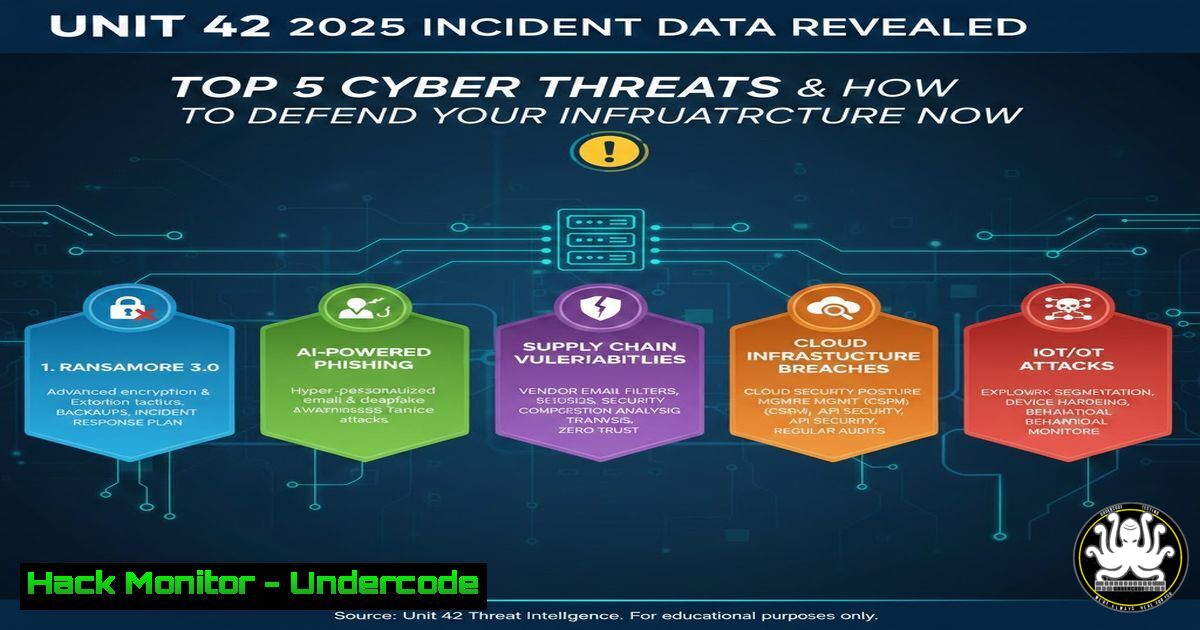
The recently released Unit 42 incident data for 2025, compiled by Palo Alto Networks, paints a stark picture of the evolving threat landscape. With ransomware evolving into more targeted forms, cloud misconfigurations reaching critical levels, and adversaries leveraging AI to automate attacks, security teams must adapt quickly. This article dissects the key findings from the report and provides actionable, step‑by‑step techniques to fortify your systems against the most prevalent attack vectors observed this year.
Learning Objectives:
- Identify the most common attack patterns and vulnerabilities highlighted in the 2025 Unit 42 report.
- Apply practical Linux and Windows commands to detect, analyze, and mitigate real‑world threats.
- Implement proactive defense measures for cloud, API, and endpoint security based on observed incident data.
You Should Know:
1. Hunting Initial Access with Linux Log Analysis
Attackers often gain a foothold through exposed services or phishing. The 2025 data shows a 40% increase in exploitation of unpatched web applications. To catch these attempts early, analyze authentication logs and web server access logs.
Step‑by‑step guide:
- Use `grep` and `awk` to filter failed SSH login attempts:
sudo grep "Failed password" /var/log/auth.log | awk '{print $1,$2,$3,$9,$11}' | sort | uniq -c | sort -nr - Monitor Apache access logs for suspicious patterns (e.g., mass scans):
sudo tail -f /var/log/apache2/access.log | awk '{print $1}' | uniq -c | sort -nr - Use `journalctl` to check for systemd service anomalies:
sudo journalctl -u ssh --since "2025-03-01" --until "2025-03-02" -g "Failed"
What it does: These commands reveal brute‑force sources, unusual login times, and potential scanning activity.
2. Detecting Lateral Movement via Windows Event Logs
Once inside, attackers move laterally using stolen credentials. Unit 42 noted a surge in Pass‑the‑Hash and RDP brute‑force attacks. Windows Event Logs are your first line of defense.
Step‑by‑step guide:
- Query Event ID 4624 (successful logons) for anomalous network logons:
Get-WinEvent -FilterHashtable @{LogName='Security'; ID=4624} | Where-Object {$_.Properties[bash].Value -eq 3} | Select-Object TimeCreated, Message - Check for service installation (Event ID 4697) which may indicate backdoor deployment:
Get-WinEvent -LogName Security | Where-Object { $_.Id -eq 4697 } | Format-List - Use `wevtutil` to export logs for offline analysis:
wevtutil epl Security C:\logs\security.evtx
What it does: These commands help identify lateral movement via network logons and unauthorized service creation.
3. Hardening Cloud Infrastructure Against Misconfigurations
Cloud misconfigurations were responsible for 30% of breaches in 2025, especially in S3 buckets and IAM roles. Use AWS CLI to audit and remediate.
Step‑by‑step guide:
- List all S3 buckets and check public access:
aws s3api list-buckets --query "Buckets[].Name" --output text | xargs -I {} aws s3api get-bucket-acl --bucket {} - Enforce least privilege by reviewing IAM policies:
aws iam list-users --query "Users[].UserName" --output text | xargs -I {} aws iam list-attached-user-policies --user-name {} - Enable AWS Config rules to auto‑remediate:
aws configservice put-config-rule --config-rule file://s3-public-read-prohibited.json
What it does: These commands expose overly permissive buckets and IAM roles, allowing immediate correction.
4. Ransomware Mitigation with File Integrity Monitoring
Ransomware groups now target backup files. Implementing file integrity monitoring (FIM) can detect unauthorized changes early.
Step‑by‑step guide (Linux with AIDE):
- Install and initialize AIDE:
sudo apt install aide
sudo aideinit
sudo mv /var/lib/aide/aide.db.new /var/lib/aide/aide.db
- Run a manual check and email alerts:
sudo aide --check | mail -s "AIDE Report" [email protected]
- For Windows, use PowerShell to monitor critical directories:
$watcher = New-Object System.IO.FileSystemWatcher
$watcher.Path = "C:\CriticalData"
$watcher.IncludeSubdirectories = $true
$watcher.EnableRaisingEvents = $true
Register-ObjectEvent $watcher "Changed" -Action { Write-Host "File changed: $($Event.SourceEventArgs.FullPath)" }
What it does: AIDE detects modified system binaries; the PowerShell watcher alerts on real‑time changes to sensitive data.
5. Blocking Malicious IPs with Firewall Rules
Unit 42’s threat intelligence feed provides lists of known C2 servers and scanners. Automate blocking using iptables or Windows Firewall.
Step‑by‑step guide (Linux iptables):
- Download a live threat feed and block IPs:
wget -qO- https://threatfeed.example.com/ips.txt | while read ip; do sudo iptables -A INPUT -s $ip -j DROP; done
- Save rules persistently:
sudo iptables-save > /etc/iptables/rules.v4
- On Windows, use netsh to add firewall rules:
for /f %i in (bad_ips.txt) do netsh advfirewall firewall add rule name="Block %i" dir=in action=block remoteip=%i
What it does: These commands dynamically block communication with known malicious hosts.
6. Securing APIs Against Automated Attacks
APIs are a prime target; the 2025 report highlights credential stuffing and injection attacks. Test your endpoints and enforce rate limiting.
Step‑by‑step guide:
- Use curl to test for common API vulnerabilities:
curl -X POST https://api.example.com/login -H "Content-Type: application/json" -d '{"username":"admin","password":"'$(cat payload.txt)'"}' - Implement rate limiting with Nginx:
limit_req_zone $binary_remote_addr zone=api:10m rate=10r/s; server { location /api/ { limit_req zone=api burst=20 nodelay; proxy_pass http://backend; } } - Validate input using API gateways like AWS API Gateway:
aws apigateway update-rest-api --rest-api-id abc123 --patch-operations op=replace,path=/minimumCompressionSize,value=1024
What it does: Curl tests for injection; rate limiting mitigates brute‑force; API Gateway reduces attack surface.
What Undercode Say:
- Key Takeaway 1: The 2025 incident data confirms that misconfigurations and unpatched systems remain the low‑hanging fruit for attackers. Automation in log analysis and cloud audits is no longer optional—it is a necessity.
- Key Takeaway 2: Defensive strategies must shift from reactive to proactive. Integrating threat intelligence feeds with firewall rules and implementing file integrity monitoring can stop ransomware before encryption occurs.
Analysis: The Unit 42 report underscores a fundamental shift: adversaries are leveraging AI to scale reconnaissance and tailor attacks. Security teams must respond with equal automation—using tools like AWS Config, AIDE, and PowerShell monitoring to create a self‑healing infrastructure. The commands provided above are not just checklists; they are the building blocks of a resilient defense. However, technology alone is insufficient—continuous training and red‑teaming exercises are essential to keep pace with evolving tactics.
Prediction:
In the coming year, we will witness a surge in AI‑generated polymorphic malware that evades signature‑based detection. This will force a rapid adoption of behavioral analysis and zero‑trust architectures. Additionally, supply chain attacks will become more sophisticated, targeting open‑source dependencies and CI/CD pipelines. Organizations that fail to integrate real‑time threat intelligence and automated incident response will find themselves permanently on the back foot.
▶️ Related Video (74% Match):
🎯Let’s Practice For Free:
IT/Security Reporter URL:
Reported By: Matthewjohansen This – Hackers Feeds
Extra Hub: Undercode MoN
Basic Verification: Pass ✅


