Listen to this Post
Introduction:
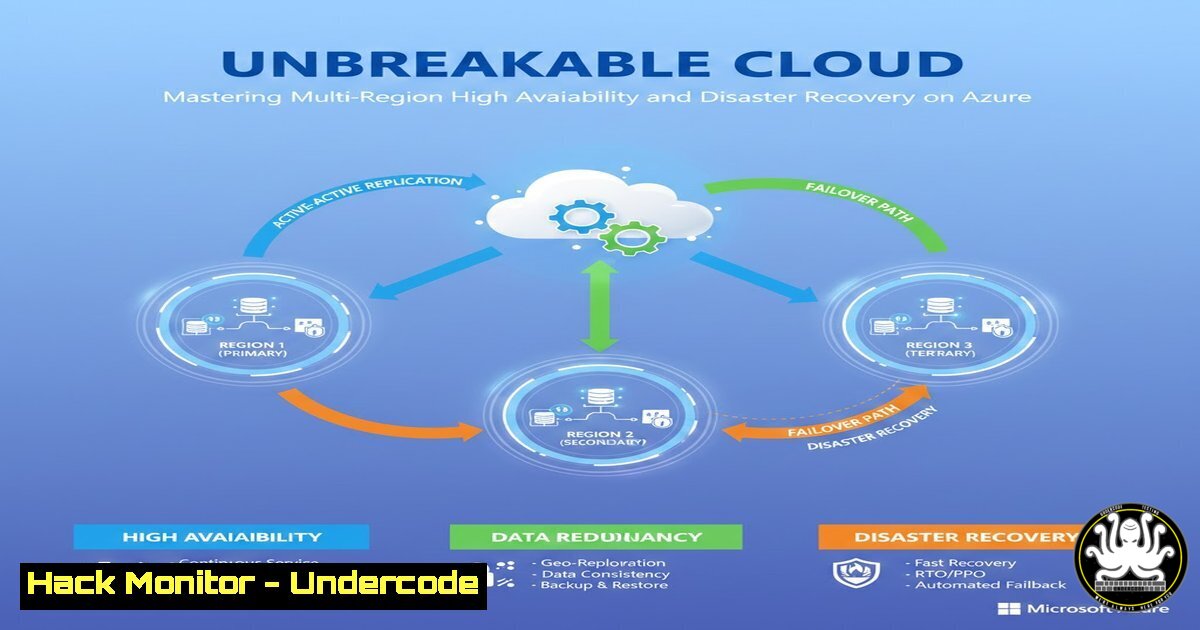
In today’s digital economy, application downtime directly translates to revenue loss and reputational damage. A robust High Availability (HA) and Disaster Recovery (DR) strategy is no longer a luxury but a critical business imperative. This article deconstructs a production-grade, multi-region Azure architecture that leverages Availability Zones, Azure Traffic Manager, and Azure Site Recovery to deliver a resilient infrastructure capable of withstanding regional failures with minimal disruption.
Learning Objectives:
- Design a globally resilient application architecture spanning multiple Azure regions.
- Implement automated failover mechanisms using Azure Traffic Manager and Azure Site Recovery (ASR).
- Configure and manage infrastructure-as-code templates for consistent, repeatable HA/DR deployments.
You Should Know:
1. Global Traffic Management with Azure Traffic Manager
Azure Traffic Manager acts as the global DNS-based traffic router, sitting at the top of your HA/DR strategy. It doesn’t route user traffic directly but responds to DNS queries with the IP address of a healthy endpoint, making it the first line of defense during a regional outage.
Step-by-step guide:
- Create a Traffic Manager Profile: Define a performance or priority routing method.
az network traffic-manager profile create --resource-group MyResourceGroup --name MyTrafficManagerProfile --routing-method Priority --unique-dns-name myuniqueglobalapp
- Add Endpoints: Add your primary and secondary region endpoints (e.g., the public IP of your primary region’s load balancer).
az network traffic-manager endpoint create --resource-group MyResourceGroup --profile-name MyTrafficManagerProfile --name primary-weu --type azureEndpoints --target-resource-id /subscriptions/xxx/resourceGroups/rg-primary/providers/Microsoft.Network/publicIPAddresses/pip-lb-primary --priority 1
az network traffic-manager endpoint create --resource-group MyResourceGroup --profile-name MyTrafficManagerProfile --name secondary-eus --type azureEndpoints --target-resource-id /subscriptions/xxx/resourceGroups/rg-secondary/providers/Microsoft.Network/publicIPAddresses/pip-lb-secondary --priority 2
- Configure Health Probes: Traffic Manager will periodically send HTTP/HTTPS requests to a specified path on your primary endpoint. If it fails to get a 200 response, it automatically updates DNS to point to the secondary region.
- Regional High Availability: Availability Sets vs. Availability Zones
Within a single region, you must protect your application from hardware and planned maintenance failures. Azure provides two primary mechanisms for this.
Step-by-step guide:
- Availability Sets (For VMs without Zone support): This logically groups VMs across fault domains (different racks) and update domains (for staged updates).
resource availabilitySet 'Microsoft.Compute/availabilitySets@2021-07-01' = { name: 'myAvailabilitySet' location: resourceGroup().location properties: { platformFaultDomainCount: 2 platformUpdateDomainCount: 5 } } - Availability Zones (For maximum resilience): This distributes VMs across physically separate datacenters within a region. Use a zone-redundant load balancer to distribute traffic.
resource vm 'Microsoft.Compute/virtualMachines@2021-07-01' = {
name: 'myVM'
location: resourceGroup().location
zones: ['1'] // Deploy to a specific zone, or omit for platform-level choice
// ... other properties
}
- Cross-Region Disaster Recovery with Azure Site Recovery (ASR)
ASR provides storage-level replication of Azure VMs from a primary region to a secondary (DR) region. It maintains a standby copy of your entire VM topology, including disks, NICs, and IP configurations.
Step-by-step guide:
- Enable Replication via Azure CLI: Replicate a VM from the primary to the secondary region.
az account set --subscription "Primary-Subscription-ID"
az vm list --resource-group "RG-Primary" --query "[].name" --output tsv
az account set --subscription "DR-Subscription-ID"
az disk list --resource-group "RG-Primary" --query "[].id" --output tsv
Use the outputs to configure replication. This is a simplified representation. Full setup is done via the Recovery Services Vault in the portal or detailed ARM/Bicep.
- Configure Recovery Plan: This is the orchestration engine of your DR strategy. Define the boot order (e.g., DB -> APP -> WEB) and post-failover scripts (e.g., to update connection strings) in the Azure Portal.
- Test Failover: Regularly execute a non-disruptive test failover to a isolated network in the DR region to validate your RTO and RPO.
4. Network Architecture and Load Balancer Configuration
A clear separation of tiers (WEB, APP, DB) using Internal Load Balancers (ILBs) provides east-west security and traffic control. Public Load Balancers handle north-south traffic.
Step-by-step guide:
- Create an Internal Load Balancer (Bicep):
resource ilb 'Microsoft.Network/loadBalancers@2021-05-01' = {
name: 'ilb-app'
location: resourceGroup().location
sku: {
name: 'Standard'
}
properties: {
frontendIPConfigurations: [{
name: 'fe-config'
properties: {
privateIPAddress: '10.0.2.4'
privateIPAllocationMethod: 'Static'
subnet: {
id: appSubnetRef
}
}
}]
backendAddressPools: [
{
name: 'be-pool'
}
]
// ... health probes and load balancing rules
}
}
5. Infrastructure-as-Code for Consistency and Speed
Manually configuring a multi-region architecture is error-prone. Using Terraform or Bicep ensures your DR environment is a perfect, version-controlled replica of production.
Step-by-step guide:
- Leverage the Infracodebase GitHub Repository: The provided repo contains modular, production-ready code.
git clone https://github.com/infracodebase/azure-disaster-recovery
cd azure-disaster-recovery/terraform
terraform init
terraform plan -var-file=production.tfvars
terraform apply -var-file=production.tfvars
- Parameterize Region Settings: Use variables to easily switch between primary and secondary deployments, ensuring identical configuration.
6. Cost Optimization and Security Hardening
A DR setup doesn’t have to break the bank. The referenced architecture is cost-optimized while maintaining a high security posture.
Step-by-step guide:
- Use Low-Cost SKUs in DR: Deploy VMs with less powerful SKUs in the DR region, as they are only used for replication and during a failover. ASR makes this easy.
- Azure Security Center & WAF: Integrate Azure Security Center for continuous security assessment and deploy a Web Application Firewall (WAF) on your Application Gateway to protect against common web exploits. The architecture cited a 96/100 security score and 95/100 WAF score.
What Undercode Say:
- Key Takeaway 1: The true complexity of multi-region HA/DR lies not in the individual services, but in their silent dependencies and orchestration. A failure in the DB boot sequence can cripple an otherwise perfect APP and WEB tier failover.
- Key Takeaway 2: Infrastructure-as-Code (IaC) is the most critical success factor. It transforms a one-off, “tribal knowledge” architecture into an explicit, repeatable, and testable pattern, preventing the alignment issues that cause most DR projects to fail in a real crisis.
This architecture demonstrates a shift from reactive disaster recovery to proactive business continuity. The combination of global load balancing, intra-region redundancy, and automated cross-region replication creates a system that is not only resilient to failure but is also built with the operational rigor required for modern enterprise applications.
Prediction:
The future of cloud HA/DR will be dominated by intelligent automation and AI-driven operations. We will see a move beyond simple health probes to predictive failover, where machine learning models analyze regional health signals, network latency, and even threat intelligence to initiate failovers before a full outage occurs. Furthermore, the abstraction of complexity through platforms like Infracodebase will make these enterprise-grade resilience patterns accessible to organizations of all sizes, turning what is now an advanced setup into a standard, out-of-the-box cloud capability.
🎯Let’s Practice For Free:
IT/Security Reporter URL:
Reported By: Tarak Bach – Hackers Feeds
Extra Hub: Undercode MoN
Basic Verification: Pass ✅


