Listen to this Post
Introduction:
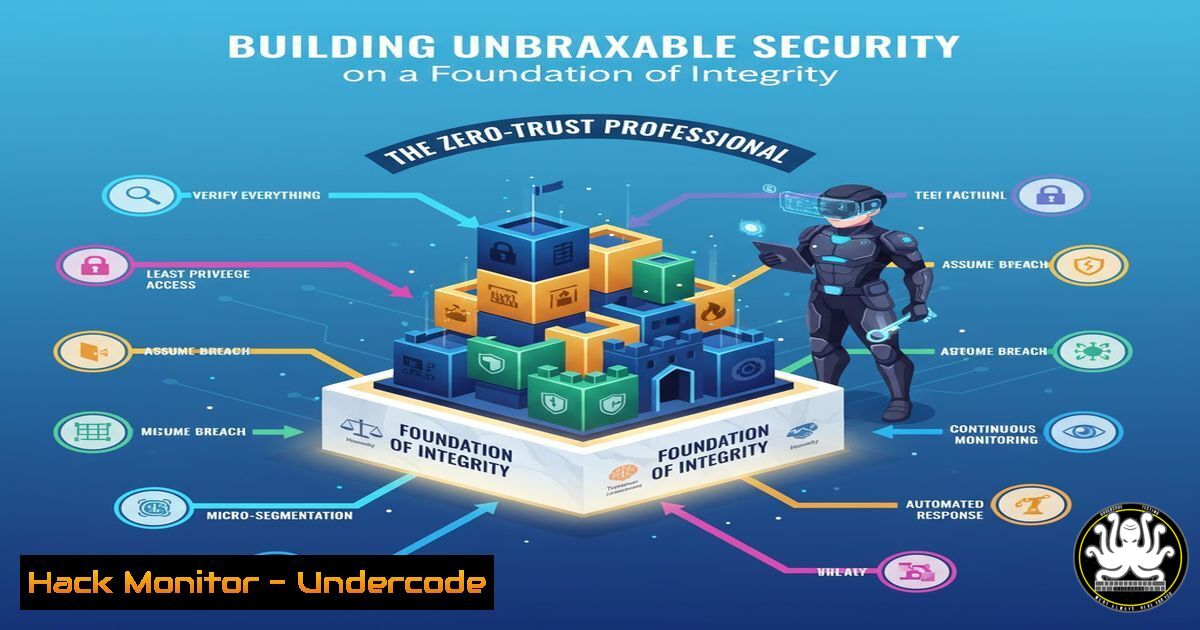
In the digital realm, trust is the ultimate vulnerability. Just as a project manager’s unkept promise can derail an entire initiative, a single broken link in your security chain can lead to catastrophic compromise. Modern cybersecurity is shifting from fortified perimeters to a core principle of “never trust, always verify,” a philosophy that must be mirrored in the integrity of every professional and every line of code.
Learning Objectives:
- Understand and implement critical command-line controls for Linux and Windows systems.
- Harden cloud configurations and API security postures.
- Deploy active threat hunting and network monitoring techniques.
- Mitigate common web application and infrastructure vulnerabilities.
- Establish robust incident response and forensic data collection procedures.
You Should Know:
1. Linux System Hardening and Integrity Checks
A secure environment starts with a hardened base operating system. These commands are essential for assessing and maintaining the integrity of Linux assets.
` Check for SUID/SGID binaries, a common privilege escalation vector`
`find / -perm -4000 -type f 2>/dev/null`
`find / -perm -2000 -type f 2>/dev/null`
Step-by-step guide: The `find` command is used to locate files with special permission bits. The SUID (Set User ID) bit (-perm -4000) allows a program to run with the permissions of the file owner, often root. The SGID (Set Group ID) bit (-perm -2000) does the same for the group. Attackers exploit legitimate SUID binaries or plant malicious ones to gain elevated privileges. Run these commands periodically to audit your systems and investigate any unfamiliar or unnecessary SUID/SGID files.
` Verify the integrity of installed packages against the package manager’s database`
`rpm -Va For Red Hat-based systems (CentOS, RHEL, Fedora)`
`debsums -c For Debian-based systems (Ubuntu)`
Step-by-step guide: Package verification compares the current state of files from installed packages against the information stored in the package manager’s database. Discrepancies in file size, checksum, permissions, or ownership could indicate a system compromise. `rpm -Va` will output a list of any modified files, while `debsums -c` (you may need to install the `debsums` package) will check configuration files. Any unexpected changes warrant immediate investigation.
2. Windows Security and Audit Configuration
Windows environments require diligent auditing and configuration to detect and prevent malicious activity.
` PowerShell command to enable detailed process auditing`
`AuditPol /set /subcategory:”Process Creation” /success:enable /failure:enable`
Step-by-step guide: This command configures the Windows Advanced Audit Policy to log an event (Event ID 4688) every time a process is created. This is critical for detecting malicious payload execution, PowerShell scripts, and lateral movement. After running this command, you can view the resulting logs in the Event Viewer under Windows Logs > Security. This data can be ingested into a SIEM for correlation and alerting.
` PowerShell command to enumerate users in the Local Administrators group`
`Net LocalGroup Administrators`
Step-by-step guide: A fundamental principle of least privilege is knowing who has administrative access. This simple command lists all users and groups that are members of the local Administrators group. Regularly audit this list to ensure no unauthorized accounts have been added, a common persistence technique used by attackers.
3. Cloud Infrastructure Hardening (AWS CLI)
Misconfigured cloud storage is a leading cause of data breaches. These commands help secure AWS S3 buckets.
` Check an S3 bucket’s public access block configuration`
`aws s3api get-public-access-block –bucket YOUR_BUCKET_NAME –region YOUR_REGION`
` Apply a strict public access block to a bucket`
`aws s3api put-public-access-block –bucket YOUR_BUCKET_NAME –region YOUR_REGION –public-access-block-configuration BlockPublicAcls=true,IgnorePublicAcls=true,BlockPublicPolicy=true,RestrictPublicBuckets=true`
Step-by-step guide: The `get-public-access-block` command retrieves the current settings that control public access. The `put-public-access-block` command is used to enforce a configuration that prevents the bucket from being made public. All four settings should be set to `true` to effectively block all forms of public access, mitigating the risk of accidental exposure of sensitive data.
4. API Security Testing with cURL
APIs are the backbone of modern applications and a prime target for attackers. Test their security posture directly from the command line.
` Test for SQL Injection vulnerability in a API endpoint`
`curl -X POST “https://api.example.com/v1/user/search” -H “Content-Type: application/json” -d ‘{“username”:”admin'”‘”‘ OR ‘”‘”‘1′”‘”‘='”‘”‘1″}’`
` Check for missing or weak authentication`
`curl -H “Authorization: Bearer INVALID_TOKEN” https://api.example.com/v1/secret-data`
Step-by-step guide: The first command sends a JSON payload containing a SQL Injection payload (admin' OR '1'='1) to a user search endpoint. If the application is vulnerable, it might return more data than expected. The second command probes an endpoint with an invalid authentication token. A `200 OK` or `401 Unauthorized` response is expected; a `403 Forbidden` confirms the token was processed and rejected, while a `500 Internal Server Error` might indicate flawed logic.
5. Network Threat Hunting with tcpdump
Active threat hunting involves analyzing raw network traffic for indicators of compromise.
` Capture traffic to/from a specific suspicious IP address`
`tcpdump -i any -w investigation.pcap host 192.168.1.100`
` Look for non-standard DNS queries (potential data exfiltration)`
`tcpdump -i any -A ‘udp port 53 and not (src port 53)’ | grep -i ‘txt\|exe’`
Step-by-step guide: The first command captures all packets (-i any) to and from the IP `192.168.1.100` and writes them to a file `investigation.pcap` for later analysis in a tool like Wireshark. The second command monitors DNS traffic (UDP port 53) for queries (not responses) and prints the ASCII content (-A), then greps for keywords like ‘txt’ or ‘exe’ which could indicate DNS tunneling or malware communication.
- Web Application Firewall (WAF) Bypass Techniques and Mitigations
Understanding common attack patterns is key to defending against them.
` Obfuscated XSS payload to bypass simple filters`
` `
`
` SQL Injection with URL encoding`
`/search?q=%27%20UNION%20SELECT%201%2C2%2Cpassword%20FROM%20users%20–%2B`
Step-by-step guide: The first example is an XSS payload that uses HTML character codes to obfuscate the `javascript:` protocol. Simple blacklists looking for that string would miss it. The second example uses URL encoding to disguise a classic UNION-based SQL Injection. The `%27` is a single quote, and `%2B` is a plus sign. Modern WAFs must decode and normalize input multiple times to detect these techniques. Defenders should test their WAFs with similar payloads.
7. Incident Response and Forensic Triage
When a breach is suspected, time is critical. These commands help gather initial data.
` Linux: Capture process and network snapshot`
`ps auxef > /opt/forensics/process_list.txt`
`netstat -tunape > /opt/forensics/network_connections.txt`
`lsof -V > /opt/forensics/open_files.txt`
` Windows: Collect system info and user logon data`
`systeminfo > C:\Forensics\systeminfo.txt`
`wevtutil qe Security /f:text /q:”[System[(EventID=4624)]]” > C:\Forensics\logons.txt`
Step-by-step guide: On Linux, this trio of commands creates a snapshot of all running processes with their full command lines (ps auxef), all active network connections (netstat -tunape), and all open files (lsof). On Windows, `systeminfo` provides a baseline of the system configuration, and `wevtutil` queries the Security event log for successful logon events (ID 4624). Redirecting the output to a file preserves this volatile data for analysis and reporting.
What Undercode Say:
- Integrity is the first and most critical control. A system, like a professional, is only as strong as its commitment to its defined principles—whether it’s least privilege, encrypted data, or verified code.
- Automation is non-negotiable. Manual checks for misconfigurations and vulnerabilities are doomed to fail. The commands provided must be scripted and run continuously to be effective.
The core message from the source text—that a promise is a contract—is the absolute foundation of cybersecurity. You cannot promise security if your S3 buckets are public, your user input is not sanitized, or you aren’t auditing process creation. Every configuration is a promise about how the system will behave. Every line of code is a contract with the user about data integrity. Failing to uphold these technical promises is not just a minor oversight; it is a fundamental breach of professional and operational integrity that erodes the trust of users and clients, ultimately leading to a compromised state both ethically and digitally.
Prediction:
The convergence of AI-driven automation in both attack and defense will make integrity and verification the paramount security paradigms. Attackers will use AI to find and exploit broken “promises” in code and configuration at an unprecedented scale. In response, organizations that have not fully automated their compliance and security validation checks—treating every configuration drift as a broken contract—will be systematically and relentlessly compromised. The future of security belongs to those who build systems where trust is dynamically earned and continuously verified, not blindly assumed.
🎯Let’s Practice For Free:
IT/Security Reporter URL:
Reported By: Eliran Cohen – Hackers Feeds
Extra Hub: Undercode MoN
Basic Verification: Pass ✅


