Listen to this Post
Introduction:
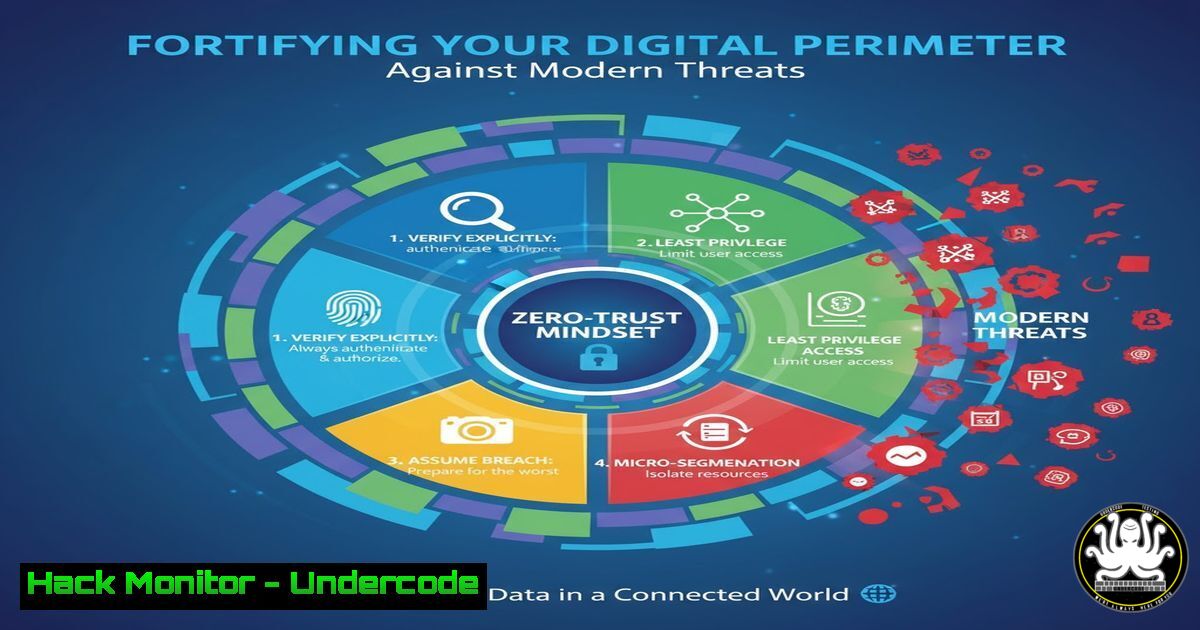
In an era of sophisticated cyberattacks and porous network boundaries, the traditional “castle-and-moat” security model is obsolete. The zero-trust architecture operates on the principle of “never trust, always verify,” requiring strict identity verification for every person and device attempting to access resources on a private network, regardless of whether they are sitting within or outside the network perimeter.
Learning Objectives:
- Understand the core principles and components of a zero-trust security model.
- Implement practical commands and configurations to enforce least-privilege access across Linux, Windows, and cloud environments.
- Develop skills to monitor, audit, and harden your infrastructure against credential-based attacks and lateral movement.
You Should Know:
1. Enforcing Least Privilege on Linux Systems
Verified Linux commands for user and file permission auditing:
 Check current user's effective permissions
id
 List all users in the sudo group
getent group sudo
 Find all files with SUID/SGID bits set (potential privilege escalation vectors)
find / -type f -perm /6000 2>/dev/null
 Audit sudo commands available to the current user
sudo -l
This step-by-step guide establishes a baseline for user privileges. The `id` command reveals user identity and group memberships. Auditing SUID/SGID files is critical as these execute with owner privileges, potentially creating escalation paths. Regularly reviewing `sudo -l` outputs helps ensure users only have necessary administrative rights.
2. Windows PowerShell for Access Control and Auditing
Verified Windows PowerShell commands for security hardening:
 Get all users in the local Administrators group
Get-LocalGroupMember -Group "Administrators"
 Audit enabled user accounts
Get-LocalUser | Where-Object Enabled -eq "True"
 Check current token privileges
whoami /priv
 Verify PowerShell execution policy
Get-ExecutionPolicy -List
This guide helps secure Windows environments by identifying over-privileged accounts. The `Get-LocalGroupMember` command exposes who has administrative rights, while `whoami /priv` displays current process privileges that attackers could exploit. Restricting PowerShell execution policies prevents unauthorized script execution.
3. Network Segmentation and Firewall Configuration
Verified iptables and Windows Firewall commands:
 Linux: Drop all forward traffic by default (segmenting networks)
iptables -P FORWARD DROP
 Allow established/related outbound connections
iptables -A OUTPUT -m state --state ESTABLISHED,RELATED -j ACCEPT
 Log dropped packets for analysis
iptables -A INPUT -j LOG --log-prefix "IPTABLES-DROPPED: "
 Windows: Enable logging for dropped packets
netsh advfirewall set allprofiles logging filename %SystemRoot%\System32\LogFiles\Firewall\pfirewall.log
netsh advfirewall set allprofiles logging droppedconnections enable
Network segmentation is fundamental to zero-trust. These commands implement default-deny policies while maintaining necessary connectivity. The logging components are crucial for detecting and investigating attempted lateral movement across network segments.
4. API Security and Secret Management
Verified commands for securing application interfaces:
 Scan for API keys and secrets in code repositories
grep -r "api_key|password|secret" /path/to/code/ --include=".py" --include=".js"
 Test API endpoint authentication
curl -H "Authorization: Bearer $TOKEN" https://api.example.com/v1/users
 Generate secure random tokens for API use
openssl rand -base64 32
APIs are prime targets in modern architectures. This guide demonstrates basic secret detection and secure token generation. Always store secrets in dedicated management systems rather than code, and implement proper authentication checks for all API endpoints.
5. Cloud Infrastructure Hardening with AWS CLI
Verified AWS security commands:
 Check for public S3 buckets
aws s3api list-buckets --query "Buckets[].Name"
aws s3api get-bucket-acl --bucket BUCKET_NAME
 Audit IAM policies attached to current user
aws iam list-attached-user-policies --user-name $USER
 Enable GuardDuty threat detection
aws guardduty create-detector --enable
Cloud misconfigurations are a leading cause of data breaches. These commands help identify over-permissive storage buckets and IAM policies. Implementing AWS GuardDuty provides automated threat detection across your cloud environment.
6. Vulnerability Scanning and Patch Management
Verified commands for system hardening:
 Ubuntu/Debian: Check for available security updates
apt list --upgradable | grep -i security
 CentOS/RHEL: Check for security updates only
yum updateinfo list security
 Scan for common vulnerabilities using OpenVAS
gvm-cli --gmp-username admin --gmp-password password socket --xml "<get_tasks/>"
 Windows: Check last update installation date
Get-HotFix | Sort-Object InstalledOn -Descending | Select-Object -First 5
Timely patching remains one of the most effective security controls. These commands help security teams identify missing security updates and prioritize remediation based on severity levels.
7. Container Security and Runtime Protection
Verified Docker and Kubernetes security commands:
 Scan Docker image for vulnerabilities
docker scan <image-name>
 Check running containers for privileged mode
docker ps --quiet | xargs docker inspect --format '{{.Id}}: Privileged={{.HostConfig.Privileged}}'
 Audit Kubernetes pod security contexts
kubectl get pods -o jsonpath='{range .items[]}{.metadata.name}{"\t"}{.spec.securityContext}{"\n"}{end}'
Container runtime security is essential in microservices architectures. These commands help identify containers running with excessive privileges and scan images for known vulnerabilities before deployment.
What Undercode Say:
- Identity becomes the new perimeter in zero-trust architectures
- Continuous verification must replace one-time authentication
- Implementation requires both technical controls and cultural shift
The transition to zero-trust represents a fundamental rethinking of cybersecurity that moves beyond network-based defenses. By verifying every access request regardless of origin, organizations can significantly reduce their attack surface. However, successful implementation requires balancing security with usability, ensuring that protection measures don’t hinder legitimate business operations. The commands and configurations outlined provide a practical starting point, but organizations must adapt these principles to their specific risk profiles and operational requirements.
Prediction:
The evolution of zero-trust frameworks will increasingly incorporate behavioral analytics and machine learning to enable adaptive access controls. Within three years, we’ll see AI-driven security systems that automatically adjust permissions based on real-time risk assessments, user behavior patterns, and threat intelligence feeds. This will move security from static policy enforcement to dynamic, context-aware protection that can anticipate and prevent novel attack vectors before they cause damage.
🎯Let’s Practice For Free:
IT/Security Reporter URL:
Reported By: Adelineperez Je – Hackers Feeds
Extra Hub: Undercode MoN
Basic Verification: Pass ✅


