
Listen to this Post
Introduction:
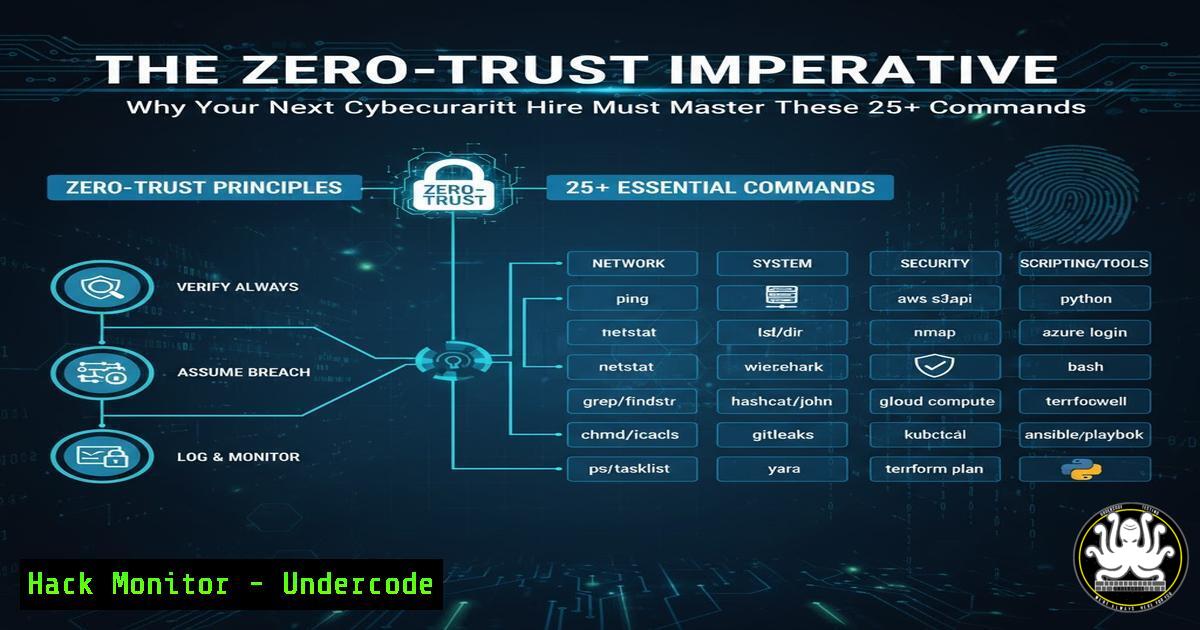
The modern cybersecurity perimeter has evaporated, replaced by a philosophy of “never trust, always verify.” As organizations scramble to adopt Zero-Trust architectures, the technical skills required for security professionals have shifted dramatically from mere policy management to hands-on command-line proficiency across diverse environments. This article deconstructs the core technical competencies every serious cybersecurity candidate must now possess.
Learning Objectives:
- Identify and execute essential commands for hardening Linux and Windows operating systems.
- Understand key network reconnaissance and vulnerability assessment techniques.
- Apply critical commands for incident response and cloud security configuration.
You Should Know:
1. Linux System Hardening Fundamentals
` Check for unnecessary network services`
`sudo netstat -tulnp`
` List all installed packages for audit`
`dpkg -l | grep -i [bash]`
` Set strict permissions on sensitive files (e.g., /etc/passwd)`
`sudo chmod 644 /etc/passwd`
Step-by-step guide:
The first step in hardening a Linux system is reconnaissance of your own environment. The `netstat -tulnp` command lists all listening (-l) TCP (-t) and UDP (-u) sockets, showing the Process Name (-p) and Numeric addresses (-n). This allows you to identify and shut down unauthorized services. Following this, auditing installed packages with `dpkg -l` (on Debian-based systems) helps remove unnecessary software that expands the attack surface. Finally, correcting file permissions with `chmod` is fundamental; setting `/etc/passwd` to 644 ensures it is world-readable but only writable by root.
2. Windows Security & Configuration Audits
` Get a list of all running processes`
`Get-Process | Format-Table Name, Id, CPU`
` Check the status of the Windows Defender service`
`Get-Service -Name WinDefend`
` Audit local firewall rules`
`Get-NetFirewallRule | Where-Object {$_.Enabled -eq ‘True’} | Format-Table Name, DisplayName, Direction`
Step-by-step guide:
PowerShell is the cornerstone of modern Windows administration and security. Use `Get-Process` to get a baseline of all executing processes, which is crucial for identifying malware. The `Get-Service` cmdlet is used to verify critical security services like Windows Defender are running. The `Get-NetFirewallRule` command provides a comprehensive view of active firewall policies, enabling an auditor to spot overly permissive rules that violate the principle of least privilege.
3. Network Reconnaissance & Vulnerability Mapping
` Basic TCP port scan with Nmap`
`nmap -sS -T4 `
` Service version detection`
`nmap -sV -p 22,80,443 `
` Scan for known vulnerabilities`
`nmap –script vuln `
` Perform a DNS zone transfer attempt`
`dig axfr @ `
Step-by-step guide:
Network reconnaissance is the attacker’s first step, and defenders must understand it. The `nmap -sS` command initiates a stealthy SYN scan, the most common type of port scan. Adding `-sV` probes open ports to determine service versions, which can be cross-referenced with vulnerability databases. The powerful Nmap Scripting Engine (NSE) can be leveraged with `–script vuln` to check for known weaknesses. The `dig axfr` command tests for a misconfigured DNS server that allows zone transfers, potentially revealing the entire internal network layout.
4. Incident Response & Digital Forensics
` Create a cryptographic hash of a suspect file (Linux)`
`sha256sum /path/to/suspect_file`
` Analyze running processes for rootkits (Linux)`
`ls -la /proc//exe`
` Dump Windows event logs for analysis`
`Get-WinEvent -LogName Security | Where-Object {$_.ID -eq 4625}`
` Check for anomalous network connections (Windows)`
`netstat -ano | findstr ESTABLISHED`
Step-by-step guide:
During an incident, speed and integrity are key. The `sha256sum` command creates a unique fingerprint of a file, which can be used to confirm malware or for integrity checking. In Linux, the `/proc` filesystem is a treasure trove; inspecting the `exe` symlink for a process ID can reveal if a process binary has been deleted, a common anti-forensics technique. In Windows, `Get-WinEvent` allows filtering of the massive Security log for specific events like failed logons (ID 4625). Continuously monitoring established connections with `netstat -ano` helps identify command-and-control channels.
5. Cloud Security Posture Management
` List all S3 buckets in an AWS account`
`aws s3 ls`
` Check the security posture of an EC2 security group`
`aws ec2 describe-security-groups –group-ids `
` Audit IAM policies for overly permissive statements`
`aws iam list-policies –scope Local`
` In Azure, list all VMs to assess the attack surface`
`az vm list –output table`
Step-by-step guide:
Cloud misconfigurations are a primary attack vector. The AWS CLI command `aws s3 ls` is simple but critical; it reveals all S3 buckets, which are often accidentally set to public. The `describe-security-groups` command details the inbound and outbound rules for a virtual firewall, which must be checked for rules like `0.0.0.0/0` on sensitive ports. Auditing IAM policies with `list-policies` is essential to find policies that grant excessive permissions, violating the core tenet of least privilege. The Azure CLI equivalent, az vm list, provides a quick inventory of all virtual machines.
6. API Security Testing & Exploitation Mitigation
` Test for common API injection flaws with cURL`
`curl -X POST https://api.example.com/v1/user -H “Content-Type: application/json” -d ‘{“username”:”admin’–“,”password”:”x”}’`
` Fuzz an API endpoint for unexpected inputs`
`ffuf -w /usr/share/wordlists/common.txt -u https://api.example.com/v1/data?input=FUZZ`
` Check for insecure SSL/TLS configurations</h2>
<h2 style="color: yellow;">nmap –script ssl-enum-ciphers -p 443 `
<h2 style="color: yellow;">
Step-by-step guide:
APIs are the backbone of modern applications and a favorite target. The `curl` command demonstrates a simple SQL injection test against a JSON API endpoint, attempting to break the query logic. For broader discovery, `ffuf` is a fast fuzzing tool that replaces the `FUZZ` keyword with values from a wordlist to find hidden endpoints or parameters. Finally, `nmap` with the `ssl-enum-ciphers` script checks the strength of the TLS encryption, ensuring weak ciphers are disabled to prevent man-in-the-middle attacks.
7. Container & Kubernetes Security Hardening
` Scan a Docker image for vulnerabilities using Trivy`
`trivy image `
` Check a running container for security flaws`
`docker bench-security`
` List all Kubernetes secrets in a namespace`
`kubectl get secrets –namespace `
` Audit Kubernetes pod security contexts`
`kubectl get pods -o yaml | grep -A 10 “securityContext”`
Step-by-step guide:
Container security is non-negotiable. `Trivy` is a comprehensive open-source scanner that checks Docker images against known vulnerability databases before deployment. The `docker bench-security` script automatically checks a host against the CIS Docker Benchmark. In Kubernetes, managing `secrets` properly is vital; listing them with `kubectl get secrets` is the first audit step. Furthermore, inspecting the `securityContext` section of a pod’s YAML definition is crucial to ensure it is not running with excessive privileges like `privileged: true` or `runAsUser: 0` (root).
What Undercode Say:
- Command-Line Fluency is the New Baseline: Theoretical knowledge of security concepts is no longer sufficient. The ability to rapidly execute, interpret, and script these commands is the definitive line between an analyst and an operator.
- The Perimeter is Every Command Zero-Trust is implemented not just through policy but through continuous verification at the command line—auditing configurations, validating services, and hunting for threats across hybrid environments.
The proliferation of cloud, containers, and automation has fundamentally shifted the security battleground. Defenders can no longer rely on GUI-based tools alone; the scale and ephemeral nature of modern infrastructure demand scriptable, repeatable command-line interventions. A professional who cannot swiftly navigate a Bash or PowerShell prompt to diagnose a misconfiguration, contain a breach, or harden an OS is operating with a critical skill gap. The future of defense is inextricably linked to mastery of the terminal.
Prediction:
The skills gap will increasingly bifurcate the cybersecurity workforce. Organizations will face severe operational risks as they struggle to find candidates who can translate high-level Zero-Trust policies into low-level, command-driven execution. This will accelerate the adoption of Security-as-Code and automated compliance auditing, but human expertise in crafting and validating these commands will become one of the most valuable and sought-after competencies in the industry.
🎯Let’s Practice For Free:
IT/Security Reporter URL:
Reported By: Ryanrfox Cybersecurity – Hackers Feeds
Extra Hub: Undercode MoN
Basic Verification: Pass ✅


