
Listen to this Post
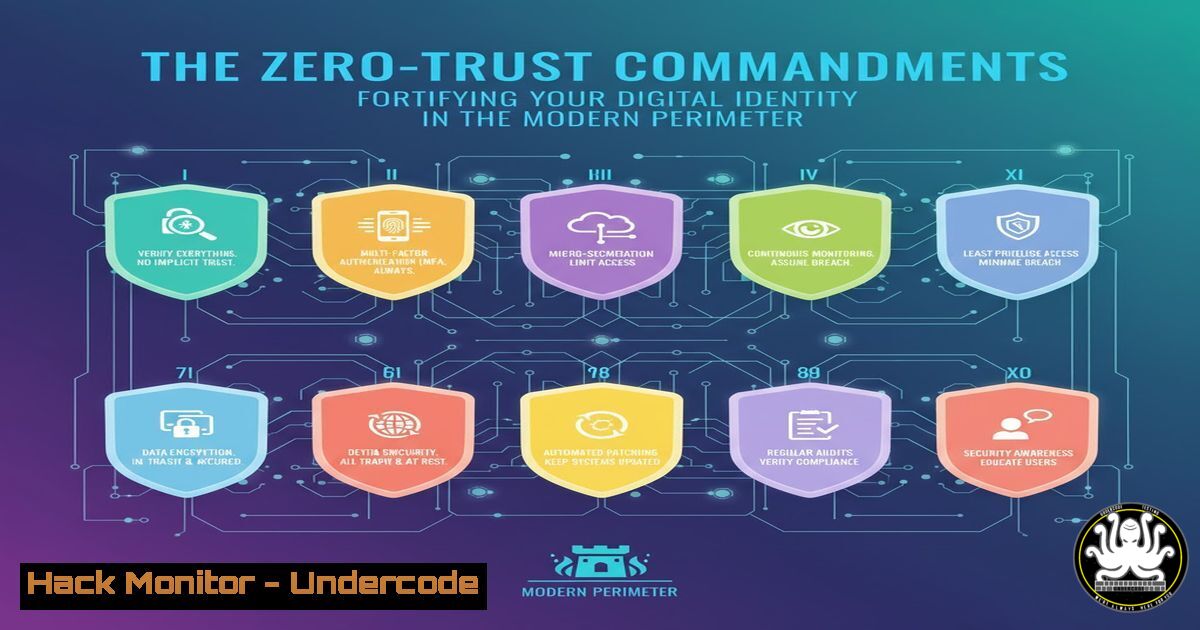
Introduction:
The concept of a secure network perimeter has evaporated, replaced by the critical need for robust identity and access management. As highlighted by industry leaders at events like Identity Days, identity has become the new security boundary, making its protection paramount against an ever-evolving threat landscape. This article provides a technical deep dive into the commands, configurations, and scripts essential for securing identities across hybrid environments, from Azure Active Directory to on-premises Active Directory and endpoint defense systems.
Learning Objectives:
- Master critical PowerShell commands for hardening Microsoft Entra ID (Azure AD) and Active Directory.
- Implement advanced auditing and monitoring to detect identity-based attacks and lateral movement.
- Configure Microsoft Defender suite to protect, detect, and respond to credential theft and token manipulation.
You Should Know:
1. Harden Your Azure AD Connect Server
Azure AD Connect is a critical component that synchronizes on-premises directories to the cloud. A compromise here is catastrophic.
 Check for Azure AD Connect version and configuration
Get-ADSyncConnector | ft Name,Type,Connected,Version

Verify the AAD Connect server is properly hardened (No domain join, minimal admin)
Get-CimInstance -ClassName Win32_ComputerSystem | Select-Object DomainRole,PartOfDomain

Force a manual sync cycle and review errors
Start-ADSyncSyncCycle -PolicyType Initial
Get-EventLog -LogName Application -Source "Directory Synchronization" -Newest 20
Step-by-step guide: The Azure AD Connect server must be treated as a Tier-0 asset. It should never be domain-joined and must have restricted administrative access. The first command retrieves the sync connector status and version, allowing you to identify outdated or misconfigured instances. The second command verifies the machine’s domain role; a value of ‘0’ or ‘1’ (Workstation) is ideal. Finally, initiating a manual sync cycle and immediately reviewing the Application event logs helps identify synchronization errors that could indicate tampering or configuration drift.
2. Audit for Active Directory Weaknesses
Attackers frequently exploit misconfigurations in Group Policy and user permissions for lateral movement.
 Find users with outdated password settings
Get-ADUser -Filter  -Properties PasswordLastSet,PasswordNeverExpires | Where-Object {($<em>.PasswordLastSet -lt (Get-Date).AddDays(-180)) -and ($</em>.PasswordNeverExpires -eq $false)}

Enumerate GPOs to find ones modifying local admin groups
Get-GPO -All | ForEach-Object { $<em>.DisplayName; Get-GPPermission -Name $</em>.DisplayName -All | Where-Object { $_.Permission -eq "GpoApply" } }

Check for Kerberoastable accounts (service accounts with SPN and weak encryption)
Get-ADUser -Filter {ServicePrincipalName -ne "$null"} -Properties ServicePrincipalName, PasswordLastSet | Where-Object {$_.PasswordLastSet -lt (Get-Date).AddDays(-180)}
Step-by-step guide: These commands help proactively identify common AD attack paths. The first script finds users with passwords older than 180 days, highlighting potential targets for credential spraying. The second command enumerates all Group Policy Objects (GPOs) and their applied permissions, which can reveal GPOs that insecurely add users to local administrative groups. The final command identifies service accounts (with SPNs) that have old passwords, making them prime targets for Kerberoasting attacks where attackers request encrypted tickets to crack offline.
3. Enable Microsoft Defender for Identity Sensors
MDI monitors your on-premises AD for malicious activities using dedicated sensors.
 Check if the MDI sensor is installed and running
Get-Service -Name AATPSensorUpdater | Select-Object Name, Status

(On Domain Controller) Query for sensor health
Get-WinEvent -FilterHashtable @{LogName='Operational'; ProviderName='Azure Advanced Threat Protection'; ID=1002} -MaxEvents 5 | Format-Table TimeCreated, Message -Wrap

Configure Directory Services auditing (Prerequisite for MDI)
auditpol /get /category:"DS Access"
auditpol /set /subcategory:"Directory Service Changes" /success:enable /failure:enable
Step-by-step guide: Microsoft Defender for Identity relies on sensors installed on Domain Controllers and/or dedicated servers. The first command checks the sensor service status. The second command queries the operational log for specific MDI health events (ID 1002). Finally, MDI requires specific Directory Service Access auditing to be enabled; the `auditpol` commands display the current policy and then enable auditing for ‘Directory Service Changes’, which is critical for detecting reconnaissance and enumeration attacks.
4. Implement Conditional Access with Microsoft Entra ID
Move beyond simple passwords by enforcing context-aware access policies.
 Connect to MSOnline (Legacy) and Microsoft Graph for Conditional Access
Connect-MsolService
Connect-MgGraph -Scopes "Policy.Read.All", "Policy.ReadWrite.ConditionalAccess"

Get all existing Conditional Access policies
Get-MgIdentityConditionalAccessPolicy

Script to create a basic CA policy requiring MFA for all admin roles
$params = @{
DisplayName = "Require MFA for ALL Admins"
State = "enabled"
Conditions = @{
Applications = @{
IncludeApplications = "All"
}
Users = @{
IncludeUsers = "All"
IncludeRoles = @(
"62e90394-69f5-4237-9190-012177145e10"  Global Administrator
"194ae4cb-b126-40b2-bd5b-6091b380977d"  Security Administrator
)
}
}
GrantControls = @{
Operator = "OR"
BuiltInControls = @( "mfa" )
}
}
New-MgIdentityConditionalAccessPolicy -BodyParameter $params
Step-by-step guide: Conditional Access is the policy engine at the heart of Zero-Trust. After connecting to the Microsoft Graph PowerShell module with the necessary permissions, you can list existing policies. The provided script creates a new policy that requires Multi-Factor Authentication (MFA) for users in highly privileged roles like Global Admin and Security Admin, regardless of the application they are accessing. This directly protects identities from compromise even if a password is stolen.
5. Hunt for Suspicious Sign-Ins with KQL
Use Kusto Query Language (KQL) within Microsoft Sentinel or Defender to proactively hunt for threats.
// Hunt for impossible travel scenarios
SigninLogs
| where ResultType == "0"
| extend CityCountry = strcat(tostring(LocationDetails.city), ", ", tostring(LocationDetails.countryOrRegion))
| project TimeGenerated, UserPrincipalName, AppDisplayName, IPAddress, CityCountry, LocationDetails
| sort by UserPrincipalName asc, TimeGenerated asc
| extend timeDiff = next(TimeGenerated) - TimeGenerated, nextCity = next(CityCountry)
| where timeDiff < 3600 and nextCity != CityCountry

// Find token theft/replay from unfamiliar locations
IdentityLogonEvents
| where ActionType contains "Logon" and isnotempty(AccountName)
| where DeviceName == "" and Application contains "Microsoft Office"
| summarize logonCount = dcount(DeviceName), distinctIPs = dcount(IPAddress) by AccountName
| where logonCount > 3
Step-by-step guide: These advanced KQL queries help uncover sophisticated attacks. The first query detects “impossible travel,” where two successful sign-ins for the same user occur from geographically distant locations within an implausibly short time frame, suggesting credential reuse. The second query looks for logon events where the device name is missing (common in token replay attacks) for Microsoft Office logons, flagging accounts that are authenticating from an unusual number of devices or IPs, which could indicate token theft.
6. Secure Service Principals and API Permissions
Over-permissioned applications are a primary attack vector for cloud identity escalation.
 Get all Service Principals and their granted OAuth2 permissions
Connect-MgGraph -Scopes "Application.Read.All", "Directory.Read.All"
Get-MgServicePrincipal -All | Where-Object { $<em>.Tags -contains "WindowsAzureActiveDirectoryIntegratedApp" } | ForEach-Object {
$sp = $</em>
$perms = Get-MgServicePrincipalOauth2PermissionGrant -ServicePrincipalId $sp.Id
[bash]@{
ServicePrincipalName = $sp.DisplayName
Permissions = ($perms.Scope -join ", ")
}
}

Review and remediate high-risk permissions (e.g., Directory.ReadWrite.All)
Get-MgServicePrincipal -All | Where-Object { $<em>.ServicePrincipalType -eq "Application" } | Get-MgServicePrincipalAppRoleAssignment | Where-Object { $</em>.PrincipalType -eq "ServicePrincipal" -and $_.AppRoleId -eq "19dbc75e-c2e2-444c-a770-ec69d8559fc7" } | Format-Table PrincipalDisplayName, ResourceDisplayName
Step-by-step guide: Service Principals (managed identities/app registrations) often have excessive permissions. The first script connects to Microsoft Graph and lists all integrated applications and their delegated OAuth2 permissions. The second command is more targeted, hunting for service principals that have been granted the high-risk `Directory.ReadWrite.All` application role (identified by its GUID), which allows broad modification of the directory. Regular auditing of these permissions is non-negotiable.
7. Defend Against Pass-the-Ticket and Overpass-the-Hash
Mitigate classic Kerberos-based attacks that facilitate lateral movement.
 Enable Audit for Kerberos Authentication Service (Detects Overpass-the-Hash)
auditpol /set /subcategory:"Other Logon/Logoff Events" /success:enable /failure:enable

Command to check for suspicious Kerberos TGT requests (Event ID 4768 with Pre-Authentication Type '23')
Get-WinEvent -FilterHashtable @{LogName='Security'; ID=4768} | Where-Object { $_.Properties[bash].Value -eq 23 } | Format-List

Mitigation: Set Group Policy to restrict TGT delegation and use Protected Users group
 GPO Path: Computer Configuration -> Policies -> Administrative Templates -> System -> Kerberos -> Support Etc.
Step-by-step guide: Attackers use tools like Mimikatz to steal Kerberos Ticket-Granting-Tickets (TGTs) from memory (Pass-the-Ticket) or to create new TGTs from a captured password hash (Overpass-the-Hash). Enabling auditing for “Other Logon/Logoff Events” generates Event ID 4768. A pre-authentication type of ’23’ in this event can indicate an Overpass-the-Hash attempt, as it signifies a request without pre-auth, typical when using a raw NT hash. The ultimate mitigation is to place highly privileged accounts in the “Protected Users” security group, which prevents Kerberos delegation and forces the use of stronger encryption types.
What Undercode Say:
- Identity is the Unforgiving Perimeter: In a cloud-first world, a single over-permissioned service principal or a user account without MFA is a more critical vulnerability than an unpatched internet-facing server. The attack surface has shifted fundamentally.
- Visibility is Non-Negotiable: You cannot defend what you cannot see. Comprehensive logging of authentication events across Entra ID, Active Directory, and endpoints is the foundational control that enables all advanced detection and hunting capabilities.
The industry’s focus, as seen in events like Identity Days, is correctly shifting from a purely defensive posture to one of proactive identity governance. The technical commands outlined are not just operational tasks; they are the building blocks of a resilient identity fabric. The analysis reveals that organizations still heavily rely on legacy authentication and lack sufficient monitoring for Kerberos-based attacks, leaving them exposed to lateral movement. The integration of Conditional Access policies with robust on-premises AD auditing creates a defensive synergy that can break the attacker’s kill chain, making credential theft and reuse significantly more difficult.
Prediction:
The convergence of AI-driven identity attacks and the proliferation of service principals in cloud environments will create a new wave of automated, large-scale identity breaches. Attackers will use AI to analyze vast amounts of publicly available data to craft hyper-personalized phishing campaigns and to intelligently guess or brute-force credentials without triggering traditional lockout policies. Furthermore, as API-based integrations become ubiquitous, we will see a rise in “silent” attacks targeting misconfigured OAuth applications and service principals, allowing threat actors to gain a persistent, authenticated foothold in cloud tenants without ever compromising a user’s password. The future battleground will be the identity layer itself, defended by AI-powered anomaly detection and strict, attribute-based access policies.
🎯Let’s Practice For Free:
IT/Security Reporter URL:
Reported By: Seyfallahtagrerout Backstage – Hackers Feeds
Extra Hub: Undercode MoN
Basic Verification: Pass ✅


