
Listen to this Post
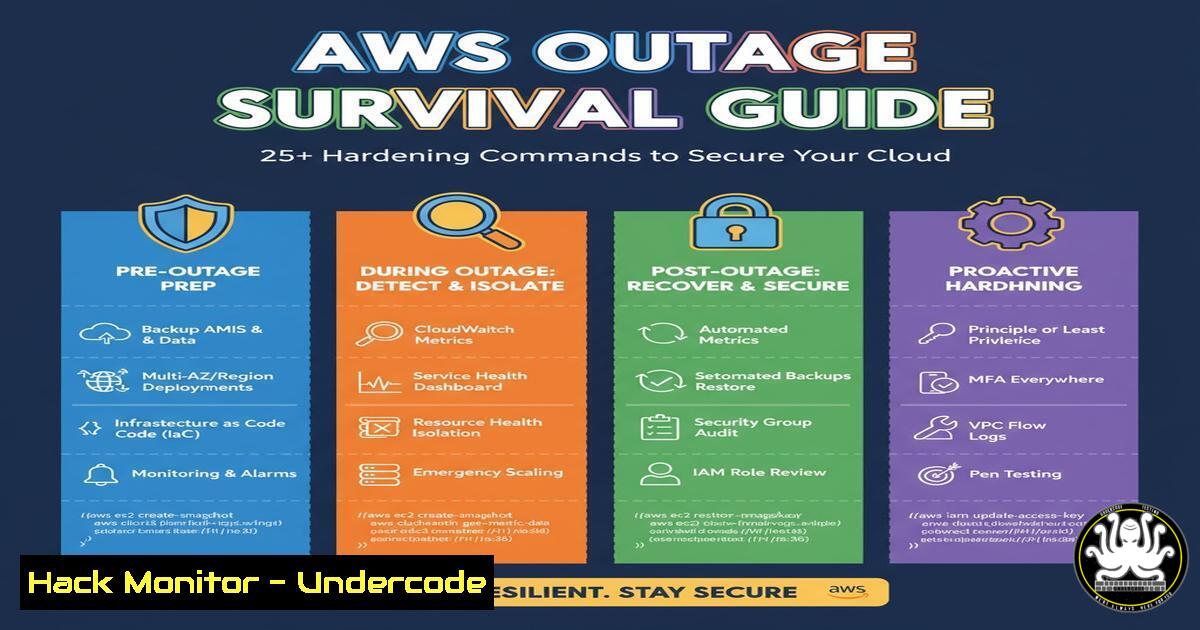
Introduction:
Major cloud outages, like the recent incident affecting 76 AWS services, expose critical dependencies and vulnerabilities in modern IT infrastructure. While service restoration is the provider’s responsibility, architects and security professionals can proactively harden their environments against cascading failures and the opportunistic attacks that often follow such disruptions. This guide provides actionable commands and configurations to bolster your resilience.
Learning Objectives:
- Implement immediate security hardening for AWS EC2, S3, and IAM services.
- Configure cross-region replication and failover strategies to mitigate downtime.
- Establish monitoring and incident response protocols for outage scenarios.
You Should Know:
1. IAM Policy Hardening for Least Privilege
A widespread outage often triggers frantic troubleshooting, sometimes leading to the dangerous temporary assignment of overly permissive policies. Prevent this by enforcing least privilege.
Verified AWS CLI Command:
aws iam create-policy --policy-name EC2ReadOnlyAccess --policy-document file://ec2-readonly.json
Step-by-step guide:
This command creates a new IAM policy from a JSON file. The `ec2-readonly.json` file should contain a policy that grants only the necessary read actions, such as ec2:DescribeInstances, ec2:DescribeVolumes, and cloudwatch:GetMetricStatistics. Instead of attaching the built-in `AmazonEC2FullAccess` policy during a crisis, create and assign this scoped-down policy. This prevents accidental termination of instances or modification of security groups under stress.
2. Enforcing S3 Bucket Encryption
During an outage, data integrity is paramount. Ensure all S3 buckets enforce server-side encryption to protect data at rest, especially if failover mechanisms involve copying data to new locations.
Verified AWS CLI Command:
aws s3api put-bucket-encryption --bucket my-secure-bucket --server-side-encryption-configuration '{"Rules": [{"ApplyServerSideEncryptionByDefault": {"SSEAlgorithm": "AES256"}}]}'
Step-by-step guide:
This command applies default server-side encryption (SSE-S3) to an S3 bucket. Execute this for all buckets containing sensitive data. In a failover scenario where new buckets might be created hastily, having a predefined script with this command ensures no bucket is left unencrypted, maintaining your security posture even during operational chaos.
3. Cross-Region Snapshot Replication for EC2
A regional outage can make your EC2 instances and their data inaccessible. Automating cross-region EBS snapshot replication is a critical recovery step.
Verified AWS CLI Command (via a scripted workflow):
 1. Create a snapshot of the EBS volume
aws ec2 create-snapshot --volume-id vol-1234567890abcdef0 --description "Pre-outage backup for DR"

<ol>
<li>Copy the snapshot to a different region
aws ec2 copy-snapshot --source-region us-east-1 --source-snapshot-id snap-1234567890abcdef0 --region eu-west-1 --description "Cross-region DR copy"
Step-by-step guide:
This two-step process first creates a snapshot of a critical EBS volume. The second command copies that snapshot to a designated disaster recovery region (e.g., from `us-east-1` to eu-west-1). Automate this process using AWS Lambda and CloudWatch Events to run daily or weekly. During a regional failure, you can quickly launch new instances in the healthy region from these pre-replicated snapshots.
4. Hardening Security Groups Against Post-Outage Scans
Following an outage, threat actors often scan newly launched or restarted resources for misconfigurations. Lock down your security groups.
Verified AWS CLI Command:
aws ec2 revoke-security-group-ingress --group-id sg-903004f8 --protocol tcp --port 22 --cidr 0.0.0.0/0
aws ec2 authorize-security-group-ingress --group-id sg-903004f8 --protocol tcp --port 22 --cidr 203.0.113.1/32
Step-by-step guide:
The first command is a corrective action, revoking a common misconfiguration: allowing SSH access from any IP (0.0.0.0/0). The second command re-authorizes ingress, but only from a specific, trusted IP address (203.0.113.1/32). Always ensure your baseline configuration denies all traffic by default and only allows necessary traffic from known sources.
5. Configuring CloudTrail for Multi-Region Logging
Without comprehensive logs, diagnosing the security impact of an outage is impossible. Ensure your audit trail is resilient to a single-region failure.
Verified AWS CLI Command:
aws cloudtrail create-trail --name MultiRegionTrail --s3-bucket-name my-cloudtrail-logs --is-multi-region-trail --enable-log-file-validation
Step-by-step guide:
This command creates a CloudTrail trail that automatically logs events from all AWS regions and delivers them to a central S3 bucket. The `–is-multi-region-trail` flag is crucial for resilience. The `–enable-log-file-validation` option ensures log file integrity. If one region goes dark, your investigative and compliance-related logging from other regions remains intact and secure.
6. Implementing DNS Failover with Route 53
Application resilience often depends on the ability to redirect users away from a failed region. AWS Route 53 health checks and failover routing can automate this.
Verified AWS CLI Command (to create a health check):
aws route53 create-health-check --caller-reference MyHealthCheck2024 --health-check-config '{
"IPAddress": "192.0.2.44",
"Port": 80,
"Type": "HTTP",
"ResourcePath": "/health",
"RequestInterval": 30,
"FailureThreshold": 2
}'
Step-by-step guide:
This command creates a health check that pings a `/health` endpoint on your application every 30 seconds. After two failures (FailureThreshold: 2), the health check is considered unhealthy. You would then configure a Route 53 failover routing policy (via the console or additional CLI commands) to point traffic to a secondary resource in a different region when this check fails. This provides automated, user-transparent failover.
7. Container Hardening for ECS/EKS
Outages can cause uncontrolled container restarts. Ensure your containerized workloads restart with secure configurations.
Verified Dockerfile Command:
FROM amazonlinux:2
USER nobody:nogroup
COPY --chown=nobody:nogroup app/ /app/
CMD ["/bin/sh", "-c", "/app/start_script.sh"]
Step-by-step guide:
This Dockerfile snippet demonstrates key security principles. The `USER nobody:nogroup` directive ensures the container does not run as the powerful root user, limiting the impact of a potential breakout. The `COPY –chown` command ensures the application files are owned by the unprivileged user. During mass restarts triggered by an outage, these hardened images prevent privilege escalation attacks.
What Undercode Say:
- Outages are a Security Event. Operational disruption creates a unique attack surface. The chaos and urgency lead to misconfigurations, while threat actors actively scan for newly vulnerable assets brought online during recovery.
- Resilience is a Function of Automation. Manual intervention under pressure is error-prone. The commands shown must be part of automated, version-controlled infrastructure-as-code (IaC) templates and pre-configured disaster recovery runbooks to be effective.
The recent AWS incident is not an isolated operational failure but a stark reminder of the shared responsibility model. While AWS manages the security of the cloud, customers are responsible for security in the cloud. This includes architecting for resilience. The commands provided are not just for daily operations; they are the building blocks of a fault-tolerant architecture that can withstand regional failures and the subsequent security free-for-all. Failing to implement these measures is to gamble with both availability and security simultaneously.
Prediction:
Future high-impact cloud outages will increasingly be followed by targeted, automated cyberattacks designed to exploit the recovery phase. Threat actors will use AI-driven tools to rapidly identify and weaponize misconfigurations in hastily restored resources, turning a brief service disruption into a widespread data breach. Cloud security posture management (CSPM) and automated drift detection will become non-negotiable for any enterprise-grade deployment.
🎯Let’s Practice For Free:
IT/Security Reporter URL:
Reported By: Abhirup Konwar – Hackers Feeds
Extra Hub: Undercode MoN
Basic Verification: Pass ✅


