
Listen to this Post
Introduction:
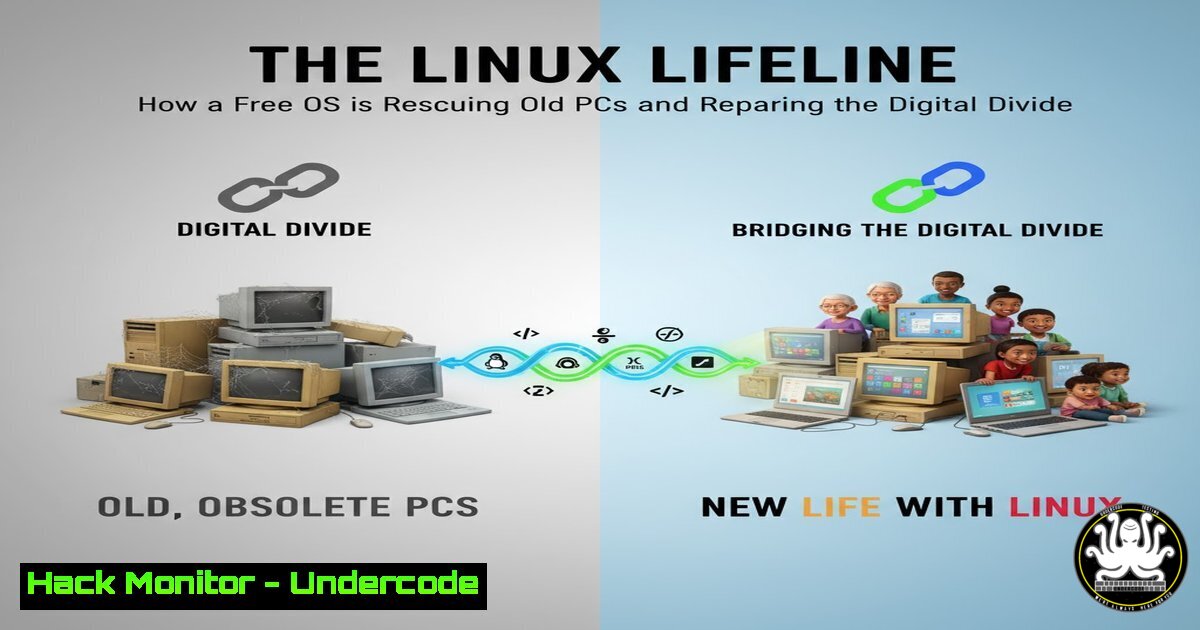
As electronic waste mounts and the digital divide persists, a grassroots movement is leveraging Linux to breathe new life into aging hardware. Community-led repair workshops are demonstrating how this open-source operating system can transform obsolete Windows machines into fully functional computers, challenging planned obsolescence while promoting digital inclusion.
Learning Objectives:
- Understand how Linux extends hardware lifespan and reduces e-waste
- Master essential Linux commands for system diagnostics and optimization
- Learn to create bootable Linux media and perform basic system migrations
You Should Know:
1. Hardware Assessment and Compatibility Checking
lshw
lscpu
free -h
lsblk
inxi -F
dmidecode -t system
hwinfo --short
Before migrating to Linux, assess hardware compatibility. Run `lshw` for detailed hardware inventory, `lscpu` for processor information, and `free -h` for memory assessment. The `inxi -F` command provides a comprehensive system overview, while `dmidecode -t system` reveals BIOS and motherboard details. Always verify that older hardware meets minimum requirements for lightweight Linux distributions like Lubuntu or Xubuntu.
2. Creating Bootable Linux Installation Media
lsblk
dd if=linux-distro.iso of=/dev/sdX bs=4M status=progress && sync
fdisk -l
sha256sum linux-distro.iso
udisksctl power-off -b /dev/sdX
Use `lsblk` to identify your USB device (typically /dev/sdb or /dev/sdc). The `dd` command creates a bootable USB—ensure you target the correct device as this operation is destructive. Always verify ISO integrity with `sha256sum` before writing. After completion, safely eject with udisksctl power-off.
3. Disk Partitioning and Filesystem Setup
fdisk /dev/sda
gdisk /dev/sda
mkfs.ext4 /dev/sda1
mkswap /dev/sda2
swapon /dev/sda2
mount /dev/sda1 /mnt
lsblk -f
For dual-boot setups, use `fdisk` for MBR partitions or `gdisk` for GPT. Create an ext4 filesystem with `mkfs.ext4` and allocate swap space with mkswap. Mount the root partition to /mnt before installation. The `lsblk -f` command verifies filesystem creation and mount points.
4. Post-Installation System Optimization
sudo apt update && sudo apt upgrade
sudo systemctl enable fstrim.timer
sudo apt install preload
sudo sysctl vm.swappiness=10
echo 'vm.swappiness=10' | sudo tee -a /etc/sysctl.conf
sudo apt install tlp tlp-rdw
sudo systemctl enable tlp
After installation, update packages and enable SSD trimming with fstrim.timer. Install `preload` for predictive loading of frequently used applications. Reduce swap usage to 10% for systems with adequate RAM. Enable TLP for power management on laptops to extend battery life.
5. Performance Monitoring and Troubleshooting
htop
iotop
nethogs
dmesg | tail -20
journalctl -p 3 -xb
lsof /dev/sda1
smartctl -a /dev/sda
Monitor system resources with `htop` for processes, `iotop` for disk I/O, and `nethogs` for network usage. Check recent system errors with `dmesg | tail -20` and journalctl -p 3 -xb. Use `smartctl` to assess hard drive health and predict potential failures before they occur.
6. Essential Security Hardening
sudo ufw enable
sudo ufw default deny incoming
sudo ufw default allow outgoing
sudo apt install fail2ban
sudo chmod 600 /etc/shadow
sudo systemctl mask telnet.socket
sudo apt install unattended-upgrades
sudo dpkg-reconfigure unattended-upgrades
Enable the Uncomplicated Firewall (UFW) with default deny policies. Install fail2ban to protect against brute-force attacks. Set proper permissions on sensitive files and disable unnecessary services. Configure automatic security updates to ensure ongoing protection.
7. Application Migration and Data Recovery
grep -r "Documents" /home/olduser/
rsync -av /home/olduser/Documents/ /home/newuser/Documents/
chown -R newuser:newuser /home/newuser/
apt list --installed
dpkg --get-selections > installed_packages.txt
wget -O - https://example.com/migration-script.sh | bash
Use `grep` to locate important files and `rsync` for safe data transfer. Properly set ownership with chown. Export lists of installed packages for reference. Be cautious with piped web scripts—always review code before execution to maintain system security.
What Undercode Say:
- Linux migration represents both technical and social innovation, addressing hardware obsolescence while building digital literacy
- Community-led repair initiatives demonstrate that sustainability and digital inclusion are mutually achievable goals
- The 66% budget cut threat to digital advisors highlights the precarious nature of grassroots digital inclusion efforts
The movement toward Linux adoption for aging hardware represents a fundamental shift in how we approach technology lifecycle management. While corporations push planned obsolescence through software requirements and licensing restrictions, open-source alternatives empower users to reclaim control over their digital tools. The success of workshops like those in Gourin proves that technical barriers can be overcome through community knowledge sharing. However, the sustainability of these efforts remains threatened by funding instability, creating a critical vulnerability in our collective digital resilience strategy. As electronic waste continues to grow exponentially, the Linux lifeline offers both immediate practical solutions and a long-term framework for responsible technology consumption.
Prediction:
The growing Linux migration movement will inevitably clash with commercial software interests, potentially leading to manufacturer-level hardware restrictions that prevent alternative OS installations. Within three years, we predict right-to-repair legislation will become a central battleground in digital rights, with Linux compatibility emerging as a key metric for device sustainability ratings. As electronic waste reaches critical levels, governments may mandate extended support cycles or tax incentives for devices that support open-source operating systems, fundamentally reshaping hardware design priorities and creating new markets for Linux-optimized refurbished equipment.
🎯Let’s Practice For Free:
IT/Security Reporter URL:
Reported By: Fabien Simon – Hackers Feeds
Extra Hub: Undercode MoN
Basic Verification: Pass ✅


