Listen to this Post
Introduction:
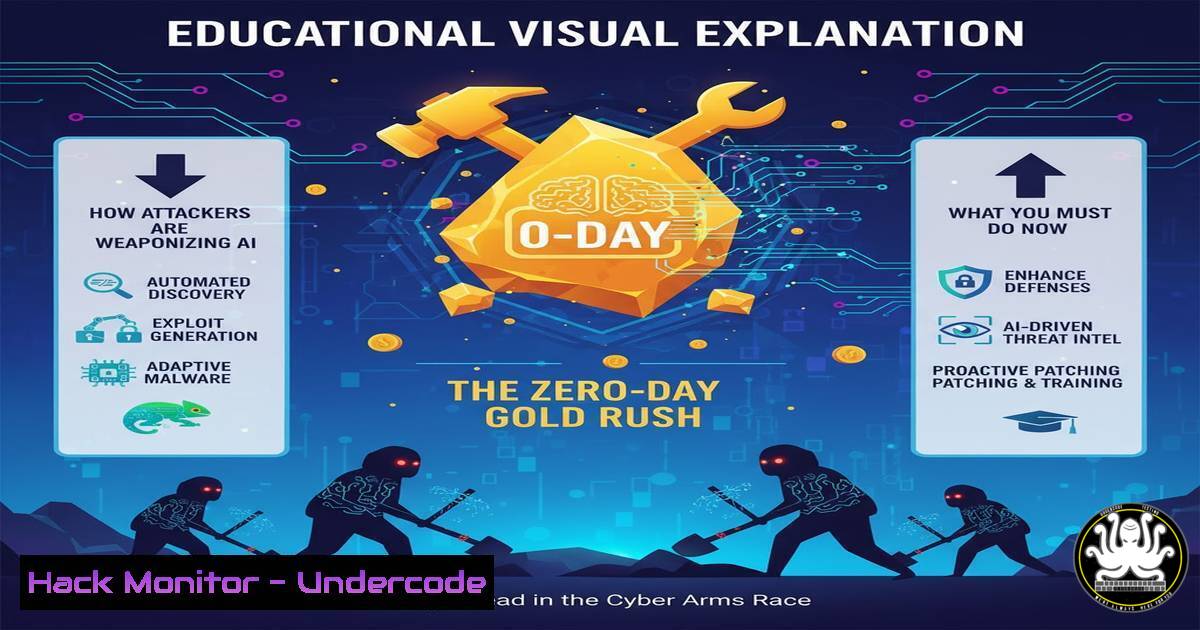
The cybersecurity landscape is shifting from a focus on opportunistic malware to a targeted, intelligence-driven assault powered by artificial intelligence. Adversaries are now systematically hunting for and weaponizing zero-day vulnerabilities, creating a “gold rush” where undiscovered flaws become high-value assets. This new era demands a proactive defense strategy centered on advanced threat hunting, robust patch management, and a deep understanding of the attacker’s playbook.
Learning Objectives:
- Understand the methodology behind modern zero-day discovery and exploitation.
- Implement advanced command-line techniques for threat hunting and system hardening across Linux and Windows environments.
- Develop a proactive incident response and log analysis strategy to detect precursor signals of an attack.
You Should Know:
1. Proactive Network Reconnaissance with Nmap Scripting
Verifying what services are exposed to the network is the first step in understanding your attack surface. The Nmap Security Scanner, combined with its powerful scripting engine, can identify vulnerable services.
`nmap -sV -sC -O -p- 192.168.1.0/24`
-sV: Probes open ports to determine service/version info.
-sC: Runs the default set of Nmap scripts against discovered services.
`-O`: Enables OS detection.
`-p-`: Scans all 65,535 TCP ports.
Step-by-step guide: This command performs a comprehensive scan of the entire 192.168.1.0/24 subnet. It will identify all live hosts, their operating systems, every open port, and the version of the software running on those ports. The scripts (-sC) can often detect known vulnerabilities or misconfigurations. Run this regularly from a dedicated security workstation against your own infrastructure to see what an attacker would see.
2. Auditing Linux Processes and Network Connections
Attackers leveraging a zero-day will often establish a persistent presence. Detecting anomalous network connections and processes is critical.
`lsof -i -P | grep LISTEN && ss -tulwnp`
lsof -i -P: Lists all open Internet files, showing processes using network connections, with port numbers (-P).
ss -tulwnp: A modern netstat replacement showing TCP/UDP sockets, listening ports, and the associated process ID.
Step-by-step guide: Run these commands on critical Linux servers. The `lsof` command provides a detailed list of every process with a network connection. The `ss` command gives a succinct, reliable overview of all listening ports. Correlate the output with your known application portfolio. Any unknown process listening on a port requires immediate investigation.
3. Windows PowerShell Forensics and Process Inspection
On Windows, PowerShell is an essential tool for real-time forensic analysis and hunting for malicious activity.
`Get-NetTCPConnection | Where-Object {$_.State -eq “Listen”} | Format-Table -AutoSize`
`Get-WmiObject -Class Win32_Process | Select-Object Name, ProcessId, CommandLine | Format-Table -AutoSize`
`Get-NetTCPConnection`: Retrieves all active TCP connections.
Where-Object {$_.State -eq "Listen"}: Filters to show only listening ports.
Get-WmiObject -Class Win32_Process: Queries for all running processes, including their full command line.
Step-by-step guide: Execute these commands in an administrative PowerShell session. The first command reveals all listening TCP ports, similar to netstat. The second is more powerful, listing every single running process and, crucially, the exact command line used to start it. This can reveal obfuscated scripts or executables launched with suspicious arguments, a common tactic in zero-day exploitation.
4. Hardening Web Server Security Headers
Many zero-days target web applications. Implementing security headers is a low-cost, high-impact mitigation against common vectors like XSS and clickjacking.
For Apache (.htaccess):
`Header always set X-Frame-Options “SAMEORIGIN”`
`Header always set X-Content-Type-Options “nosniff”`
`Header always set Content-Security-Policy “default-src ‘self’;”`
For Nginx (nginx.conf):
`add_header X-Frame-Options “SAMEORIGIN”;`
`add_header X-Content-Type-Options “nosniff”;`
`add_header Content-Security-Policy “default-src ‘self’;”;`
Step-by-step guide: These directives, when added to your web server’s configuration, instruct browsers to enforce critical security policies. `X-Frame-Options` prevents clickjacking, `X-Content-Type-Options` stops MIME-sniffing attacks, and `Content-Security-Policy` is a powerful mechanism to restrict sources of executable scripts. Test these headers using browser developer tools or a tool like `curl -I https://yoursite.com`.
5. Leveraging YARA for Malware Hunting
YARA is a pattern-matching Swiss Army knife for malware researchers. You can create custom rules to hunt for indicators of compromise (IoCs) related to a specific zero-day campaign.
`rule ZeroDay_Backdoor_Indicator {</h2>
<h2 style="color: yellow;"> meta:</h2>
` description = "Hunts for a specific backdoor string and file signature"`
<h2 style="color: yellow;"> author = “Your-SOC”</h2>
<h2 style="color: yellow;"> strings:</h2>
<h2 style="color: yellow;"> $a = “cmd.exe /c powershell -enc” nocase</h2>
` $b = { 4D 5A 90 00 03 00 00 00 } // MZ header`
<h2 style="color: yellow;"> condition:</h2>
<h2 style="color: yellow;"> $a and $b</h2>
<h2 style="color: yellow;">}`
<h2 style="color: yellow;">
` description = "Hunts for a specific backdoor string and file signature"`
<h2 style="color: yellow;">
<h2 style="color: yellow;">
<h2 style="color: yellow;">
` $b = { 4D 5A 90 00 03 00 00 00 } // MZ header`
<h2 style="color: yellow;">
<h2 style="color: yellow;">
<h2 style="color: yellow;">
`yara -r my_rule.yar C:/Users/`
Step-by-step guide: This YARA rule looks for a case-insensitive string commonly used in PowerShell-based payloads ($a) combined with the magic bytes of a Windows executable ($b). The condition requires both to be present. Save this to a `.yar` file and use the `yara` command to recursively scan a directory (e.g., C:/Users/). This allows you to proactively scan your environment for files matching the signature of a known threat.
6. Cloud Infrastructure Hardening with AWS CLI
Misconfigured cloud storage (S3 buckets) is a common source of data breaches. Automate security checks using the AWS CLI.
`aws s3api get-bucket-acl –bucket my-bucket-name`
`aws s3api get-bucket-policy-status –bucket my-bucket-name`
`aws s3 ls –recursive s3://my-bucket-name`
get-bucket-acl: Shows the Access Control List for the bucket.
`get-bucket-policy-status`: Indicates if the bucket is public.
ls --recursive: Lists all objects within the bucket.
Step-by-step guide: Regularly run these commands against all your S3 buckets. The ACL and policy status commands will immediately reveal if a bucket is improperly configured for public access. The recursive list helps you audit the exact data being stored, ensuring no sensitive information is placed in a potentially insecure location. Automate these checks with a script and a tool like Prowler for continuous compliance.
7. API Security Testing with curl and jq
APIs are a prime target. Basic fuzzing and error message analysis can reveal weaknesses before an attacker finds them.
`curl -H “Authorization: Bearer $TOKEN” https://api.yourservice.com/v1/users/ | jq`
`curl -X POST https://api.yourservice.com/v1/auth –data ‘{“user”:”admin”,”pass”:”‘test'”}’`
`for id in {100..110}; do curl -s -o /dev/null -w “%{http_code}” https://api.yourservice.com/v1/users/$id; echo ” – ID: $id”; done`
jq: A command-line JSON processor for formatting and parsing API responses.
-w "%{http_code}": In a loop, this tests for IDOR (Insecure Direct Object Reference) vulnerabilities by checking if unauthorized access returns a `200` (success) code.
Step-by-step guide: The first command tests authentication by calling an API endpoint and cleanly formatting the response. The second tests authentication logic with a malformed request. The `for` loop is a simple fuzzer, iterating through user IDs and printing the HTTP status code. A `200` code on an ID you don’t own indicates a serious broken access control flaw.
What Undercode Say:
- The attacker’s development cycle has accelerated. AI is not just for defense; it’s being used to automate vulnerability discovery, create polymorphic code, and generate convincing phishing lures at scale.
- The definition of “critical infrastructure” has expanded. Every organization that holds valuable data or provides a critical service is now in the crosshairs, not just traditional high-value targets.
The paradigm of “patch Tuesday” is dangerously obsolete. The window between vulnerability disclosure and exploitation is now measured in hours, not days. Defenders must operate on the assumption that a zero-day for their key systems already exists and is being actively traded or used. Investment must pivot from purely preventive controls to advanced detection and response capabilities. This means deploying robust EDR/NDR solutions, empowering SOC analysts with AI-driven threat intelligence, and conducting continuous red-team exercises that simulate this new class of determined, resourceful adversary. The cost of being reactive has become existential.
Prediction:
The convergence of AI-powered exploitation and the burgeoning zero-day marketplace will lead to “bespoke cyberattacks as a service.” Ransomware groups will not just deploy off-the-shelf malware but will instead use AI to analyze a target’s unique digital footprint, identify its most critical weak points (be it a forgotten S3 bucket, a vulnerable API, or an unpatched on-premise server), and craft a custom, multi-vector attack chain designed for maximum impact and extortion potential. The future battleground will be defined by AI-driven automation on both sides, where the speed of defensive AI analysis and response will be the only effective countermeasure to offensive AI-powered exploitation.
🎯Let’s Practice For Free:
IT/Security Reporter URL:
Reported By: Elijah Jonah – Hackers Feeds
Extra Hub: Undercode MoN
Basic Verification: Pass ✅


