Listen to this Post
Introduction:
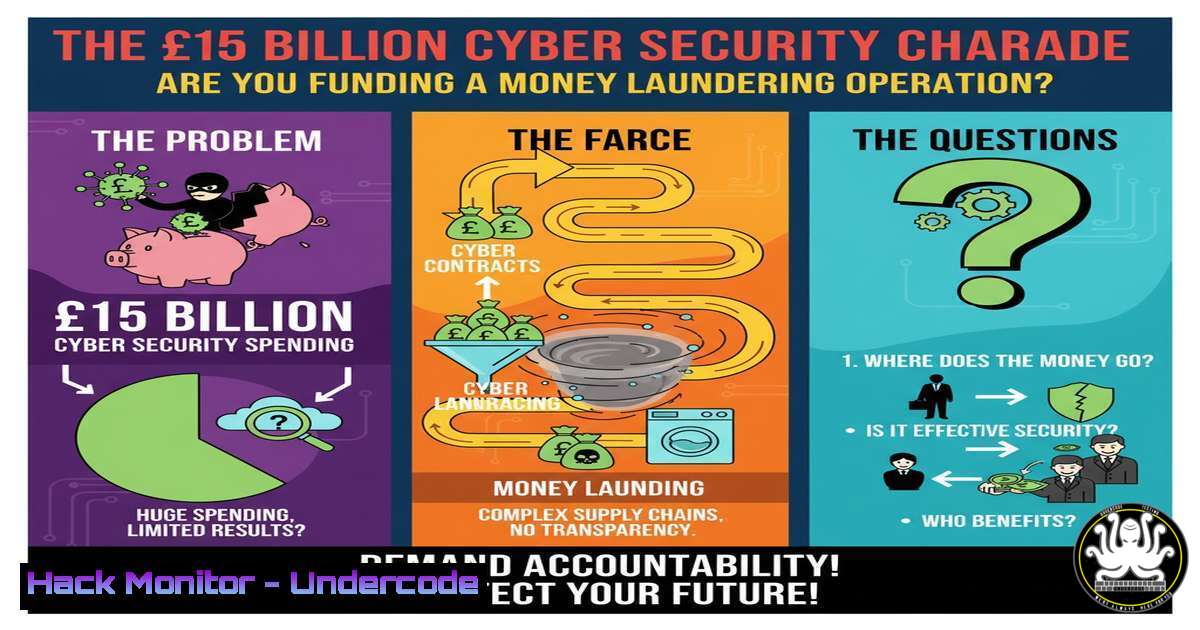
A recent exposé concerning a major corporation’s £800 million cybersecurity expenditure, followed by a £1.5 billion taxpayer bailout, has ignited a firestorm. This incident starkly reveals a potential systemic failure where cybersecurity is leveraged not for defense, but for financial engineering and tax avoidance. This article deconstructs the technical oversights that enable such failures and provides the actionable knowledge needed to audit and fortify your own organization’s digital perimeter against both external threats and internal negligence.
Learning Objectives:
- Identify and audit critical internet-facing assets and DNS configurations for common, exploitable vulnerabilities.
- Implement foundational security hardening on both Linux and Windows systems to eliminate low-hanging fruit.
- Utilize command-line tools for continuous monitoring and threat intelligence gathering to validate security postures.
You Should Know:
1. Internet Asset Discovery and Footprinting
The first step in any security assessment is knowing what you own. Attackers use these same techniques to find unprotected assets.
 Shodan CLI for exposed services
shodan host YOUR_IP_HERE

TheHarvester for OSINT
theharvester -d yourcompany.com -b all

Nmap for network discovery
nmap -sS -O -sV 192.168.1.0/24
Step-by-step guide:
Shodan is a search engine for internet-connected devices. Install the Shodan CLI (pip install shodan), initialize it with your API key, and use `shodan host` to scan your organization’s public IP addresses. This reveals open ports and services visible to the entire internet, much like a potential attacker would see. Combine this with TheHarvester to gather subdomains and emails associated with your domain, providing a complete external footprint.
2. DNS Vulnerability Assessment: Zone Transfer Abuse
A misconfigured DNS server can leak its entire zone file, providing a blueprint of your internal network.
 Attempt a DNS zone transfer
dig axfr @ns1.yourdomain.com yourdomain.com

Using nslookup (Windows/Linux)
nslookup

<blockquote>
  server ns1.yourdomain.com
  ls -d yourdomain.com
Step-by-step guide:
A DNS zone transfer should only be allowed between trusted primary and secondary nameservers. To test your domain’s resilience, use the `dig` command on Linux or `nslookup` on Windows. Replace `ns1.yourdomain.com` with your domain’s nameserver and `yourdomain.com` with your actual domain. If this command returns a list of all internal hosts, your DNS is critically misconfigured and must be fixed immediately by restricting zone transfers.
3. Linux Server Hardening: SSH and Firewall
Unsecured SSH services are a primary entry point for attackers.
 Change default SSH port and disable root login
sudo nano /etc/ssh/sshd_config
 Change: Port 2222
 Change: PermitRootLogin no

Configure UFW firewall
sudo ufw enable
sudo ufw allow 2222/tcp
sudo ufw deny 22/tcp

Verify listening ports
ss -tuln
Step-by-step guide:
Edit the SSH configuration file with your preferred text editor. Changing the default port from 22 to a non-standard one like 2222 reduces automated bot attacks. Disabling direct root login forces the use of `sudo` for privilege escalation, creating an audit trail. After saving the config and restarting the SSH service (systemctl restart sshd), configure the Uncomplicated Firewall (UFW) to only allow your new SSH port, explicitly denying the old one.
4. Windows Security Audit: PowerShell Enumeration
PowerShell is an invaluable tool for auditing the security posture of a Windows environment.
 Get network connections
Get-NetTCPConnection | Where-Object {$_.State -eq "Listen"}

Check for unquoted service paths (common vulnerability)
Get-WmiObject -Class Win32_Service | Where-Object {$_.PathName -notlike "<code>"</code>""} | Select-Object Name, PathName

Audit local user accounts
Get-LocalUser | Where-Object {$_.Enabled -eq $True}
Step-by-step guide:
Open PowerShell as an Administrator. The first command lists all active listening TCP ports, helping you identify unauthorized services. The second command checks for a critical vulnerability where service paths are unquoted, which can allow privilege escalation. The third command lists all enabled local user accounts, which is crucial for identifying stale or unauthorized accounts that should be disabled.
5. Cloud Storage Misconfiguration Scanner
Publicly accessible cloud storage buckets are a leading cause of data breaches.
 AWS S3 Bucket check for public read
aws s3api get-bucket-acl --bucket YOUR_BUCKET_NAME
aws s3api get-bucket-policy --bucket YOUR_BUCKET_NAME

ScoutSuite multi-cloud security auditor
python scout.py --provider aws --report-dir ./report
Step-by-step guide:
Using the AWS CLI, you can audit the Access Control List (ACL) and bucket policy for your S3 buckets. Look for grants to `http://acs.amazonaws.com/groups/global/AllUsers`, which indicates public read access. For a comprehensive, automated audit across an entire cloud environment, tools like ScoutSuite can be run with appropriate credentials to generate a detailed report of misconfigurations.
6. Vulnerability Scanning with OpenVAS
Continuous vulnerability assessment is non-negotiable.
 Start OpenVAS services
gvm-start

Scan a target network
gvm-cli socket --xml "<create_task><name>Network Scan</name><target>192.168.1.1/24</target><config>Full and fast</config></create_task>"

Generate report
gvm-cli socket --xml "<get_reports task_id='TASK_UUID'/>"
Step-by-step guide:
OpenVAS (now part of Greenbone Vulnerability Management) is a full-featured vulnerability scanner. After installation and starting the services, you can use the `gvm-cli` command-line interface to create a new scan task, specifying the target subnet and a scan configuration. Once the scan completes, you can retrieve a detailed report listing all found vulnerabilities, their severity, and potential remediations.
7. API Security Testing with OWASP ZAP
Modern applications rely on APIs, which are a new and often overlooked attack surface.
 Start ZAP in daemon mode
zap.sh -daemon -port 8080 -host 127.0.0.1

Quick active scan
zap-cli quick-scan --self-contained --start-options '-config api.disablekey=true' http://your-api-endpoint.com

Spider a target
zap-cli spider http://your-target.com
Step-by-step guide:
The OWASP ZAP (Zed Attack Proxy) tool is ideal for automated security testing of APIs and web applications. Start the ZAP daemon, then use `zap-cli` to perform an active scan against your API’s base URL. The tool will automatically spider the endpoints and perform a series of attacks to identify common vulnerabilities like SQL Injection, XSS, and broken authentication.
What Undercode Say:
- Compliance Does Not Equal Security. A massive budget allocated to “cybersecurity” can be entirely wasted on box-ticking compliance exercises and consulting fees that do nothing to harden technical systems against real-world attacks.
- Technical Diligence is a Fiscal Responsibility. The failure to conduct basic technical audits—like DNS checks, port scanning, and configuration reviews—is not just an IT oversight but a gross financial misstep, enabling the diversion of funds under the guise of security.
The JLR-TCS scenario is a textbook case of security theater funded at an industrial scale. The technical vulnerabilities that likely persisted—unsecured DNS, exposed services, unpatched systems—are not complex, zero-day exploits. They are foundational failures that a single competent system administrator with a modest toolset could have identified and remediated. This indicates that the enormous expenditure was structurally divorced from any meaningful security outcome, serving instead as a capital relocation mechanism. It underscores a brutal truth in modern corporate governance: a line item for “cybersecurity” is increasingly viewed as a non-auditable black hole, attractive for its ability to reduce tax liabilities while projecting an image of diligence. The technical community’s role is to relentlessly expose this gap by providing the irrefutable, command-line-verifiable evidence that separates real security from a financial facade.
Prediction:
This incident will catalyze a new era of “Technical Fiscal Audits,” where governments and insurers will mandate independent, command-line-verifiable proof of security controls before approving large funding packages or policies. The age of trusting cybersecurity budget reports is over; the future will demand live, scripted demonstrations of asset hardening, vulnerability management, and incident response capabilities, forcing a tangible link between every dollar spent and a specific, verified security outcome.
🎯Let’s Practice For Free:
IT/Security Reporter URL:
Reported By: Andy Jenkinson – Hackers Feeds
Extra Hub: Undercode MoN
Basic Verification: Pass ✅


