Listen to this Post
Introduction:
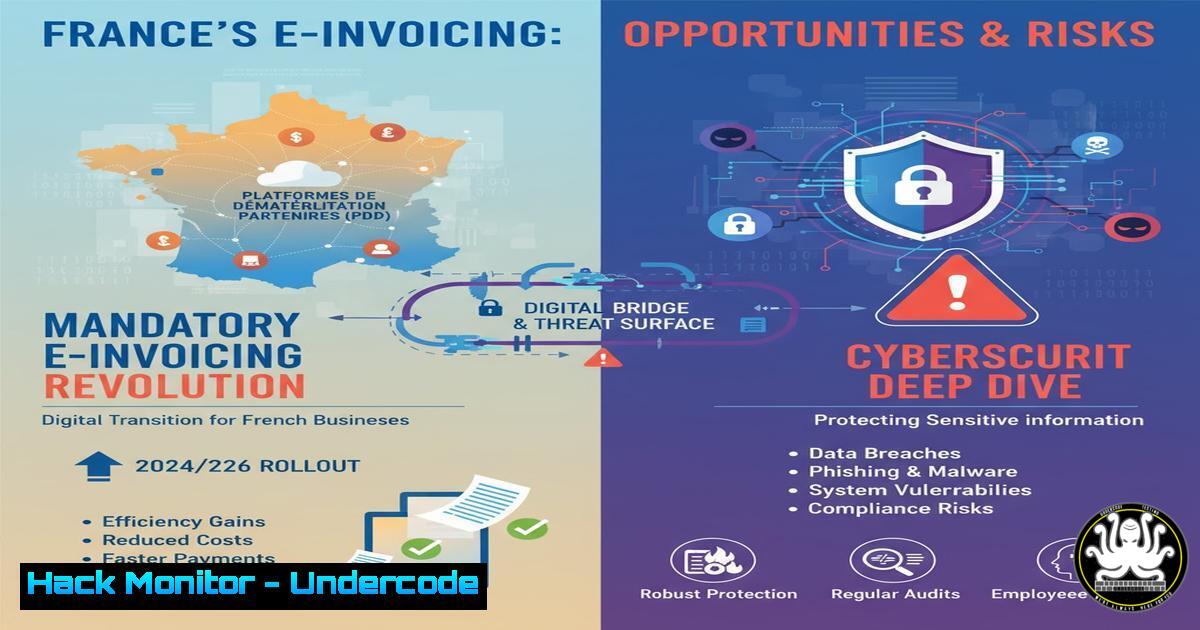
The mandatory shift to electronic invoicing for all French companies, beginning in 2026, represents a significant digital transformation. While aimed at combating VAT fraud and streamlining processes, this move introduces a new attack surface centered on data integrity, API security, and secure system integration that cybersecurity professionals must urgently address.
Learning Objectives:
- Understand the core technical requirements and data formats mandated by the French e-invoicing reform.
- Identify and mitigate the primary cybersecurity risks associated with integrating with accredited platforms.
- Implement secure development and operational practices for e-invoicing system interoperability.
You Should Know:
1. Securing the Data Transmission Pipeline
The integrity and confidentiality of invoice data during transmission to the accredited Partner Dematerialization Platform (PDP) is paramount. Using strong encryption and certificate-based authentication is non-negotiable.
Command/Code Snippet:
 Use OpenSSL to verify the TLS certificate of a PDP endpoint
openssl s_client -connect platforme-agreee.fr:443 -servername platforme-agreee.fr < /dev/null | openssl x509 -noout -subject -dates

Securely transfer an invoice file using SFTP with key-based authentication
sftp -i ~/.ssh/id_ed25519_pdp [email protected]:/inbound/ <<< $'put facture_2024_001.xml'
Step-by-step guide:
First, verify the PDP’s TLS certificate to ensure you are connecting to the legitimate service and not a malicious impersonator. The OpenSSL command checks the certificate’s subject and validity period. For actual data transfer, SFTP with a private key (id_ed25519_pdp) is more secure than password-based logins. The command sequence automatically puts the invoice XML file into the remote `/inbound/` directory.
2. Validating Invoice XML against the Official Schema
E-invoicing will rely on specific XML schemas (e.g., UBL, CII). Validating the structure and content of generated invoices prevents rejection by the platform and protects against injection attacks.
Command/Code Snippet:
 Validate an XML invoice against a local schema file using xmllint
xmllint --schema facturation-electronique.xsd facture_2024_001.xml --noout

Python script snippet for server-side validation
from lxml import etree
xml_doc = etree.parse('facture_2024_001.xml')
xmlschema = etree.XMLSchema(etree.parse('official_schema.xsd'))
if xmlschema.validate(xml_doc):
print("Invoice XML is valid.")
else:
print("Validation failed:", xmlschema.error_log)
Step-by-step guide:
Before sending an invoice, validate it locally. The `xmllint` command checks the `facture_2024_001.xml` file against the official `facturation-electronique.xsd` schema. The `–noout` flag suppresses output of the file itself, showing only validation errors. For integration into an application, use a library like Python’s `lxml` to perform the same validation programmatically, logging any errors for correction.
3. Hardening the Internal Application Generating Invoices
The enterprise resource planning (ERP) or custom application that creates invoices is a high-value target. It must be hardened against attacks that could manipulate invoice data.
Command/Code Snippet:
 Audit a Linux server running the invoicing application with Lynis
sudo lynis audit system

Check for suspicious processes and network connections
ps aux | grep -i [bash]rp
netstat -tulpn | grep :8080
lsof -i -P | grep LISTEN
Step-by-step guide:
Use a security auditing tool like Lynis to perform a comprehensive check of the system hosting your invoicing software. It will provide recommendations on hardening the OS. Furthermore, regularly monitor the system for unusual activity. The `ps` command lists running processes related to your ERP, `netstat` shows what ports are open and listening for connections, and `lsof` provides a detailed list of all network connections and the processes that own them.
4. API Security for Platform Integration
Interaction with the PDP will occur via APIs. Securing these endpoints is critical to prevent data breaches and unauthorized submissions.
Command/Code Snippet:
 Use curl to test API authentication with a Bearer token
curl -H "Authorization: Bearer ${API_TOKEN}" \
-H "Content-Type: application/xml" \
--data-binary @facture_2024_001.xml \
https://api.platforme-agreee.fr/v1/invoices

Scan for common API vulnerabilities with a tool like Nikto (generic web scan)
nikto -h https://api.platforme-agreee.fr -id ${API_TOKEN}
Step-by-step guide:
Always use authenticated API calls. This `curl` example sends an invoice XML file to the PDP’s API endpoint, using a secure Bearer token stored in an environment variable. Never hardcode tokens in scripts. Periodically scan your own API endpoints (if you expose any) and understand the attack surface by using scanners like Nikto to identify misconfigurations or known vulnerabilities.
5. Implementing Robust Logging and Anomaly Detection
Maintaining immutable logs of all invoicing activities is essential for auditing, troubleshooting, and detecting fraudulent activities.
Command/Code Snippet:
 Use journalctl on Linux to review system logs for the invoicing service
journalctl -u mon-service-facturation --since "1 hour ago" --no-pager

Grep for failed authentication attempts in an auth log
grep "Failed password" /var/log/auth.log

Create a checksum of a critical invoice file to ensure integrity
sha256sum facture_2024_001.xml > facture_2024_001.xml.sha256
Step-by-step guide:
Centralize and regularly monitor logs. The `journalctl` command filters logs for a specific service unit. Searching for “Failed password” attempts can reveal brute-force attacks. To ensure invoice files have not been altered after creation or before transmission, generate a SHA-256 checksum and store it separately. Any change to the file will result in a different checksum.
6. Cloud Hardening for SaaS Invoicing Solutions
Many businesses will opt for Software-as-a-Service (SaaS) solutions to meet the new mandate. Configuring these cloud environments securely is a shared responsibility.
Command/Code Snippet:
 AWS CLI command to check for public S3 buckets (where invoices might be stored)
aws s3api list-buckets --query "Buckets[].Name" --output table
aws s3api get-bucket-acl --bucket YOUR_BUCKET_NAME

Azure CLI command to list storage accounts and their encryption status
az storage account list --query "[].{name:name, encryption:encryption.services.blob.enabled}" --output table
Step-by-step guide:
If your invoicing data resides in cloud storage, it is your responsibility to configure access controls. Use the cloud provider’s CLI tools to audit your settings. The AWS commands list all S3 buckets and then check the access control list (ACL) for a specific bucket to ensure it is not publicly accessible. In Azure, verify that storage accounts have encryption enabled for blob services.
7. Network Segmentation and Access Control
The servers and workstations involved in the e-invoicing process should be isolated from the general corporate network to limit the blast radius in case of a compromise.
Command/Code Snippet:
 Use iptables on Linux to restrict access to the invoicing application port
iptables -A INPUT -p tcp --dport 8443 -s 192.168.10.0/24 -j ACCEPT
iptables -A INPUT -p tcp --dport 8443 -j DROP

Windows: Check firewall rules with PowerShell
Get-NetFirewallRule -DisplayName "Invoicing" | Format-Table DisplayName, Enabled, Direction, Action
Step-by-step guide:
Implement strict firewall rules. The Linux `iptables` example only allows connections to port 8443 (a typical HTTPS port for a web application) from the specific internal subnet `192.168.10.0/24` and explicitly drops all other connection attempts. On Windows, use PowerShell to audit existing firewall rules related to your invoicing software to ensure they are appropriately restrictive.
What Undercode Say:
- The technical implementation deadline is deceptively close; the complexity of secure system integration should not be underestimated.
- This mandate is less about simple PDF replacement and more about building a secure, real-time data pipeline under government scrutiny.
The shift to mandatory e-invoicing is a compliance-driven project that will inevitably be targeted by threat actors. The centralization of financial data on accredited platforms creates a highly attractive target. The primary technical challenges will not be generating XML, but ensuring the end-to-end security of the data flow—from the integrity of the generating application to the secure transmission via APIs and the eventual secure storage and processing on the PDPs. Companies that treat this as a simple IT upgrade rather than a fundamental security architecture project will face significant operational and reputational risks. The two-year runway is barely sufficient for the required security assessments, tooling selection, and controlled implementation.
Prediction:
The 2026-2027 rollout will be accompanied by a surge in targeted phishing campaigns against French finance departments, mimicking accredited platforms to steal credentials. We will see the first major security incident involving a compromised PDP or a widespread vulnerability in a popular integration library within 18 months of the mandate taking effect, forcing a rapid evolution of the security controls and certification requirements for the platforms themselves. This will catalyze a broader adoption of zero-trust architecture principles within French SMBs.
🎯Let’s Practice For Free:
IT/Security Reporter URL:
Reported By: Piveteau Pierre – Hackers Feeds
Extra Hub: Undercode MoN
Basic Verification: Pass ✅


