Listen to this Post
Introduction:
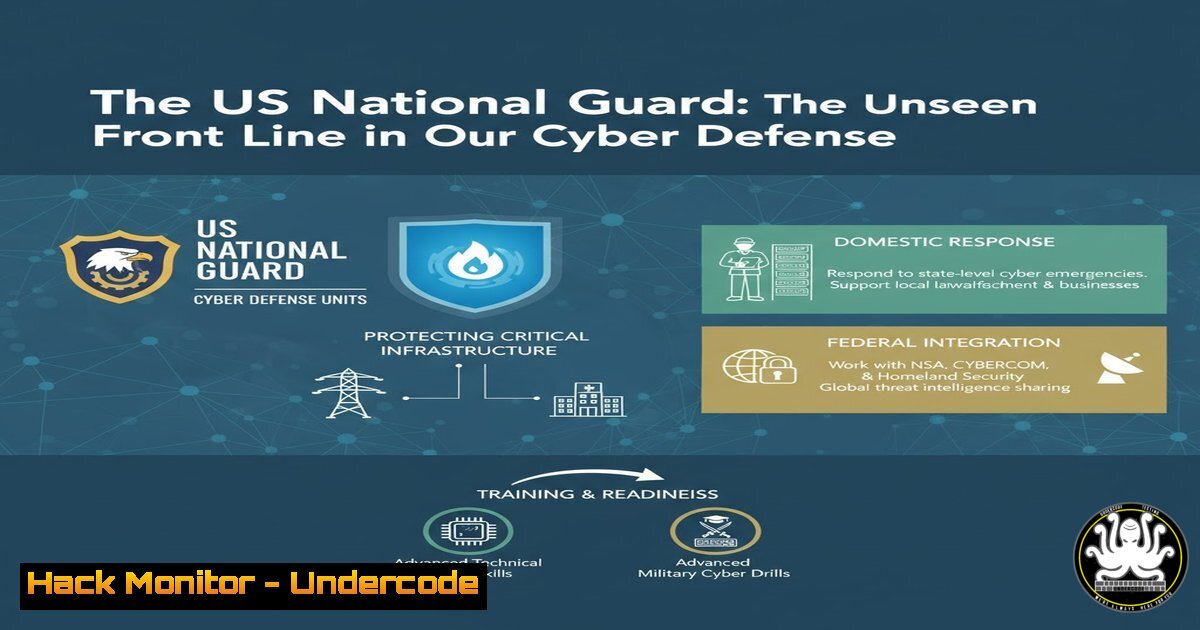
The escalating threat to Operational Technology (OT) and critical infrastructure has revealed a critical gap in national cybersecurity defense. Robert M. Lee, CEO of Dragos, has championed a powerful solution: leveraging the U.S. National Guard’s unique structure for localized, public-private cyber defense partnerships. This model, already seeing success in states like Ohio, represents a paradigm shift in how we protect the systems that power our society.
Learning Objectives:
- Understand the strategic role of the National Guard in defending national critical infrastructure.
- Learn key OT cybersecurity fundamentals and how they differ from IT security.
- Acquire practical skills for network visibility, incident response, and hardening common industrial control systems.
You Should Know:
1. Network Segmentation for OT Environments
A foundational principle of OT security is segmenting industrial networks from corporate IT networks to limit the attack surface.
Command:
 Example iptables rule to block traffic from corporate subnet to OT subnet
iptables -A FORWARD -s 192.168.1.0/24 -d 10.10.1.0/24 -j DROP
 Allow only specific, necessary traffic from IT to OT (e.g., from a specific monitoring server)
iptables -I FORWARD -s 192.168.1.100 -d 10.10.1.50 -p tcp --dport 443 -j ACCEPT
Step-by-step guide:
This setup uses Linux’s `iptables` to create a basic firewall. The first command denies all forward traffic from the corporate network (192.168.1.0/24) to the OT network (10.10.1.0/24). The second command inserts a rule at the top of the FORWARD chain to make an exception, allowing only a specific IT server (192.168.1.100) to communicate with a specific OT asset (10.10.1.50) over HTTPS (port 443). This implements a “default deny” policy with explicit allows.
2. Assessing Network Visibility with Nmap
Knowing what devices are on your network is the first step in defending them. Nmap is an essential tool for network discovery.
Command:
 Basic SYN scan to discover live hosts on a network
nmap -sn 10.10.1.0/24

Service and version detection scan on a specific PLC
nmap -sV -sC -O 10.10.1.20
Step-by-step guide:
The `-sn` flag performs a ping sweep to identify which IP addresses are active without doing a port scan. Once hosts are discovered, the `-sV` probe attempts to determine the service and version running on open ports, `-sC` runs default Nmap scripts, and `-O` enables OS detection. This is critical for building an accurate asset inventory and identifying unauthorized or vulnerable devices.
3. Leveraging the CSET Tool for Framework Assessments
As mentioned in the Ohio example, the Cybersecurity Evaluation Tool (CSET) helps critical infrastructure owners perform self-assessments against standards like the NIST Cybersecurity Framework (CSF).
Tutorial:
1. Download CSET from the CISA website.
- Launch the application and create a new assessment, selecting relevant standards (e.g., NIST CSF, NERC CIP).
- Answer the detailed questionnaire about your environment’s security controls.
- CSET generates a report outlining compliance gaps, security weaknesses, and recommended mitigations.
4. Windows Command for ICS Host Integrity
Many OT systems, like HMIs, run on Windows. Monitoring for unauthorized changes is crucial.
Command:
:: Generate a baseline SHA256 hash of a critical system file (e.g., a PLC programming runtime)
certutil -hashfile "C:\Program Files\ICS\plc_runtime.exe" SHA256

:: Save the output. Regularly re-run this command and compare the hashes to detect tampering.
Step-by-step guide:
This command uses a built-in Windows tool, certutil, to compute the cryptographic hash of a file. By creating a known-good baseline hash after validating the system’s integrity and then periodically re-hashing the file, defenders can quickly detect if a critical binary has been modified, replaced, or infected with malware.
5. Querying Windows Logs for OT Incident Response
Detecting lateral movement or unauthorized access attempts on engineering workstations is a key defensive tactic.
Command:
 PowerShell command to filter Security logs for specific failed logon event IDs
Get-WinEvent -FilterHashtable @{LogName='Security'; ID=4625} | Where-Object {$_.Message -like "10.10.1."} | Format-Table TimeCreated, ID, LevelDisplayName, Message -Wrap
Step-by-step guide:
This PowerShell command queries the Windows Security log for all events with ID 4625 (failed logon). It then pipes the results to a `Where-Object` filter to look for failed logon attempts that originated from the OT subnet (10.10.1.x). This can help identify brute-force attacks or reconnaissance activity against critical OT assets.
6. Exploiting and Mitigating a Weak Service Configuration
Attackers often target weakly configured services. Understanding how they are exploited is key to mitigation.
Command:
 Using Metasploit to exploit an anonymous FTP service on a hypothetical HMI
use auxiliary/scanner/ftp/anonymous
set RHOSTS 10.10.1.100
run

Mitigation: Hardening the vsftpd configuration file (/etc/vsftpd.conf)
anonymous_enable=NO
local_enable=YES
write_enable=NO
Step-by-step guide:
The first command block demonstrates an attacker using a Metasploit module to scan for FTP servers allowing anonymous access. If found, this could allow an attacker to download sensitive configuration files. The mitigation is shown in the second block, which edits the `vsftpd.conf` configuration file to disable anonymous logins, allow only local users, and disable write privileges, drastically reducing the attack surface.
7. Cloud Hardening for ICS Data Historians
Modern OT environments often use cloud-based data historians. Securing these is paramount.
Command (Azure CLI example):
 Enable advanced threat protection for an Azure SQL Database (hosting historian data)
az security atp update --resource-group MyOTResourceGroup --server MyHistorianServer --database MyHistorianDB --state Enabled

Restrict firewall rules to only allow connections from a specific public IP (e.g., a corporate VPN)
az sql server firewall-rule update --resource-group MyOTResourceGroup --server MyHistorianServer --name AllowCorporateHQ --start-ip-address 203.0.113.10 --end-ip-address 203.0.113.10
Step-by-step guide:
These Azure CLI commands harden a cloud database. The first enables Advanced Threat Protection, which uses machine learning to detect anomalous database access patterns. The second command updates the server’s firewall rule to only permit inbound connections from a single, trusted IP address range, preventing exposure to the entire internet.
What Undercode Say:
- The National Guard model provides a scalable, grassroots solution to a national-level problem, blending military discipline with local knowledge.
- Success hinges on standardized training, federal funding, and clear mandates to avoid a piecemeal, state-by-state approach.
The advocacy for empowering the National Guard is a direct response to the failure of purely top-down federal cybersecurity initiatives. The Guard’s “citizen-soldier” ethos means its members often live and work in the communities and industries they are defending, providing unparalleled contextual awareness. The Ohio case study, using the CSET framework for water facilities, is a blueprint for a national program. However, without sustained federal funding and a unified playbook, this potential will remain underutilized, leaving critical infrastructure like water and power vulnerable to increasingly bold adversaries.
Prediction:
The formalization of the National Guard’s role in OT cyber defense will become a cornerstone of U.S. national security strategy within the next 3-5 years. We predict the establishment of a dedicated, federally-funded “Cyber Guard” reserve component in every state, mandated to conduct joint exercises with private sector asset owners. This public-private partnership will prove instrumental in blunting the impact of a major cyber-attack on critical infrastructure, potentially preventing widespread physical and economic damage. The model will likely be studied and adopted by allied nations worldwide.
🎯Let’s Practice For Free:
IT/Security Reporter URL:
Reported By: Robmichaellee Empower – Hackers Feeds
Extra Hub: Undercode MoN
Basic Verification: Pass ✅


