Listen to this Post
Introduction:
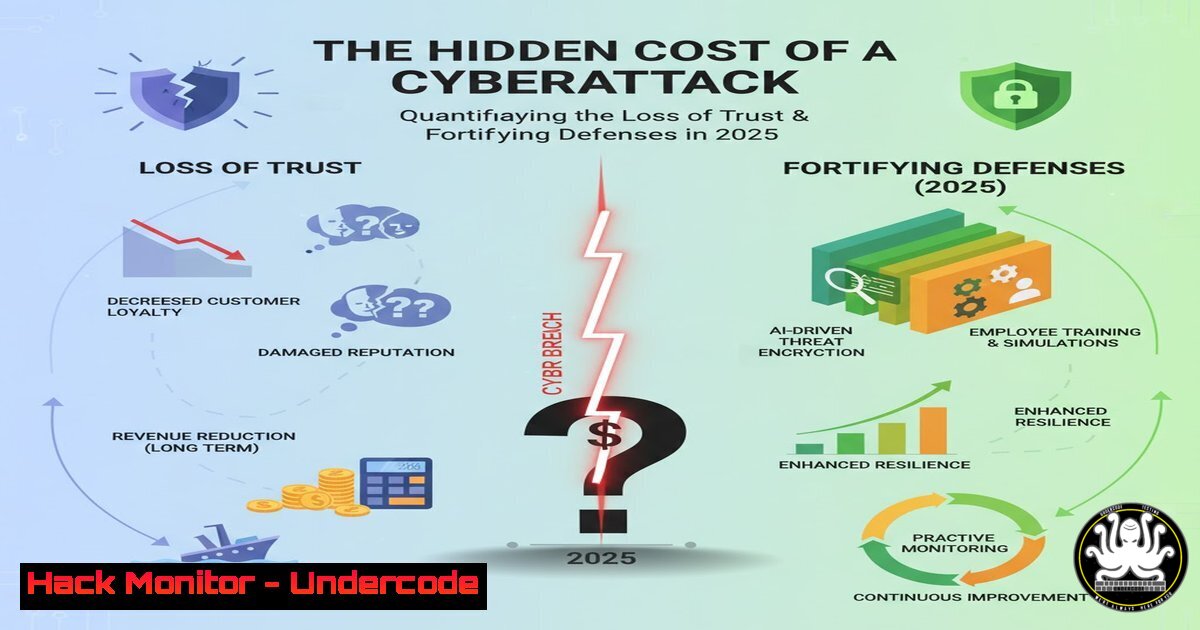
While the average cost of a data breach has now surpassed $4.8 million, the true invoice of a cyberattack is often measured in eroded client trust, exhausted IT teams, and damaged organizational reputation. With the Verizon Data Breach Report 2025 confirming over 12,000 breaches—60% of which involve human error—proactive defense is no longer optional. This article moves beyond the financial figures to provide a technical blueprint for hardening your systems against the human factor and technical oversights that lead to catastrophic breaches.
Learning Objectives:
- Implement critical system hardening commands for Windows and Linux to reduce the attack surface.
- Deploy active monitoring and logging to detect intrusions and configuration drifts.
- Understand and mitigate common web application and API vulnerabilities that lead to data exposure.
- Establish foundational security controls for cloud environments and network perimeters.
- Develop an incident response checklist to contain a breach and begin recovery operations.
You Should Know:
1. System Hardening: The First Line of Defense
A hardened system is a resilient system. The following commands are essential for locking down both Linux and Windows environments, removing unnecessary services, and enforcing secure configurations.
Linux: Audit and Harden with `lynis`
 Perform a system audit
sudo lynis audit system

Check for specific warnings (e.g., boot files permissions)
sudo grep Warning /var/log/lynis.log

Harden the system based on the report (example: set stricter umask)
sudo echo "umask 027" >> /etc/profile
Step-by-step guide:
- Install `lynis` from your distribution’s repositories (e.g.,
sudo apt install lynis). - Run `sudo lynis audit system` for a comprehensive check of your security posture.
- Review the output in
/var/log/lynis.log, paying close attention to `Warning` and `Suggestion` tags. - Methodically implement the suggestions provided, such as setting a stricter `umask` (027) to ensure new files are not world-readable by default.
Windows: Enforce PowerShell Logging
 Enable Script Block Logging (Critical for detecting malicious scripts)
Set-ItemProperty -Path "HKLM:\SOFTWARE\Policies\Microsoft\Windows\PowerShell\ScriptBlockLogging" -Name "EnableScriptBlockLogging" -Value 1

Enable Module Logging (Captures pipeline execution details)
Set-ItemProperty -Path "HKLM:\SOFTWARE\Policies\Microsoft\Windows\PowerShell\ModuleLogging" -Name "EnableModuleLogging" -Value 1
$modules = @(''); Set-ItemProperty -Path "HKLM:\SOFTWARE\Policies\Microsoft\Windows\PowerShell\ModuleLogging\ModuleNames" -Name "ModuleNames" -Value $modules
Step-by-step guide:
1. Open PowerShell as an Administrator.
- Execute the first command to enable Script Block Logging. This is vital for uncovering obfuscated and malicious PowerShell scripts used in attacks.
- Execute the second set of commands to enable Module Logging for all modules, providing deep visibility into what commands are being executed.
- Logs will be sent to the Windows Event Log, viewable under
Microsoft-Windows-PowerShell/Operational.
2. Mastering Logging and Proactive Monitoring
Without comprehensive logs, an attack can go unnoticed for months. Aggregating and analyzing these logs is key to early detection.
Linux: Centralized Log Query with `journalctl`
 View logs from the last hour for the SSH service
journalctl --since "1 hour ago" -u ssh

Follow logs in real-time for a specific service
journalctl -f -u apache2

Export logs to a file for forensic analysis
journalctl --since "today" > /var/log/forensic_$(date +%Y%m%d).log
Step-by-step guide:
- Use `journalctl -u
` to filter logs for a specific systemd service, such as `ssh` or <code>apache2</code>.</li>
<li>The `-f` flag allows you to `follow` the logs in real-time, which is crucial for monitoring ongoing incidents.</li>
<li>For post-incident analysis, export logs from a specific timeframe to a file using the `--since` and `--until` flags.</li>
</ol>

<h2 style="color: yellow;">Windows: Hunt for Lateral Movement with `Get-WinEvent`</h2>

[bash]
 Query for successful network logons (Event ID 4624, Type 3)
Get-WinEvent -FilterHashtable @{LogName='Security'; ID=4624; StartTime=(Get-Date).AddHours(-24)} | Where-Object {$_.Properties[bash].Value -eq 3} | Format-List

Query for Kerberos Golden Ticket attacks (Event ID 4769 with specific characteristics)
Get-WinEvent -FilterHashtable @{LogName='Security'; ID=4769} | Where-Object {$_.Properties[bash].Value -ne 0} | Format-List TimeCreated, Id, Message
Step-by-step guide:
1. Open PowerShell as an Administrator.
- The first command searches the last 24 hours of Security logs for successful network logons (often indicative of lateral movement).
- The second command looks for Kerberos Service Ticket requests (Event ID 4769) where the result code (Property 0) is not `0x0` (success), which can indicate ticket-forging attacks.
- Correlate these events with other anomalous activity to build an attack timeline.
3. Securing Web Applications and APIs
APIs are the new frontline for data breaches. Misconfigurations and vulnerabilities here are a primary vector for data exfiltration.
Using `curl` to Test API Security Headers
 Test for missing security headers
curl -I https://yourapi.example.com/v1/users

Test for SQL Injection vulnerability in a parameter
curl -X GET "https://yourapi.example.com/v1/users?id=1' OR '1'='1'--"
Step-by-step guide:
- The `-I` flag fetches only the HTTP headers. Inspect the response for critical headers like
Strict-Transport-Security,Content-Security-Policy, andX-Content-Type-Options. - The second command is a basic test for SQL injection. A non-standard error message or unexpected output could indicate a vulnerability.
- Integrate these checks into your CI/CD pipeline or use dedicated tools like OWASP ZAP for more thorough, automated scanning.
Exploiting and Mitigating Command Injection with `;` and `|`
 Vulnerable code snippet (PHP example)
$email = $_POST['email'];
system("mail -s 'Newsletter' " . $email);

Attacker input: [email protected]; cat /etc/passwd
 This would execute: mail -s 'Newsletter' [email protected]; cat /etc/passwd
Step-by-step guide:
- The vulnerable PHP code directly concatenates user input (
$email) into a system command. - An attacker can inject a command separator like `;` or `|` to execute arbitrary commands on the server (e.g.,
cat /etc/passwd). - Mitigation: Always use built-in functions that avoid the shell (e.g., `mail()` in PHP instead of
system("mail...")). If a shell command is unavoidable, rigorously validate and sanitize input, using an allowlist of safe characters, and leverage functions likeescapeshellarg().
4. Cloud Infrastructure Hardening
Misconfigured cloud storage is a leading cause of data leaks. Ensuring least-privilege access is paramount.
AWS CLI: Audit and Secure S3 Buckets
 List all S3 buckets
aws s3 ls

Check the ACL of a specific bucket
aws s3api get-bucket-acl --bucket my-bucket-name

Apply a bucket policy that denies non-HTTPS traffic and public access
aws s3api put-bucket-policy --bucket my-bucket-name --policy file://secure-bucket-policy.json
Example `secure-bucket-policy.json` content:
{
"Version": "2012-10-17",
"Statement": [
{
"Effect": "Deny",
"Principal": "",
"Action": "s3:",
"Resource": "arn:aws:s3:::my-bucket-name/",
"Condition": {"Bool": {"aws:SecureTransport": false}}
}
]
}
Step-by-step guide:
- Use `aws s3 ls` to get an inventory of all your S3 buckets.
- For each bucket, check its Access Control List (ACL) and any bucket policies with `get-bucket-acl` and
get-bucket-policy. - Apply a strict bucket policy like the one shown, which explicitly denies any access that does not use HTTPS (SecureTransport), preventing accidental data exposure over unencrypted channels.
5. Network Perimeter Defense and Vulnerability Scanning
Knowing what is exposed to the internet is the first step in defending it.
Network Mapping with `nmap`
 Basic service discovery scan
nmap -sV -sC target.com

Scan for specific vulnerabilities using the Nmap Scripting Engine (NSE)
nmap --script vuln target.com

Scan all TCP ports (stealthier than a ping sweep)
nmap -sS -p- target.com
Step-by-step guide:
- The `-sV` flag enables version detection, and `-sC` runs default scripts, providing a good overview of services.
- The `–script vuln` command runs a suite of scripts designed to identify known vulnerabilities. Use this responsibly and only on systems you own or are authorized to test.
- The `-sS -p-` command initiates a SYN scan against all 65,535 TCP ports to build a complete picture of the attack surface.
6. Incident Response: The First 30 Minutes
When a breach is detected, a swift and methodical response is critical to containment.
Linux: Isolate a Compromised Host and Capture Evidence
 Block all incoming/outgoing traffic (if isolation is the priority)
iptables -P INPUT DROP
iptables -P OUTPUT DROP
iptables -P FORWARD DROP

Create a timeline of file accesses for a specific user/process
find / -user www-data -type f -printf "%T+ %p\n" 2>/dev/null | sort > /tmp/www-data-timeline.txt

Capture all current network connections
netstat -tunap > /tmp/network-connections-$(date +%s).txt
Step-by-step guide:
- Immediately block all network traffic using `iptables` to prevent further data exfiltration or attacker command-and-control.
- Use `find` to create a timeline of all files accessed by a potentially compromised service account (e.g.,
www-data). This is invaluable for forensic analysis. - Capture a snapshot of all active network connections with `netstat` to identify suspicious established connections or listening ports.
Windows: Analyze Running Processes and Persistence
 Get a detailed list of all running processes
Get-WmiObject Win32_Process | Select-Object Name, ProcessId, CommandLine | Format-Table -AutoSize

Check common persistence locations (WMI Event Subscriptions)
Get-WMIObject -Namespace root\Subscription -Class __EventFilter
Get-WMIObject -Namespace root\Subscription -Class __CommandLineEventConsumer
Get-WMIObject -Namespace root\Subscription -Class __FilterToConsumerBinding
Step-by-step guide:
- Use the `Get-WmiObject` command to list all processes, including their full command lines. Look for processes with suspicious names, locations, or arguments.
- Advanced attackers use WMI Event Subscriptions for persistence. Querying these classes can reveal malicious scripts configured to execute upon specific system events.
- Document all findings for your incident report and further investigation by your security team.
What Undercode Say:
- The human element remains the most critical and unpredictable variable in the cybersecurity equation, directly influencing over half of all breaches.
- The true cost of a modern cyber incident is a tripartite burden: direct financial loss, immense operational downtime, and the long, arduous road to rebuilding stakeholder trust.
The focus on a $4.8 million price tag is a dangerous oversimplification. It allows organizations to believe cybersecurity is a financial risk to be managed, rather than a core operational and cultural imperative. The technical commands and procedures outlined are not just IT tasks; they are the foundational components of a resilient business. They build a defensive posture that accounts for human fallibility. Implementing system hardening, rigorous logging, and API security creates a system that can withstand common errors. Furthermore, having a well-practiced incident response plan transforms a potential catastrophe into a managed event, directly mitigating the “unseen costs” of panic, rushed decisions, and prolonged recovery. The goal is to engineer an environment where trust is not something that can be easily broken by a single click.
Prediction:
The convergence of AI-powered social engineering and an expanding attack surface due to IoT and hybrid work models will make the human factor an even more pronounced threat vector. We will see a rise in highly personalized, AI-generated phishing campaigns that are nearly indistinguishable from legitimate communication, leading to a new wave of sophisticated breaches. Organizations that fail to integrate technical controls with continuous, engaging security awareness training will find their financial losses dwarfed by the irreversible collapse of client and market confidence.
🎯Let’s Practice For Free:
IT/Security Reporter URL:
Reported By: Bjallal Le – Hackers Feeds
Extra Hub: Undercode MoN
Basic Verification: Pass ✅🔐JOIN OUR CYBER WORLD [ CVE News • HackMonitor • UndercodeNews ]
📢 Follow UndercodeTesting & Stay Tuned:


