Listen to this Post
Introduction:
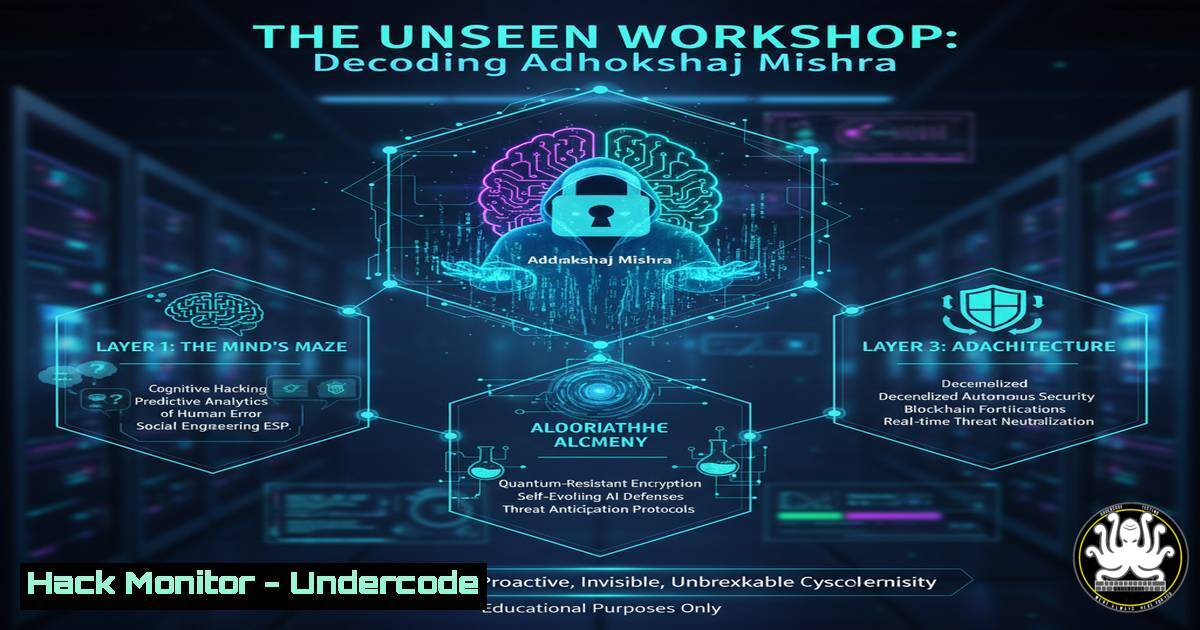
A cryptic LinkedIn post from a seasoned Red Team Lead has sparked intense curiosity within the cybersecurity community. The allusion to “accidentally landing in Adhokshaj Mishra’s workshop” and people “scratching their heads” serves as a powerful metaphor for the disorientation professionals face when encountering advanced, unconventional security techniques. This scenario underscores the critical need for continuous, hands-on training beyond standard certifications.
Learning Objectives:
- Understand the core red teaming tactics and commands that form the basis of advanced offensive security.
- Learn essential system hardening commands to defend against the techniques employed in advanced workshops.
- Develop skills in forensic analysis and incident response to identify and mitigate sophisticated attacks.
You Should Know:
1. Initial Reconnaissance and Enumeration
The first step in any red team engagement is silent reconnaissance. Before launching any attack, understanding the target landscape is paramount.
Command (Linux):
nmap -sS -sV -O -T4 -A -p- 192.168.1.0/24
Step-by-step guide: This Nmap command performs a comprehensive network scan.
-sS: Initiates a TCP SYN stealth scan, which is less likely to be logged than a full connect scan.
-sV: Probes open ports to determine service and version information.
-O: Enables OS detection based on network stack fingerprints.
-T4: Sets the timing template to “aggressive” for faster execution.
-A: Enables OS detection, version detection, script scanning, and traceroute.
-p-: Scans all 65,535 ports on the target machines.
2. Privilege Escalation on Windows Systems
Gaining an initial foothold is often just the beginning. Escalating privileges to SYSTEM or Administrator is a core objective.
Command (Windows):
whoami /priv | findstr /i "SeBackupPrivilege SeDebugPrivilege"
Step-by-step guide: This command checks for critical privileges that can be abused for privilege escalation.
whoami /priv: Displays all privileges assigned to the current user.
|: Pipes the output to the next command.
findstr /i: Searches the input text, ignoring case.
"SeBackupPrivilege SeDebugPrivilege": The specific, powerful privileges to look for. `SeDebugPrivilege` allows a process to debug another process, which can be used to inject code and steal tokens.
- Living Off the Land: Lateral Movement with WMI
Advanced adversaries use built-in system tools to move laterally, a technique known as “Living off the Land” (LOLBins).
Command (Windows):
wmic /node:"TARGET_IP" /user:"DOMAIN\User" /password:"Password123" process call create "cmd.exe /c whoami > C:\output.txt"
Step-by-step guide: This uses Windows Management Instrumentation (WMI) to execute a command on a remote system.
`wmic`: The WMI command-line utility.
`/node:”TARGET_IP”`: Specifies the remote computer to target.
`/user:` and `/password:`: Provides credentials for authentication.
process call create: The WMI method to create a new process.
"cmd.exe /c whoami > C:\output.txt": The command to execute, which in this case runs `whoami` and writes the output to a file.
4. Configuring Sysmon for Advanced Detection
To detect the aforementioned techniques, robust logging is essential. Sysmon is a system monitoring tool that provides detailed logs.
Configuration Snippet (XML for Sysmon config):
<Sysmon schemaversion="4.81">
<HashAlgorithms>SHA256</HashAlgorithms>
<EventFiltering>
<!-- Log all driver loads -->
<ProcessCreate onmatch="exclude"/>
<FileCreateTime onmatch="exclude"/>
<NetworkConnect onmatch="exclude"/>
<ProcessTerminate onmatch="exclude"/>
<DriverLoad onmatch="include">
<Image condition="end with">.sys</Image>
</DriverLoad>
<WmiEventFilter onmatch="include"/>
<WmiEventConsumer onmatch="include"/>
<WmiEventFilterToConsumerBinding onmatch="include"/>
</EventFiltering>
</Sysmon>
Step-by-step guide: This configuration focuses on capturing highly suspicious WMI and driver load activity.
Install Sysmon with a command like: `Sysmon.exe -i config.xml -accepteula`
The `
The `
5. Exploiting a Common Web Vulnerability: SQL Injection
Web applications are a primary attack vector. SQL Injection remains a high-impact vulnerability.
Command (using `curl` for testing):
curl "http://vulnerable-site.com/login.php" --data "username=admin' OR '1'='1'--&password=any"
Step-by-step guide: This is a basic test for SQL Injection in a login form.
curl: A command-line tool for transferring data with URLs.
--data: Sends the specified data in a POST request.
username=admin' OR '1'='1'--: The payload. The single quote (') breaks the SQL query syntax. `OR ‘1’=’1’` makes the condition always true, and the `–` comments out the rest of the original query, potentially bypassing authentication.
6. Hardening Cloud Storage (AWS S3)
Misconfigured cloud storage is a leading cause of data breaches. Ensuring S3 buckets are not publicly accessible is a fundamental step.
AWS CLI Command:
aws s3api put-bucket-acl --bucket my-bucket-name --acl private
Step-by-step guide: This command sets the Access Control List (ACL) of an S3 bucket to private.
aws s3api: The AWS CLI command for S3 API operations.
put-bucket-acl: The specific action to update the bucket’s ACL.
--bucket my-bucket-name: The name of the target bucket.
--acl private: Grants the bucket owner full control. No other AWS users have access.
7. Incident Response: Memory Acquisition for Analysis
When a sophisticated attack is suspected, capturing the memory of a compromised machine is vital for forensic analysis.
Command (Using FTK Imager CLI or similar):
ftkimager --source \.\PhysicalMemory /evidence/host1_mem.aff --e01 --frag 2G --description "Acquisition of physical memory from host1"
Step-by-step guide: This command creates a forensically sound image of the physical RAM.
ftkimager: The command-line interface for AccessData FTK Imager.
--source \\.\PhysicalMemory: Specifies the physical memory of the local machine as the source.
/evidence/host1_mem.aff: The output path and filename for the memory image.
--e01: Outputs in the Expert Witness Format (E01), a common forensic image format.
--frag 2G: Splits the output file into 2GB fragments for easier handling.
What Undercode Say:
- The “head-scratching” effect is a direct result of the skills gap between theoretical certification knowledge and the practical, often undocumented, tradecraft taught in advanced workshops.
- Defenders must shift left, integrating offensive security principles into the core of their detection and hardening strategies to anticipate these advanced attacks.
The viral post is more than an inside joke; it’s a barometer for the industry’s readiness. The fact that a single name, Adhokshaj Mishra, can evoke such a universal sentiment of challenge indicates a collective recognition of a steep learning curve. The community’s engagement shows a desire to bridge this gap, moving from standardized knowledge to mastering the unpredictable, creative problem-solving required in modern cybersecurity. This highlights an urgent need for training that simulates the pressure and complexity of a real-world adversary, not just the checklist of an exam.
Prediction:
The “Mishra Workshop Effect” will catalyze a significant evolution in cybersecurity training. We predict a rapid move away from multiple-choice-based certifications towards performance-based, continuous assessment platforms. AI-driven red team simulators will become standard training tools, creating dynamic, adaptive attack scenarios that evolve in real-time based on the defender’s actions. This will create a new tier of cybersecurity professionals who are not just certified, but truly battle-tested, fundamentally raising the baseline for enterprise security and forcing attackers to innovate even further.
🎯Let’s Practice For Free:
IT/Security Reporter URL:
Reported By: Hs Ninja – Hackers Feeds
Extra Hub: Undercode MoN
Basic Verification: Pass ✅


