Listen to this Post
Introduction:
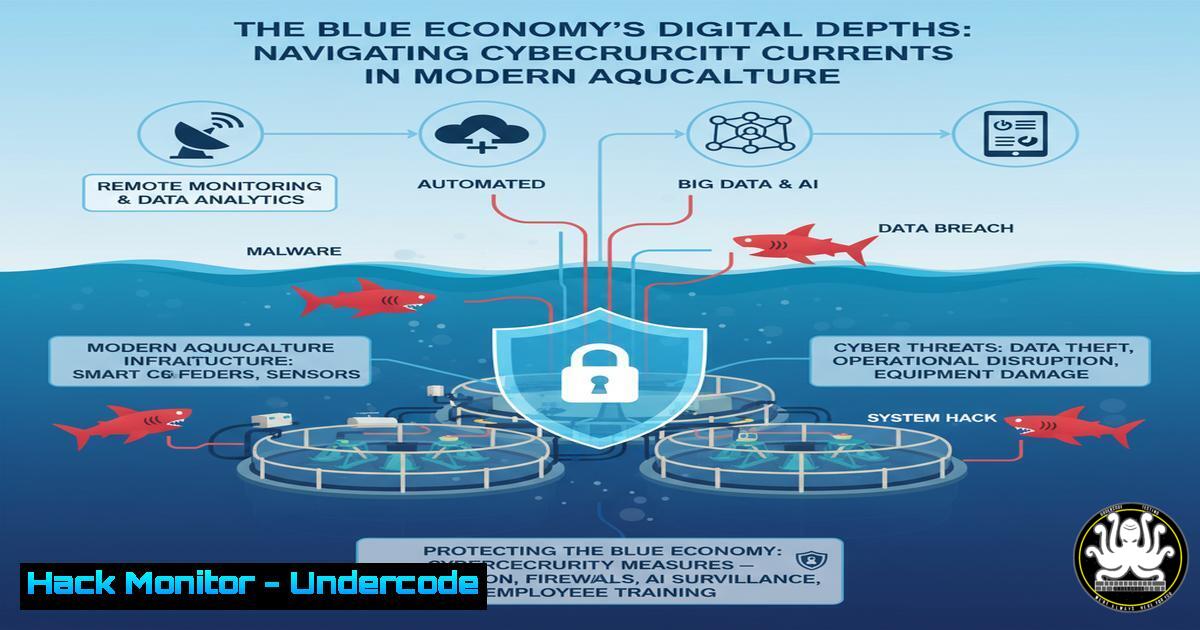
The blue economy, encompassing sustainable marine industries like aquaculture, is rapidly digitizing with IoT sensors, AI-driven feeding systems, and cloud-based supply chain management. This technological integration, while boosting efficiency, creates a vast and often overlooked attack surface, making robust cybersecurity not an option but a prerequisite for operational and financial stability. This article delves into the specific cyber threats facing this sector and provides actionable technical defenses.
Learning Objectives:
- Identify critical vulnerabilities in IoT and Industrial Control Systems (ICS) used in modern aquaculture.
- Implement hardening techniques for cloud-based aquaculture data platforms and API endpoints.
- Develop an incident response strategy tailored to the operational technology (OT) environments of aquatic farms.
You Should Know:
1. Securing Aquaculture IoT Sensor Networks
Aquaculture facilities rely on IoT sensors for water quality (pH, temperature, oxygen) and feeding control. Unsecured devices are prime targets for data manipulation or disruption.
Verified Commands & Tutorials:
Nmap Scan for Connected Devices: `nmap -sS -sU -O 192.168.1.0/24`
What it does: Discovers all active devices (TCP/UDP) on the network and attempts OS fingerprinting.
How to use: Run from a central management server. Identify all connected sensors, controllers, and gateways. Any unknown device should be investigated immediately.
Change Default Credentials on a Sensor/Controller via SSH: `ssh admin@
(Once logged in, use device-specific commands to change the default password).
What it does: Secures access to the device’s management interface.
How to use: Replace `admin` and the IP address. Use a strong, unique password stored in a company vault. Automate this for fleet deployment.
Check for Rogue Wireless Access Points: `airodump-ng wlan0mon`
What it does: Monitors wireless networks to identify unauthorized access points that could be used for eavesdropping.
How to use: Requires a wireless adapter in monitor mode. Run periodically around sensitive control areas to detect unauthorized network extensions.
2. Hardening Cloud-Based Aquaculture Data Platforms
Platforms like “100% Fish” and “Hatch Blue” leverage cloud infrastructure. Misconfigurations are a leading cause of data breaches.
Verified Commands & Snippets:
AWS S3 Bucket Policy to Block Public Access:
{
"Version": "2012-10-17",
"Statement": [
{
"Sid": "ForceSSLOnlyAccess",
"Effect": "Deny",
"Principal": "",
"Action": "s3:",
"Resource": "arn:aws:s3:::your-aquaculture-data-bucket/",
"Condition": {
"Bool": {
"aws:SecureTransport": "false"
}
}
}
]
}
What it does: Explicitly denies any access to the S3 bucket that does not use SSL/TLS.
How to use: Apply this policy to any S3 bucket containing sensitive operational, financial, or R&D data.
Azure CLI Command to Enable Diagnostic Logs on a Storage Account: `az monitor diagnostic-settings create –resource
What it does: Streams read/write logs to a Log Analytics workspace for security monitoring and anomaly detection.
How to use: Replace the resource IDs with your own. This is critical for detecting unauthorized access attempts to your cloud data lakes.
Terraform Code to Ensure Database Encryption is Enabled:
resource "aws_db_instance" "aquaculture_db" {
allocated_storage = 20
storage_type = "gp2"
engine = "mysql"
engine_version = "5.7"
instance_class = "db.t2.micro"
name = "mydb"
username = "foo"
password = "foobarbaz"
parameter_group_name = "default.mysql5.7"
storage_encrypted = true  This is the critical security line
kms_key_id = aws_kms_key.db_encryption_key.arn
}
What it does: Ensures the database storage is encrypted at rest using a customer-managed KMS key.
How to use: Include this in your Infrastructure-as-Code (IaC) templates to enforce encryption by default.
3. API Security for Supply Chain Integration
APIs connect farms, processors, and distributors. Insecure APIs can lead to massive data leaks or supply chain manipulation.
Verified Commands & Snippets:
OWASP ZAP Baseline Scan for an API Endpoint: `zap-baseline.py -t https://api.aquaculture-platform.com/v1/sensor-data -I`
What it does: Runs an automated security scan against a specified API URL to identify common vulnerabilities like injection, broken authentication, and excessive data exposure.
How to use: Integrate this command into your CI/CD pipeline to scan every new API deployment before it reaches production.
JWT Token Validation Snippet (Python/Flask):
import jwt
from functools import wraps
from flask import request, jsonify

def token_required(f):
@wraps(f)
def decorated(args, kwargs):
token = request.headers.get('x-access-token')
if not token:
return jsonify({'message': 'Token is missing!'}), 401
try:
data = jwt.decode(token, app.config['SECRET_KEY'], algorithms=["HS256"])
current_user = data['user']
except jwt.ExpiredSignatureError:
return jsonify({'message': 'Token has expired!'}), 401
except jwt.InvalidTokenError:
return jsonify({'message': 'Token is invalid!'}), 401
return f(current_user, args, kwargs)
return decorated
What it does: A decorator function that validates JWT tokens on API requests, checking for presence, validity, and expiration.
How to use: Apply this decorator to any Flask route that requires authenticated access.
Rate Limiting with Nginx: `limit_req_zone $binary_remote_addr zone=api:10m rate=10r/s;`
What it does: Defines a shared memory zone to track request counts per IP address, limiting them to 10 requests per second.
How to use: Place this in your `nginx.conf` http block and apply the `limit_req zone=api;` directive to your API location block to mitigate brute-force and DDoS attacks.
- Industrial Control System (ICS) Hardening for Feeding & Aeration
The physical machinery controlling feeders and aeration systems is often managed by Programmable Logic Controllers (PLCs) which are notoriously fragile to network attacks.
Verified Commands & Tutorials:
Network Segmentation with iptables: `iptables -A FORWARD -i eth0 -o eth1 -p tcp –dport 502 -j DROP`
What it does: Blocks Modbus TCP traffic (port 502) from traversing from the corporate network (eth0) to the OT network (eth1).
How to use: Implement strict firewall rules on the gateway between IT and OT networks. Only allow explicitly required traffic.
Nessus/Vulnerability Scanner Policy for PLCs: Create a custom scan policy that uses non-intrusive, credentialed checks where possible to avoid crashing delicate PLCs.
What it does: Safely identifies vulnerabilities in OT equipment without causing a denial-of-service.
How to use: Configure the scanner with read-only credentials for PLCs and avoid aggressive network discovery sweeps. Schedule scans during maintenance windows.
Windows Command to Disable AutoRun on Control Station PCs: `reg add “HKLM\SOFTWARE\Microsoft\Windows\CurrentVersion\Policies\Explorer” /v NoDriveTypeAutoRun /t REG_DWORD /d 255 /f`
What it does: Prevents malware from automatically executing from USB drives, a common infection vector in air-gapped or semi-air-gapped OT networks.
How to use: Run this command as an Administrator on all Windows-based HMI and engineering workstations.
5. Incident Response for a Compromised Control System
When a cyber-incident affects physical operations, the response must be swift and precise to prevent environmental or stock loss.
Verified Commands & Tutorials:
Isolate a Compromised Host with Windows Firewall: `netsh advfirewall set allprofiles state on`
What it does: Immediately enables the Windows Firewall for all profiles, blocking all unsolicited inbound and outbound traffic.
How to use: Run this on a suspected compromised control station to contain the threat while investigation begins.
Capture Network Traffic for Forensic Analysis: `tcpdump -i any -s 0 -w incident_capture.pcap`
What it does: Captures all network traffic on all interfaces without a size limit and writes it to a file.
How to use: Run this on a central switch or server as soon as an incident is declared. The pcap file is vital for understanding the attack vector and scope.
Linux Command to Create a Forensic Disk Image: `dd if=/dev/sdb of=/safe/location/evidence.img bs=4M status=progress`
What it does: Creates a bit-for-bit copy of a storage device (e.g., from a compromised server) for offline analysis.
How to use: Replace `/dev/sdb` with the source device. Write the image to a secure, separate storage location. Maintain a chain of custody.
What Undercode Say:
- The convergence of IT and OT in the blue economy creates a “perfect storm” for threat actors, where a simple data breach can escalate to catastrophic environmental and economic damage.
- Proactive security, embedded from the sensor to the cloud, is no longer a cost center but a core component of operational risk management and investment viability in sustainable aquaculture.
The industry’s focus on sustainability and innovation must be matched by an equal investment in cyber resilience. A breach impacting feeding schedules or water oxygenation doesn’t just leak data; it can decimate stock, destroy a company’s valuation, and erode investor confidence in the entire blue economy sector. The technical controls outlined here are the first line of defense in protecting these critical, digitally-transformed operations from increasingly sophisticated threats.
Prediction:
Within the next 3-5 years, we will witness the first publicly disclosed, major cyber-attack that successfully disrupts a large-scale aquaculture operation, leading to significant stock loss and triggering stringent, insurance-mandated cybersecurity regulations for the entire blue economy sector. This event will act as a catalyst, forcing rapid maturation of cybersecurity practices, much like the Stuxnet attack did for industrial control system security, ultimately defining which companies are truly sustainable and investable.
🎯Let’s Practice For Free:
IT/Security Reporter URL:
Reported By: Sigfusson Newyork – Hackers Feeds
Extra Hub: Undercode MoN
Basic Verification: Pass ✅


