Listen to this Post
Introduction:
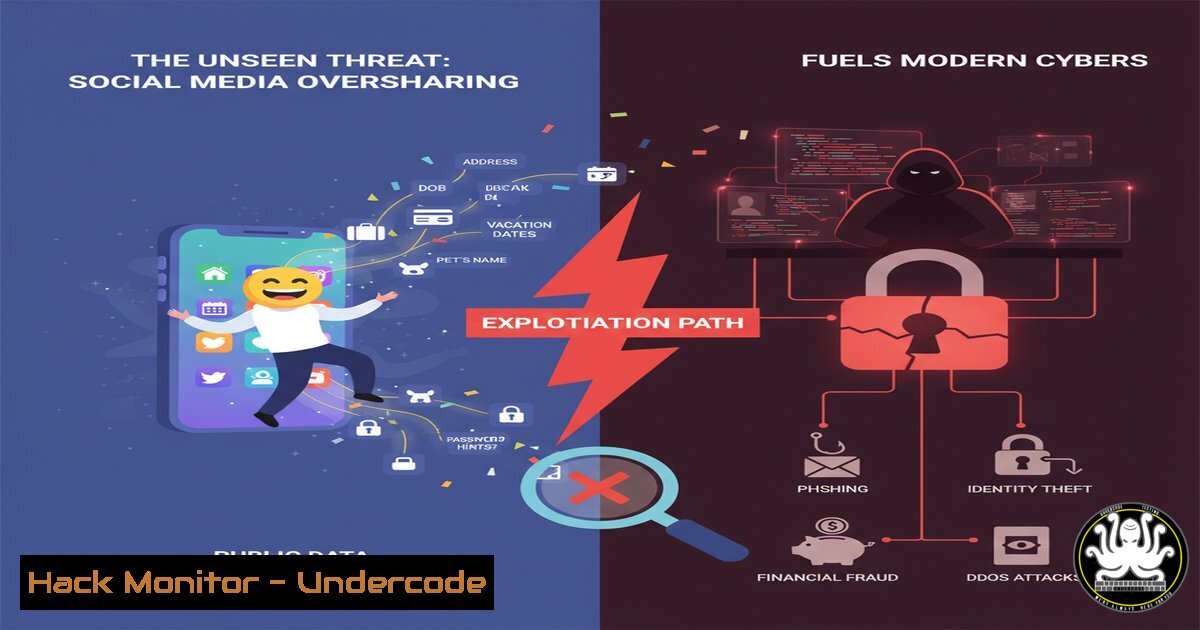
In an era of digital connection, the heartfelt posts and professional updates we share on platforms like LinkedIn create a rich tapestry of personal data. This information, often seemingly innocuous, is a goldmine for cybercriminals practicing social engineering and building targeted attack campaigns. Understanding how to operate securely in this environment is no longer optional; it is a fundamental IT hygiene requirement.
Learning Objectives:
- Identify the types of personal and professional data shared on social media that can be weaponized for cyber attacks.
- Implement command-line and tool-based techniques to audit your own digital footprint and harden your online profiles.
- Develop a proactive defense strategy to mitigate risks associated with social engineering, credential stuffing, and spear-phishing.
You Should Know:
1. Digital Footprint Reconnaissance with `theHarvester`
The first step in understanding your exposure is to see what an attacker can easily find. The `theHarvester` tool is a cornerstone of open-source intelligence (OSINT) gathering.
 Install theHarvester (Kali Linux pre-installed, or via pip)
sudo apt-get install theharvester

Basic usage to gather emails and subdomains linked to a domain
theHarvester -d "yourcompany.com" -b linkedin,google,bing -l 500
Step-by-step guide:
This command instructs `theHarvester` to search for information related to `yourcompany.com` (-d domain). It uses the linkedin, google, and `bing` data sources (-b) and limits the search to 500 results per source (-l). The output will list email addresses, names, and hostnames associated with the target, revealing the public-facing attack surface that can be gleaned from social platforms and search engines. Regularly running this against your own organization exposes the same data a threat actor would use for reconnaissance.
2. Password Strength Auditing with `hashcat`
Posts about pets, anniversaries, and hobbies often reveal password hints. Attackers use this data to fuel brute-force attacks. Auditing your password strength is critical.
 Create a MD5 hash of a sample password for testing
echo -n "Spring2024!" | md5sum
 Output: 8e6d76e27c1e5a7c3a8b8d8c8e8f8a8b -

Basic Hashcat command to perform a dictionary attack
hashcat -m 0 -a 0 target_hashes.txt rockyou.txt
Step-by-step guide:
This process demonstrates how weak passwords are cracked. First, a password is hashed using MD5. The `hashcat` command then attempts to crack hashes in `target_hashes.txt` (-m 0 specifies MD5 hash type) using a wordlist (-a 0 for a straight dictionary attack) like rockyou.txt. If “Spring2024!” (or a variant based on your posts) is in the wordlist, it will be cracked instantly, highlighting the danger of using predictable, context-based passwords.
3. LinkedIn Profile Data Extraction Prevention
While automated scraping tools exist, the best defense is minimizing data exposure. Manually audit your LinkedIn profile’s public visibility.
Step-by-step guide:
- Go to your LinkedIn profile and click the “Me” icon.
2. Select “Settings & Privacy”.
- Navigate to “Visibility” and then “Edit your public profile”.
- On the right-hand pane, restrict the visibility of your profile photo, headline, and current position to “Your connections” only instead of “Public”.
- Review the “Data privacy” section and disable “Share your data with third parties”. This limits the amount of data available for scraping and profiling.
4. Detecting Phishing Sites with `nslookup` and `whois`
Posts containing links, even from “partners,” can be malicious. Verify the legitimacy of a domain before clicking.
Windows Command:
nslookup undercode-security.com
whois undercode-security.com
Linux Command:
nslookup undercode-security.com
whois undercode-security.com
Step-by-step guide:
`nslookup` queries DNS to resolve a domain name to an IP address. A newly registered domain or one pointing to a suspicious IP range is a red flag. The `whois` command provides registration details, including the creation date and registrar. A domain created only days or weeks ago is highly suspect, especially if it mimics a legitimate brand mentioned in your network.
5. Browser Security Hardening with Command Line
Malicious ads (malvertising) can be injected even on professional sites. Harden your browser via policy.
Windows (using PowerShell to check settings):
 Check if Enhanced Security Configuration is enabled for Internet Explorer (a proxy for system policy)
Get-ItemProperty "HKLM:\SOFTWARE\Microsoft\Internet Explorer\Main" | Select-Object Isolate
Step-by-step guide:
While direct browser hardening is often GUI-based, group policy and command-line tools can enforce settings. The PowerShell command checks a registry key related to security isolation. For modern browsers like Chrome and Edge, enforce policies that block third-party cookies and JavaScript by default, only allowing it on trusted sites. This mitigates drive-by download attacks originating from compromised ad networks.
6. Network Traffic Analysis with `tcpdump`
Suspicious links can lead to malware that calls back to a command-and-control (C2) server. Basic traffic analysis can detect this.
 Capture HTTP traffic on port 80 to look for suspicious domains
sudo tcpdump -i any -A 'tcp port 80 and host not (8.8.8.8 or 1.1.1.1)'
Step-by-step guide:
This `tcpdump` command captures all TCP traffic on port 80 (HTTP) excluding traffic to common DNS servers. The `-A` flag prints each packet in ASCII, allowing you to see the raw HTTP requests. By running this command and then visiting a link, you can observe if your machine is communicating with unexpected domains, a primary indicator of a compromise.
7. Cloud Security Posture Management (CSPM) Primer
Professional posts about “cloud transformation” and “partnering worldwide” hint at cloud infrastructure. Misconfigurations are a leading cause of breaches.
AWS CLI Command to audit S3 Buckets:
 List all S3 buckets and their policies
aws s3api list-buckets --query 'Buckets[].Name'
aws s3api get-bucket-policy --bucket YOUR_BUCKET_NAME
Step-by-step guide:
These AWS CLI commands first list all S3 buckets in an account. Then, for a specific bucket, they retrieve the access policy. You must audit these policies to ensure they are not set to `”Effect”: “Allow”` and "Principal": "", which would make the bucket publicly accessible to anyone on the internet. This is a common data leak vector discovered through automated scanning.
What Undercode Say:
- Your Personal Brand is Your Attack Surface: Every shared detail about your life, company, and technology stack reduces the effort required for a successful social engineering attack. The professional persona you cultivate is simultaneously a dossier for adversaries.
- Automated Defense is Non-Negotiable: Relying on manual vigilance against automated scraping and attack tools is a losing battle. Security must be automated through scripts, policies, and monitoring to match the scale and speed of modern threats.
The analysis of the provided LinkedIn post, while benign, exemplifies the culture of sharing that cybersecurity professionals must navigate. The language of “partnering with wells worldwide” and “RWA | DeFi,” when posted by a professional, signals specific business interests and technological focus. A targeted attacker could craft a highly convincing spear-phishing email referencing these exact terms, leveraging the trust and context established by the public post. The human desire for connection, so eloquently described, is the very vulnerability that the most sophisticated cyber attacks are designed to exploit. The defense is not to stop connecting, but to connect with a conscious and enforced security posture.
Prediction:
The line between professional social networking and cyber threat intelligence will continue to blur. We predict the rise of AI-driven OSINT bots that continuously scrape platforms like LinkedIn, automatically correlating employee roles, project announcements, and technological buzzwords to build hyper-realistic phishing lures and identify potential supply chain attack vectors. Defensively, we will see the integration of “social media posture management” tools into standard security suites, automatically flagging excessive data exposure and simulating targeted attacks based on an employee’s digital footprint. The future of social media security is proactive, automated, and integrated directly into the corporate SOC.
🎯Let’s Practice For Free:
IT/Security Reporter URL:
Reported By: Soren Muller – Hackers Feeds
Extra Hub: Undercode MoN
Basic Verification: Pass ✅


