Listen to this Post
Introduction:
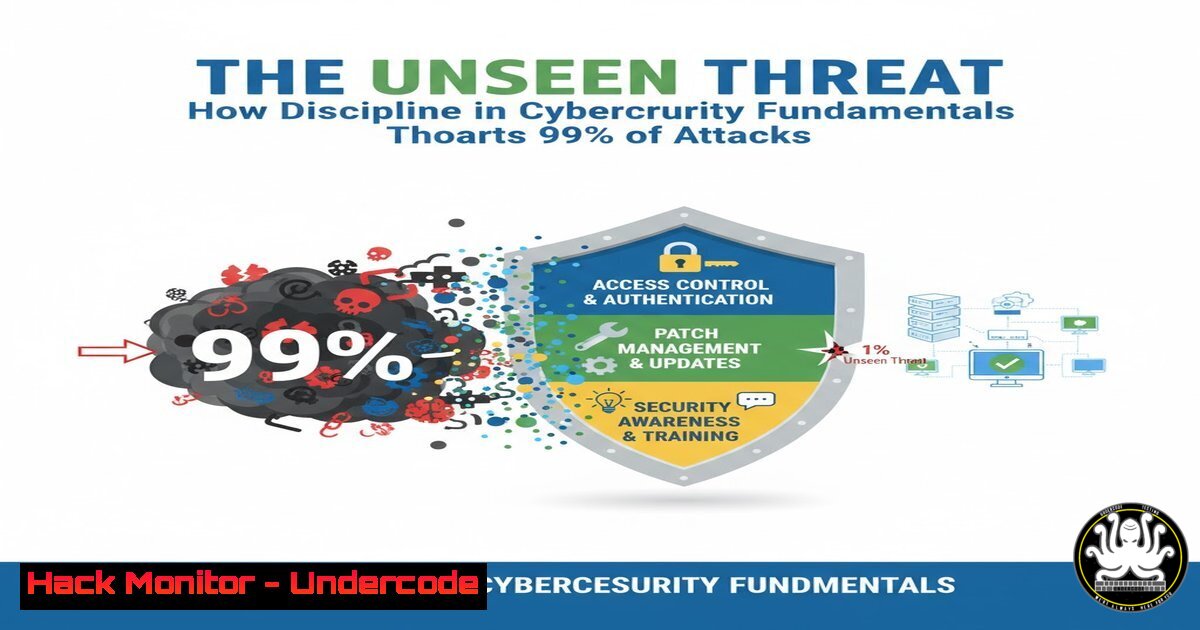
In the digital landscape, motivation to secure your systems is not enough; it is the disciplined, consistent application of fundamental security practices that builds an unbreachable defense. While advanced threats capture headlines, the vast majority of successful breaches exploit basic, unsealed vulnerabilities through a lack of procedural rigor.
Learning Objectives:
- Master essential command-line tools for system hardening and intrusion detection on both Linux and Windows platforms.
- Implement proactive security measures to close common attack vectors in cloud and API environments.
- Develop a methodology for continuous security monitoring and vulnerability assessment.
You Should Know:
1. System Hardening with Linux Bastion Hosts
A bastion host is a specially hardened server designed to withstand attacks, often serving as a single point of access to a private network. Proper configuration is non-negotiable.
 1. Audit open ports and listening services
sudo netstat -tulpn
sudo ss -tulpn

<ol>
<li>Harden SSH configuration (Edit /etc/ssh/sshd_config)
sudo nano /etc/ssh/sshd_config
Set: Protocol 2
Set: PermitRootLogin no
Set: PasswordAuthentication no
Set: MaxAuthTries 3
Set: ClientAliveInterval 300</p></li>
<li><p>Configure Uncomplicated Firewall (UFW)
sudo ufw default deny incoming
sudo ufw default allow outgoing
sudo ufw allow from 192.168.1.0/24 to any port 22
sudo ufw enable</p></li>
<li><p>Install and configure Fail2Ban for SSH
sudo apt-get install fail2ban
sudo systemctl enable fail2ban
sudo systemctl start fail2ban
This step-by-step guide establishes a minimal attack surface. The `netstat/ss` commands provide visibility. Hardening SSH prevents brute-force and unauthorized access. UFW ensures only necessary traffic is permitted, and Fail2Ban automatically blocks IPs exhibiting malicious behavior.
2. Windows Active Directory Security Auditing
Compromised Active Directory accounts are a primary target. Regular auditing is a disciplined defense.
 1. Find users with Password Never Expires
Get-ADUser -Filter {PasswordNeverExpires -eq $true} -Properties PasswordNeverExpires | Select-Object Name, SamAccountName

<ol>
<li>Check for users who haven't logged in recently (stale accounts)
Get-ADUser -Filter {LastLogonDate -lt (Get-Date).AddDays(-90)} -Properties LastLogonDate | Select-Name, SamAccountName, LastLogonDate</p></li>
<li><p>Audit members of Domain Admins group
Get-ADGroupMember -Identity "Domain Admins" | Select-Object name, objectClass</p></li>
<li><p>Enable detailed audit policy via Group Policy (GPO)
Navigate to: Computer Configuration -> Policies -> Windows Settings -> Security Settings -> Advanced Audit Policy Configuration
Enable: Audit Logon/Logoff -> Audit Logon (Success, Failure)
Enable: Audit Account Management -> Audit User Account Management (Success, Failure)
This process identifies security weaknesses in your AD environment. Stale and non-expiring passwords are significant risks. Auditing privileged groups and enabling detailed logging provides the visibility needed to detect and investigate compromise attempts.
3. Cloud Infrastructure Hardening in AWS
Undisciplined cloud configurations are a leading cause of data leaks.
 1. Audit S3 Bucket Permissions
aws s3api get-bucket-acl --bucket YOUR-BUCKET-NAME
aws s3api get-bucket-policy --bucket YOUR-BUCKET-NAME

<ol>
<li>Check for public S3 buckets
aws s3api list-buckets --query "Buckets[].Name"
aws s3api get-public-access-block --bucket YOUR-BUCKET-NAME</p></li>
<li><p>Harden Security Groups (Check for 0.0.0.0/0)
aws ec2 describe-security-groups --filters Name=ip-permission.cidr,Values='0.0.0.0/0' --query "SecurityGroups[].{Name:GroupName,ID:GroupId}"</p></li>
<li><p>Enable AWS CloudTrail logging in all regions
aws cloudtrail create-trail --name global-trail --s3-bucket-name YOUR-LOG-BUCKET --is-multi-region-trail
aws cloudtrail start-logging --name global-trail
These commands enforce a principle of least privilege in AWS. Auditing S3 buckets prevents accidental public exposure of data. Checking security groups closes unnecessary wide-open firewall rules, and enabling CloudTrail provides an immutable log of API activity for security analysis.
4. API Security Testing with OWASP ZAP
APIs are a critical attack vector. Automated scanning is a disciplined part of the DevSecOps lifecycle.
 1. Start OWASP ZAP daemon from the command line
/zap/zap.sh -daemon -host 127.0.0.1 -port 8080 -config api.disablekey=true

<ol>
<li>Run a quick passive scan against a target API endpoint
curl "http://127.0.0.1:8080/JSON/ascan/action/scan/?url=https://api.yourtarget.com/v1/&recurse=true&inScopeOnly="</p></li>
<li><p>Generate an HTML security report
curl "http://127.0.0.1:8080/JSON/core/action/htmlreport/" > api_security_report.html</p></li>
<li><p>Check for common vulnerabilities like SQLi and XSS
Use a tool like sqlmap for targeted testing
sqlmap -u "https://api.yourtarget.com/v1/user?id=1" --batch --level=3
This guide integrates security testing directly into development workflows. The passive scan analyzes traffic for vulnerabilities, while the active scan proactively attacks the API to find flaws. Using specialized tools like `sqlmap` provides deep, targeted testing for critical flaws.
5. Container Security and Docker Hardening
Containers without security discipline are a significant risk.
 1. Scan a local Docker image for vulnerabilities
docker scan your-image:tag

<ol>
<li>Run a container with non-root user
docker run --user 1000:1000 -d your-image:tag</p></li>
<li><p>Mount secrets as read-only files, not environment variables
docker run -v /path/to/secret:/run/secrets/secret:ro -d your-image:tag</p></li>
<li><p>Harden the Docker daemon configuration (Edit /etc/docker/daemon.json)
{
"userns-remap": "default",
"log-driver": "syslog",
"disable-legacy-registry": true,
"live-restore": true
}
These steps mitigate common container risks. Vulnerability scanning identifies known CVEs. Running as a non-root user limits the impact of a breakout. Proper secret management and daemon hardening reduce the overall attack surface of your containerized environment.
6. Network Vulnerability Assessment with Nmap
Knowing what is exposed on your network is the first step to defending it.
 1. Basic TCP SYN scan for discover live hosts
sudo nmap -sS 192.168.1.0/24

<ol>
<li>Service version detection
nmap -sV -p 22,80,443,8080 192.168.1.1</p></li>
<li><p>NSE script scanning for vulnerabilities
nmap --script vuln -p 80,443,21,22 target.ip</p></li>
<li><p>OS fingerprinting
sudo nmap -O 192.168.1.10</p></li>
<li><p>Output results to a file for auditing
nmap -oA network_audit_report 192.168.1.0/24
This methodology moves from discovery to deep analysis. The SYN scan efficiently finds active hosts. Version detection identifies potentially vulnerable services. The NSE vulnerability scripts automatically check for common misconfigurations and exploits, providing a prioritized list of remediation tasks.
What Undercode Say:
- Discipline Over Motivation: A one-time security audit is motivated but futile; daily log reviews, patch cycles, and configuration checks are disciplined and effective. The quiet, consistent work of applying security patches is what prevents the next headline-making breach.
- The Promise to Your Systems: Just as discipline is keeping a promise to yourself, in cybersecurity, it is about keeping the promise of integrity, confidentiality, and availability to your systems and users. This means saying “no” to the shortcut of disabling security controls for convenience.
The provided LinkedIn post, while about business discipline, is a perfect allegory for cybersecurity. The “dream” is a perfectly secure system, but the “discipline” is the unglamorous, daily grind of checking logs, enforcing policies, and patching systems. Attackers are disciplined in their reconnaissance and exploitation; defenders must be equally, if not more, disciplined in their hardening and monitoring. The “hundred bursts of motivation” are the panicked security drills after a breach; the “one quiet act of discipline” is the system administrator who consistently applies a critical patch, thwarting an attack that never becomes an incident.
Prediction:
The future of cybersecurity will see a growing divergence between organizations that institutionalize security discipline and those that rely on motivated, reactive responses. AI-powered attacks will automate exploitation at an unprecedented scale, specifically targeting organizations with procedural laziness and inconsistent security hygiene. The cost of a breach will skyrocket, making the disciplined investment in fundamental security controls not just a technical necessity, but the primary determinant of business continuity and commercial survival. The “dream” of AI-driven security autonomously defending networks will only be realized by those with the discipline to configure, monitor, and tune it correctly.
🎯Let’s Practice For Free:
IT/Security Reporter URL:
Reported By: 1johncastro The – Hackers Feeds
Extra Hub: Undercode MoN
Basic Verification: Pass ✅


