Listen to this Post
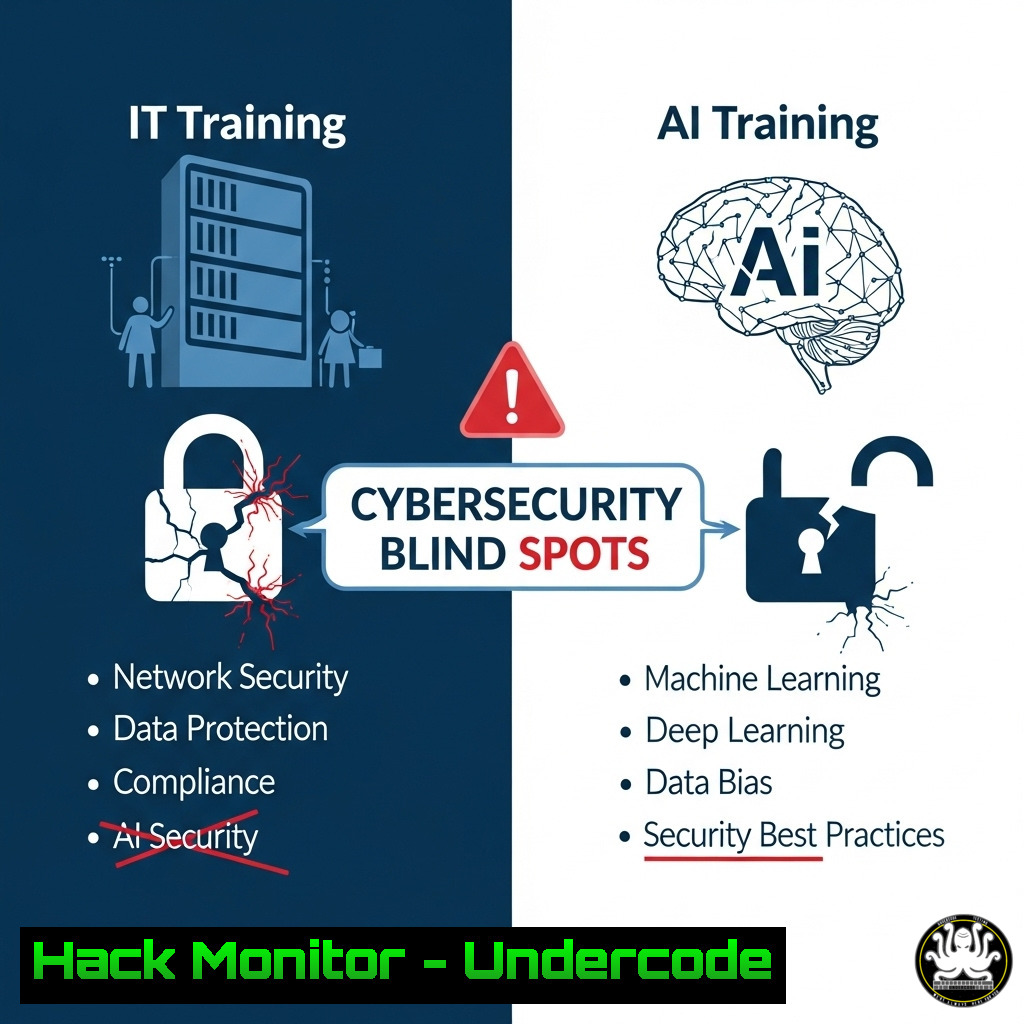
Introduction:
A recent viral LinkedIn post by Soren Muller, reflecting on the rapid evolution from dial-up to AI, inadvertently highlights a critical and often overlooked cybersecurity vulnerability: the human element and the insecure legacy systems that persist in modern digital ecosystems. This nostalgic look back isn’t just a memory lane; it’s a threat actor’s roadmap, revealing how technological debt and inadequate training create exploitable gaps in enterprise defense. This article will dissect these hidden risks and provide actionable, technical commands to fortify your systems against threats born from the past.
Learning Objectives:
- Identify and mitigate security risks associated with legacy protocols and systems in a modern IT environment.
- Implement advanced logging, monitoring, and hardening techniques for both Linux and Windows systems.
- Develop a proactive security mindset focused on continuous training and threat hunting, moving beyond reactive defense.
You Should Know:
1. Auditing and Disabling Obsolete Network Protocols
Legacy protocols like Telnet and FTP transmit data, including credentials, in plaintext, making them prime targets for interception on modern networks.
 Scan for listening services using netstat (Linux/Windows)
netstat -an | grep :23  Checks for Telnet on default port 23
netstat -an | findstr :23  Windows equivalent

Disable Telnet service on Linux (systemd)
sudo systemctl stop telnet.socket
sudo systemctl disable telnet.socket
sudo systemctl mask telnet.socket

Disable Telnet Client on Windows via PowerShell
Disable-WindowsOptionalFeature -Online -FeatureName TelnetClient

Use nmap to audit the network for obsolete services
nmap -sV -p 21,23,139,445 <target_ip_range>
Step-by-step guide: Regularly audit your systems for any running services on ports commonly associated with legacy and insecure protocols (e.g., 21/FTP, 23/Telnet, 139/NetBIOS). The `netstat` or `ss` commands can show active listeners. Use `systemctl` on Linux to stop and mask services, permanently preventing their activation. On Windows, use PowerShell to remove optional features. Network-wide scans with `nmap` help identify forgotten assets running these services.
2. Implementing Advanced Logging for Threat Detection
Basic logging is insufficient. Enhanced logging provides the visibility needed to detect anomalous behavior that mimics past attack vectors.
 Configure auditd to monitor a sensitive file (Linux)
sudo nano /etc/audit/audit.rules
 Add the line: -w /etc/passwd -p wa -k identity_alteration

Restart the audit service
sudo systemctl restart auditd

Query the audit logs for your key
sudo ausearch -k identity_alteration

PowerShell Command to enable detailed process logging (Windows)
 Requires Group Policy or Advanced Audit Policy Configuration
 Audit Command: `auditpol /set /subcategory:"Process Creation" /success:enable /failure:enable`

 View PowerShell script block logging (Provides deep insight)
Get-ChildItem -Path HKLM:\SOFTWARE\Policies\Microsoft\Windows\PowerShell\ScriptBlockLogging
Step-by-step guide: On Linux, configure `auditd` to watch critical files and directories for write (w) and attribute change (a) events. Use `ausearch` to review logs based on specific keys. On Windows, enable detailed process auditing via Group Policy or the `auditpol` command. Activating PowerShell Script Block Logging is crucial for detecting malicious scripts, a common modern attack method that leverages built-in tools.
3. Hardening SSH Configuration (The Secure Replacement)
Simply using SSH isn’t enough. Default configurations can be weak. Harden your SSH service to prevent brute-force and cryptographic attacks.
 Edit the SSH server configuration file
sudo nano /etc/ssh/sshd_config

Critical settings to change:
Protocol 2  Only use SSHv2
PermitRootLogin no  Disable root login
PasswordAuthentication no  Enforce key-based authentication
PubkeyAuthentication yes  Enable public key authentication
PermitEmptyPasswords no  Obvious, but must be set
X11Forwarding no  Disable if not needed
MaxAuthTries 3  Limit login attempts
ClientAliveInterval 300  Disconnect idle sessions
ClientAliveCountMax 2
AllowUsers user1 user2  Explicitly allow specific users

After making changes, test the config and restart the service
sudo sshd -t
sudo systemctl restart sshd
Step-by-step guide: Access your `sshd_config` file. Change the listed parameters to significantly increase the security of your remote access. Crucially, disable password authentication in favor of key-based auth, which is virtually immune to brute-forcing. Always test your configuration with `sshd -t` before restarting the service to avoid locking yourself out.
4. Cloud Security Posture Management (CSPM) Basics
Modern systems are in the cloud, but misconfigurations are the new legacy vulnerability. Use built-in tools to find and fix them.
 AWS CLI command to list publicly accessible S3 buckets
aws s3api list-buckets --query "Buckets[].Name" --output text
aws s3api get-bucket-acl --bucket <bucket-name> --output text
aws s3api get-bucket-policy --bucket <bucket-name> --output text

Azure CLI command to check for storage account security
az storage account list --query "[].{name:name, httpsOnly:enableHttpsTrafficOnly, networkRuleSet:networkRuleSet.defaultAction}" --output table

Check for unrestricted inbound ports on an AWS security group
aws ec2 describe-security-groups --filters Name=ip-permission.cidr,Values='0.0.0.0/0' --query "SecurityGroups[].GroupId" --output text
Step-by-step guide: Use your cloud provider’s CLI to audit for common misconfigurations. The commands above check for S3 buckets and their policies, ensure Azure storage accounts force HTTPS, and identify AWS security groups that are open to the world (0.0.0.0/0). Regularly running these checks should be part of your standard security hygiene.
- Python Script for Log Monitoring and Anomaly Detection
Automate the analysis of logs to find patterns indicative of a breach, such as multiple failed login attempts.
!/usr/bin/env python3
import re
from collections import defaultdict

def analyze_auth_log(logfile_path):
failed_attempts = defaultdict(int)
ip_pattern = re.compile(r'from (\d+.\d+.\d+.\d+)')
user_pattern = re.compile(r'for invalid user (\w+)|for (\w+)')

try:
with open(logfile_path, 'r') as file:
for line in file:
if 'Failed password' in line:
ip_match = ip_pattern.search(line)
user_match = user_pattern.search(line)
ip = ip_match.group(1) if ip_match else 'Unknown IP'
user = user_match.group(1) or user_match.group(2) if user_match else 'Unknown User'
key = (ip, user)
failed_attempts[bash] += 1

for (ip, user), count in failed_attempts.items():
if count > 5:  Threshold for alerting
print(f"[!] ALERT: {count} failed login attempts for user '{user}' from IP {ip}")

except FileNotFoundError:
print(f"Error: Log file {logfile_path} not found.")

if <strong>name</strong> == "<strong>main</strong>":
analyze_auth_log('/var/log/auth.log')  Common path for SSH/auth logs
Step-by-step guide: This Python script provides a basic framework for parsing an authentication log (like `/var/log/auth.log` on Linux). It uses regular expressions to extract IP addresses and usernames from failed login lines and counts occurrences. Save this script as log_analyzer.py, run it with python3 log_analyzer.py, and it will alert on any IP/user combination with more than 5 failed attempts. This automates the detection of brute-force attacks.
What Undercode Say:
- Nostalgia is a Vulnerability. Romanticizing past technology creates a cultural blind spot that allows insecure legacy systems and practices to persist, directly conflicting with modern security mandates.
- The Training Gap is the Biggest Attack Surface. The post highlights a rapid generational shift in tech. Without continuous, hands-on training that covers both old and new threats, IT professionals are left defending against attacks they don’t understand.
The core analysis is that cybersecurity is not just about adopting new technology but actively eradicating and defending against the old. The “sacred” look back, while culturally interesting, is a liability in a security context. It represents unpatched systems, forgotten services, and outdated knowledge. The commands provided are not just operational directives; they are a mindset shift from passive maintenance to active hunting and remediation. The future of security relies on professionals who can simultaneously navigate AI threats while remembering to disable Telnet.
Prediction:
The convergence of AI-powered attack automation with persistent legacy infrastructure will lead to a new wave of high-impact breaches. Threat actors will increasingly use AI to scan entire internet ranges for forgotten, unsecured services (like Telnet, old SMB versions, misconfigured cloud buckets) at a scale and speed impossible for humans. These legacy systems will become the easy initial access point for sophisticated attacks, including ransomware and data exfiltration. Organizations that fail to proactively hunt for and eliminate these technological relics will suffer the most, as AI turns nostalgia into a weaponized entry point.
🎯Let’s Practice For Free:
IT/Security Reporter URL:
Reported By: Soren Muller – Hackers Feeds
Extra Hub: Undercode MoN
Basic Verification: Pass ✅


