
Listen to this Post
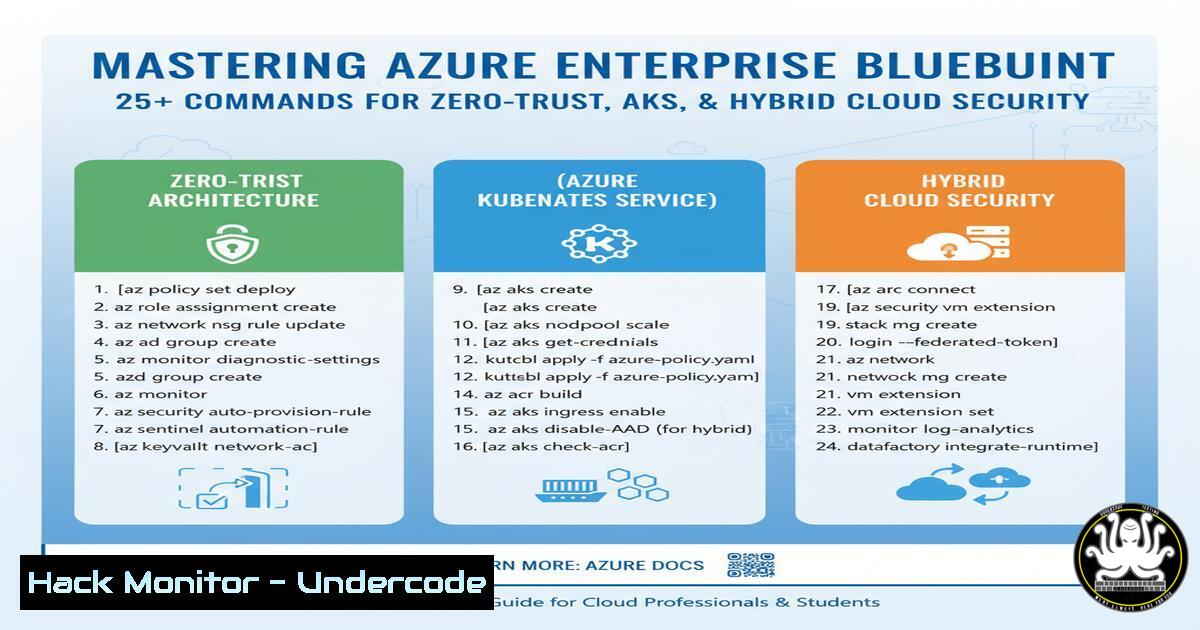
Introduction:
Enterprise cloud adoption often bogs down development teams with complex security policy configurations, diverting focus from core feature development. This professional guide deconstructs a proven Azure Enterprise System Reference Architecture that implements zero-trust principles, hybrid connectivity, and hardened AKS microservices. We will translate this high-level blueprint into actionable commands and configurations you can implement immediately.
Learning Objectives:
- Deploy and configure core networking components including Hub/Spoke VNets, VNet Peering, and Azure Firewall.
- Implement secure access patterns using Azure Bastion, Private Link Endpoints, and Application Gateway with WAF.
- Harden an Azure Kubernetes Service (AKS) cluster by integrating with Azure Key Vault and Container Registry.
You Should Know:
1. Building the Hub and Spoke Network Foundation
The hub and spoke model is critical for isolating workloads and centralizing shared services like security and connectivity.
 Create the Hub Virtual Network
az network vnet create --resource-group SecuredHubRG --name Hub-VNet --address-prefixes 10.0.0.0/16 --subnet-name AzureFirewallSubnet --subnet-prefix 10.0.0.0/26

Create a Spoke Virtual Network for AKS
az network vnet create --resource-group AppSpokeRG --name Spoke-AKS-VNet --address-prefixes 10.1.0.0/16

Peer the Spoke to the Hub (bi-directional peering required)
az network vnet peering create --resource-group AppSpokeRG --name SpokeToHub --vnet-name Spoke-AKS-VNet --remote-vnet /subscriptions/{sub-id}/resourceGroups/SecuredHubRG/providers/Microsoft.Network/virtualNetworks/Hub-VNet --allow-vnet-access
Step-by-step guide:
- The first command creates the central Hub VNet with a dedicated subnet for the Azure Firewall, which is a mandatory requirement.
- The second command creates a separate Spoke VNet to host the AKS cluster, ensuring workload isolation.
- The final command establishes VNet peering from the Spoke to the Hub. You must create a reciprocal peering from the Hub back to the Spoke to enable full communication. This provides a low-latency, high-bandwidth connection without traversing the public internet.
2. Securing Egress Traffic with Azure Firewall
All outbound traffic from your AKS cluster and other workloads should be filtered and inspected by a central firewall.
 Deploy Azure Firewall with a Public IP
az network firewall create --resource-group SecuredHubRG --name CentralFW --vnet-name Hub-VNet

Create a Public IP for the Firewall
az network public-ip create --resource-group SecuredHubRG --name FWPIP --sku Standard

Configure a Firewall Network Rule for AKS Egress (e.g., to allow ACR)
az network firewall network-rule create --resource-group SecuredHubRG --firewall-name CentralFW --collection-name "AKS-Egress" --name "AllowACR" --protocols "TCP" --source-addresses "10.1.0.0/16" --destination-addresses "AzureContainerRegistry" --destination-ports 443 --action Allow --priority 100
Step-by-step guide:
- The `firewall create` command deploys the Azure Firewall resource into the `AzureFirewallSubnet` created earlier.
- The `public-ip create` command assigns a Standard SKU public IP, which is required for the firewall’s outbound connectivity.
- The `firewall network-rule create` command defines a rule that permits outbound TCP traffic on port 443 from the AKS Spoke (10.1.0.0/16) to the Azure Container Registry service tag. This is a basic example; you should build a comprehensive rule set based on your application’s needs.
3. Implementing Secure Administrative Access with Azure Bastion
Eliminate the need for public IPs on your virtual machines by using Azure Bastion for secure, browser-based “break-glass” access.
 Create a dedicated subnet for Azure Bastion
az network vnet subnet create --resource-group SecuredHubRG --vnet-name Hub-VNet --name AzureBastionSubnet --address-prefixes 10.0.1.0/26

Deploy the Azure Bastion service
az network bastion create --resource-group SecuredHubRG --name CorpBastion --vnet-name Hub-VNet --public-ip-address BastionPIP
Step-by-step guide:
- The `subnet create` command creates a subnet with the exact name `AzureBastionSubnet` and a minimum /26 size, which is a prerequisite for the service.
- The `bastion create` command provisions the service. Once deployed, you can connect to any VM in the Hub or peered VNets directly from the Azure portal via TLS, without exposing RDP/SSH ports to the internet.
-
Hardening AKS with System and User Node Pools
A well-architected AKS cluster uses separate node pools for system and user workloads, enhancing security and resource management.
 Create an AKS cluster with a system node pool
az aks create --resource-group AppSpokeRG --name SecuredCluster --node-count 1 --node-vm-size Standard_DS2_v2 --network-plugin azure --vnet-subnet-id /subscriptions/{sub-id}/resourceGroups/AppSpokeRG/providers/Microsoft.Network/virtualNetworks/Spoke-AKS-VNet/subnets/aks-subnet --enable-managed-identity

Add a dedicated user node pool for application workloads
az aks nodepool add --resource-group AppSpokeRG --cluster-name SecuredCluster --name userpool --node-count 3 --node-vm-size Standard_DS3_v2 --mode User
Step-by-step guide:
- The `aks create` command provisions the cluster with a default system node pool. Critical system pods (like CoreDNS) will run here.
- The `aks nodepool add` command creates a separate user node pool with a larger VM size. Your application workloads should be configured to run on this pool, isolating them from the critical system services and allowing for independent scaling.
-
Configuring Private AKS Cluster with Internal Load Balancer
Keep your AKS cluster’s API server and services private to your network, preventing public exposure.
 Create a Private AKS Cluster (API server has no public endpoint)
az aks create --resource-group AppSpokeRG --name PrivateSecuredCluster --enable-private-cluster --load-balancer-sku standard --node-count 1 --vnet-subnet-id /subscriptions/{sub-id}/resourceGroups/AppSpokeRG/providers/Microsoft.Network/virtualNetworks/Spoke-AKS-VNet/subnets/aks-subnet

Create a Kubernetes service of type LoadBalancer with an internal annotation
kubectl apply -f - <<EOF
apiVersion: v1
kind: Service
metadata:
name: internal-app
annotations:
service.beta.kubernetes.io/azure-load-balancer-internal: "true"
spec:
type: LoadBalancer
ports:
- port: 80
selector:
app: internal-app
EOF
Step-by-step guide:
1. The `aks create` command with the `–enable-private-cluster` flag creates a cluster where the API server endpoint is only accessible from within the VNet, not the public internet.
2. The Kubernetes manifest defines a service of type LoadBalancer. The critical annotation `service.beta.kubernetes.io/azure-load-balancer-internal: “true”` instructs the cloud provider to provision an Azure Internal Load Balancer (ILB) instead of a public one. This provides east-west traffic balancing within the cluster’s subnet.
- Integrating AKS with Azure Key Vault via Secrets Store CSI Driver
Securely retrieve secrets and certificates from Azure Key Vault without hardcoding them in your application pods.
 Create an Azure Key Vault
az keyvault create --resource-group AppSpokeRG --name MyAppKeyVault01 --sku standard --enable-rbac-authorization

Install the Secrets Store CSI driver on the AKS cluster
az aks enable-addons --resource-group AppSpokeRG --name SecuredCluster --addons azure-keyvault-secrets-provider
Step-by-step guide:
- The `keyvault create` command provisions a Key Vault. Using `–enable-rbac-authorization` is the modern, recommended approach over legacy access policies.
- The `aks enable-addons` command installs the Secrets Store CSI driver as a cluster add-on. This allows AKS to communicate with your Key Vault. You must then grant the AKS cluster’s managed identity the necessary RBAC role (like “Key Vault Secrets User”) on the Key Vault. Your pods can then mount secrets as in-memory volumes using a `SecretProviderClass` Kubernetes resource.
-
Enforcing L7 Security with Application Gateway and WAF
Protect your public-facing applications with a web application firewall that inspects incoming HTTP/S traffic.
 Create a Public IP for the Application Gateway
az network public-ip create --resource-group SecuredHubRG --name AGWPIP --sku Standard --allocation-method Static

Create the Application Gateway with WAF_v2 SKU
az network application-gateway create --resource-group SecuredHubRG --name AppGatewayWAF --capacity 2 --sku WAF_v2 --public-ip-address AGWPIP --vnet-name Hub-VNet --subnet AppGatewaySubnet --servers "10.1.0.100"
Step-by-step guide:
- The `public-ip create` command assigns a static public IP to the gateway, which is your application’s public entry point.
- The `application-gateway create` command deploys the gateway. The `–sku WAF_v2` is crucial as it enables the Web Application Firewall with features like OWASP core rule set protection, bot mitigation, and custom rules. The `–servers` parameter points the gateway’s backend pool to the internal IP of your AKS ingress controller (e.g., Traefik or NGINX).
What Undercode Say:
- Security is a Architecture, Not a Feature: This blueprint demonstrates that true security is not an afterthought but is woven into the fabric of the network, identity, and data layers from the ground up.
- Zero-Trust is Enforced by Design: By leveraging Private Endpoints, a central firewall, and a private AKS cluster, the architecture implicitly follows the zero-trust principle of “never trust, always verify,” significantly shrinking the attack surface.
- The combination of declarative infrastructure-as-code (using these CLI commands) with well-architected service configurations moves organizations from reactive security patching to proactive, resilient design. This approach directly addresses the core pain point of freeing developers from security toil, enabling them to deliver features faster on a platform that is secure by default.
Prediction:
The convergence of zero-trust networking, fully managed Kubernetes services, and AI-driven security posture management (CSPM) will become the default enterprise standard within three years. Architectures like this one will evolve to be autonomously configured and healed by AI systems that continuously assess threat landscapes and compliance requirements. This will shift the security paradigm from human-led configuration to AI-enforced policy, drastically reducing misconfiguration-related breaches—the primary cause of cloud security incidents today.
🎯Let’s Practice For Free:
IT/Security Reporter URL:
Reported By: Cloudspikes Multicloud – Hackers Feeds
Extra Hub: Undercode MoN
Basic Verification: Pass ✅


