Listen to this Post
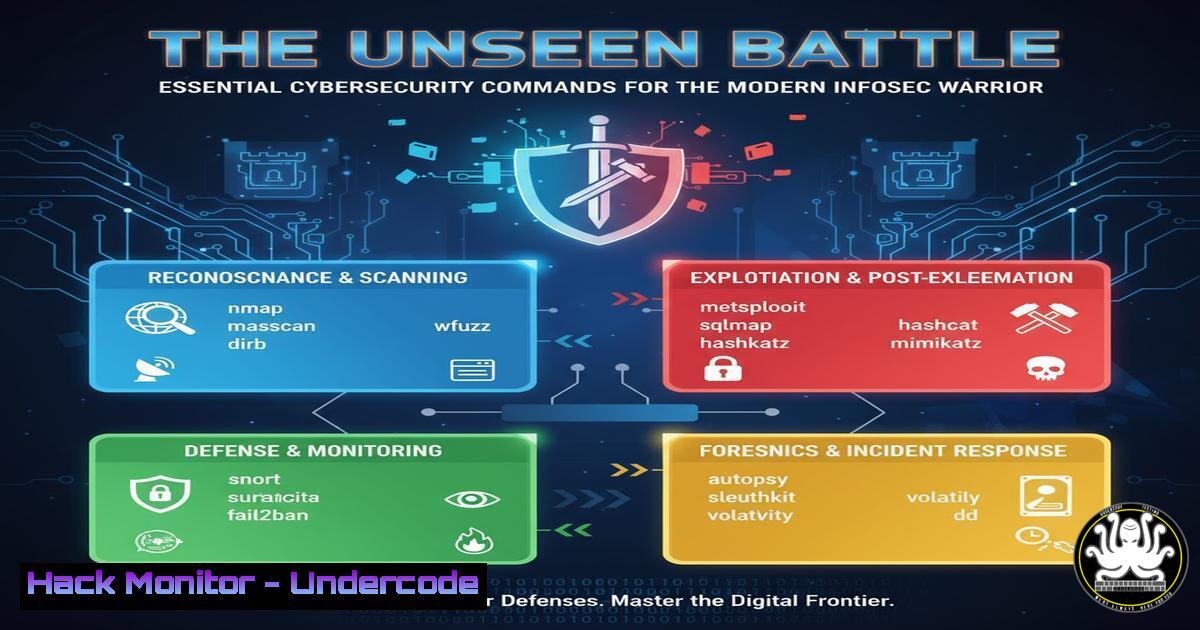
Introduction:
In the chaotic landscape of modern Information Security, professionals are constantly bombarded with alerts, threats, and system vulnerabilities. A so-called “normal InfoSec Friday” often involves a frantic juggling act between incident response, system hardening, and proactive threat hunting. This article provides a critical arsenal of verified commands and techniques to navigate this chaos, transforming reactive panic into controlled, professional execution.
Learning Objectives:
- Master essential command-line tools for rapid incident triage across both Linux and Windows environments.
- Develop proficiency in network reconnaissance and vulnerability scanning to identify potential attack vectors.
- Implement critical system hardening and log analysis techniques to fortify defenses and understand breach attempts.
You Should Know:
1. Initial System Reconnaissance and Triage
When an alert fires, the first minutes are critical. Quickly understanding the landscape of a potentially compromised system is paramount.
Linux:
 Check running processes with a tree view to identify parent-child relationships
ps auxf

List all established network connections
ss -tulnpa

Check for recently modified files in key directories
find /etc /var /tmp -type f -mtime -1 -ls

List users with login shells
getent passwd | grep -v "/nologin|/false"
Windows (PowerShell):
 Get a detailed list of running processes
Get-WmiObject Win32_Process | Select-Object Name, ProcessId, ParentProcessId, CommandLine

List all network connections
Get-NetTCPConnection | Where-Object {$_.State -eq "Established"}

Check recently created or modified files
Get-ChildItem C:\ -Recurse -ErrorAction SilentlyContinue | Where-Object {$_.LastWriteTime -gt (Get-Date).AddHours(-24)}
Step-by-step guide: Begin by running the process listing commands (ps auxf or Get-WmiObject). This gives you a snapshot of active execution. Look for anomalous process names, unusual parent processes (e.g, a `bash` shell spawned by a web server process), or suspicious command-line arguments. Cross-reference this with network connections to identify beaconing behavior or unexpected listening services.
2. Network Vulnerability Scanning with Nmap
Before an attacker finds your weaknesses, you must find them first. Nmap is the industry standard for network discovery and security auditing.
 Basic SYN scan for discovering live hosts
nmap -sn 192.168.1.0/24

TCP SYN scan on the top 1000 ports, with OS and version detection
nmap -sS -sV -O -T4 <target_ip>

Comprehensive scan targeting all TCP ports with default NSE scripts
nmap -p- -sC -sV -T4 <target_ip>

Scan for specific vulnerabilities using the Nmap Scripting Engine (NSE)
nmap --script vuln <target_ip>

UDP scan for common services (DNS, SNMP, DHCP)
nmap -sU -p 53,161,162,67,68 <target_ip>
Step-by-step guide: Start with a host discovery scan (-sn) to map your network. Then, target specific live hosts with a version detection scan (-sS -sV). The `-sC` flag runs a suite of safe default scripts that often uncover misconfigurations. For a deeper dive, the `vuln` script category checks for known vulnerabilities. Always ensure you have explicit authorization before scanning.
3. Web Application Security Assessment
Web applications are a primary attack vector. Command-line tools can quickly identify low-hanging fruit.
 Use Nikto to scan for common web vulnerabilities
nikto -h http://<target_website>

Dirbusting with Gobuster to find hidden directories and files
gobuster dir -u http://<target_website> -w /usr/share/wordlists/dirb/common.txt

Check for SQL injection vulnerabilities with SQLmap
sqlmap -u "http://<target_website>/page.php?id=1" --batch --level=1

Analyze SSL/TLS configuration with testssl.sh
testssl.sh <target_website>
Step-by-step guide: Run `nikto` for a quick, broad-stroke assessment of common issues like outdated server software and default files. Follow up with `gobuster` to discover hidden content that could be backup files, admin panels, or development directories. If you find a parameter that seems to interact with a database (e.g., ?id=1), `sqlmap` can automate the process of testing for SQL injection flaws.
4. Cloud Infrastructure Hardening (AWS CLI)
Misconfigured cloud resources are a leading cause of data breaches. Proactive checks are essential.
 List all S3 buckets and check their public access settings
aws s3 ls
aws s3api get-bucket-acl --bucket <bucket_name>
aws s3api get-bucket-policy-status --bucket <bucket_name>

Check for security groups with overly permissive rules
aws ec2 describe-security-groups --query 'SecurityGroups[?IpPermissions[?ToPort==<code>22</code> && (IpRanges[?CidrIp==<code>0.0.0.0/0</code>] || IpRanges[?CidrIp==<code>::/0</code>])]]'

Ensure IAM password policy is strong
aws iam get-account-password-policy

Identify publicly accessible EC2 snapshots
aws ec2 describe-snapshots --owner-ids <your_account_id> --query 'Snapshots[?Public==<code>true</code>]'
Step-by-step guide: Regularly run the S3 bucket listing and ACL check commands. A shocking number of breaches originate from S3 buckets set to "Public". The security group query will directly show you if you have SSH (port 22) or RDP (port 3389) open to the world (0.0.0.0/0), which is a severe misconfiguration.
5. Log Analysis for Incident Response
Logs tell the story of an attack. Knowing how to query them efficiently is a superpower.
Linux (Using `journalctl` and `grep`):
 View system logs from the last hour
journalctl --since "1 hour ago"

Search for failed login attempts
journalctl _SYSTEMD_UNIT=sshd.service | grep "Failed password"

Look for privilege escalation events (sudo commands)
grep "sudo:" /var/log/auth.log
Windows (PowerShell):
 Query the Security log for specific Event IDs (4625: failed logon, 4688: process creation)
Get-WinEvent -FilterHashtable @{LogName='Security'; ID=4625,4688} -MaxEvents 50

Search for PowerShell script block logging events which can capture attacker commands
Get-WinEvent -LogName "Microsoft-Windows-PowerShell/Operational" | Where-Object {$_.Id -eq 4104}
Step-by-step guide: In a suspected breach, start by checking authentication logs for brute-force attacks or successful logins from unusual IP addresses. Then, examine process creation logs (4688 in Windows, `sudo` or `sshd` spawned processes in Linux) to trace the attacker’s lateral movement and privilege escalation steps.
6. Memory Forensics and Malware Analysis
When a system is compromised, analyzing its memory can reveal rootkits, hidden processes, and network connections.
 Use Volatility 3 for memory analysis (requires a memory dump file)
vol -f memory.dump windows.info
vol -f memory.dump windows.pslist
vol -f memory.dump windows.netscan
vol -f memory.dump windows.malfind

Scan a live Linux system for rootkits with chkrootkit or rkhunter
sudo chkrootkit
sudo rkhunter --check
Step-by-step guide: After acquiring a memory dump (using tools like `WinPmem` on Windows or `LiME` on Linux), use Volatility to profile the memory. Start with `pslist` to see running processes, then `netscan` to find network artifacts. The `malfind` command is particularly potent as it hunts for processes with memory regions that have characteristics of malicious code injection.
7. API Security Testing with Curl and JQ
Modern applications rely heavily on APIs, which are frequently poorly secured.
 Test for common API authentication flaws (missing access tokens)
curl -X GET https://api.example.com/v1/users

Test for Broken Object Level Authorization (BOLA) by trying to access another user's data
curl -H "Authorization: Bearer <your_token>" https://api.example.com/v1/users/12345/account

Fuzz API endpoints for injection vulnerabilities
ffuf -w /usr/share/wordlists/SecLists/Discovery/Web-Content/common.txt -u https://api.example.com/v1/FUZZ -fs 0

Pretty-print and analyze a complex JSON API response
curl -s https://api.example.com/v1/config | jq .
Step-by-step guide: Use `curl` to manually probe API endpoints. The first test checks if the endpoint requires any authentication at all. The second test is critical: if you can change the user ID in the URL (e.g., from `/users/your_id` to /users/12345) and access another user’s data, you’ve found a severe BOLA vulnerability. Tools like `ffuf` can automate the discovery of undocumented API endpoints.
What Undercode Say:
- The Perimeter is Everywhere: The classic network perimeter is gone. Your attack surface now spans from on-premises servers and cloud S3 buckets to public-facing APIs and employee endpoints. A command missed in one area can lead to a full-scale breach.
- Automation is Non-Negotiable: The volume and sophistication of attacks mean manual defense is a losing battle. The commands outlined are not just for one-off investigations; they must be scripted and integrated into continuous monitoring and compliance pipelines to be effective.
The modern InfoSec professional’s role has evolved from a gatekeeper to a hunter. The “normal Friday” chaos is a symptom of a constantly evolving threat landscape. Success is no longer defined by preventing all attacks—an impossibility—but by the speed and efficacy of detection and response. Mastery of these foundational command-line tools provides the visibility and control needed to shift from a reactive posture to one of resilient, informed defense. The command line is the scalpel; the analyst is the surgeon.
Prediction:
The increasing complexity of hybrid cloud environments and the explosive growth of API-driven applications will create a new wave of automated, large-scale attacks targeting configuration flaws rather than software vulnerabilities. The skills gap will widen, forcing a greater reliance on AI-powered security tools to augment human analysts. However, the fundamental command-line literacy covered in this article will remain the bedrock upon which these advanced systems are built and operated, separating effective security teams from those perpetually in a state of “normal chaotic Friday.”
🎯Let’s Practice For Free:
IT/Security Reporter URL:
Reported By: Kostastsale A – Hackers Feeds
Extra Hub: Undercode MoN
Basic Verification: Pass ✅


