Listen to this Post
Introduction:
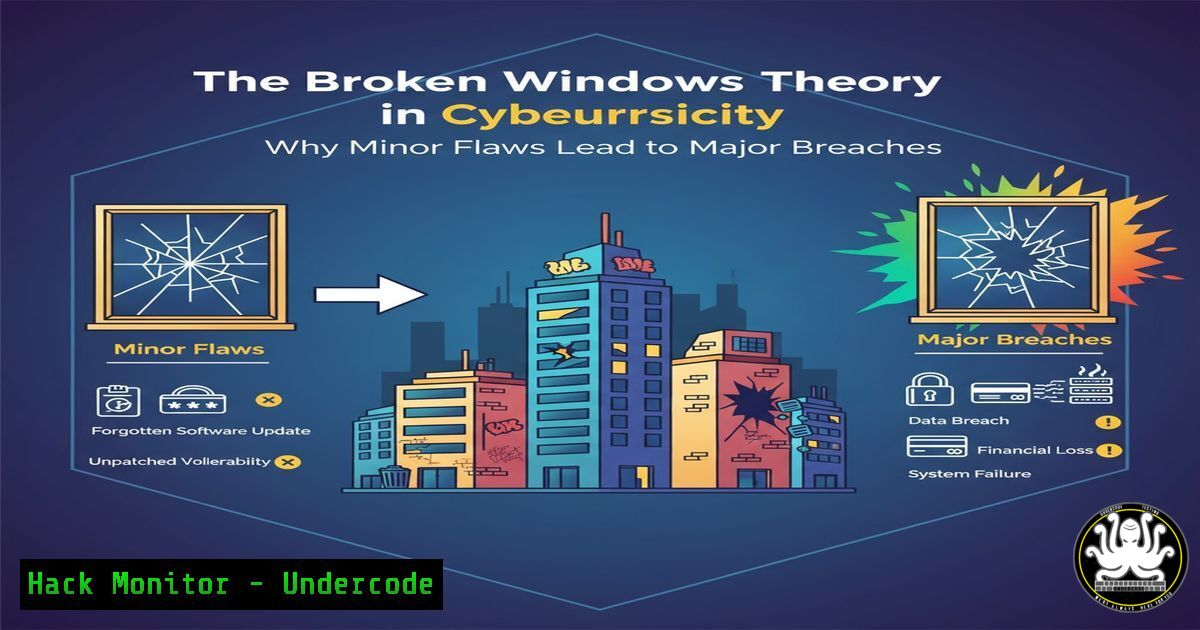
In cybersecurity, the smallest misconfiguration, an unpatched low-severity vulnerability, or a minor deviation from security policy can signal a profound lack of oversight. This concept, adapted from the criminological “Broken Windows Theory,” posits that ignoring these minor issues creates an environment where catastrophic breaches become inevitable. This article will equip you with the technical commands and procedures to fix these “broken windows” across your IT environment before they are exploited.
Learning Objectives:
- Understand how to identify and remediate minor security misconfigurations that signal systemic weakness.
- Implement hardening scripts and commands for Windows, Linux, and cloud environments to enforce a baseline of care.
- Develop a monitoring strategy to detect the emergence of new “broken windows” in real-time.
You Should Know:
1. The Unpatched Low-Severity Vulnerability
A Common Vulnerabilities and Exposures (CVE) with a CVSS score of 4.0 might seem insignificant, but in aggregate, they paint a target on your network. Attackers use automated scanners to find these easily exploitable, low-hanging fruits.
Linux (Ubuntu/Debian)
 Check for available security updates only
sudo apt list --upgradable | grep -i security

Perform a security-only upgrade
sudo unattended-upgrade --dry-run
Step-by-step guide:
- The first command lists all packages that have updates available. Piping it through `grep -i security` filters the list to show only those related to security patches.
- The second command is a critical tool for automated patch management. The `–dry-run` flag simulates a security upgrade, showing you what would be patched without making any changes. Run this regularly (e.g., via cron job) and then execute `sudo unattended-upgrade` to apply the patches.
2. The Misconfigured S3 Bucket
A single improperly configured cloud storage bucket is a classic “broken window,” often leading to massive data leaks. It signals a lack of attention to cloud security fundamentals.
AWS CLI
 Check for S3 buckets with public read access
aws s3api list-buckets --query "Buckets[].Name" --output text | xargs -I {} aws s3api get-bucket-acl --bucket {} --query "Grants[?Grantee.URI=='http://acs.amazonaws.com/groups/global/AllUsers']" --output table --bucket {}

Check for unencrypted S3 buckets
aws s3api list-buckets --query "Buckets[].Name" --output text | xargs -I {} aws s3api get-bucket-encryption --bucket {} 2>&1 | grep -i "ServerSideEncryptionConfigurationNotFoundError"
Step-by-step guide:
- The first command is a compound query. It first lists all S3 bucket names, then for each bucket (
xargs -I {}), it checks the access control list (ACL) for a grant to the “AllUsers” group (i.e., the public). If any output is returned, that bucket is publicly readable. - The second command similarly lists all buckets and then checks their encryption status. A `ServerSideEncryptionConfigurationNotFoundError` indicates a bucket without default encryption enabled, a critical misconfiguration.
3. The Overly Permissive Service Account
In cloud environments, service accounts with excessive privileges are a critical but often overlooked flaw. A minor service meant for a simple task having broad access is a ticking time bomb.
GCP gcloud CLI
 List service accounts and their directly attached roles
gcloud iam service-accounts list --format="table(email, disabled)"

Get the IAM policy for a specific project to find overly broad bindings
gcloud projects get-iam-policy PROJECT_ID --format=json | jq -r '.bindings[] | select(.role=="roles/editor" or .role=="roles/owner") | .members[]'
Step-by-step guide:
- The first command lists all service accounts in a project and whether they are disabled, helping you identify stale accounts.
- The second command fetches the entire IAM policy for the project and uses `jq` to parse the JSON output, filtering for bindings to the powerful “Editor” or “Owner” roles. This helps you quickly identify which users or service accounts have these high-level privileges.
4. The Default Credential “Broken Window”
Leaving default passwords on network devices, IoT systems, or administrative interfaces is one of the most egregious yet common security failures. It is the ultimate signal that no one is paying attention.
Nmap NSE Script
 Use Nmap's http-default-accounts script to check for common web service default creds
nmap -p 80,443,8080 --script http-default-accounts <target_ip>

Check for default SSH credentials on a device (using a custom wordlist)
hydra -L ./common_usernames.txt -P ./default_passwords.txt ssh://<target_ip>
Step-by-step guide:
- The `nmap` command scans common web ports on the target IP and runs the `http-default-accounts` script, which tests for a plethora of known default login pages and credentials for services like routers, web interfaces, and more.
2. `Hydra` is a powerful brute-forcing tool. Here, it’s used with a list of common default usernames (-L) and passwords (-P) to test against an SSH service. Use this only on your own systems for authorized testing.
5. The Unlocked Windows Lateral Movement Path
A single Windows host with weak security settings can serve as the initial “broken window” that allows an attacker to move laterally across the entire network.
Windows Command Line (PowerShell)
 Check for SMBv1, an outdated and vulnerable protocol often enabled by default
Get-WindowsOptionalFeature -Online -FeatureName SMB1Protocol

Disable SMBv1
Disable-WindowsOptionalFeature -Online -FeatureName SMB1Protocol -NoRestart

Check the status of Windows Defender Antivirus real-time protection
Get-MpComputerStatus | Select-Object RealTimeProtectionEnabled

Force a group policy update to apply security settings
gpupdate /force
Step-by-step guide:
- The first `Get-WindowsOptionalFeature` command checks if the vulnerable SMBv1 protocol is enabled. It should be disabled on all modern systems.
- The `Disable-WindowsOptionalFeature` command removes it. The `-NoRestart` flag prevents an immediate reboot, which you should schedule.
3. `Get-MpComputerStatus` queries Windows Defender to ensure real-time protection is active, a fundamental control that is sometimes accidentally disabled.
4. `gpupdate /force` immediately refreshes group policy settings, ensuring that recent security configuration changes are applied.
6. The Exposed API Key in Code
An API key accidentally committed to a public GitHub repository is a digital “broken window.” It signals poor development security hygiene and can lead directly to resource hijacking and data theft.
Git Commands & TruffleHog
 Search git history for high-entropy strings (potential secrets)
trufflehog git --repo-url https://github.com/user/repo.git

If you find a secret, remove it from the entire git history
git filter-branch --force --index-filter \
'git rm --cached --ignore-unmatch PATH_TO_FILE_WITH_SECRET' \
--prune-empty --tag-name-filter cat -- --all
Step-by-step guide:
1. `TruffleHog` is a dedicated tool that scans git repositories for high-entropy strings and known API key patterns. It is far more effective than a manual search.
2. If a secret is discovered, simply removing it from the current commit is insufficient, as it remains in the history. The `git filter-branch` command is a nuclear option that rewrites the entire git history to purge the file containing the secret from all commits. Warning: This rewrites history and should be used with extreme caution on shared repositories.
7. The Unnecessary Open Port
An unknown service listening on a random port is a “broken window” that expands the attack surface. It often results from undocumented software installations or forgotten development projects.
Linux & Windows Network Commands
 Linux: List all listening ports and the associated processes
sudo netstat -tulpn | grep LISTEN
 Or use the more modern ss command
sudo ss -tulpn

Cross-platform with nmap for a detailed self-scan
nmap -sT -O -p- localhost
Windows PowerShell
 Windows: Get network connections and owning process
Get-NetTCPConnection | Where-Object State -Eq Listen | Select-Object LocalPort, OwningProcess
Get-Process -Id <OwningProcess_ID> | Select-Object ProcessName
Step-by-step guide:
- On Linux, `netstat -tulpn` or `ss -tulpn` shows all listening (
-l) TCP (-t) and UDP (-u) ports, the associated process name (-p), and the numerical address (-n). - On Windows, `Get-NetTCPConnection` fetches all active connections; filtering for the `Listen` state shows open ports. You can then map the `OwningProcess` to a specific application using
Get-Process. - Regularly running these commands and investigating unknown listeners is crucial for maintaining a minimal attack surface.
What Undercode Say:
- Cumulative Negligence is a Vulnerability: A single misconfiguration might not be critical, but a network with dozens of them is practically indefensible. The presence of multiple “broken windows” dramatically lowers the effort required for a successful attack.
- Culture is a Technical Control: The technical commands provided are useless without a cultural mandate for precision. Security tooling must be supported by a team-wide ethos that treats minor flaws with the seriousness they deserve.
The “Broken Windows” approach shifts the security paradigm from solely chasing critical threats to maintaining overall environmental hygiene. It recognizes that attackers are not always looking for a single zero-day exploit; often, they are looking for the path of least resistance, which is paved with unpatched systems, default credentials, and misconfigured permissions. By investing time in automating the detection and remediation of these minor issues, organizations build a resilient security posture that is inherently more difficult to penetrate.
Prediction:
The future of offensive cybersecurity will be dominated by AI-driven tools that perform “Broken Window Scanning.” These systems will not just look for critical vulnerabilities but will perform a holistic assessment of an target’s security hygiene, scoring them on the prevalence of minor misconfigurations, outdated software, and policy deviations. This “Negligence Score” will become a primary metric for attackers to prioritize targets, as a high score indicates a low-cost, high-probability breach opportunity. Organizations that fail to address these foundational elements will find themselves the first and easiest targets in automated, large-scale attack campaigns.
🎯Let’s Practice For Free:
IT/Security Reporter URL:
Reported By: Elykahn Been – Hackers Feeds
Extra Hub: Undercode MoN
Basic Verification: Pass ✅


