Listen to this Post
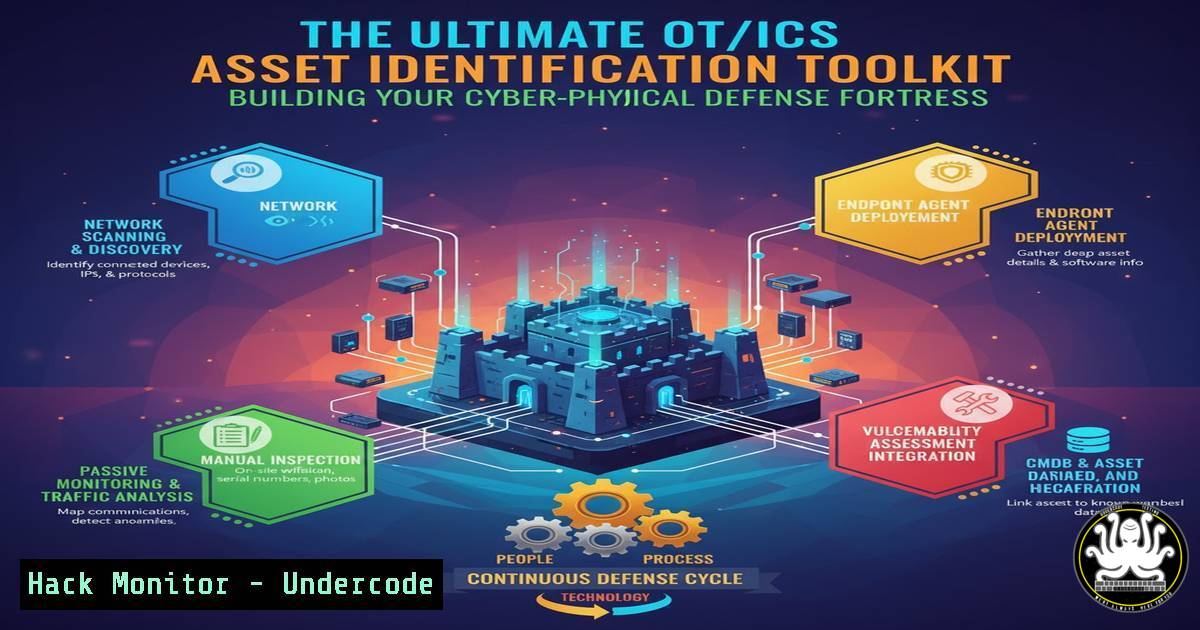
Introduction:
In the world of Operational Technology (OT) and Industrial Control Systems (ICS), you cannot protect what you do not know. The NIST Cybersecurity Framework’s “Identify” function is the critical foundation for securing critical infrastructure, requiring a complete, accurate, and continuously updated asset inventory. This process moves beyond simple IT discovery to build an “operational truth” that encompasses device configuration, process criticality, and network topology.
Learning Objectives:
- Understand the core components of a robust OT/ICS asset identification tool stack.
- Learn practical commands and methodologies for passive discovery, active enrichment, and security baselining.
- Integrate vulnerability management and exposure analysis into your asset inventory for proactive risk mitigation.
You Should Know:
1. Passive Network Discovery with tcpdump
Passive discovery is the safest starting point in an OT environment, as it only listens to network traffic without sending packets. It is crucial for identifying assets and understanding communication patterns using industrial protocols.
Verified Command:
sudo tcpdump -i eth0 -nn -w ot_capture.pcap host 192.168.1.100 and port 502
Step-by-step guide:
`sudo`: Runs the command with elevated privileges.
`tcpdump`: The packet capture tool.
-i eth0: Specifies the network interface to listen on (replace with your OT network interface).
-nn: Prevents name resolution, showing IPs and port numbers for faster, more reliable output.
-w ot_capture.pcap: Writes the raw packet data to a file for later analysis.
host 192.168.1.100 and port 502: A filter to capture only traffic to/from a specific PLC (IP) using Modbus TCP (port 502).
How to Use: Connect a monitoring laptop to a SPAN or TAP port on an OT network switch. Run this command to capture traffic. Analyze the `.pcap` file in a tool like Wireshark to identify devices and protocols.
2. Active Enrichment with NMAP (Read-Only Safeguards)
Active queries provide detailed device information but must be performed with extreme caution. Always use read-only techniques and coordinate with operations during a maintenance window.
Verified Command:
nmap -O -sS -T4 --script banner 192.168.1.0/24 -p 102 --script-args=unsafe=0
Step-by-step guide:
nmap: The network discovery and security auditing tool.
`-O`: Enables OS and device fingerprinting.
-sS: A TCP SYN stealth scan, less intrusive than a full connect scan.
-T4: Sets the timing template for a faster scan (use `-T2` or `-T1` for more sensitive environments).
--script banner: Uses the NSE banner script to grab service identification strings.
`192.168.1.0/24`: The target subnet.
-p 102: Targets port 102, commonly used by Siemens S7comm protocol.
--script-args=unsafe=0: Explicitly disables scripts deemed “unsafe” to prevent potential disruption.
How to Use: This command carefully probes a subnet to identify Siemens PLCs and attempts to gather their banner information without performing write operations.
3. Network Topology Mapping with LLDP
Link Layer Discovery Protocol (LLDP) is a vendor-neutral method for network devices to advertise their identity and capabilities to neighbors, which is invaluable for mapping Purdue Level 3.5 (DMZ) and below.
Verified Command (Linux):
sudo lldpcli show neighbors
Step-by-step guide:
lldpcli: The command-line client for the LLDP daemon (lldpd).
show neighbors: Displays all neighboring devices discovered via LLDP.
How to Use: Install the `lldpd` package on a Linux machine connected to an OT network switch (sudo apt-get install lldpd). Start the daemon (sudo systemctl start lldpd). After a few minutes, run this command to see a list of connected switches, routers, and other LLDP-capable devices, including their port connections.
4. Windows-Based Asset Interrogation
In environments with Windows-based HMIs or engineering workstations, PowerShell can be used to gather critical system information for the asset inventory.
Verified Command (Windows PowerShell):
Get-WmiObject -Class Win32_ComputerSystem | Select-Object Name, Manufacturer, Model | Format-List
Get-WmiObject -Class Win32_BIOS | Select-Object SerialNumber, Version | Format-List
Step-by-step guide:
Get-WmiObject: The PowerShell cmdlet to query Windows Management Instrumentation (WMI).
`-Class Win32_ComputerSystem` / -Class Win32_BIOS: The WMI classes containing hardware and BIOS information.
Select-Object: Filters the output to show only the specified properties.
Format-List: Presents the output in a clear list format.
How to Use: Run these commands from a PowerShell prompt on a Windows HMI. They will output the system’s name, manufacturer, model, and BIOS serial number, which are essential for creating a unique asset record.
5. Establishing Configuration Baselines with File Hashing
A known-good, or “golden,” configuration state is a cornerstone of security. File hashing provides a verifiable fingerprint for firmware, project files, and configuration backups.
Verified Command (Linux/Windows):
sha256sum S7-1500_FirmwareV2.1.bin
Get-FileHash -Path "C:\HMI_Projects\main_project.ap16" -Algorithm SHA256
Step-by-step guide:
`sha256sum` / Get-FileHash: Tools to compute the SHA-256 cryptographic hash of a file.
`S7-1500_FirmwareV2.1.bin` / "C:\HMI_Projects\main_project.ap16": The path to the critical file you are baselining.
`-Algorithm SHA256`: Specifies the secure hashing algorithm.
How to Use: After validating a firmware version or HMI project file, generate its hash using this command. Store this hash value securely. Periodically re-generate the hash and compare it to the baseline to detect unauthorized modifications or corruption.
6. Vulnerability Overlay with CVE Querying
Once assets and their software/firmware versions are known, you can map them to known vulnerabilities using public databases.
Verified Command (using cURL with NVD API):
curl -s "https://services.nvd.nist.gov/rest/json/cves/2.0?keywordSearch=SIEMENS%20SIMATIC%20S7-1500%20V2.1" | jq '.vulnerabilities[].cve.id'
Step-by-step guide:
curl -s: The command-line tool for transferring data, with the silent flag.
"https://services.nvd.nist.gov/...`": The URL for the National Vulnerability Database (NVD) API.keywordSearch=SIEMENS…: The search query for your specific asset type and version.jq ‘.vulnerabilities[].cve.id’`: The `jq` tool parses the JSON response and extracts just the CVE IDs.
How to Use: This command queries the NVD for CVEs related to a specific device and version. The output list of CVE IDs should be tagged to the corresponding asset in your CMDB for prioritization and patching.
7. Exposure Analysis with NetStat
Identifying dual-homed hosts (e.g., an HMI connected to both the corporate and control networks) is critical for understanding attack paths.
Verified Command (Windows):
netstat -ano | findstr "ESTABLISHED" | findstr ":102"
Step-by-step guide:
netstat -ano: Displays all active network connections and listening ports, with the process ID (PID).
| findstr "ESTABLISHED": Pipes the output to find only established connections.
| findstr ":102": Further filters for connections using port 102 (Siemens S7).
How to Use: Run this on a suspected dual-homed HMI. If you see established connections to port 102 from a non-OT IP range, it indicates a potential bridge between networks that must be controlled or eliminated.
What Undercode Say:
- Inventory is Non-Negotiable: A dynamic, federated asset inventory is not a “nice-to-have” but the absolute prerequisite for any meaningful OT security program. Without it, all other security controls are effectively blind.
- Context is King: Knowing a device’s “Purdue level,” its role in the physical process, and its interconnections is more valuable than just knowing its IP address. This operational context is what separates an OT inventory from an IT one.
The analysis from the original post underscores a shift from theoretical frameworks to practical, tool-driven implementation of the NIST CSF. The detailed tool stack highlights the multi-faceted nature of OT identification, which must blend passive and safe-active techniques. The emphasis on “brownfield-safe” and “auditable” processes is critical; it acknowledges that most security programs must be built within existing, often fragile, operational environments without causing downtime. This approach ensures that subsequent “Protect” and “Detect” functions are deployed based on actual risk, not guesswork.
Prediction:
The increasing convergence of IT and OT networks, driven by Industry 4.0 and IIoT, will make comprehensive asset identification the single most critical control for preventing catastrophic cyber-physical attacks. Organizations that fail to implement these foundational “Identify” practices will face exponentially higher risks of operational disruption, safety incidents, and supply chain contagion. Future regulatory frameworks will likely mandate this level of asset visibility as a baseline requirement for all critical infrastructure operators.
🎯Let’s Practice For Free:
IT/Security Reporter URL:
Reported By: Shivkataria Identify – Hackers Feeds
Extra Hub: Undercode MoN
Basic Verification: Pass ✅


