Listen to this Post
Introduction:
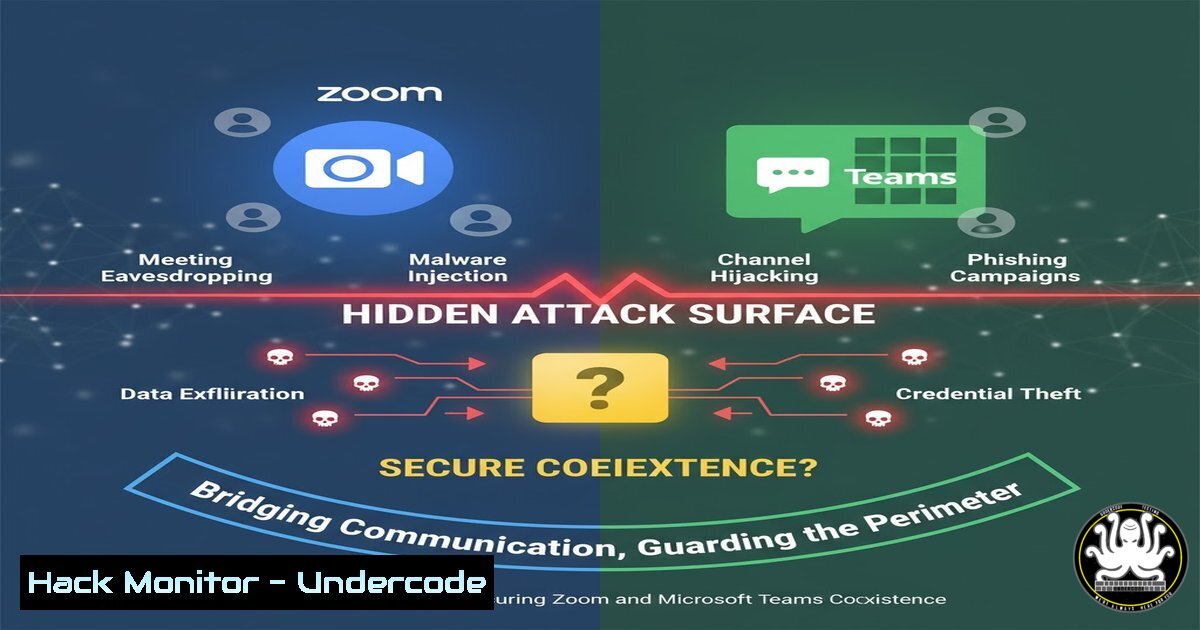
The strategic coexistence between Zoom and Microsoft Teams promises unparalleled flexibility and cost savings. However, this integration of two powerful collaboration platforms creates a complex and expanded attack surface that cybersecurity teams must urgently address. This convergence of identities, permissions, and data flows introduces novel security challenges requiring immediate attention.
Learning Objectives:
- Understand the critical security configuration points in Zoom-Microsoft Teams integration
- Implement hardened authentication and authorization controls across both platforms
- Master monitoring and detection techniques for cross-platform collaboration threats
You Should Know:
- Securing Azure AD App Registrations for Zoom Integration
The Zoom integration with Microsoft Teams relies heavily on Azure AD App Registrations, which can become privileged attack vectors if misconfigured.
 PowerShell: Audit Zoom-integrated Azure AD Applications
Get-AzureADApplication -All $true | Where-Object {$<em>.DisplayName -like "Zoom"} |
Select-Object DisplayName, AppId, PublisherDomain, Oauth2RequirePostResponse,
@{Name="RequiredPermissions";Expression={$</em>.RequiredResourceAccess |
ForEach-Object {$<em>.ResourceAppId + ":" + ($</em>.ResourceAccess |
Select-Object -ExpandProperty Id)}}}
Step-by-step guide:
This PowerShell command queries Azure Active Directory to identify all applications with “Zoom” in their display name. It extracts critical security information including the Application ID, publisher domain, OAuth2 configuration, and delegated permissions. Security teams should regularly audit these registrations to ensure they follow the principle of least privilege and haven’t been granted excessive permissions beyond what’s required for basic coexistence functionality.
2. Monitoring Cross-Platform Authentication Flows
The seamless user experience between Zoom and Teams depends on OAuth2 token exchanges that must be meticulously monitored for anomalies.
 KQL Query for Azure Sentinel/Security Center
SigninLogs
| where AppDisplayName has "Zoom" or AppDisplayName has "Teams"
| where ResultType != "0"
| project TimeGenerated, UserPrincipalName, AppDisplayName, IPAddress,
ResultType, ResultDescription, Location, DeviceInfo, CorrelationId
| join (AuditLogs | where OperationName has "Exchange" or OperationName has "Token")
on CorrelationId
Step-by-step guide:
This Kusto Query Language (KQL) query monitors authentication attempts across both Zoom and Microsoft Teams applications. It specifically filters for failed logins (ResultType != “0”) and correlates them with audit log events to provide comprehensive visibility into potential credential stuffing attacks, token theft attempts, or abnormal authentication patterns across the integrated environment.
3. Hardening Teams and Zoom Meeting Policies
Coexistence features require careful configuration of meeting security policies to prevent unauthorized access and data exfiltration.
 Teams PowerShell: Secure Meeting Policy Configuration
Set-CsTeamsMeetingPolicy -Identity "ZoomCoexistencePolicy" -AutoAdmittedUsers "EveryoneInCompany"
-AllowPSTNUsersToBypassLobby $false -AllowAnonymousUsersToStartMeeting $false
-AllowPrivateMeetNow $false -MeetingChatEnabled "Enabled" -LiveCaptionsEnabled "Enabled"
-AllowTranscription $true -ResourceAccountConsent $true

Zoom via API: Secure Webinar Configuration
curl -X PATCH "https://api.zoom.us/v2/users/me/settings" \
-H "Authorization: Bearer <ACCESS_TOKEN>" \
-H "Content-Type: application/json" \
-d '{"schedule_meeting": {"host_video": true,"participant_video": true},
"in_meeting": {"chat": true,"private_chat": true,"auto_saving_chat": true},
"security": {"passcode": true,"waiting_room": true,"embed_password_in_join_link": false}}'
Step-by-step guide:
These commands configure secure meeting policies for both platforms. The Teams PowerShell command establishes a policy that restricts lobby bypass capabilities and controls transcription features. The Zoom API call ensures passwords are required, waiting rooms are enabled, and chat features are properly configured to prevent unauthorized data sharing during cross-platform meetings.
4. Network Security Configuration for Coexistence Traffic
The integration generates unique network traffic patterns that require specific firewall and proxy rules to maintain security without breaking functionality.
 Windows Firewall Rules for Zoom/Teams Integration
netsh advfirewall firewall add rule name="Zoom-Teams Media Relay" dir=in action=allow protocol=UDP localport=50000-60000 remoteip=13.107.64.0/19,52.112.0.0/14,52.120.0.0/14 program="%ProgramFiles%\Zoom\bin\Zoom.exe" enable=yes profile=any
netsh advfirewall firewall add rule name="Teams Signaling" dir=out action=allow protocol=TCP localport=443 remoteip=52.112.0.0/14,52.120.0.0/14 program="%ProgramFiles%\Microsoft Teams\current\Teams.exe" enable=yes

Linux iptables for Monitoring
iptables -A OUTPUT -p tcp --dport 443 -d 13.107.64.0/19 -m limit --limit 50/min -j LOG --log-prefix "TEAMS-ZOOM-TRAFFIC: "
iptables -A INPUT -p udp --dport 50000:60000 -m state --state NEW -m recent --set --name zoommedia
iptables -A INPUT -p udp --dport 50000:60000 -m state --state NEW -m recent --update --seconds 60 --hitcount 20 --name zoommedia -j DROP
Step-by-step guide:
These network security commands create specific allow rules for the legitimate Microsoft and Zoom IP ranges while implementing rate limiting and logging for anomalous traffic patterns. The Windows firewall rules permit necessary media relay traffic, while the Linux iptables rules provide monitoring and protection against potential DDoS attacks or unauthorized connection attempts through the coexistence channels.
5. API Security Hardening for Cross-Platform Automation
The coexistence features rely on REST APIs that must be secured against common web application vulnerabilities.
 Python Script: Monitor API Usage Anomalies
import requests
import json
from datetime import datetime, timedelta

def monitor_zoom_teams_api(access_token, user_id):
headers = {'Authorization': f'Bearer {access_token}'}
 Check recent meetings for anomalies
meetings_response = requests.get(
f'https://api.zoom.us/v2/users/{user_id}/meetings?page_size=100',
headers=headers
)
meetings = meetings_response.json()['meetings']

Detect meeting creation spikes
recent_meetings = [m for m in meetings if
datetime.strptime(m['created_at'], '%Y-%m-%dT%H:%M:%SZ') >
datetime.now() - timedelta(hours=24)]

if len(recent_meetings) > 20:  Threshold alert
security_alert(f"Excessive meeting creation: {len(recent_meetings)}")

return recent_meetings
Step-by-step guide:
This Python script monitors the Zoom API for anomalous meeting creation patterns that could indicate compromised credentials or automated attacks. It checks for excessive meeting creation within a 24-hour period and triggers security alerts when thresholds are exceeded. Security teams should deploy similar monitoring for both Zoom and Graph API endpoints to detect abuse of coexistence features.
6. Data Loss Prevention Configuration
Coexistence increases the risk of data exfiltration through multiple channels requiring enhanced DLP policies.
 Microsoft 365 Compliance Center DLP Policy (PowerShell)
New-DlpCompliancePolicy -Name "ZoomTeamsCoexistence-DLP" -Comment "DLP policy for Zoom/Teams data sharing" -ExchangeLocation All -SharePointLocation All -TeamsLocation All -Enabled $true

New-DlpComplianceRule -Name "Block-Sensitive-In-Meetings" -Policy "ZoomTeamsCoexistence-DLP" -ContentContainsSensitiveInformation @{Name="CreditCardNumber"} -BlockAccess $true -OverrideOption Ignore -AccessScope NotInOrganization -ContentPropertyContainsWords "Zoom Recording", "Teams Meeting"

Monitor file transfers
Get-DlpDetectionsReport -StartDate "2024-01-01" -EndDate "2024-12-31" |
Where-Object {$_.PolicyName -eq "ZoomTeamsCoexistence-DLP"} |
Export-Csv "C:\reports\dlp_detections.csv"
Step-by-step guide:
These PowerShell commands create and monitor Data Loss Prevention policies specifically designed for the Zoom-Microsoft Teams coexistence environment. The policy detects sensitive information like credit card numbers being shared through meeting recordings or chat sessions and blocks access when policy violations are detected. Regular reporting helps identify attempted data exfiltration patterns.
7. Incident Response Playbook for Coexistence Breaches
Security teams need specialized incident response procedures for cross-platform security incidents.
 Automated Incident Response Script
!/bin/bash
 IR Script for Zoom/Teams Security Incident

INCIDENT_TIME=$(date -u +"%Y-%m-%dT%H:%M:%SZ")
USER_EMAIL=$1

echo "[$INCIDENT_TIME] Starting IR procedure for user: $USER_EMAIL"

Revoke all active sessions
az rest --method POST --uri "https://graph.microsoft.com/v1.0/users/$USER_EMAIL/revokeSignInSessions"

Disable user in both systems
az ad user update --id $USER_EMAIL --account-enabled false

List and terminate active meetings
ZOOM_ACCESS_TOKEN="your_zoom_jwt"
curl -X GET "https://api.zoom.us/v2/users/$USER_EMAIL/meetings?type=live" \
-H "Authorization: Bearer $ZOOM_ACCESS_TOKEN" | jq '.meetings[].id' |
xargs -I {} curl -X PUT "https://api.zoom.us/v2/meetings/{}/status" \
-H "Authorization: Bearer $ZOOM_ACCESS_TOKEN" -H "Content-Type: application/json" \
-d '{"action":"end"}'

echo "[$INCIDENT_TIME] IR procedures completed for $USER_EMAIL"
Step-by-step guide:
This bash script provides an automated incident response procedure for security breaches affecting the Zoom-Microsoft Teams coexistence environment. It immediately revokes all active authentication sessions, disables the compromised user account across both platforms, and terminates any active meetings to contain potential data exposure. The script should be integrated with SIEM systems for automatic triggering based on security alerts.
What Undercode Say:
- The integration surface between collaboration platforms represents the new frontier for sophisticated supply-chain attacks
- Identity and access management complexity increases exponentially with each additional integration point
- Security teams must shift from perimeter-based thinking to relationship-based security modeling
The coexistence between Zoom and Microsoft Teams, while delivering undeniable business benefits, creates a security landscape where traditional perimeter defenses are insufficient. The intricate web of OAuth tokens, API calls, and real-time data synchronization means that a compromise in one platform can rapidly propagate to the other. Security teams must implement continuous monitoring of the trust relationships between these systems, treating the integration layer itself as a critical asset requiring protection. The most significant risk isn’t the individual platforms but the connective tissue between them—this is where advanced attackers will focus their efforts, using legitimate coexistence features to move laterally and establish persistence across both environments.
Prediction:
Within the next 18-24 months, we will witness the first major cybersecurity incident originating from exploited collaboration platform integrations, leading to widespread data breaches affecting millions of users. This will trigger industry-wide reassessment of integration security models and drive regulatory focus on third-party collaboration tools in enterprise environments. Organizations that proactively implement zero-trust principles for their collaboration ecosystems will emerge significantly more resilient, while those treating integrations as purely an operational concern will face substantial financial and reputational damage.
🎯Let’s Practice For Free:
IT/Security Reporter URL:
Reported By: Tattooednerd The – Hackers Feeds
Extra Hub: Undercode MoN
Basic Verification: Pass ✅


